
BlueParrott B550-XT Manual
PDF manual · 21 Pages
English



Quick check
Incorrect answer, please try again.
Chat with your BlueParrott B550-XT manual using AI
Get instant AI answers from your BlueParrott B550-XT manual
Ask anything about the BlueParrott B550-XT. Answers come from this manual, with the pages they are based on.
Ask a Question
Do you recommend B550-XT?
Yes NoFrequently Asked Questions
A fully depleted battery takes approximately 3.5 hours to charge. The indicator is red while charging and changes to solid blue when the headset is fully charged.
Is this answer helpful?
Yes. It stores up to eight paired devices and supports multipoint mode, allowing it to stay connected to two Bluetooth devices at the same time. You can receive call notifications from either connected phone.
Is this answer helpful?
When an incoming call arrives, say "Answer" to accept it. You can also press the multifunction button once. Say "Ignore" or hold the multifunction button for about two seconds to reject a call.
Is this answer helpful?
By default, the BlueParrott button mutes and unmutes an active call. When not on a call, it activates voice commands. Its function can be changed through BlueParrott software or the companion app.
Is this answer helpful?
Yes, the headset can operate on battery or USB power. However, do not connect the USB cable during a call because the headset will reset and the active call will transfer to the phone.
Is this answer helpful?
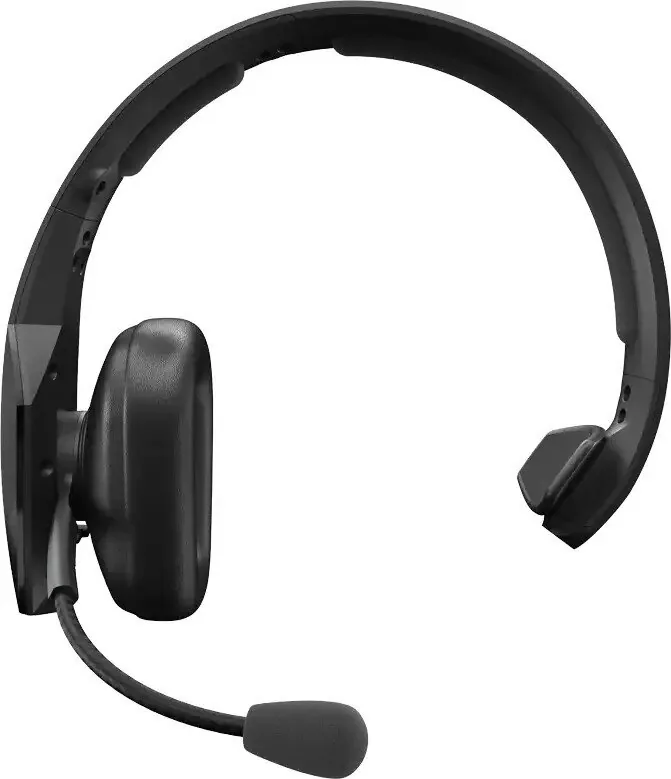
Place the microphone about one finger width from the corner of your mouth. The boom rotates, so the headset can be worn on either ear. Accurate placement improves noise reduction performance.
Is this answer helpful?
Advantages and Disadvantages
Advantages

- More than 24 hours of talk time after a full charge, supporting long shifts and frequent calls.
- Supports NFC pairing, standard Bluetooth pairing, and multipoint connections to two devices.
- English voice commands allow hands-free answering, rejecting calls, battery checks, redialing, and pairing.
- Customizable BlueParrott button can mute calls, trigger speed dial, or launch selected phone functions.
- Includes a vehicle USB adapter, replacement foam cushion, and replacement microphone windscreen.
Disadvantages

- Voice commands are available in English, which may not suit every user's preferred language.
- Connecting USB power during an active call resets the headset and transfers audio back to the phone.
- NFC pairing depends on the phone's NFC placement, sensitivity, and compatibility.
- The over-the-head headset style may feel less compact than small in-ear wireless options.
- Some customization and firmware updates require the BlueParrott app or updater software.
Product Specification
Type
Headphones (over-ear)
Design
Headband, monaural
Design principle
Closed-back
Microphone
Boom microphone
Wireless
Bluetooth 5.0, NFC, Multipoint
Controls
Voice control, 3-button remote
Operating time
24 h (talk time), 400 h (standby)
Battery
USB Micro-B charging port, 3.5-hour charging time
Frequency range
150 Hz-6.8 kHz (headphones), 150 Hz-6.8 kHz (microphone)
Impedance
34 ohms
Sensitivity
123 dB
Driver
1.42 in
Device features
Water-resistant (IP54)
Software features
Voice assistant (Apple Siri, Google Assistant)
Color
Black
Weight
5.82 oz
Product Description
BlueParrott B550-XT HDST Manual: A Powerful Wireless Headset for Demanding Calls
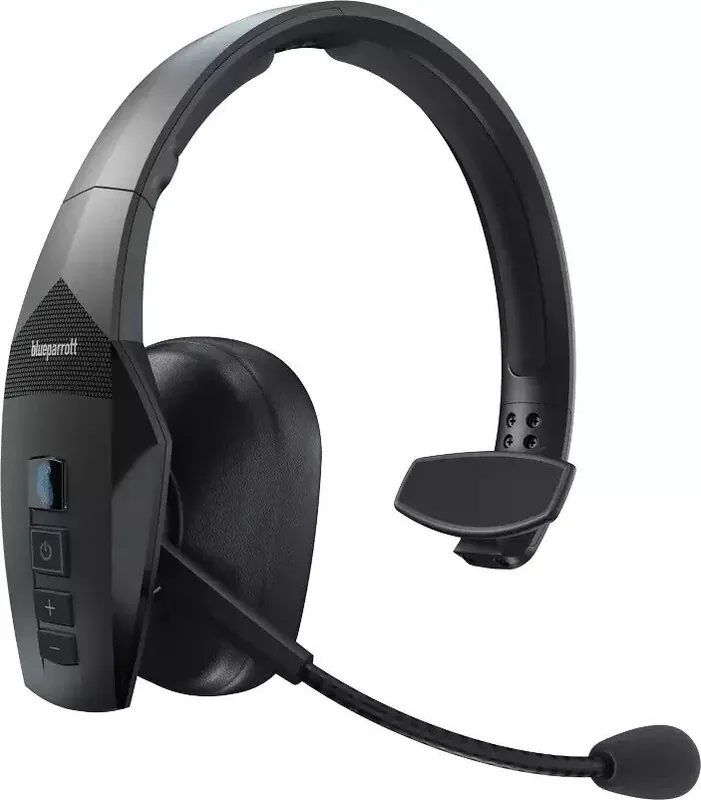
The BlueParrott B550-XT HDST is designed for people who need clear, dependable mobile communication in busy, noisy environments. Its over-the-head design, flexible microphone boom, and adjustable fit help create a stable wearing experience for drivers, field teams, warehouse staff, and anyone taking frequent calls away from a quiet office. The microphone should be positioned close to the corner of the mouth for the best noise reduction performance.
Built for Long Workdays
A major strength of the B550-XT is its long battery capability. A full charge takes about 3.5 hours and supports more than 24 hours of talk time. Status lights make charging simple: red indicates that charging is still in progress, while blue confirms a full charge. The headset can also run from USB power, although connecting USB during an active call resets the headset and transfers the call back to the phone.
The package includes a USB charging cable, vehicle USB adapter, replacement foam ear cushion, replacement microphone windscreen, and a leatherette ear cushion already fitted to the headset. This selection supports practical everyday use and makes it easier to keep the headset comfortable and ready for work.
Simple Controls and Flexible Pairing
The BlueParrott B550-XT HDST Manual highlights several pairing options. NFC one-touch pairing can make initial setup quicker with compatible phones, while standard Bluetooth pairing remains available for other devices. The headset remembers up to eight paired devices and supports multipoint mode, allowing connection to two Bluetooth devices at the same time.
Calls can be answered, ended, or rejected through the multifunction button or with English voice commands. Say "Hello BlueParrott" to activate commands such as "Answer," "Ignore," "Check Battery," "Redial," and "Pair-Mode." The headset can also activate a connected phone's voice assistant, including Siri or Google voice controls when supported by the phone.
Customizable BlueParrott Button
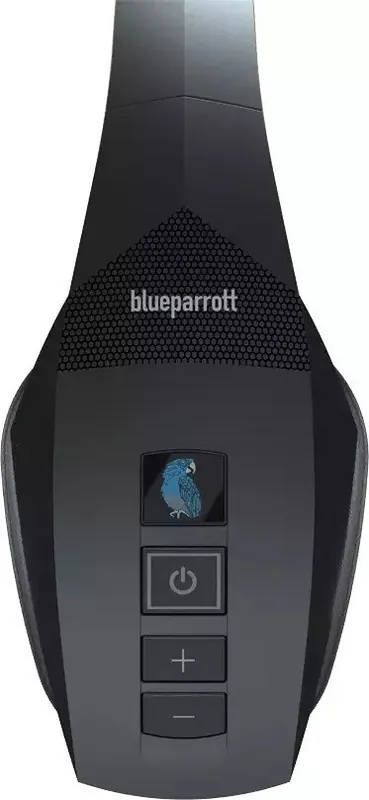
The dedicated BlueParrott button is set to mute calls by default and activates voice commands when not on a call. Through the BlueParrott app or updater software, it can be configured for other actions, such as speed dial or opening a smartphone application. Volume controls, call transfer, redial, LED control, and paired-device reset functions are also available directly from the headset.
Notes
- Keep volume at a comfortable level to protect hearing.
- Do not immerse the headset in water or expose it to temperatures above 60 C.
- Use the supplied power accessories for charging.
- Reset paired devices before handing the headset to another user.
Search for 67,706 Manuals online


Type-in Brand or Model