
BlueParrott B450-XT Manual
PDF manual · 23 Pages
English



Quick check
Incorrect answer, please try again.
Chat with your BlueParrott B450-XT manual using AI
Get instant AI answers from your BlueParrott B450-XT manual
Ask anything about the BlueParrott B450-XT. Answers come from this manual, with the pages they are based on.
Ask a Question
Do you recommend B450-XT?
Yes NoFrequently Asked Questions
You can pair the headset using NFC by touching your phone to the headset's NFC zone, or manually by holding the MFB until it flashes alternating red and blue. Select 'BlueParrott B450-XT' on your phone's Bluetooth list and enter the passcode 0000 if prompted.
Is this answer helpful?
Yes, the B450-XT features Multipoint Mode, which allows it to connect to and switch between two Bluetooth devices simultaneously. You simply need to pair both devices, and the headset will monitor both for incoming calls.
Is this answer helpful?
Ensure the headset has sufficient battery charge. If the battery is depleted, charge it for at least three hours. If it still does not respond, try resetting the paired devices list by holding the Volume Up and Down buttons together for 6-10 seconds.
Is this answer helpful?
Position the speaker on your ear and slide the headband to find a comfortable fit. Rotate the microphone boom so it sits about one finger's width away from the corner of your mouth. You can move the boom from the left ear to the right ear by sweeping it under the headband.
Is this answer helpful?
The headset is IP54 rated, meaning it is protected against dust and low-pressure water jets from any direction. However, you should not immerse it in water or expose it to high-pressure streams.
Is this answer helpful?
Yes, firmware updates are available over-the-air, but they require an Android device and the BlueParrott app. Both the headset and phone must have at least 50% battery before starting the update process.
Is this answer helpful?
Advantages and Disadvantages
Advantages

- Over 24 hours of talk time on a single charge
- Multipoint mode allows connection to two devices simultaneously
- IP54 rating provides resistance to dust and water splashes
- Advanced noise-canceling microphone improves voice clarity
- Voice command support enables hands-free call management
Disadvantages

- Firmware updates are only supported on Android devices
- Connecting to a powered USB port mid-call may cause a reset
- Pairing process requires specific button combinations for some modes
- Indicator lights can be distracting in very dark environments
- Volume up button must be held to mute, which takes practice
Product Specification
Type
Headphones (Over-Ear)
Form Factor
Headband, monaural
Principle
closed
Microphone
Boom microphone
Wireless
Bluetooth 5.0, NFC, Multipoint
Controls
Voice control, one-button remote, volume control, mute button
Battery Life
24h (calls), 500h (standby)
Battery
USB-C charging port, 3h charge time
Frequency Range
20Hz-20kHz (headphones), 150Hz-6.8kHz (microphone)
Impedance
32 ohms
Sensitivity
132dB
Drivers
1.42 inches
Device Features
water-resistant (IP54)
Software Features
Voice assistant
Color
black
Weight
5.68 oz
Product Description
Experience Crystal Clear Communication with the BlueParrott B450-XT
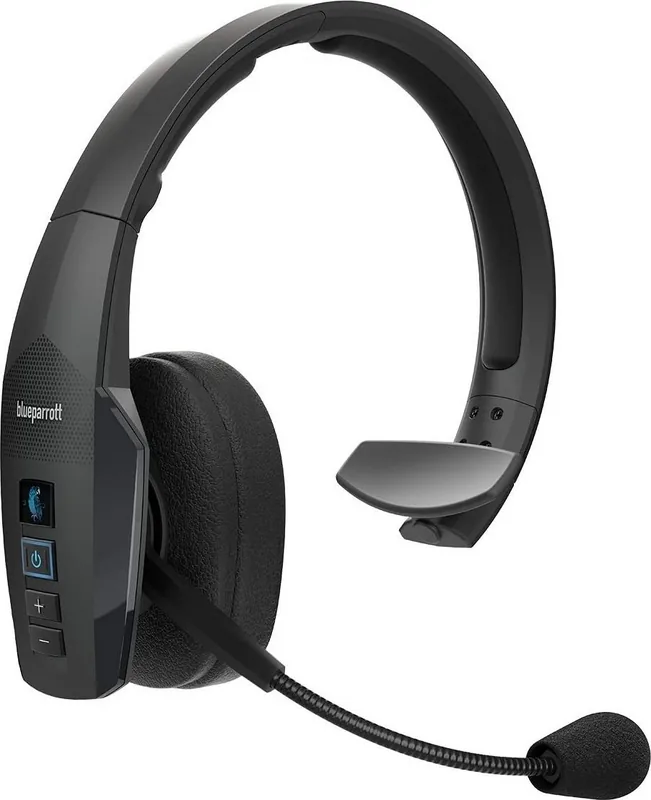
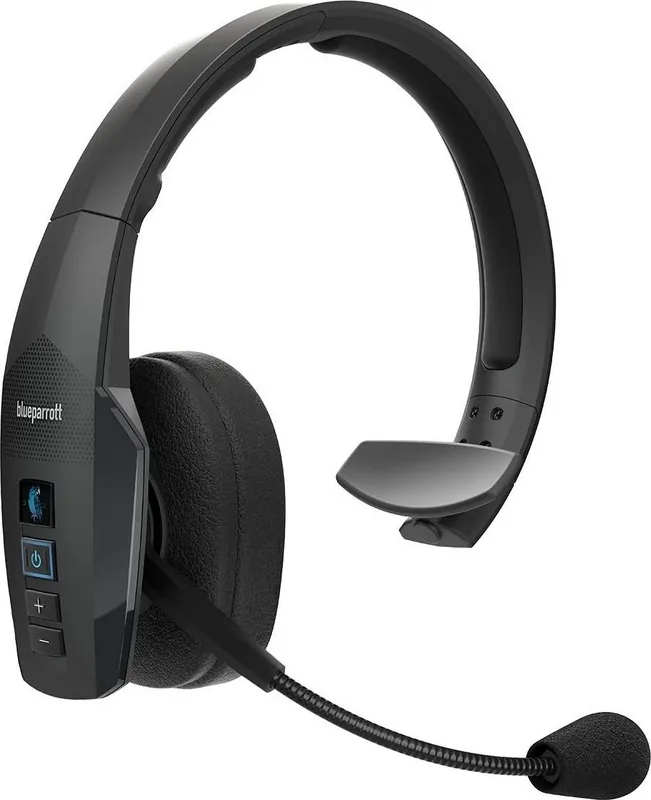
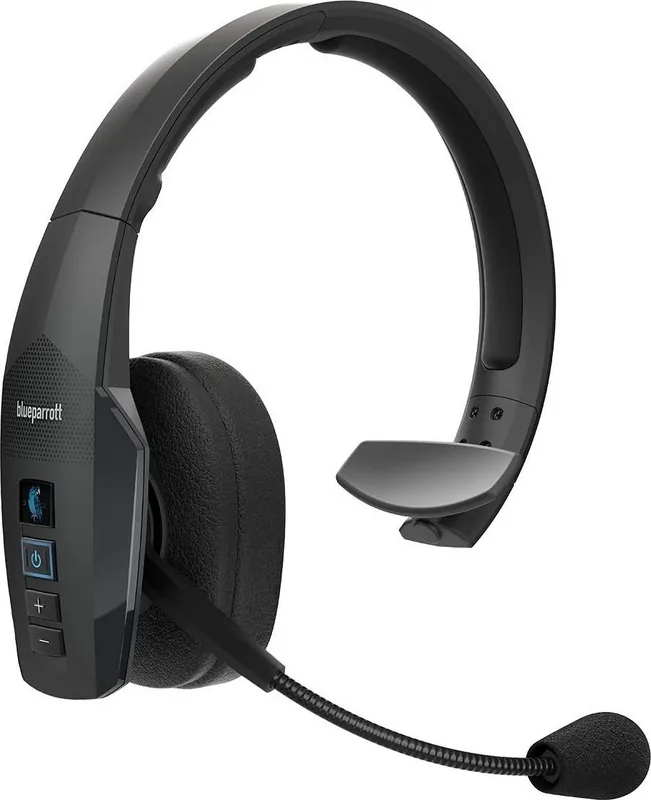
The BlueParrott B450-XT stands out as a robust solution for professionals who demand superior audio quality in noisy environments. Designed with durability and comfort in mind, this headset features an IP54 rating, ensuring it can withstand dust and water splashes without compromising performance. The flexible microphone boom is a standout feature, allowing users to position the noise-canceling mic precisely near the corner of their mouth for optimal voice clarity.
Unmatched Connectivity and Battery Life
One of the most impressive aspects of the BlueParrott B450-XT is its ability to connect to multiple devices simultaneously through Multipoint Mode. This allows seamless switching between two Bluetooth devices, such as a work phone and a personal mobile, without needing to disconnect and reconnect. The battery life is equally remarkable, offering over 24 hours of talk time on a single charge. Charging is straightforward via the included USB-C cable, with clear LED indicators showing the power status at a glance.
Intuitive Controls and Voice Commands
Navigating calls and settings is effortless thanks to the intuitive Multifunction Button (MFB) and the dedicated Parrott Button. Users can answer or reject calls using simple voice commands like "answer" or "ignore," keeping hands free for other tasks. The headset also supports Phone Voice Control, integrating with Siri or Google Now for enhanced functionality. Customization options allow the Parrott Button to be configured for speed dialing or launching specific apps, adding a layer of personal utility to the device.
Comfort and Adjustability
Comfort is paramount during long shifts, and the B450-XT delivers with adjustable headband tension and length. The leatherette ear cushions provide a soft seal, while the spare foam cushions offer an alternative for those who prefer a different feel. The microphone boom can be easily switched from left to right, accommodating different user preferences. Whether you are working in a warehouse, driving, or managing a busy office, the BlueParrott B450-XT ensures you stay connected clearly and reliably.
Important Notes
- Ensure volume levels are set comfortably to protect hearing.
- Do not immerse the headset in water despite its IP54 rating.
- Firmware updates are available over-the-air for Android users via the BlueParrott app.
Search for 67,706 Manuals online


Type-in Brand or Model