
Blaupunkt Rotterdam 600 DAB Manual
PDF manual · 312 Pages
English



Quick check
Incorrect answer, please try again.
Chat with your Blaupunkt Rotterdam 600 DAB manual using AI
Get instant AI answers from your Blaupunkt Rotterdam 600 DAB manual
Ask anything about the Blaupunkt Rotterdam 600 DAB. Answers come from this manual, with the pages they are based on.
Ask a Question
Do you recommend Rotterdam 600 DAB?
Yes NoFrequently Asked Questions
No, this model requires a wired connection using a high-quality certified USB cable to connect your iPhone for Apple CarPlay functionality.
Is this answer helpful?
No, for safety reasons, video playback is strictly disabled when the vehicle is moving. You must be parked to use the video features.
Is this answer helpful?
The device supports common audio and video formats including MP3, OGG, FLAC, WMA, WAV, MKV, and AVI on FAT or FAT32 formatted drives.
Is this answer helpful?
Go to Settings > Bluetooth > Devices Management > Add Device. Ensure your phone is visible and select BLAUPUNKT from the list, then enter the PIN if prompted.
Is this answer helpful?
No, the DAB antenna is not included in the scope of delivery. You will need to purchase a compatible external DAB antenna separately.
Is this answer helpful?
Yes, the unit supports Steering Wheel Control (SWC). You may need a specific adapter depending on your vehicle, and you must program the buttons via the menu.
Is this answer helpful?
Advantages and Disadvantages
Advantages

- Superior DAB/DAB+ digital radio reception with clear audio
- Full Apple CarPlay and Android Auto integration for seamless smartphone use
- Advanced equalizer with subwoofer and fader/balance controls
- Capacitive touchscreen for fast and intuitive operation
- Includes remote control and external Bluetooth microphone
Disadvantages

- Video playback is disabled while the vehicle is in motion for safety
- Requires specific certified USB cables for optimal CarPlay/Android Auto performance
- Complex installation may require professional assistance for wiring
- No built-in GPS navigation, relies entirely on connected smartphone apps
- LCD screen may have minor pixel errors due to manufacturing technology
Product Specification
Type
Moniceiver, 2-DIN
Display
7.0, LCD, 1024x600 Pixel, Touchscreen
Navigation
yes (Apple CarPlay, Android Auto)
Tuner
FM, MW, LW, DAB, DAB+
Media
USB storage
Audio formats
ALAC, FLAC, MP3, WAV, WMA
Video formats
AVI, DivX, MKV
Image formats
JPG
Power
4x 45W Peak
Connections
5x preamp output, 1x audio/video input, 1x USB (Rear), Bluetooth 5.0
Software features
Apple CarPlay, Android Auto
Features
Hands-free kit, 8-band equalizer
Product Description
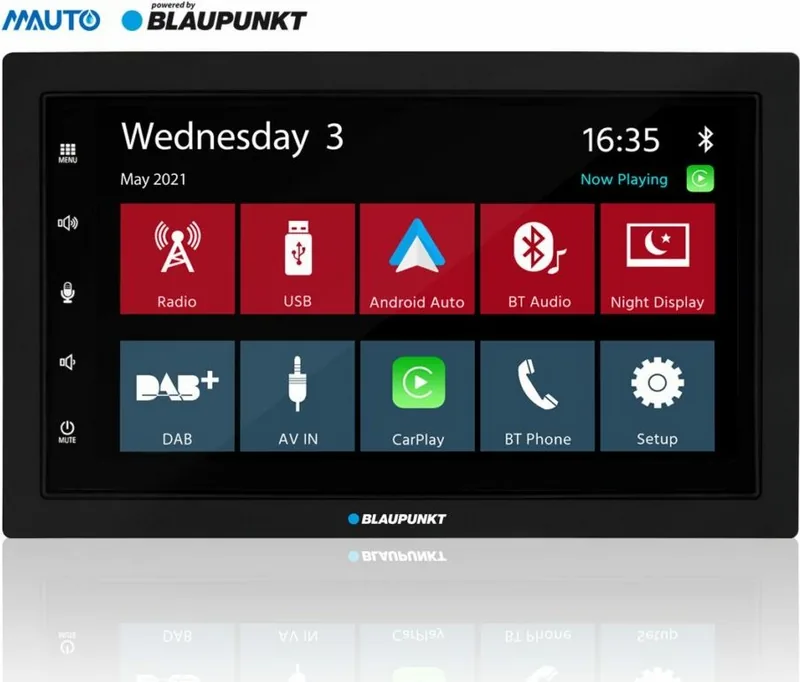
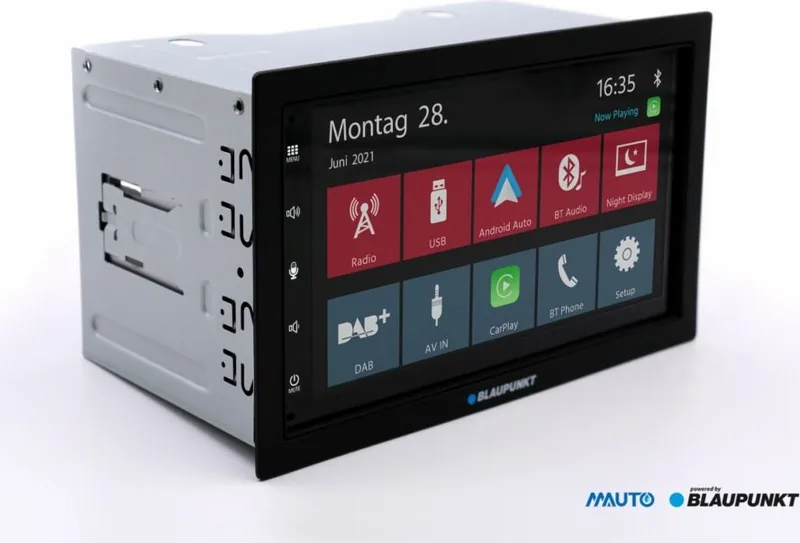
Blaupunkt Rotterdam 600 DAB: The Ultimate Car Multimedia Experience
The Blaupunkt Rotterdam 600 DAB represents a significant leap forward in automotive audio technology, designed to transform your daily commute into an immersive entertainment journey. This sleek head unit seamlessly blends high-fidelity sound with modern connectivity, ensuring that you stay connected and entertained regardless of the road ahead.
At the heart of this device is its robust digital radio capability, supporting both DAB and DAB+ standards. This ensures crystal-clear reception with less static than traditional analog FM, allowing you to access a vast array of stations with superior audio quality. For those who prefer classic tuning, the analog radio section remains fully functional with RDS features like automatic frequency switching and traffic updates, keeping you informed on your route.
Connectivity is where the Rotterdam 600 truly shines. It offers full integration with Apple CarPlay and Android Auto, bringing your smartphone's most essential apps directly to your car's touchscreen. Whether you are navigating with Google Maps or Apple Maps, streaming music via Spotify or Apple Music, or making hands-free calls, everything is accessible through an intuitive interface that prioritizes safety. The system supports voice commands via Siri and Google Assistant, minimizing the need for manual interaction while driving.
Audio customization is effortless thanks to the advanced equalizer settings. Users can fine-tune their sound experience across multiple bands, adjust subwoofer levels, and manage balance and fader settings to create the perfect acoustic environment for any vehicle interior. The capacitive touchscreen responds instantly to touch, swipe, and long-press gestures, making navigation through menus smooth and responsive.
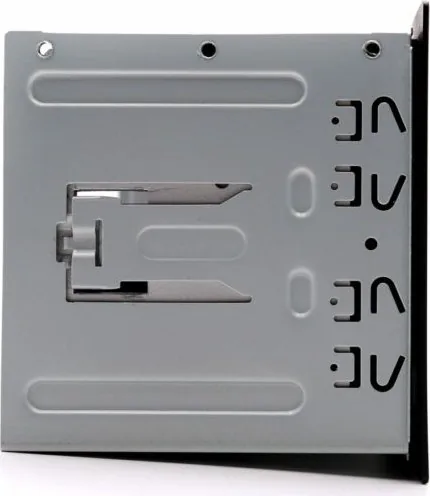
Installation is straightforward for those with basic automotive electrical knowledge, featuring a standard DIN slot design. The package includes all necessary mounting hardware, a remote control for added convenience, and an external microphone for clearer call quality. Safety is paramount; the device includes warnings against using video playback while driving and ensures that all functions comply with EU safety directives.
With its blend of digital clarity, smart phone integration, and customizable audio controls, the Blaupunkt Rotterdam 600 DAB is the ideal choice for drivers seeking a reliable and feature-rich multimedia solution.
Important Notes
- Always stop the vehicle before adjusting complex settings or entering destinations.
- Use only dry or slightly damp cloths for cleaning the display.
- Ensure the ACC wire is connected correctly to prevent battery drain.
Search for 67,706 Manuals online


Type-in Brand or Model