
Blaupunkt Oslo 600 DAB Manual
PDF manual · 371 Pages
English



Quick check
Incorrect answer, please try again.
Chat with your Blaupunkt Oslo 600 DAB manual using AI
Get instant AI answers from your Blaupunkt Oslo 600 DAB manual
Ask anything about the Blaupunkt Oslo 600 DAB. Answers come from this manual, with the pages they are based on.
Ask a Question
Do you recommend Oslo 600 DAB?
Yes NoFrequently Asked Questions
Yes. The unit supports DAB and DAB+ with automatic band scans to find available services and stores them in the service list for quick access.
Is this answer helpful?
Yes. Apple CarPlay and Android Auto are supported. CarPlay requires an iPhone 5s or newer and Siri enabled; Android Auto needs an Android 5.0+ phone (6.0+ recommended) and a high-quality USB cable.
Is this answer helpful?
USB supports FAT/FAT32 file systems with common formats such as .mp3, .ogg, .flac, .wma, .wav for audio and .mkv, .avi for video, though playback can depend on the file’s encoder and codecs.
Is this answer helpful?
Enable Bluetooth on your phone, open Settings > Bluetooth on the head unit, choose Devices Management and Add device. Pair using the unit’s Bluetooth name (BLAUPUNKT) and enter the PIN if prompted to enable hands-free calling and A2DP audio.
Is this answer helpful?
Professional installation is recommended. Incorrect wiring can affect airbags, vehicle lighting, or cause battery drain. Follow the provided wiring diagram and consult a car-audio specialist for vehicle-specific adapters.
Is this answer helpful?
Video playback is intended for use only when the vehicle is stationary. To enable in-car video, ensure parking/handbrake input is wired and engaged; otherwise video will remain disabled while driving.
Is this answer helpful?
Try different files or reformat the USB drive (FAT/FAT32). Confirm file codecs are supported and test with alternate media. If issues persist, check for firmware updates on the manufacturer website.
Is this answer helpful?
Advantages and Disadvantages
Advantages

- DAB/DAB+ and FM/AM tuners provide broad, clear radio reception with automatic band scans.
- Capacitive touchscreen with touch, long-press and swipe gestures for intuitive control.
- Full smartphone integration: Apple CarPlay and Android Auto with voice assistant support.
- Comprehensive audio tuning: multi-band EQ, LPF/HPF, subwoofer control, balance and fader.
- Bluetooth A2DP/AVRCP with hands-free calling, phonebook sync and media streaming.
Disadvantages

- Some media files and codecs may not be supported; playback depends on file encoding.
- Video playback and smartphone interaction can distract drivers; use only when stationary.
- Installation can affect vehicle systems (airbags, lighting); professional installation recommended.
- Certain steering-wheel control adapters or vehicle-specific accessories may be required.
- Device requires proper ACC wiring; incorrect connection can cause battery drain or malfunctions.
Product Specification
Type
Moniceiver, 2-DIN
Display
7.0", LCD, 1024x600 pixels, touchscreen
Navigation
yes (Apple CarPlay, Android Auto)
TMC
TMC
Tuner
FM, AM, DAB, DAB+
Media
USB storage, memory card
Audio formats
FLAC, MP3, OGG/Vorbis, WAV, WMA
Video formats
AVI, DivX, MKV
Image formats
JPG
Power
4x 26W RMS, 4x 45W Peak
Connections
4x preamplifier output (2V), 2x USB 2.0, card reader (microSD/microSDHC), Bluetooth
Software features
Apple CarPlay, Android Auto
Features
Hands-free system
Product Description
Blaupunkt Oslo 600 DAB — Feature-Packed Car Multimedia Receiver
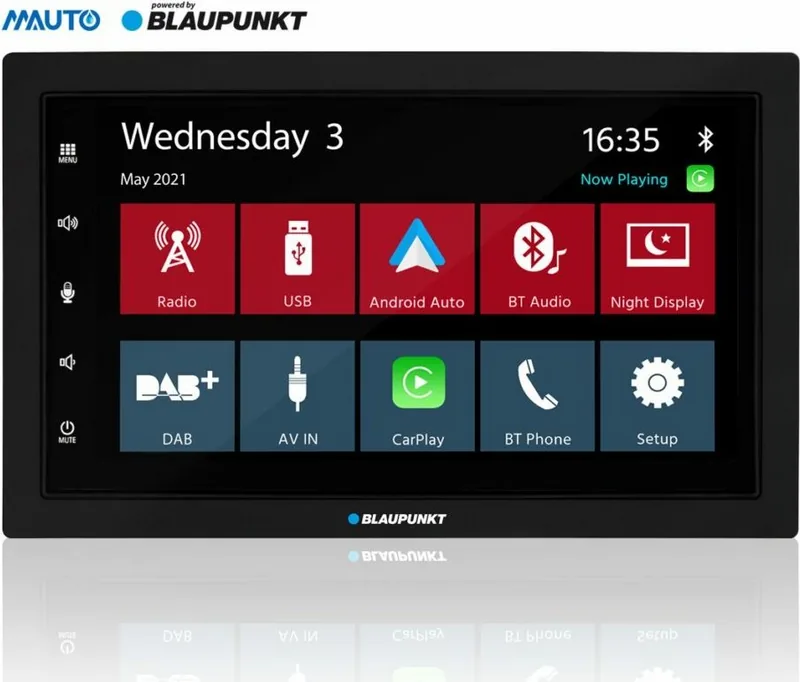
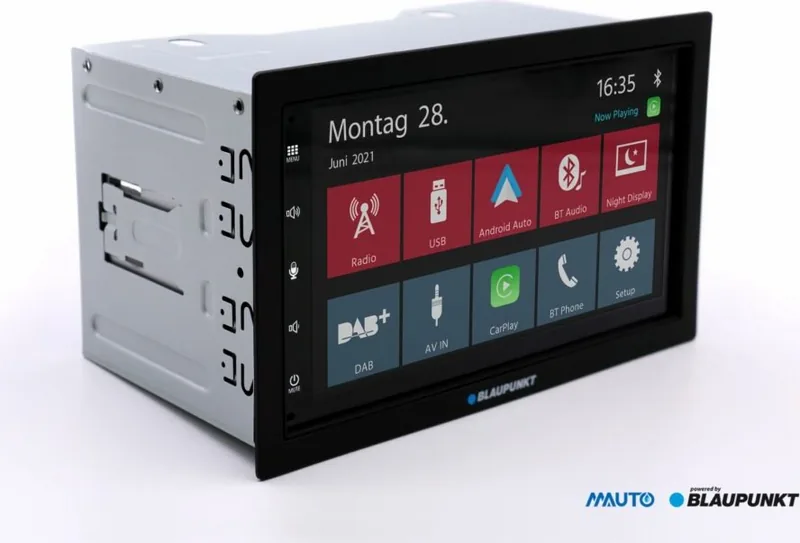
Discover the Blaupunkt Oslo 600 DAB, a versatile in-dash car multimedia receiver designed for modern drivers who want robust connectivity, excellent audio control and reliable digital radio reception. With a capacitive touchscreen, Bluetooth hands-free features, DAB+/FM radio and full smartphone integration via Apple CarPlay and Android Auto, the Oslo 600 DAB blends convenience and safety for everyday driving.
Key product highlights
The Oslo 600 DAB offers DAB/DAB+ digital radio reception alongside traditional FM/AM tuners, ensuring clear stations and seamless band scans. A large responsive capacitive touchscreen handles taps, long presses and swipes for intuitive control; a physical power/mute button and included remote provide alternative inputs. Audiophiles will appreciate the multi-band equalizer with presets and custom tuning, plus subwoofer, LPF/HPF, balance and fader controls.
Bluetooth functionality supports A2DP and AVRCP for wireless audio streaming and remote playback control, while integrated hands-free calling syncs contacts and call history. For smartphone users, Apple CarPlay and Android Auto offer familiar navigation, messaging and media apps, and voice assistants (Siri or Google Assistant) enable safe, hands-free operation.
Practical features and installation
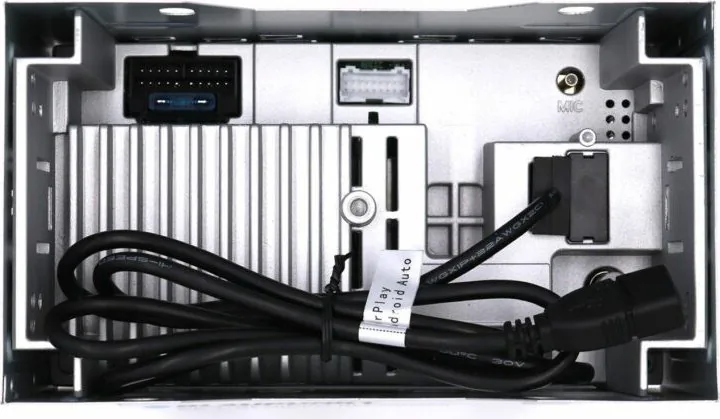
The receiver supports USB media (FAT/FAT32) with common audio and video formats (.mp3, .ogg, .flac, .wma, .wav, .mkv, .avi) and a media browser that organizes by type and folder. External inputs include AV-IN and camera support with reverse trigger, plus switched outputs for amplifiers and phantom power for DAB antenna. Steering-wheel control (SWC) learning is supported for OEM button mapping. The unit includes a remote, external Bluetooth microphone, mounting kit and wiring harness; professional installation is recommended to avoid electrical issues and preserve vehicle safety systems.
Safety & care notes
Use caution with distracting features—video playback and extensive smartphone interaction should only be used when the vehicle is stationary. Clean the touchscreen with a soft cloth; avoid solvents or abrasive cleaners. Dispose of the unit and batteries per local electronics recycling rules.
Final thoughts
Blaupunkt Oslo 600 DAB is a well-rounded multimedia head unit offering modern connectivity, strong audio tuning options and DAB+ reception. It’s targeted at drivers who want a feature-rich, upgradeable in-dash solution with smartphone ecosystem compatibility and clear installation guidelines.
Notes
- Ensure ACC (ignition) wiring is correct to prevent battery drain and to allow full functionality.
- Some media codec compatibility may vary; reformat or test alternate files if playback issues occur.
- For SWC or vehicle-specific adapters, consult a car-audio specialist to guarantee compatibility.
Search for 67,706 Manuals online


Type-in Brand or Model