
Blaupunkt Leipzig 690 DAB Manual
PDF manual · 146 Pages
English



Quick check
Incorrect answer, please try again.
Chat with your Blaupunkt Leipzig 690 DAB manual using AI
Get instant AI answers from your Blaupunkt Leipzig 690 DAB manual
Ask anything about the Blaupunkt Leipzig 690 DAB. Answers come from this manual, with the pages they are based on.
Ask a Question
Do you recommend Leipzig 690 DAB?
Yes NoFrequently Asked Questions
It can play audio, video, and image content from compatible DVDs, CDs, USB storage devices, and microSDHC cards. Audio support includes MP3 and non-DRM WMA files. Supported disc and storage formats should be prepared according to the listed file system and naming requirements.
Is this answer helpful?
Yes. Compatible Bluetooth phones can be paired for hands-free calls using the included external microphone. The system can access synchronized phonebooks, call lists, direct number dialing, automatic connection, and optional automatic call answering.
Is this answer helpful?
Yes, navigation is supported through the dedicated navigation microSD slot. A GPS antenna is included. Compatible navigation map data must be installed on the appropriate microSD card before route guidance can be used.
Is this answer helpful?
DAB functionality is available only on versions of the Leipzig 690 equipped with DAB. These versions can access DAB bands, search available services, store stations automatically, use PTY search, and manage traffic announcements.
Is this answer helpful?
Yes. The receiver includes a rear camera video input. When a compatible camera is connected, its image can appear automatically when reverse gear is engaged, subject to correct installation and vehicle wiring.
Is this answer helpful?
Yes. The unit has an external monitor output for rear-seat entertainment. Video can be sent to a compatible external monitor. The integrated display has safety restrictions for video playback while driving.
Is this answer helpful?
Advantages and Disadvantages
Advantages

- Combines touchscreen control, radio, media playback, Bluetooth calling, and navigation support in one in-car receiver.
- Supports FM/AM and selected DAB models, including RDS, traffic announcements, PTY search, presets, and automatic station storage.
- Plays audio, video, and images from DVD, CD, USB, and microSDHC media, with repeat, random, and folder controls.
- Offers rear camera input, external monitor output, AV inputs, subwoofer support, and programmable steering-wheel controls.
- Includes a GPS antenna and external Bluetooth microphone for navigation readiness and hands-free communication.
Disadvantages

- DAB reception is available only on models equipped with DAB functionality.
- Navigation requires a compatible microSD card with map data obtained separately.
- Video and image playback on the built-in display is limited to when the vehicle is stationary and the parking brake is applied.
- Bluetooth phonebook access requires synchronization and depends on the connected phone's compatibility.
- Installation requires 12 V vehicle wiring knowledge and may be best handled by a qualified installer.
Product Specification
Type
Moniceiver, 2-DIN
Display
6.8 in., LCD, 800 x 480 pixels, touchscreen
Maps
Europe
Tuner
FM, AM, LW, DAB+
Media
CD (CD-R/RW), DVD (DVD-R/RW), USB storage, memory card
Audio formats
APE, FLAC, MP3, WMA
Video formats
AVI, MKV, MPEG-1, MPEG-2, MPEG-4, RM
Image formats
JPG
Power
4 x 45 W peak
Connections
5 x preamp output (2 V), 2 x audio/video input, 2 x USB, card reader (microSD/microSDHC), Bluetooth 2.1
Update
free (within 30 days)
Special features
hands-free system, variable illumination, 10-band equalizer
Product Description
Blaupunkt Leipzig 690 DAB - Read, Download & Print Free
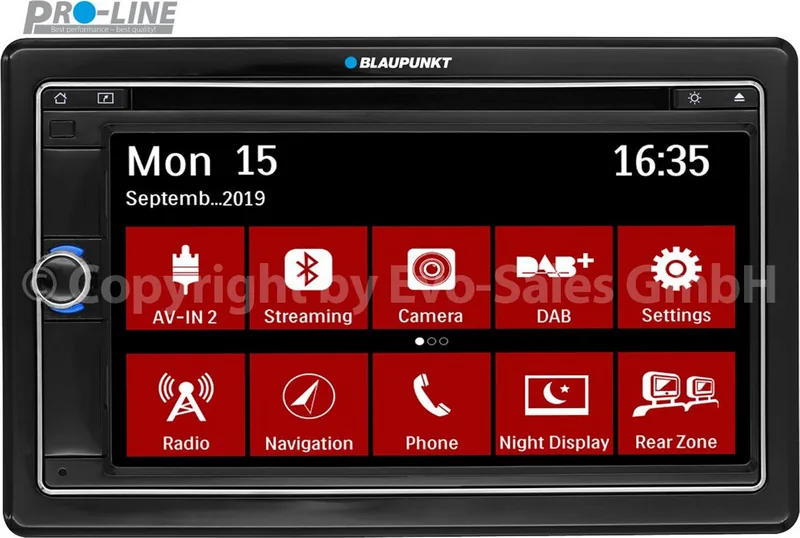
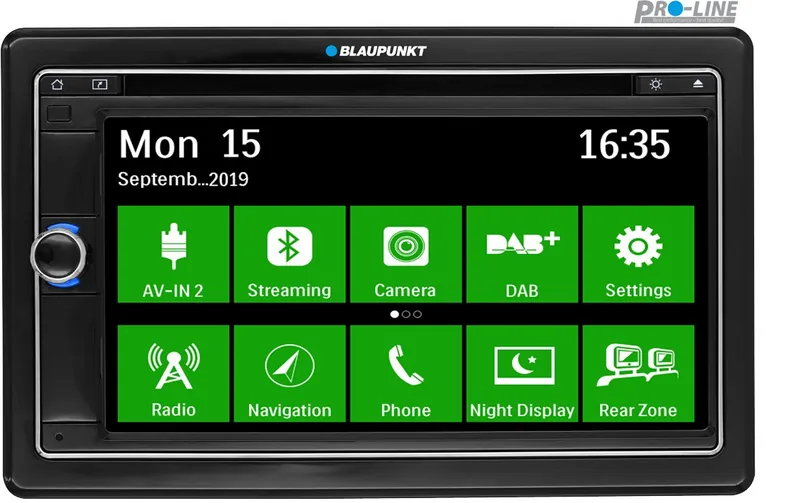
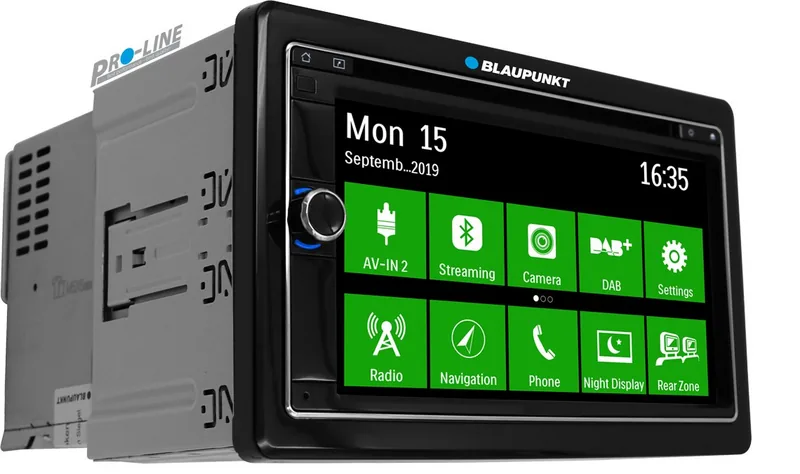
The Blaupunkt Leipzig 690 DAB is a versatile in-car multimedia receiver designed to bring navigation, entertainment, communication, and audio control together in a DIN dashboard installation. Its touchscreen interface provides direct access to radio, media sources, Bluetooth functions, settings, and compatible navigation features, helping drivers keep essential controls within easy reach.
Entertainment and radio options
The unit supports FM and AM reception, with RDS features for station information, alternative frequencies, regional programming, traffic announcements, and programme-type searches. Travelstore can automatically save strong local stations, while manual tuning and preset banks give listeners flexible control. Selected versions also include DAB reception for digital radio services, with DAB bands, station scanning, PTY search, traffic announcements, and DAB-FM switching.
For stored media, the Leipzig 690 handles audio, video, and image playback from DVD, CD, USB storage, and microSDHC cards. It supports MP3 and WMA audio formats, and provides practical playback controls such as track search, repeat modes, random playback, folder browsing, subtitle selection, image adjustment, and direct title or time entry where supported. The integrated DVD/CD drive expands options for drivers and passengers who still use physical media.
Navigation, phone calls, and connectivity
Navigation is available through a dedicated microSD card slot and a NAVI shortcut button. A GPS antenna is included to support route guidance when compatible map data is installed. The receiver also supports Bluetooth pairing for hands-free calling and wireless music streaming. Compatible phones can synchronize phonebooks, show call lists, support alphabetic contact searches, and reconnect automatically when they are nearby.
Bluetooth audio devices using A2DP and AVRCP can stream music through the vehicle sound system, with playback control available from the receiver. Calls temporarily interrupt music playback, then audio resumes after the conversation. An external Bluetooth microphone is included to support clearer hands-free communication.
Sound, display, and expansion
Audio can be tailored using equalizer presets or user-defined frequency adjustments, along with loudness, fader, balance, dynamic bass, and subwoofer controls. The display brightness can be adjusted in four steps, while dimmer, blackout, touchscreen calibration, interface color, and button illumination settings help personalize the interface.
The Leipzig 690 also offers AV inputs, a rear camera input, external monitor output, steering-wheel-control programming, front and rear line outputs, and a subwoofer connection. Video playback on the built-in display is restricted to a stationary vehicle with the parking brake applied, supporting safer use.
Notes
- Professional installation is recommended for users unfamiliar with vehicle wiring.
- Remove transport securing screws before first use.
- Resetting the system restores factory settings and removes personal preferences.
- Use moderate volume levels to remain aware of traffic and warning sounds.
Search for 67,706 Manuals online


Type-in Brand or Model