
Blaupunkt Hamburg 948 DAB Manual
PDF manual · 192 Pages
English



Quick check
Incorrect answer, please try again.
Chat with your Blaupunkt Hamburg 948 DAB manual using AI
Get instant AI answers from your Blaupunkt Hamburg 948 DAB manual
Ask anything about the Blaupunkt Hamburg 948 DAB. Answers come from this manual, with the pages they are based on.
Ask a Question
Do you recommend Hamburg 948 DAB?
Yes NoFrequently Asked Questions
Video playback on the integrated monitor is only permitted when the vehicle is parked and the handbrake is applied for safety reasons. External monitors can display video during transit.
Is this answer helpful?
Establish a Bluetooth connection first. Agree to use CarPlay with the unit. Turn off Wi-Fi in settings before connecting via Bluetooth to enter CarPlay mode successfully.
Is this answer helpful?
Yes, the device supports DAB (Digital Audio Broadcasting). You can receive digital stations without noise, though signal strength affects continuity compared to FM.
Is this answer helpful?
Warning information appears if the parking brake wiring is incorrect or if video plays while driving improperly. Check the wiring harness against the diagram.
Is this answer helpful?
Yes, you can reset default settings via the Upgrade and Reset menu. This restores factory configurations if the unit resets itself unexpectedly.
Is this answer helpful?
An external microphone is included in the delivery content for voice control and hands-free calling purposes.
Is this answer helpful?
Use only a dry or slightly moistened cloth. Avoid solvents or cleaning agents that might damage the surface finish.
Is this answer helpful?
Advantages and Disadvantages
Advantages

- Supports DAB and FM radio with automatic station searching and traffic information priority
- Seamless Apple CarPlay and Android Auto integration for safe smartphone usage
- Flexible connectivity including USB, Bluetooth, AUX, and multiple camera inputs
- Customizable equalizer settings with presets like Rock, Jazz, and Flat modes
- Split screen functionality allows navigation and audio source viewing simultaneously
Disadvantages

- Internal video playback restricted to parked vehicles with handbrake engaged
- Video cable compatibility may require verification before installation
- Remote battery warning indicates potential chemical hazard if swallowed
- Installation requires specific wiring knowledge for DIN slot placement
- Touchscreen sensitivity might vary depending on user preference settings
Product Specification
Type
Moniceiver, 1-DIN with remote monitor
Display
10.1", LCD, 1024x600 pixels
Navigation
yes
TMC
yes
Tuner
FM, AM, LW, DAB, DAB+
Media
USB storage
Audio Formats
AAC, APE, FLAC, MP3
Image Formats
GIF, JPG, PNG
Power
4 x 50W Peak
Connections
5x Pre-out, 1x HDMI In, 2x Audio/Video In, Video In for backup camera, USB, Bluetooth 5.0
Software Features
Apple CarPlay Wireless, Android Auto Wireless
Features
Hands-free system, 16-Band Equalizer
Product Description
Discovering the Blaupunkt Hamburg 948 DAB Multimedia Experience
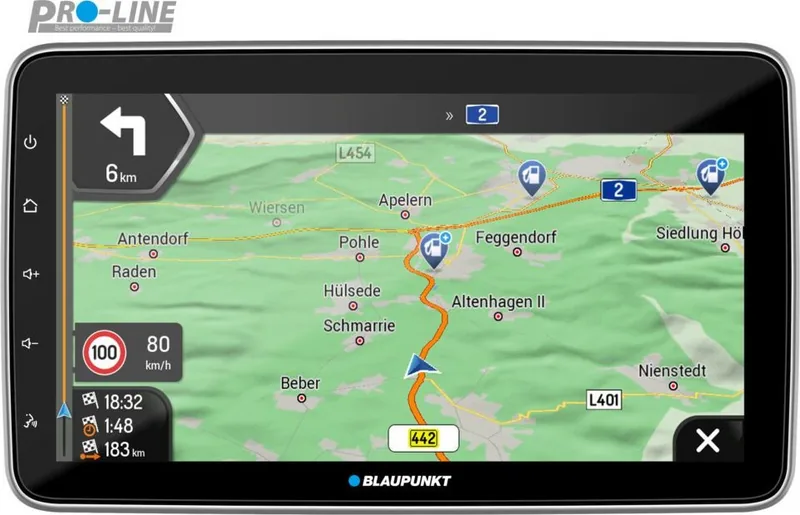
The Blaupunkt Hamburg 948 DAB represents a significant upgrade for modern vehicle audio systems. Designed for drivers seeking high-quality digital reception and seamless smartphone integration, this head unit bridges the gap between traditional car entertainment and contemporary mobile technology. Users can enjoy crystal clear audio through the Digital Audio Broadcasting band, eliminating static and interference common in older analog systems. This ensures consistent sound quality across your entire route without dropouts. The system supports both FM and DAB modes, allowing automatic station search and storage with traffic information priority.
Connectivity and Smart Integration
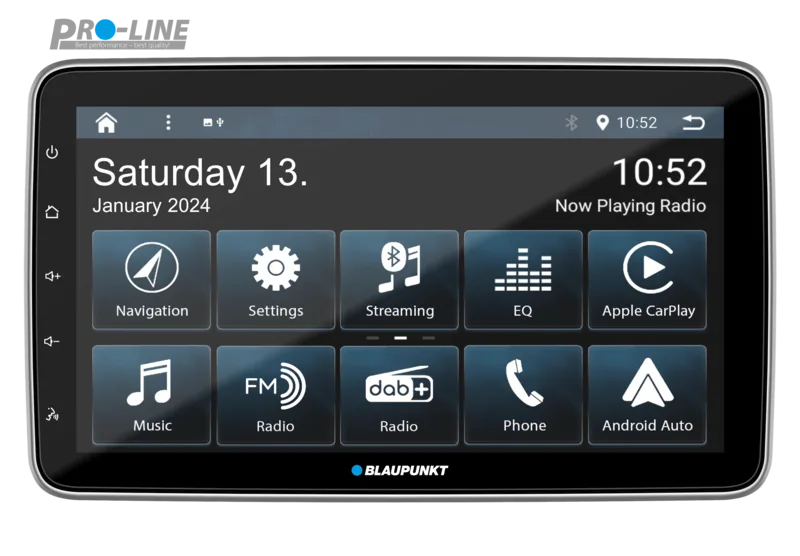
One of the standout features is the robust support for Apple CarPlay and Android Auto. These protocols allow you to project essential apps directly onto the touchscreen interface. You can access navigation maps, send messages safely using voice commands, and manage music libraries without taking your eyes off the road. Siri and Google Assistant integration enables hands-free control over calls and directions. Bluetooth streaming supports A2DP and AVRCP profiles, enabling hands-free calls and wireless music playback. Furthermore, auxiliary inputs and multiple camera channels provide flexibility for parking assistance and external video sources. USB drives allow direct playback of MP3 and WMA files alongside video content for rear passengers when parked.
Installation and Usability Considerations
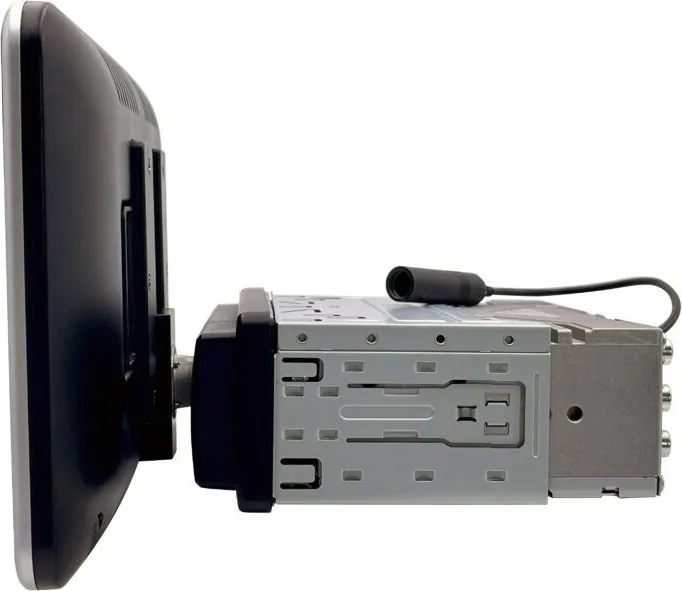
Installing the 948 DAB requires attention to vehicle electrical standards. It fits into a standard DIN slot and comes with necessary antennas and cables. The interface includes a touch screen paired with physical buttons for critical functions like volume and power. Voice control activation via the front panel adds convenience during driving. Safety is prioritized; video playback on the internal screen is restricted to parked vehicles with the handbrake engaged to prevent driver distraction. However, external monitors can display media during transit. Sound customization includes an equalizer with preset modes like Rock and Jazz, plus adjustable time alignment for perfect acoustics throughout the cabin. Whether upgrading an older dash or equipping a new build, this multimedia series delivers reliability and performance for the daily commuter. Regular updates ensure software stays current while remote diagnosis helps maintain system health.
Steering wheel controls are fully configurable, ensuring familiar operation remains intact after replacement. The split screen functionality allows simultaneous navigation and audio source viewing. Cleaning requires a dry cloth to avoid damage. Overall, the device balances advanced tech with practical utility.
Search for 67,706 Manuals online


Type-in Brand or Model