
Blaupunkt Bluebot XSmart Manual
PDF manual · 40 Pages
English



Quick check
Incorrect answer, please try again.
Chat with your Blaupunkt Bluebot XSmart manual using AI
Get instant AI answers from your Blaupunkt Bluebot XSmart manual
Ask anything about the Blaupunkt Bluebot XSmart. Answers come from this manual, with the pages they are based on.
Bluebot XSmart Maintenance Schedule
Replace the HEPA filter with a new one after 6 months of normal usage.
Replace the side brushes with new ones after 6 months of normal usage.
Replace the mopping pad with a new one after 6 months of normal usage.
Replace the primary filter with a new one after 2 years of normal usage.
Empty the dust bin before next use when it is full.
Clean the side brushes if dirty and replace if damaged.
Clean the normal and brush suction nozzles to remove debris.
Wipe all sensors and wheels with a soft cloth; do not use water.
Clean charging poles with a soft cloth; do not use water.
Clean the suction passage and dust sensor with a soft cloth; avoid getting sensors wet.
Free maintenance reminders
Timed to your purchase date. Always free, unsubscribe anytime.
Ask a Question
Do you recommend Bluebot XSmart?
Yes NoFrequently Asked Questions
It is designed for a wide range of floor types, including laminate, tiles, and low-pile carpets. It is not suitable for high-pile carpets, where it may get stuck.
Is this answer helpful?
It supports both vacuuming and mopping, but you need to install the correct cleaning kit for the task. The mopping kit is used for wet cleaning on suitable hard floors.
Is this answer helpful?
You can use the LED panel, remote control, BluebotXS Plus app, or Alexa voice control. Each method offers different functions, from manual movement to scheduling.
Is this answer helpful?
Yes. You can schedule cleaning from the LED panel, remote control, or app. The app is the most flexible option because it allows different times for different days.
Is this answer helpful?
The battery runtime is about 120 to 140 minutes, depending on the cleaning mode and floor conditions. Charging time is around 240 minutes, though the first charge should take 12 hours.
Is this answer helpful?
The BluebotXS Plus app works with 2.4 GHz Wi‑Fi only. It does not function on a 5 GHz network, so your phone and robot must be connected to the correct band.
Is this answer helpful?
Advantages and Disadvantages
Advantages

- Vacuuming and mopping in one device for versatile floor care.
- Multiple control options: LED panel, remote, app, and Alexa.
- Several cleaning modes help match different room needs.
- HEPA filtration, scheduling, and long runtime improve everyday convenience.
Disadvantages

- Not suitable for high-pile carpets or wet, humid environments.
- App setup requires 2.4 GHz Wi‑Fi, not 5 GHz.
- Needs regular maintenance of filters, brushes, and sensors.
- First charge takes about 12 hours, which is fairly long.
Product Specification
Robot vacuum cleaner
Battery
2x Battery (2.6Ah, Li-Ion)
Color
black
Capacity
16.91 fl oz
Recommended room size
up to 1,937.50 sq ft
Cleaning modes
Mopping, Vacuuming & Mopping
Navigation
Obstacle sensor, Impact sensor, Obstacle detection, Obstacle climbing (up to 0.79in), Magnetic tape
Filtering
HEPA filter
Display
no
Special features
Side brush, programmable cleaning times, liberation function
Smart Home
App control, Voice assistant (Amazon Alexa)
Operating time
140min
Charging time
4h
Charging system
automatic
Noise level
59dB(A)
Dimensions
13.78x3.74in (DxH)
Weight
8.03 lb
Scope of delivery
Station, 2x Battery, Remote control, Magnetic tape, 2x HEPA filter, 4x Side brush, Dustbin, 2x Suction nozzle, Water tank, Mop cloth
Station
Station color
black
Station display
no
Station special features
automatic charging function
Product Description
Blaupunkt Bluebot XSmart: Smart Cleaning for Busy Homes
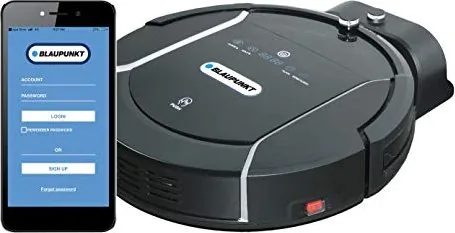
The Blaupunkt Bluebot XSmart vacuuming/mopping robot Manual introduces a floor-care device built for everyday convenience. This robot is designed to handle a wide range of surfaces, from laminate and tiles to low-pile carpets, while giving users several ways to control cleaning through the LED panel, remote control, mobile app, or Alexa voice commands.
What makes the XSmart appealing is its flexible cleaning setup. It can switch between dry vacuuming and wet mopping, depending on the kit installed. That means one compact robot can support multiple household tasks, whether you need to pick up dust, clean crumbs, or give hard floors a light mop. It also offers several cleaning modes, including auto, edge, area, random, and intensive cleaning, so the robot can adapt to different room shapes and cleaning needs.
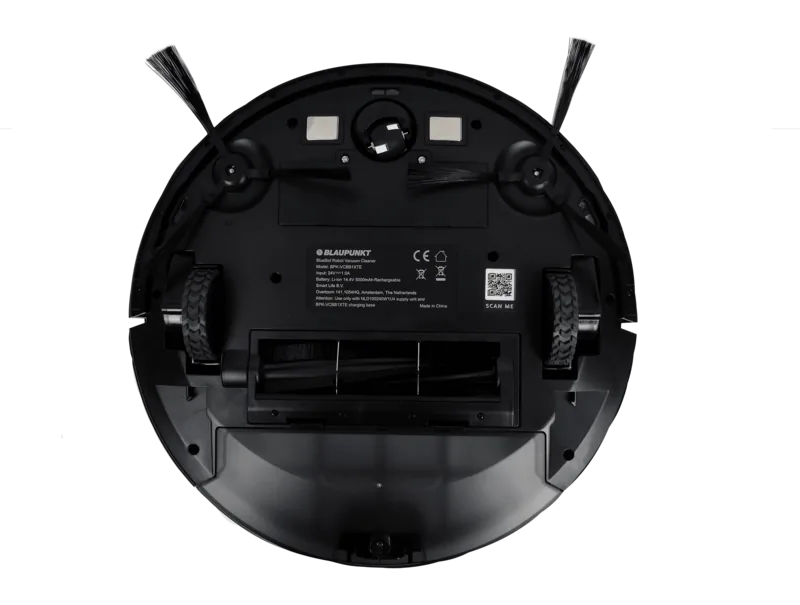
Setup is straightforward, though it does require a little preparation. The charging station should be placed carefully, the side brushes need to be mounted correctly, and the robot must be charged before its first use. The included magnetic strips help define off-limit areas, which is useful for protecting fragile spaces or blocking certain corners. For many users, the app connection is a major benefit because it adds scheduling, navigation, and status monitoring in one place.
Day-to-day maintenance is also clearly structured. The dust bin, filters, brushes, sensors, and wheels all require occasional cleaning, and the manual gives practical guidance for keeping the robot in good condition. With regular care, the XSmart is designed to stay efficient and reliable over time. Its HEPA filtration, 120–140 minute runtime, and support for up to 180 m² make it a capable choice for medium-sized homes.
Overall, the Blaupunkt Bluebot XSmart feels like a smart blend of automation and control. It is especially attractive for users who want a robot that can vacuum and mop without making the process complicated. While it has a few limitations, such as 2.4 GHz Wi‑Fi support and reduced suitability for high-pile carpets, it remains a practical home-cleaning companion.
Notes
- Best suited for domestic use on hard floors and low carpets.
- Requires 2.4 GHz Wi‑Fi for app setup.
- Use original accessories for safe operation and best results.
- Not recommended for wet or humid environments.
Search for 67,706 Manuals online


Type-in Brand or Model
Anna Schneider
7 months ago
Does the robot need frequent emptying, and how well does it clean corners and obstacles like cables or under furniture?
Manual.ly
7 months ago
Most reviewers say you should plan to empty the dust bin daily, because the robot does not reliably stop when it is full and may continue until it is emptied. For corners, results are mixed: it generally cleans floors well, but corner cleaning is sometimes weaker, so light follow-up cleaning may still be needed. For cables and other small objects, the robot can get tangled during the first runs, but you can reduce this by tidying loose cords and using the included magnetic strips to block off problem areas. After a short adjustment period, many users report fewer tangles and better coverage under furniture.