
Blaupunkt Amsterdam 290 BT Manual
PDF manual · 241 Pages
English



Quick check
Incorrect answer, please try again.
Chat with your Blaupunkt Amsterdam 290 BT manual using AI
Get instant AI answers from your Blaupunkt Amsterdam 290 BT manual
Ask anything about the Blaupunkt Amsterdam 290 BT. Answers come from this manual, with the pages they are based on.
Ask a Question
Do you recommend Amsterdam 290 BT?
Yes NoFrequently Asked Questions
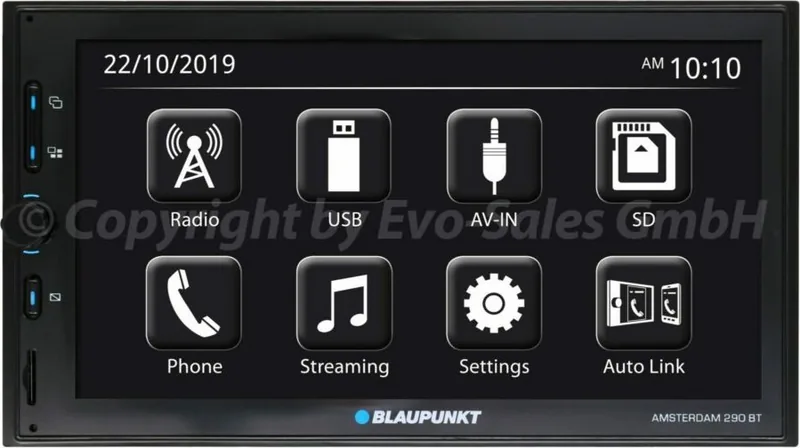
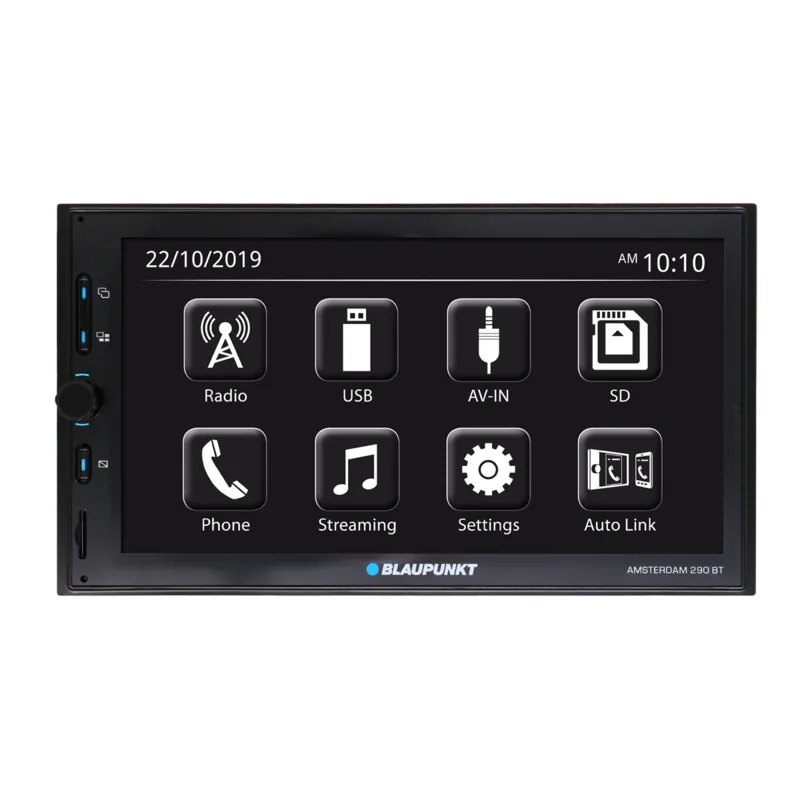
It uses a 6.75-inch TFT touchscreen. The display provides access to source selection, playback controls, phone features, settings, radio functions, and compatible camera views.
Is this answer helpful?
Yes. The unit supports Bluetooth audio playback from compatible devices. It can play or pause tracks and move to previous or next content, although available controls may depend on the connected phone or player.
Is this answer helpful?
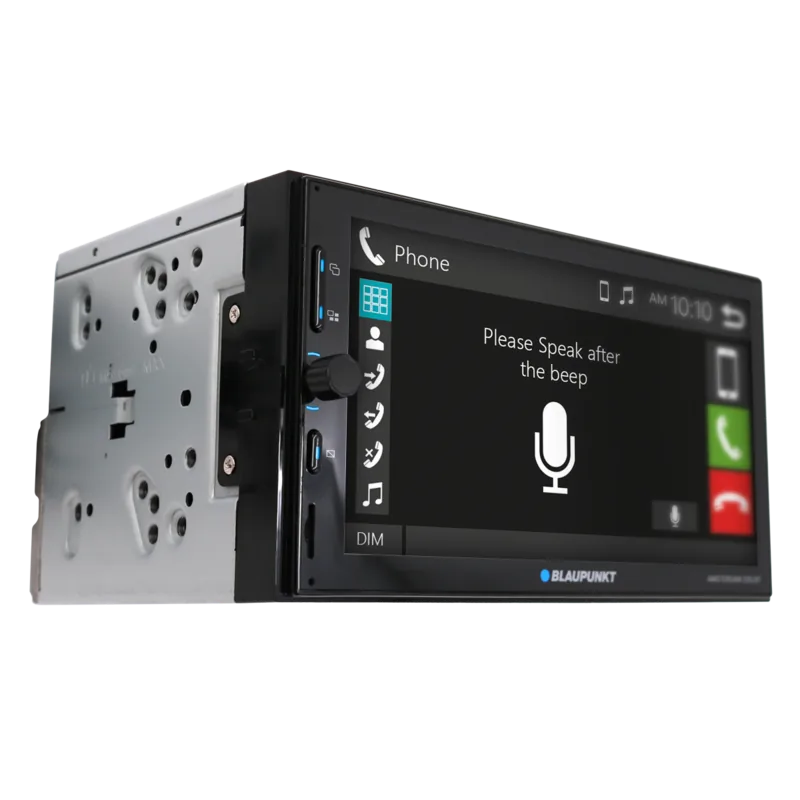
Yes. After Bluetooth pairing, you can answer or reject calls, dial numbers on the touchscreen, access recent calls, use phonebook entries, and adjust call volume through the system.
Is this answer helpful?
The system supports USB storage devices, SD cards, Bluetooth audio devices, compatible iPod and iPhone models, external AV-IN equipment, and selected Android devices through the mirroring function.
Is this answer helpful?
Yes. A compatible rear-view camera can be connected to the dedicated camera input. With the reverse lead correctly wired, the camera image appears when reverse gear is engaged.
Is this answer helpful?
The tuner supports FM and AM bands, automatic and manual presets, and RDS functions where broadcasts support them. These can include traffic information, program-type search, alternative frequencies, and RDS clock synchronization.
Is this answer helpful?
Advantages and Disadvantages
Advantages

- 6.75-inch TFT touchscreen combines media, calling, radio, and vehicle-camera functions in one dashboard unit.
- Supports USB, SD cards, Bluetooth audio, iPod/iPhone playback, AV-IN devices, and compatible Android mirroring.
- Bluetooth hands-free calling includes phonebook access, call history, keypad dialing, and automatic reconnection.
- FM/AM tuner includes presets, RDS functions, traffic announcements, program-type search, and optional DAB support.
- Flexible sound controls include equalizer settings, balance, fader, loudness, subwoofer adjustment, and 4 V preamp outputs.
Disadvantages

- DAB radio is available only on selected versions, so it may not be included with every unit.
- Android mirroring requires a compatible device and the Mirroring OA for Blaupunkt application.
- Rear-view camera operation requires correct reverse-lead wiring and a separately compatible camera.
- Steering-wheel button control needs a vehicle-specific adapter that is sold separately.
- Installation involves vehicle wiring and is best handled by an experienced installer or professional.
Product Specification
Type
Moniceiver, 2-DIN
Display
LCD, touchscreen
Navigation
No
TMC
No
Tuner
FM, MW, LW
Media
USB storage, memory card
Audio formats
AAC, MP3, WMA
Video formats
AVI, FLV, MKV, MOV, MPEG-4
Power
4 x 50 W peak
Connections
4 x preamp output, 1 x USB 2.0, card reader (SD/SDHC), Bluetooth 2.1
Theft protection
Detachable control panel
Special features
Hands-free system, 7-band equalizer
Product Description
Blaupunkt Amsterdam 290 BT - Read, Download & Print Free
The Blaupunkt Amsterdam 290 BT is a versatile in-car multimedia center designed to bring entertainment, communication, and practical driving support together in one compact DIN-format unit. Its 6.75-inch TFT touch display provides a clear, convenient interface for controlling music, radio, calls, connected devices, and compatible vehicle accessories.
Everyday Media and Connectivity
This model supports several playback sources, including USB storage, SD cards, Bluetooth audio, iPod, and iPhone connections. Drivers can browse tracks, pause playback, skip songs, select repeat or random modes, and view available song information directly on the screen. Video playback is also supported from compatible USB media, with adjustable brightness, contrast, tint, color, and zoom settings.
Bluetooth connectivity adds useful hands-free functions for compatible smartphones. Once paired, a phone can be used for incoming calls, outgoing calls, recent-call access, and phonebook dialing. Bluetooth audio streaming lets passengers and drivers enjoy music wirelessly, while automatic reconnection can restore contact with the last paired device when it is in range.
Radio, Navigation Support, and External Inputs
The integrated tuner offers FM and AM reception, with room for 18 FM presets and 12 AM presets. RDS features can provide station details, program-type search, traffic announcements, alternative-frequency support, and optional clock synchronization where supported. Selected versions also include DAB tuner support for digital radio listening.
The Amsterdam 290 BT can connect to external audio and video equipment through AV-IN. It also supports a rear-view camera input, automatically showing the camera image when reverse gear is selected with the proper installation. Mirror Link functionality is available for compatible Android devices using the required Blaupunkt mirroring application.
Sound Control and Installation Considerations
Audio settings allow users to personalize the listening experience through equalizer presets, custom frequency adjustment, loudness enhancement, fader, balance, and subwoofer controls. The built-in amplifier is rated at 4 x 24 W sine output, with up to 4 x 50 W maximum output. Preamp outputs for front, rear, and subwoofer connections provide added flexibility for expanded audio systems.
Designed for 12 V vehicles, the unit requires careful wiring and secure installation. Professional fitting is recommended when vehicle electrical systems, camera wiring, steering-wheel controls, or advanced audio components are involved.
Notes
- Keep the display clean with a soft dry or lightly dampened cloth.
- Avoid operating the touchscreen for extended periods while driving.
- Check compatibility before connecting mobile devices, cameras, adapters, or external media.
- Use moderate volume levels to preserve awareness of traffic and warning signals.
Search for 67,706 Manuals online


Type-in Brand or Model