
Blaupunkt 990 DAB Series Manual
PDF manual · 193 Pages
English



Quick check
Incorrect answer, please try again.
Ask a Question
Do you recommend 990 DAB Series?
Yes NoFrequently Asked Questions
The series includes equalizer presets, frequency-band adjustment, treble level control, subwoofer level control, balance settings, and fader settings. These options allow users to adapt audio output to their music preferences and vehicle cabin.
Is this answer helpful?
Equalizer presets offer ready-made sound profiles. Select a preset to apply its settings, then refine the result if desired. A reset option is available to restore the equalizer to its preset values after manual changes.
Is this answer helpful?
Yes. The fader control changes how sound is distributed between the front and rear of the vehicle. The visual passenger-compartment display lets users choose a listening position directly or make finer adjustments with controls.
Is this answer helpful?
Balance changes the distribution of sound between the left and right sides of the vehicle. It is useful when compensating for seating position, speaker placement, or personal listening preference.
Is this answer helpful?
Yes. The detailed equalizer screen includes a dedicated subwoofer level setting. This lets users increase or reduce bass output independently from other sound adjustments.
Is this answer helpful?
Yes. The equalizer includes a reset function that returns settings to preset values. This is helpful when comparing sound profiles or starting a new adjustment session.
Is this answer helpful?
Advantages and Disadvantages
Advantages

- Two equalizer views provide both quick preset selection and detailed audio adjustment.
- Treble and subwoofer controls support more personalized high- and low-frequency response.
- Visual balance and fader positioning makes cabin sound distribution easy to understand.
- Displayed current values help users monitor balance and fader changes accurately.
Disadvantages

- Audio quality and adjustment results depend on the vehicle's speakers and cabin acoustics.
- Detailed tuning may require experimentation to achieve a preferred sound profile.
- Multiple sound controls may feel more complex than a single preset-based system.
Product Specification
Type
Moniceiver, 2-DIN
TMC
yes
Tuner
FM, AM, LW, DAB, DAB+
Media
CD (CD-R/RW), DVD (DVD-Video), USB storage, memory card
Special features
Hands-free system, 10-band equalizer
Product Description
Blaupunkt 990 DAB Series - Read, Download & Print Free
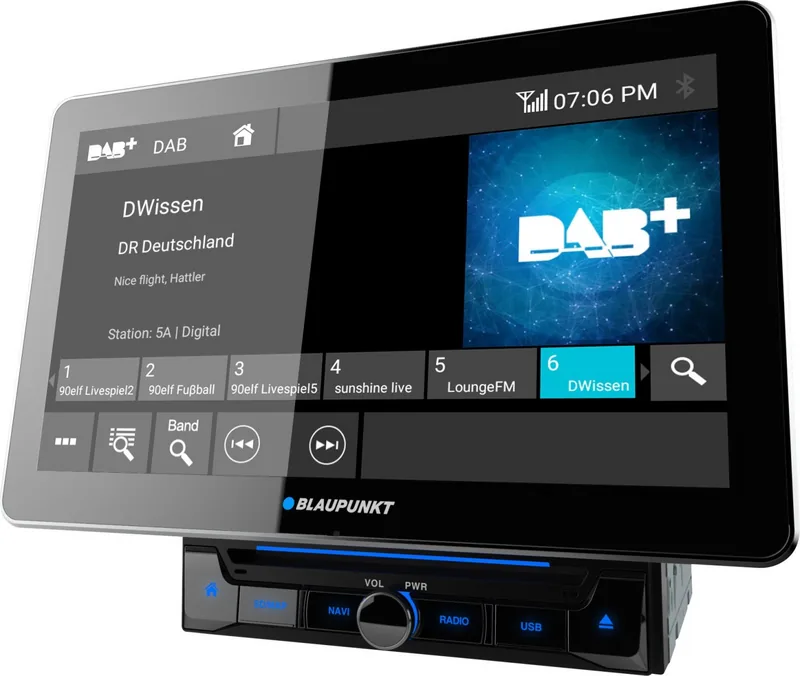
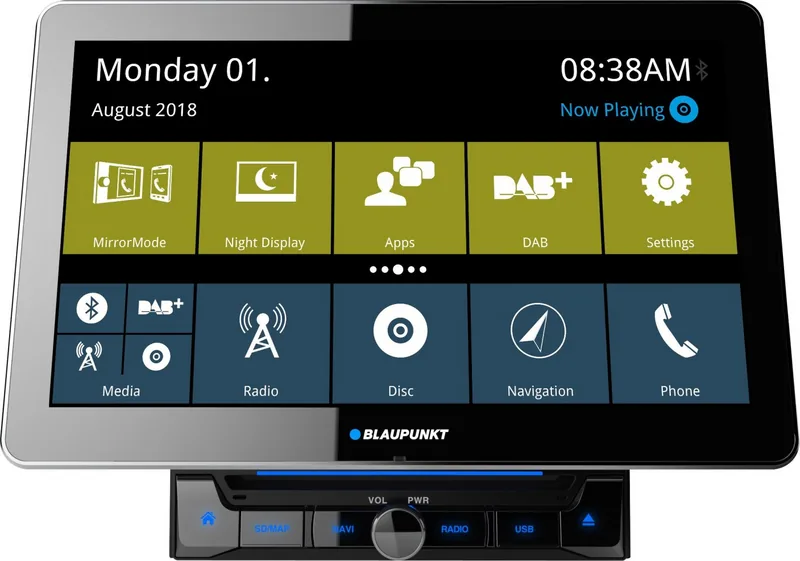
The Blaupunkt 990 DAB Series - Read, Download & Print Free guide explores the sound customization features available in this advanced in-car multimedia range. Designed for drivers who want more control over their listening environment, the 990 DAB Series combines a clear touchscreen interface with practical audio tools for everyday journeys.
Personalize the Sound in Your Vehicle
At the center of the experience is a two-screen equalizer section. The first screen gives quick access to equalizer presets, allowing users to select a sound profile that suits their music, podcasts, or radio programming. Frequency-band information is displayed clearly, while a reset control makes it easy to return audio settings to their original values whenever needed.
The second equalizer screen provides more detailed tuning. Drivers can adjust treble output for brighter high frequencies and control the subwoofer level for deeper low-end response. These settings help create a more balanced sound whether the vehicle is filled with passengers or occupied by the driver alone.
Balance and Fader Controls
A key feature of the Blaupunkt 990 DAB Series is its visual balance and fader adjustment area. Instead of relying only on incremental controls, users can select a position within a passenger-compartment graphic to direct sound toward a preferred area. This makes it simple to tailor playback toward the front seats, rear seats, left side, right side, or the center of the cabin.
The interface also shows the current balance and fader values, making adjustments easy to monitor. Dedicated controls support precise refinements when a more subtle change is preferred. This combination of direct visual selection and fine adjustment is useful for matching audio output to different vehicle layouts and speaker placements.
Clear Controls for Everyday Use
The 990 DAB Series keeps important controls within easy reach. Users can move between the main menu and equalizer views, select presets, reset changes, and close the sound menu without unnecessary complexity. Status information for time and Bluetooth is also visible in the audio interface, helping drivers stay aware of connected-device activity while managing entertainment settings.
For listeners who value flexible sound control, the series offers a practical route to a more personal in-car audio experience. Its equalizer, treble, subwoofer, balance, and fader options provide useful tools for shaping playback around individual preferences.
Notes
- Audio results can vary according to speaker installation and vehicle acoustics.
- Begin with a preset, then make small adjustments for the most natural result.
- Resetting settings is useful when testing different listening profiles.
Search for 67,706 Manuals online


Type-in Brand or Model