
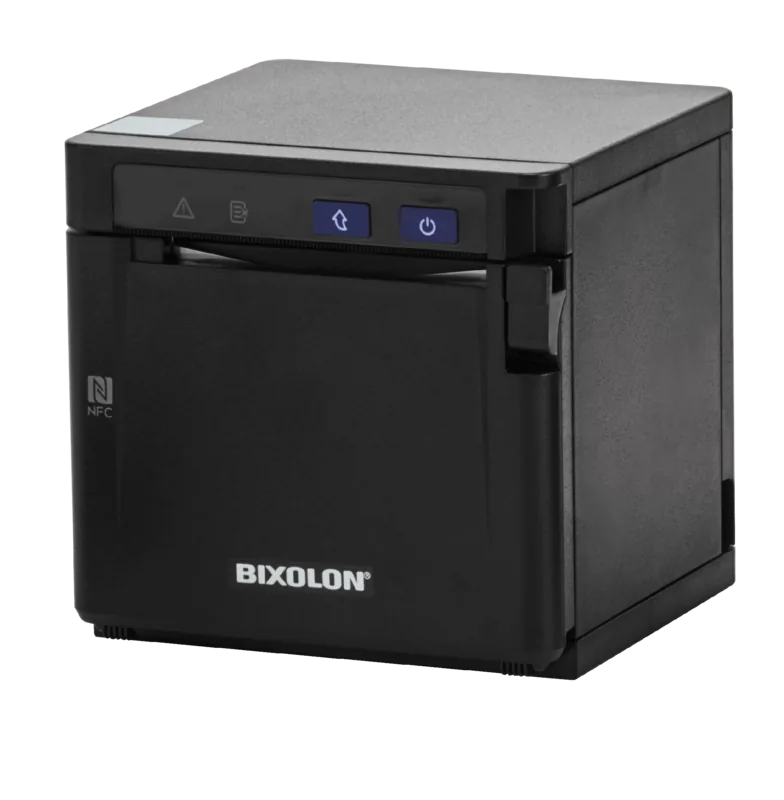
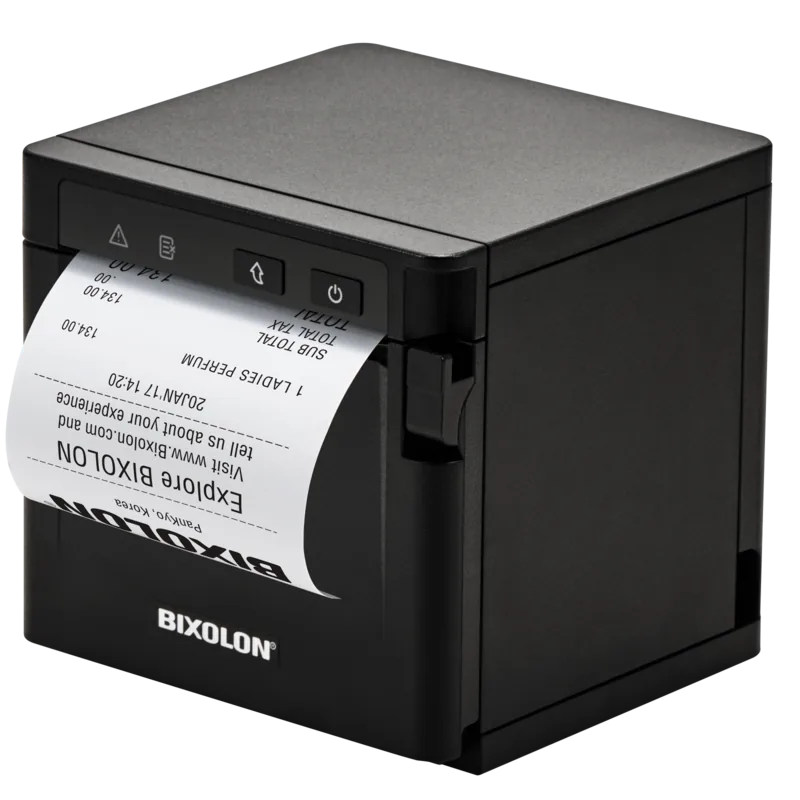
Bixolon SRP-Q300 Manual
PDF manual · 27 Pages
English



Quick check
Incorrect answer, please try again.
Chat with your Bixolon SRP-Q300 manual using AI
Get instant AI answers from your Bixolon SRP-Q300 manual
Ask anything about the Bixolon SRP-Q300. Answers come from this manual, with the pages they are based on.
SRP-Q300 Maintenance Schedule
Replace the printer foot rubber with the enclosed one when it becomes dirty and does not work properly.
Wipe the printer head with ethanol or IPA, and clean the paper sensor and roller with a cotton swab or dry cloth to remove dust and residue.
Free maintenance reminders
Timed to your purchase date. Always free, unsubscribe anytime.
Ask a Question
Do you recommend SRP-Q300?
Yes NoDo you recommend SRP-Q300?
Yes NoFrequently Asked Questions
It is a compact receipt printer designed for POS and business environments. The series supports thermal printing and is built for fast, reliable transaction output with multiple interface options.
Is this answer helpful?
Depending on the model, it can support USB, Ethernet, wireless LAN, Bluetooth, NFC, drawer port connections, and a customer LCD port. Some B-gate versions change which ports are active.
Is this answer helpful?
Yes. The printer can work with wireless LAN, Bluetooth, and NFC-enabled devices. This makes it flexible for tablets, smartphones, and other modern POS setups.
Is this answer helpful?
Use only compatible thermal receipt paper and follow the recommended roll width and approved paper list. Using unsupported paper may reduce print quality or damage the print head.
Is this answer helpful?
Turn the printer off, load paper properly, then turn it on while holding the FEED button. The printer will print its status and let you choose either a continuous self-test or settings mode.
Is this answer helpful?
Open the cover, remove the paper, clean the print head with ethanol or IPA, and wipe the sensor and roller with a dry cloth or cotton swab. Avoid letting liquid enter the printer.
Is this answer helpful?
Advantages and Disadvantages
Advantages

- Fast receipt output with up to 220 mm/s printing speed for busy checkout environments.
- Multiple connection options including USB, Ethernet, Wi-Fi, Bluetooth, and NFC.
- Compact design with POS-friendly features like drawer and customer LCD ports.
- Built-in diagnostics and self-test tools help with setup and troubleshooting.
Disadvantages

- Some interfaces and features depend on the exact model or optional accessories.
- B-gate configurations can deactivate certain printer communication ports.
- The printer is sensitive to paper type and works best with recommended supplies.
- Battery models need careful charging, storage, and temperature control.
Product Specification
Type
Receipt printer
Technology
Thermal direct
Print resolution
180dpi
Roll diameter
3.27 in
Paper thickness
2.44-2.95 mil
Print width
2.83 in
Print speed
8.66 in/s
Memory
8MB (RAM), 4MB (Flash), 768kB (Buffer)
Interfaces
USB
Network
LAN
Display
N/A
Emulation
POS, BXL
Dimensions
5.04x4.92x4.92 in
Weight
2.71 lb
Special features
Paper cutter (Cutter)
Manufacturer's warranty
2 years
Product Description
Bixolon SRP-Q300 Direct Thermal Receipt Printer
The Bixolon SRP-Q300 is a compact receipt printer built for busy POS environments that need speed, flexibility, and dependable everyday performance. Designed for retail counters, hospitality desks, and service points, it brings together a clean footprint, multiple connectivity options, and easy paper handling in one practical device. If you are looking for a Bixolon SRP-Q300, Direct thermal Manual style overview, this printer stands out as a versatile model for streamlined receipt printing.
Built for Modern Checkout Workflows
One of the biggest strengths of the SRP-Q300 series is its ability to adapt to different setups. It supports USB, Ethernet, wireless LAN, Bluetooth, and NFC, making it easier to pair with PCs, mobile devices, and POS terminals. The printer also includes a data buffer, so it can continue receiving print jobs while actively printing. This helps reduce slowdowns during peak traffic.
Fast Printing, Compact Design
The SRP-Q300 is designed for efficiency without taking up much space. With a maximum print speed of up to 220 mm/s, it is well suited for environments where fast receipt output matters. The series also supports multiple barcode formats and adjustable print density and speed, allowing businesses to tune output quality to their needs. The compact body makes it a strong choice for counters where space is limited but performance still matters.
Flexible Options for Different Business Needs
The lineup includes standard printer models, B-gate configurations, and battery-based versions, giving users more freedom in how they deploy the device. That flexibility is especially useful for mobile, temporary, or power-sensitive setups. There is also support for drawer ports and a customer LCD connection, which helps the printer fit into complete checkout systems rather than functioning as a standalone unit.
Practical Maintenance and Safety
The manual places clear emphasis on safe use, correct charging, and proper paper handling. It recommends approved power supplies, compatible paper rolls, and regular cleaning to maintain print quality. Features like self-test and hexadecimal dump mode also make troubleshooting easier for support teams and advanced users.
Notes
- Use only recommended paper and approved accessories.
- Turn the printer off before connecting or removing cables.
- Regular cleaning helps preserve print quality and hardware life.
- Battery models require careful charging and storage practices.
Summary
The Bixolon SRP-Q300 Direct thermal printer combines speed, connectivity, and compact engineering into a reliable receipt-printing solution. Its broad interface support, optional battery setup, and easy maintenance make it a smart fit for modern point-of-sale operations.
Search for 67,732 Manuals online


Type-in Brand or Model