
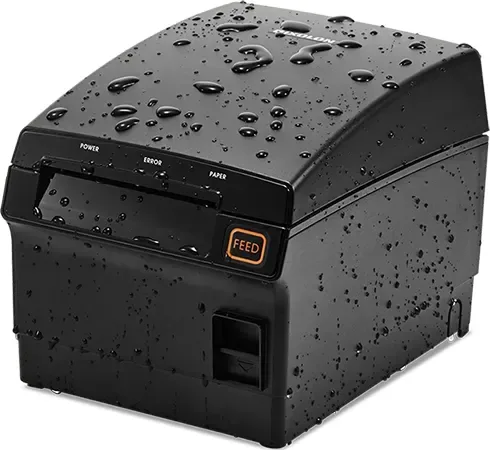
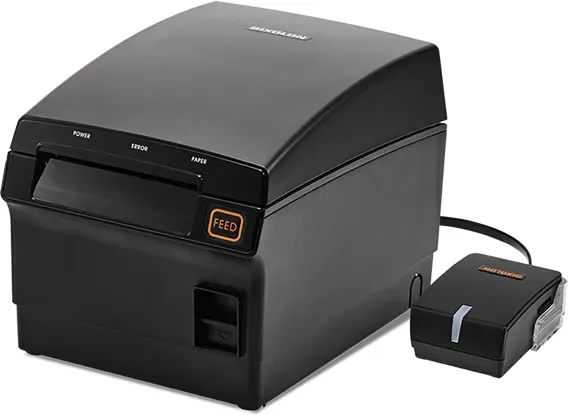
Bixolon SRP-F310II Manual
PDF manual · 25 Pages
English



Quick check
Incorrect answer, please try again.
Chat with your Bixolon SRP-F310II manual using AI
Get instant AI answers from your Bixolon SRP-F310II manual
Ask anything about the Bixolon SRP-F310II. Answers come from this manual, with the pages they are based on.
Ask a Question
Do you recommend SRP-F310II?
Yes NoFrequently Asked Questions
It supports USB, Ethernet, serial, parallel, powered USB, Bluetooth, and Wireless LAN interfaces for versatile connection options with POS systems and computers.
Is this answer helpful?
The printer delivers high speed printing of approximately 93 lines per second, ensuring rapid transaction processing for busy environments.
Is this answer helpful?
No, use only approved supplies like 79.5mm or 82.5mm rolls. Using unauthorized or thick paper may damage the thermal head or degrade print quality.
Is this answer helpful?
Turn the printer off, open the rear cover, adjust switches for interfaces or cutter, then close the cover and power on to activate changes.
Is this answer helpful?
Yes, the series features an auto-cutter. It can be disabled or enabled via DIP switch 1 if you prefer manual tearing of receipts.
Is this answer helpful?
Do not use wet hands, avoid bending cables, use only the supplied adapter, and unplug immediately if smoke or strange odor occurs.
Is this answer helpful?
Advantages and Disadvantages
Advantages

- High speed printing output ensures efficient transactions and reduced customer wait times significantly
- Versatile connectivity options include USB, Ethernet, serial, parallel, Bluetooth, and Wireless LAN
- Reliable auto-cutter function cleanly separates receipts automatically after printing is complete
- Low noise thermal operation is ideal for environments where sound discipline is necessary
- Long thermal head life ensures consistent print quality over extended periods of use
Disadvantages

- DIP switch configuration for settings can be complex and requires power down to change
- Sensitivity to static electricity may damage internal semiconductors if precautions are not taken
- Needs specific power voltage and adapter to operate safely without risking hardware damage
- Paper detection limits can fail if rolls are glued or wider than specified dimensions
- Strict warranty terms void if unauthorized supplies or manual disassembly is attempted
Product Specification
Type
Bond Printer
Technology
Thermal Printing
Print Resolution
180 dpi
Roll Diameter
4.13 in
Paper Thickness
50-80µm
Print Width
3.27 in
Print Speed
11.81 in/s
Memory
768 KB (RAM), 16 KB (Buffer)
Interfaces
USB 2.0
Network
LAN
Display
N/A
Emulation
BXL
Dimensions
6.06x5.83x7.99 in
Weight
4.41 lbs
Features
Paper Cutter (Cutter), IP12 certified, RJ-11
Manufacturer Warranty
1 Year
Product Description
Discover the Power of the SRP-F310II
The Bixolon SRP-F310II stands as a robust solution for businesses requiring reliable thermal printing capabilities. For retail, logistics, or restaurants, this device ensures operational efficiency. The Bixolon SRP-F310II, Cutter, Black Manual provides essential guidance for safe installation and daily operation. Meets FCC Class B regulations for home use interference protection.
High speed printing is a core feature of this series. Users can expect roughly ninety lines per second depending on the specific model variant. This rapid output ensures transactions are processed quickly, reducing wait times for customers. Low noise levels make it suitable for environments where sound discipline is necessary. Connectivity options are extensive across all units. Support includes USB, Ethernet, serial ports, and parallel interfaces. Some models additionally offer wireless capabilities through Bluetooth or WLAN modules. The data buffer allows the unit to receive print data even during active printing processes.
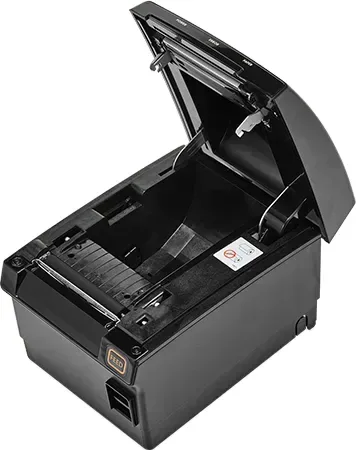
Setting up the printer involves standard procedures found in electronic devices. Users must connect the power supply carefully to avoid voltage mismatches causing hardware damage. Secure interface cables to prevent data loss. The device features an auto-cutter function to separate receipts cleanly and automatically. Adjusting settings often requires changing DIP switches located at the rear of the machine. Be sure to power down the unit before accessing these controls to avoid short circuits. Installing or replacing the paper roll requires pressing the push button to open the cover gently.
Paper feeding mechanics require attention to detail regarding width specifications. You should avoid rolls glued to the core as sensors may fail to identify the end of the roll. Recommended paper types ensure longevity for the thermal head and consistent print quality. Clean print head with alcohol and cotton swab. Dust accumulation can degrade print quality significantly and reduce lifespan.
Safety regulations are emphasized throughout operation to prevent material damage or injury. Do not bend cables forcefully or leave them under heavy objects. Avoid improper adapters and wet hands. Always use the supplied power adapter to maintain warranty standards and safety compliance. Static electricity can damage internal semiconductors easily. Turn the device off before connecting or removing cables on the rear side to guard against these issues. If strange smoke or odor appears, unplug the set immediately and contact a dealer.
Important Notes
- Always check voltage compatibility before connecting power sources to outlets.
- Refer to guides for network configuration details regarding IP setup.
- Use approved accessories to prevent voiding guarantees or causing system errors.
- Keep desiccants provided away from children for safety reasons.
- Do not disassemble the printer manually as this voids service terms.
Search for 67,732 Manuals online


Type-in Brand or Model