
Bixolon SRP-350plusIII Manual
PDF manual · 27 Pages
English



Quick check
Incorrect answer, please try again.
Chat with your Bixolon SRP-350plusIII manual using AI
Get instant AI answers from your Bixolon SRP-350plusIII manual
Ask anything about the Bixolon SRP-350plusIII. Answers come from this manual, with the pages they are based on.
Ask a Question
Do you recommend SRP-350plusIII?
Yes NoDo you recommend SRP-350plusIII?
Yes NoFrequently Asked Questions
It uses direct thermal printing, which means it prints without ribbons or ink. This keeps operation simple and reduces ongoing consumable complexity, making it a good fit for receipt-focused environments.
Is this answer helpful?
Yes. The WLAN version supports wireless connectivity, which is helpful when you want to place the printer more freely at a counter or connect it within a modern POS network.
Is this answer helpful?
The SRP-350plusIII series is designed for high-speed receipt printing, with the 180 dpi model reaching up to 300 mm/s. That speed helps during peak business hours and busy checkout periods.
Is this answer helpful?
Yes. The printer includes support for peripheral devices such as cash drawers through its drawer connector and control circuitry, making it well suited for retail and hospitality POS setups.
Is this answer helpful?
Turn the printer off first. The manual warns that changing DIP switches while powered on can cause damage or incorrect settings, so power must be disconnected before adjustments.
Is this answer helpful?
Use the self-test function. Turn it on while holding the FEED button, and it will print status details such as firmware information and DIP switch settings.
Is this answer helpful?
Use recommended paper, clean the print head and sensors regularly, and remove dust from the roller area. These steps help maintain print quality and reduce wear over time.
Is this answer helpful?
Advantages and Disadvantages
Advantages

- Fast printing helps shorten checkout and service times in busy environments.
- WLAN and multiple interface options make system integration more flexible.
- Direct thermal printing keeps operation simple and low maintenance.
- Built-in buffer and barcode support improve everyday POS performance.
Disadvantages

- Best results depend on using approved paper and supplies.
- DIP switch settings require power-off changes, which adds setup steps.
- Care is needed to avoid static damage and paper-loading mistakes.
- Some features vary by interface model, so configuration must be checked carefully.
Product Specification
Type
Receipt printer
Technology
Thermal direct
Print resolution
180dpi
Roll diameter
3.27 in
Paper thickness
2.44-2.95 mil
Print width
3.15 in
Print speed
11.81 in/s
Memory
64MB (RAM), 32MB (Flash), 4kB (Buffer)
Interfaces
USB, serial
Network
LAN, Wi-Fi 4 (WLAN 802.11b/g/n)
Display
N/A
Emulation
POS, BXL
Dimensions
5.71x7.87x5.75 in
Features
Paper cutter (Cutter)
Manufacturer's warranty
1 Year
Product Description
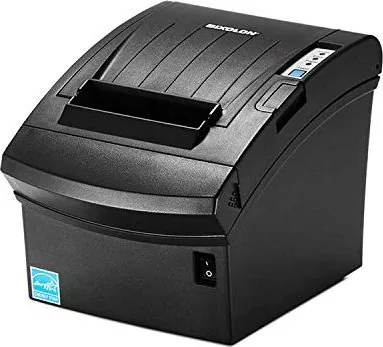
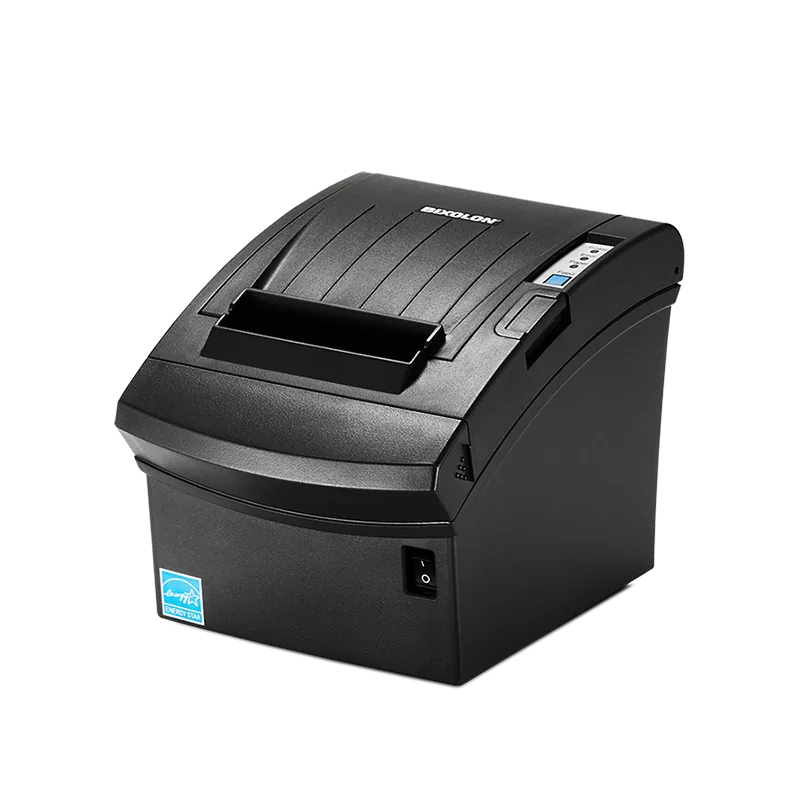
Bixolon SRP-350plusIII WLAN Gray Direct Thermal Printer
The Bixolon SRP-350plusIII in gray is a practical choice for busy counters that need speed, reliability, and flexible connectivity. Designed for point-of-sale and retail environments, it combines a compact footprint with direct thermal printing, making it a strong fit for receipts, order tickets, and everyday transaction workflows. If you are looking for the Bixolon SRP-350plusIII, WLAN, gray, direct thermal Manual, the product itself already tells a clear story: this is a printer built to keep service moving.
Fast output for demanding environments
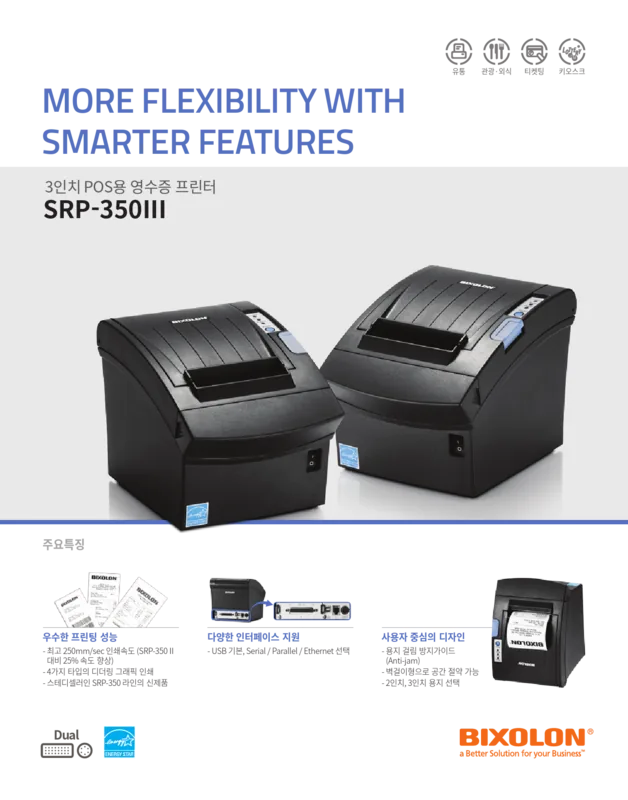
One of the standout strengths of this model is its rapid printing performance. With a maximum speed of up to 300 mm/s on the 180 dpi version, it helps reduce customer wait times and keeps checkout lines efficient. The printer also supports low-noise operation, which is useful in compact service areas where quiet performance matters just as much as speed.
Flexible connectivity for modern systems
The SRP-350plusIII series is built to work with many different host devices and setups. WLAN support makes wireless deployment easier, while the platform also accommodates common interfaces such as USB, Ethernet, serial, parallel, powered USB, and Bluetooth depending on the configuration. This flexibility helps businesses integrate the printer into new or existing POS systems without unnecessary hassle.
Practical features that support daily use
Beyond printing receipts, the printer includes a built-in data buffer, barcode support, and peripheral control for devices such as cash drawers. It also offers adjustable print density settings through DIP switch configuration, giving operators a way to tune output for different paper and usage conditions. The design supports easy paper loading, self-test printing, and hex dump mode for technical troubleshooting.
Built with maintenance and safety in mind
The gray direct thermal design is meant for dependable routine use, but proper handling is still important. Recommended paper types help preserve print quality and protect the print head, while regular cleaning can prevent dust buildup from affecting output. The manual also emphasizes correct power handling, static protection, and careful installation to keep the printer operating safely over time.
Notes
- Best suited for receipts and POS tasks.
- Wireless networking can simplify counter placement.
- Use only recommended paper for longer print-head life.
- Regular cleaning helps maintain sharp output and reliability.
Search for 67,732 Manuals online


Type-in Brand or Model