
Bixolon SRP-275IIIA Manual
PDF manual · 38 Pages
English



Quick check
Incorrect answer, please try again.
Chat with your Bixolon SRP-275IIIA manual using AI
Get instant AI answers from your Bixolon SRP-275IIIA manual
Ask anything about the Bixolon SRP-275IIIA. Answers come from this manual, with the pages they are based on.
Ask a Question
Do you recommend SRP-275IIIA?
Yes NoFrequently Asked Questions
The SRP-275IIIA is offered in configurations that include combinations of serial (RS-232C), USB, parallel (IEEE1284) and Ethernet interfaces depending on model (OES/OS/OP). Choose the model matching your POS host for straightforward integration.
Is this answer helpful?
Open the rear cover to install roll paper in the correct feed direction, pull out a small amount, then close the cover. For ribbon cassettes, open the front cover, remove any old cassette, insert the new one ensuring the ribbon passes behind the print head, turn the ribbon knob to seat it, then close the cover.
Is this answer helpful?
Run the built-in self test (power on while holding FEED) to check printer hardware and settings. Use hexadecimal dump mode to view incoming data in hex and ASCII. Verify interface cable connections, matching serial settings (baud, parity, handshake) and DIP/memory switch configurations between the host and printer.
Is this answer helpful?
Use only the supplied adapter, avoid wet hands when plugging/unplugging, do not bend or crush cables, keep small parts like desiccants away from children, and never attempt unauthorized disassembly or repairs. Replace consumables with authorized parts to maintain function and warranty.
Is this answer helpful?
Yes. The printer supports multiple code pages and emulation modes (BXL/POS, Star, Citizen) via DIP switches and memory switch settings. Many parameters persist in non-volatile memory, but changes may require power cycling or a reset to take effect.
Is this answer helpful?
The mechanism life is rated around 18 million lines, the auto-cutter (where fitted) about 1.5 million cuts, and the print head life measured in hundreds of millions of dots per wire. These figures indicate suitability for high-volume point-of-sale use.
Is this answer helpful?
If the ERROR LED blinks, turn the printer off for a few seconds and then back on. Persistent blinking indicates a hardware or configuration fault—consult the self-test and error LED blink patterns, then contact technical support or your dealer if the issue continues.
Is this answer helpful?
Advantages and Disadvantages
Advantages

- Durable impact mechanism with very high head and mechanism life suitable for heavy-use environments.
- Multiple interface options (USB/Serial/Parallel/Ethernet) enable broad POS compatibility.
- Easy paper and ribbon replacement plus built-in self-test and hex dump simplify maintenance and troubleshooting.
- Two-color printing and selectable fonts provide flexible receipt formatting and emphasis options.
- Persistent memory switch settings stored in NV memory preserve configuration across power cycles.
Disadvantages

- Impact printing is noisier and lower-resolution than thermal alternatives.
- Some advanced settings require DIP or memory switch changes which can be technical for casual users.
- Optional features (auto cutter, sensors, wall mount) must be selected at purchase, limiting post-purchase upgrades.
- Using unauthorized ribbons or adapters can void warranty and degrade performance.
- Recoverable and non-recoverable hardware errors may require service intervention, increasing downtime.
Product Specification
Technology
Dot Matrix
Print Resolution
9 Pins
Roll Diameter
3.27in
Paper Thickness
0.0024-0.0033in
Print Width
2.50in
Print Speed
5.1 characters/s
Memory
8MB (RAM), 2MB (Flash), 2x64kB (Buffer)
Interfaces
USB 2.0, serial
Emulation
BXL/POS
Dimensions (WxHxD)
6.30x6.18x9.41in
Weight
5.29lb
Special Features
Tear Bar
Manufacturer Warranty
two years
Product Description
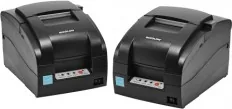
Bixolon SRP-275IIIA — Robust Serial Impact Receipt Printer
The Bixolon SRP-275IIIA is a compact, reliable serial impact receipt printer built for demanding retail and hospitality environments. Designed around a 9-pin serial impact head and friction paper feed, this one-station printer delivers dependable output, long mechanical life, and practical features such as selectable character fonts, two-color (red/black) capability, and a long‑life ribbon cassette option. With a footprint optimized for counter space, the SRP-275IIIA balances durability with user-focused convenience like easy paper loading and an internal AC adapter for tidy installations.
Performance and reliability are central to the SRP-275IIIA. It prints at up to 5.1 lines per second using a logic-seeking bidirectional method and supports up to 42 characters per line across 7×9 and 9×9 font options. The impact head design and stepping motors for head carriage and paper feeding contribute to longevity: the head life is rated in hundreds of millions of dots and the mechanism supports millions of lines. An optional auto-cutter variant and a tear-bar model offer flexibility for different deployment needs, while the standard model focuses on a low-maintenance, robust design.
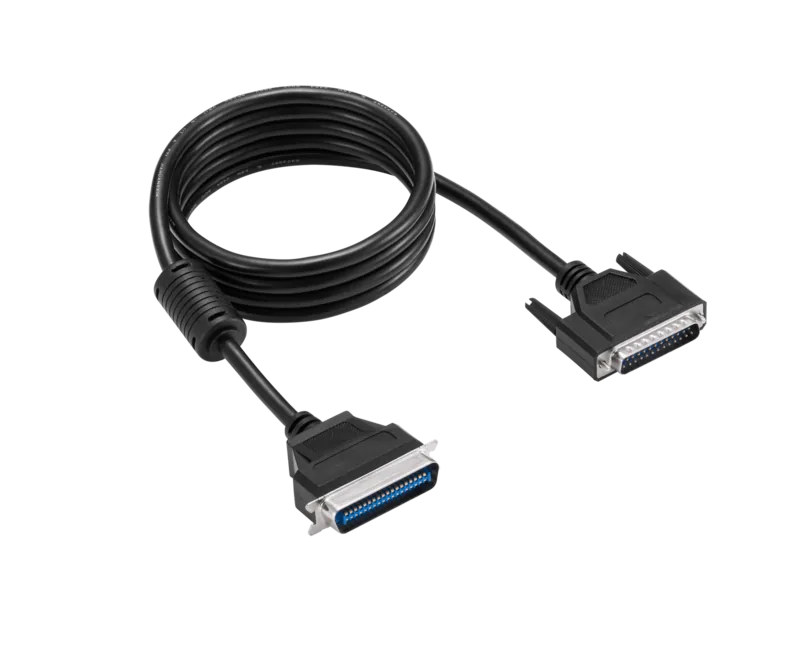
Connectivity is flexible: available configurations include combinations of USB, serial (RS-232C), parallel (IEEE1284), and Ethernet, enabling integration with a wide range of POS systems. The printer offers drawer kick-out control and supports internal or externally controlled buzzer behavior, DIP and memory switch configuration for emulation modes (BXL/POS, Star, Citizen), baud rates, parity, and international character sets. Non-volatile memory stores memory switch settings so configurations persist across power cycles.
Maintenance and serviceability are straightforward. Ribbon cassette and paper roll changes are designed for quick access, with clear instructions for ribbon installation and paper loading. Built-in self-test and hexadecimal dump modes help troubleshoot connectivity or driver issues without external tools. The SRP-275IIIA also includes safety and environmental guidance, WEEE recycling guidance, and warnings about authorized accessories to avoid voiding warranty.
Key technical highlights include a 24V DC supply, approx. 0.5A mean operating current, paper roll width around 76 mm and max diameter 83 mm, and support for multiple character code pages and international settings. Optional features offered at order include auto cutter, black mark sensor (front/rear), and cabinet color choices.
Notes
- Use only authorized ribbon cassettes to maintain print quality and warranty.
- Configure DIP and memory switches correctly for desired emulation, baud rate, and character set.
- Run self test and hexadecimal dump to isolate software vs. hardware issues.
- Follow safety precautions for power connections and avoid disassembly.
Search for 67,732 Manuals online


Type-in Brand or Model