
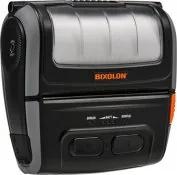
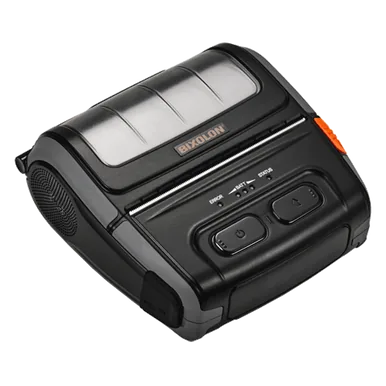
Bixolon SPP-R410 Manual
PDF manual · 30 Pages
English



Quick check
Incorrect answer, please try again.
Chat with your Bixolon SPP-R410 manual using AI
Get instant AI answers from your Bixolon SPP-R410 manual
Ask anything about the Bixolon SPP-R410. Answers come from this manual, with the pages they are based on.
Ask a Question
Do you recommend SPP-R410?
Yes NoFrequently Asked Questions
It is a mobile 4-inch thermal printer for receipts, invoices, tickets, labels, delivery records, and other on-site documents. Its portable battery operation suits field service, logistics, warehouse, retail, and mobile transaction work.
Is this answer helpful?
No. It uses direct thermal printing, so it prints on thermal media without ink cartridges, ribbons, or toner. Use recommended thermal receipt or linerless paper to maintain dependable print quality and printer performance.
Is this answer helpful?
Depending on the model, the printer supports Bluetooth 4.1 or Wireless LAN 802.11 b/g/n. It also supports USB and serial wired connections. NFC auto-pairing is available for compatible Bluetooth host devices.
Is this answer helpful?
The SPP-R410 prints receipt paper at up to 90 mm per second. When using linerless paper, the specified maximum speed is up to 60 mm per second. Actual performance can vary with media and operating conditions.
Is this answer helpful?
Press the cover-open button, remove any empty roll, place the new thermal roll in the paper compartment, pull a short length of paper outward, close the cover, and tear off the excess paper along the printer edge.
Is this answer helpful?
Run the self-test with the paper cover closed and the printer powered off. Hold the Feed and Power buttons together, release them after printing starts, then press Feed again if you want the ASCII pattern output.
Is this answer helpful?
Turn the printer off before cleaning, let the printhead cool, and use approved cleaning supplies. Use only approved chargers and batteries, keep battery contacts clean, avoid heat and moisture, and remove damaged or swollen batteries from service.
Is this answer helpful?
Advantages and Disadvantages
Advantages

- Wide 111.5 mm direct thermal printing supports receipts, labels, and linerless media.
- Prints receipts at up to 90 mm per second with a sharp 203 dpi resolution.
- Bluetooth, Wireless LAN, NFC pairing, USB, and serial options support mobile workflows.
- Supports many 1D and 2D barcodes, including QR Code, PDF417, Data Matrix, and Aztec.
- Portable battery-powered design includes status LEDs and belt-carrying accessories.
Disadvantages

- Direct thermal output requires compatible thermal paper and does not use ink or toner.
- Wireless capability depends on the Bluetooth or WLAN-equipped model selected.
- Linerless media prints more slowly, at up to 60 mm per second.
- Battery safety requires approved chargers, careful storage, and replacement of damaged packs.
- Regular printhead cleaning is important, particularly when using linerless paper.
Product Specification
Type
mobile receipt printer
Technology
direct thermal
Print resolution
203 dpi
Roll diameter
2.24 in
Paper thickness
0.12-2.76 mil
Print width
4.09 in
Print speed
1.97 in/s
Memory
8 MB (RAM), 4 MB (Flash)
Ports
USB 2.0, serial
Display
N/A
Emulation
POS, BXL
Dimensions
5.43 x 2.63 x 5.63 in
Weight
1.17 lb
Special features
IP54 certified, battery (Li-ion, 2600 mAh)
Manufacturer warranty
1 year
Product Description
Bixolon SPP-R410 Direct Thermal Mobile Printer
The Bixolon SPP-R410 Direct thermal printer is built for teams that need reliable, wide-format receipt and label output away from a fixed workstation. Its portable design, battery-powered operation, and 4-inch print capability make it a practical choice for field service, delivery, logistics, retail, public safety, and warehouse workflows. This Bixolon SPP-R410 Direct thermal Manual overview highlights the features that help users prepare the printer, maintain it, and keep mobile printing moving.
Fast, Flexible Mobile Printing
Using direct thermal technology, the SPP-R410 produces clear prints without ink or toner. It supports receipt paper and linerless media, offering flexibility for invoices, dispatch records, tickets, labels, and proof-of-delivery tasks. Print speed reaches up to 90 mm per second with receipt paper and up to 60 mm per second with linerless paper, while 203 dpi resolution supports legible text, barcodes, and graphics.
The printer accepts 111.5 mm wide thermal rolls and uses a simple paper-loading design. A paper-out sensor, open-cover detection, and optional black-mark sensing help operators identify common media issues quickly. The built-in tear bar provides a straightforward way to separate printed output in mobile settings.
Wireless and Wired Connectivity
The SPP-R410 can be configured with Bluetooth 4.1, including Classic and LE support, or Wireless LAN 802.11 b/g/n, depending on the model. NFC auto-pairing can simplify compatible Bluetooth connections, while USB and serial interfaces provide wired options for supported hosts. These choices allow the printer to integrate with mobile computers, tablets, PDAs, and PCs used across varied operations.
The device also supports common barcode formats, including QR Code, PDF417, Data Matrix, Code 128, EAN, UPC, and Aztec Code. This broad barcode support is useful when printed output must carry scannable order, inventory, routing, or payment information.
Designed for Portable Workflows
A 2600 mAh lithium-ion battery powers the printer, and a full charge is specified within four hours. Battery status LEDs give users a quick view of remaining power, while optional single-bay and four-bay charging accessories can support organized shift handovers. At approximately 540 g with its battery installed, the unit is compact enough for mobile use and can be carried with the included belt clip or an optional belt strap.
Care and Operating Notes
Regular cleaning helps preserve print quality, especially when linerless media is used. Switch off the printer, allow the printhead to cool, and use only approved cleaning supplies and recommended media. Use the specified BIXOLON charging equipment, protect the battery from moisture, impacts, and excessive heat, and replace damaged or swollen batteries immediately.
Note: A built-in self-test can check print quality, firmware details, interfaces, and configuration settings before troubleshooting connected devices or software.
Search for 67,732 Manuals online


Type-in Brand or Model