
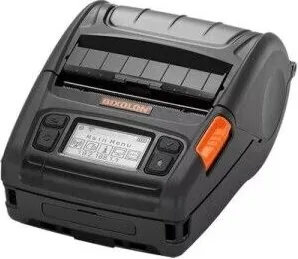
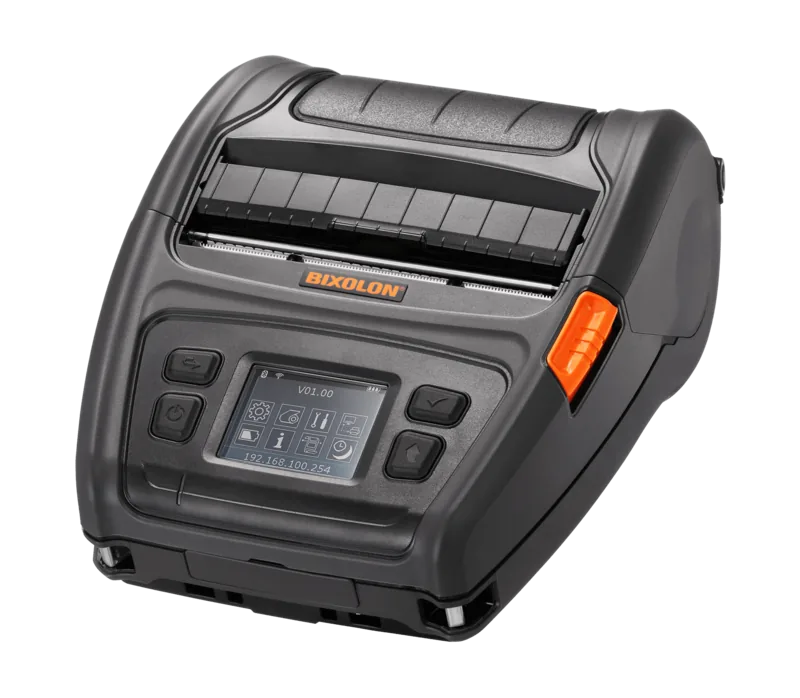
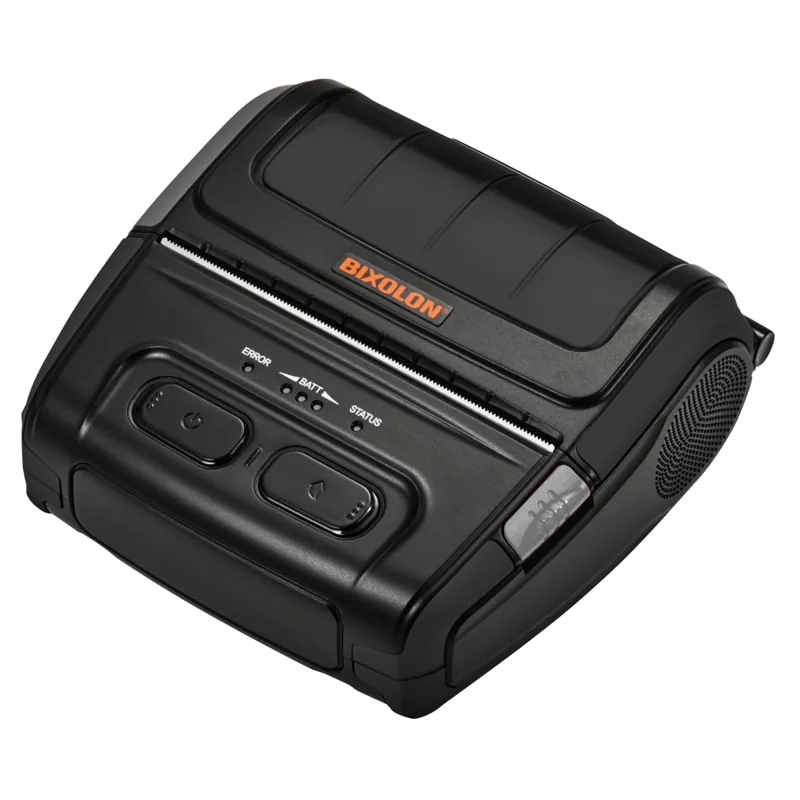
Bixolon SPP-L3000 Manual
PDF manual · 37 Pages
English



Quick check
Incorrect answer, please try again.
Chat with your Bixolon SPP-L3000 manual using AI
Get instant AI answers from your Bixolon SPP-L3000 manual
Ask anything about the Bixolon SPP-L3000. Answers come from this manual, with the pages they are based on.
SPP-L3000 Maintenance Schedule
The manual also suggests cleaning approximately once a week if using linerless paper. This entry merges with the usage-based interval.
Clean the printhead periodically after consuming four rolls of linerless paper (100 meters) to prevent print quality degradation.
Free maintenance reminders
Timed to your purchase date. Always free, unsubscribe anytime.
Ask a Question
Do you recommend SPP-L3000?
Yes NoDo you recommend SPP-L3000?
Yes NoFrequently Asked Questions
It prints up to five inches per second, accommodating 127mm of width per second for high output and efficiency in fast-paced environments.
Is this answer helpful?
Yes, it supports Wireless LAN 802.11 a/b/g/n alongside Bluetooth for extensive network flexibility in different infrastructure setups.
Is this answer helpful?
The printer accepts paper widths from twenty-five to eighty millimeters securely on the guide system.
Is this answer helpful?
Use the provided AC adapter or optional single battery charger approved by the manufacturer for safe operation.
Is this answer helpful?
Yes, the device features an LCD menu for checking status, battery level, and wireless settings at a glance.
Is this answer helpful?
Yes, users can insert or remove the battery pack, but must follow safety warnings strictly.
Is this answer helpful?
Clean periodically or after consuming four rolls of linerless paper to maintain optimal quality.
Is this answer helpful?
Advantages and Disadvantages
Advantages

- Dual wireless connectivity Bluetooth and Wireless LAN for flexible pairing with devices.
- Fast print speed reaches five inches per second for high efficiency operations.
- Integrated peeler simplifies label application workflow immediately after printing.
- Compact lightweight design aids portability for mobile workers in tight spaces.
- LCD display provides real-time status updates and menu navigation without guesswork.
Disadvantages

- Requires authorized AC adapter for charging to prevent potential equipment damage.
- Paper thickness limits apply specific ranges for optimal printing performance.
- Battery removal requires specific safety precautions to avoid handling hazards.
- Printhead cleaning needs periodic maintenance to prevent long-term print defects.
- NFC pairing supports specific devices only for automatic connection setup.
Product Specification
Type
mobile label printer
Technology
Direct Thermal
Print Resolution
203 dpi
Roll Diameter
2.60 in
Paper Thickness
0.0028-0.0075 in
Print Width
2.83 in
Print Speed
5 in/s
Memory
128MB (RAM), 256MB (Flash)
Connections
USB 2.0, serial
Network
Wi-Fi 4 (802.11b/g/n), Bluetooth 4.1, AirPrint, Mopria
Display
monochrome, 3-line
Emulation
BPL-Z, SLCS
Dimensions
4.69x3.11x6.26 in
Weight
1.53 lbs
Features
Black Mark sensor, gap sensor, IP54 certified, Battery (Li-Ion 2850mAh), Belt clip
Warranty
1 year
Product Description
Revolutionizing Mobile Labeling with the Bixolon SPP-L3000
The logistics and retail industries demand efficiency that traditional fixed printers cannot provide. Enter the Bixolon SPP-L3000 Wireless Bluetooth Direct Thermal printer, a compact solution designed for modern mobile needs. This device bridges the gap between high-speed printing and total portability. Whether you are managing inventory on the warehouse floor or creating price tags in a bustling store, this machine ensures your workflow never stalls. Its ability to print directly from mobile devices eliminates bottlenecks associated with stationary equipment.
At its core, the SPP-L3000 combines powerful connectivity with a sleek form factor. It supports both Bluetooth and Wireless LAN, allowing seamless connection to various handheld devices. The Bluetooth V4.1 standard ensures stable data transfer, while NFC auto-pairing simplifies the setup process for compatible smartphones. Users appreciate the ability to print from anywhere within range, removing the tether of a physical cable. Wireless LAN support adds another layer of connectivity options for infrastructure modes or ad hoc networks. This flexibility ensures the printer fits into existing IT environments without complex restructuring.
Performance is another standout feature. Capable of speeds up to five inches per second, this thermal mobile label printer keeps pace with fast-moving operations. The 3-inch width accommodates labels ranging from twenty-five to eighty millimeters, handling a variety of applications from shipping to retail tagging. An integrated peeler feature further streamlines the workflow, automatically separating printed labels for immediate application. The LCD display keeps operators informed about sensor status, media levels, and connectivity health at a glance.
Powering this mobility is a robust rechargeable battery system. The lithium-ion pack supports hundreds of charge cycles, ensuring reliability throughout the workday. A clear LCD interface provides real-time status updates, including battery levels and connection strength. Additional accessories like a shoulder strap or belt strap offer flexible wearing options for hands-free operation during tasks. These ergonomic aids allow workers to move freely while keeping the device secure and accessible during intense shifts.
Important Usage Notes
Maintaining print quality requires regular care. The printhead should be cleaned periodically using approved solutions to prevent dust buildup. Adhering to safety guidelines regarding battery storage and handling is crucial for longevity. Using only authorized supplies ensures optimal performance and prevents voiding warranty terms. This device represents a significant leap forward in mobile printing technology, balancing power, speed, and convenience effectively. It empowers teams to work dynamically without compromising on quality or output speed. Embracing this hardware transforms daily operational tasks into streamlined digital experiences. Proper installation of paper rolls and regular firmware checks are also recommended for sustained reliability. Safety warnings regarding battery charging environments must be followed to avoid damage.
Search for 67,732 Manuals online


Type-in Brand or Model