
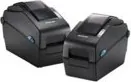
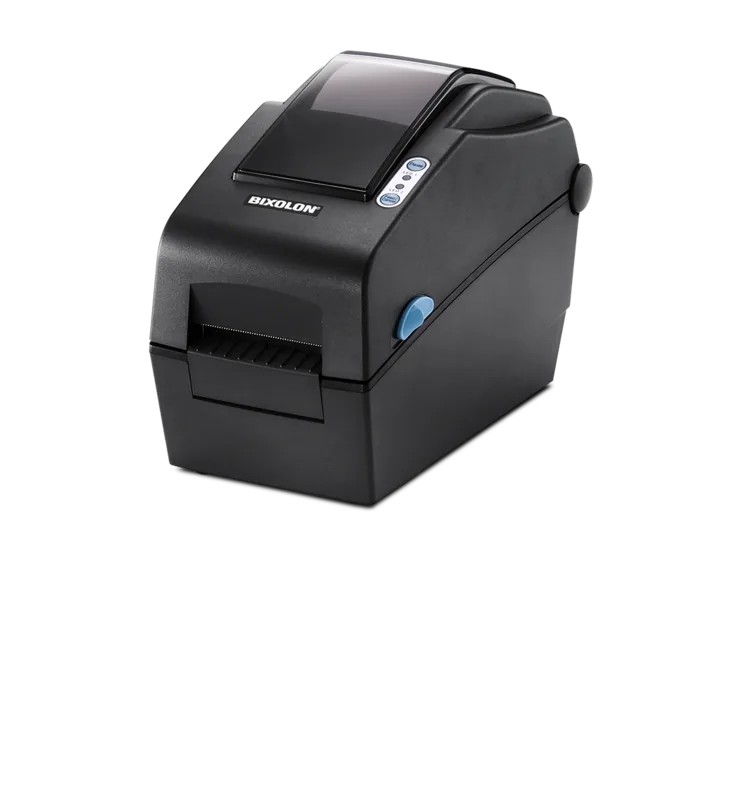
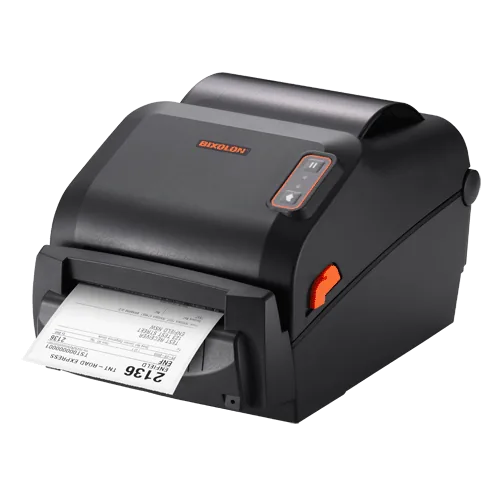
Bixolon SLP-DX220DG Manual
PDF manual · 36 Pages
English



Quick check
Incorrect answer, please try again.
Chat with your Bixolon SLP-DX220DG manual using AI
Get instant AI answers from your Bixolon SLP-DX220DG manual
Ask anything about the Bixolon SLP-DX220DG. Answers come from this manual, with the pages they are based on.
SLP-DX220DG Maintenance Schedule
Open the paper cover and clean the printhead with a cloth or cotton swab soaked in medical alcohol. Wait 1-2 minutes for evaporation before use.
Remove dust or adhesive substances using a dry or alcohol-soaked cloth or cotton swab. Allow parts to dry completely before printing.
Ask a Question
Do you recommend SLP-DX220DG?
Yes NoDo you recommend SLP-DX220DG?
Yes NoFrequently Asked Questions
It uses direct thermal printing, which means it prints without a ribbon. This keeps operation simple and works well for label tasks where speed and convenience matter.
Is this answer helpful?
The peeler function separates labels from the backing liner automatically or semi-automatically, making it easier to pick and apply labels during high-volume work.
Is this answer helpful?
Yes. The manual describes smart media detection, gap sensor auto calibration, black mark sensor calibration, and manual calibration for different label materials and layouts.
Is this answer helpful?
No. It includes clear steps for power, cable connection, and paper installation. The LED indicators and button functions also help guide basic operation and troubleshooting.
Is this answer helpful?
Yes. Depending on the model, it supports USB and serial connections, and the Ethernet version supports LAN connectivity as well, with USB host support for a WLAN dongle.
Is this answer helpful?
Clean the print head, sensors, roller, and paper path regularly, especially when replacing media. Also allow cleaning alcohol to dry fully before printing again.
Is this answer helpful?
Advantages and Disadvantages
Advantages

- Direct thermal printing keeps operation simple by removing the need for ribbons.
- Peeler option helps speed up label application and improves workflow efficiency.
- Multiple calibration modes support different label types and help improve alignment.
- Utility software and LED/button controls make setup, testing, and troubleshooting easier.
Disadvantages

- Direct thermal output is best for labels, but it is not ideal for long-term heat-sensitive use cases.
- Some media setups may require calibration or manual adjustment for accurate sensing.
- Optional features like the auto cutter and RTC may not be included in every unit.
- Regular head and sensor cleaning is needed to maintain consistent print quality.
Product Specification
Type
Label printer
Technology
Direct thermal
Print resolution
203dpi
Roll diameter
5.12in
Paper thickness
2.36-7.87mil
Print width
2.13in
Print speed
5.98in/s
Memory
64MB (RAM), 128MB (Flash)
Interfaces
USB 2.0, serial
Display
N/A
Emulation
BPL-E, BPL-Z, SLCS
Dimensions
4.72x6.69x9.06in
Weight
3.00lb
Special features
Peel-off edge
Manufacturer's warranty
1 year
Product Description
Bixolon SLP-DX220DG Peeler Direct Thermal Printer Manual: A Practical Labeling Choice
The Bixolon SLP-DX220DG is a compact direct thermal label printer built for everyday business tasks where speed, clarity, and reliable label handling matter. Finished in dark gray, it has a professional look that fits neatly into retail, logistics, warehouse, and office environments. With its peeler function, this model is especially useful when labels need to be separated from the liner quickly and cleanly during busy workflows.
Why It Stands Out
One of the strongest points of the SLP-DX220DG is its straightforward direct thermal printing method. That means no ribbon is needed, which simplifies operation and reduces consumable management. The printer is designed to work with label media efficiently, and the manual highlights several helpful tools such as smart media detection, gap sensor auto calibration, black mark calibration, and manual calibration. These features help the printer adapt to different label types and improve alignment.
The peeler option adds real convenience for hands-on label application. Instead of stopping to remove each label manually, the printer can present labels in a cleaner, more efficient way. This is ideal for product labeling, shipping tasks, and environments where speed is important. The manual also shows that the device supports useful extras such as Ethernet connectivity, a real-time clock option, and an auto cutter option, making it flexible for different setups.
Everyday Use and Care
The SLP-DX220DG is made to be easy to install, with clear steps for power connection, cable setup, and paper loading. It supports regular maintenance through cleaning instructions for the print head, sensors, and roller path, helping maintain print quality over time. The built-in LED indicators and button controls make status checking and basic operations manageable without complex tools.
For businesses that need dependable label output, the printer’s utility software and test-print functions are valuable. They support configuration, calibration, and troubleshooting, which is especially useful when working with new media or changing label formats. The manual also makes it clear that proper calibration is key to best results.
Notes
- Best suited for direct thermal label applications
- Peeler function improves workflow efficiency
- Calibration is important for accurate label positioning
- Regular cleaning helps preserve print quality
- Optional accessories expand practical use cases
Search for 67,732 Manuals online


Type-in Brand or Model