
Bitspower Lotan MSI GeForce RTX 2080 Ti Gaming X TRIO Manual
PDF manual · 4 Pages
English



Quick check
Incorrect answer, please try again.
Chat with your Bitspower Lotan MSI GeForce RTX 2080 Ti Gaming X TRIO manual using AI
Get instant AI answers from your Bitspower Lotan MSI GeForce RTX 2080 Ti Gaming X TRIO manual
Ask anything about the Bitspower Lotan MSI GeForce RTX 2080 Ti Gaming X TRIO. Answers come from this manual, with the pages they are based on.
Ask a Question
Do you recommend Lotan MSI GeForce RTX 2080 Ti Gaming X TRIO?
Yes NoFrequently Asked Questions
It is made for the MSI GeForce RTX 2080 Ti Gaming X Trio. Confirm the exact card model and PCB layout before installation, because graphics cards with similar names may use different layouts.
Is this answer helpful?
Listed accessories include six 1.0 mm thermal pads, M2.5 screws, M3 screws, a booster screw, and a Bitspower baffle. Some installation arrangements also list M2.5 nuts and additional screws.
Is this answer helpful?
No. The accessory list identifies the original backplate as not included. Retain the compatible factory backplate if your selected installation method requires it.
Is this answer helpful?
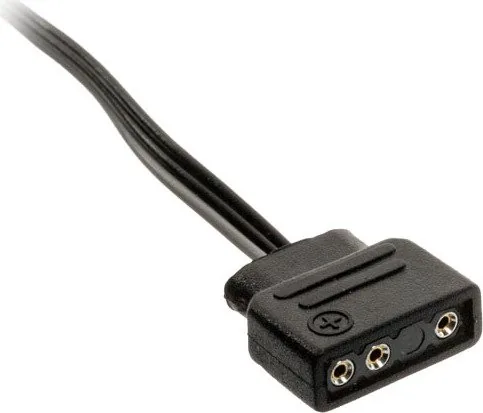
The acrylic decorative module connects to a compatible Digital RGB header on a motherboard or to a DRGB multi-function controller. The external controller is not included.
Is this answer helpful?
Use an appropriate amount of thermal paste on the designated processor contact area. Apply the supplied 1 mm thermal pads only to the indicated component locations before mounting the block.
Is this answer helpful?
Yes. Check all fittings and installed parts, then perform a 24-hour leak test with only the pump powered. Start the rest of the PC only after confirming there are no leaks.
Is this answer helpful?
Bitspower recommends distilled or purified water with Bitspower dye. Avoid running the pump with an empty reservoir, and note that unsuitable coolant can cause residue, blockage, leakage, or hardware damage.
Is this answer helpful?
Advantages and Disadvantages
Advantages

- Purpose-built for the MSI GeForce RTX 2080 Ti Gaming X Trio graphics card layout.
- Includes 1.0 mm thermal pads, mounting screws, a booster screw, and a Bitspower baffle.
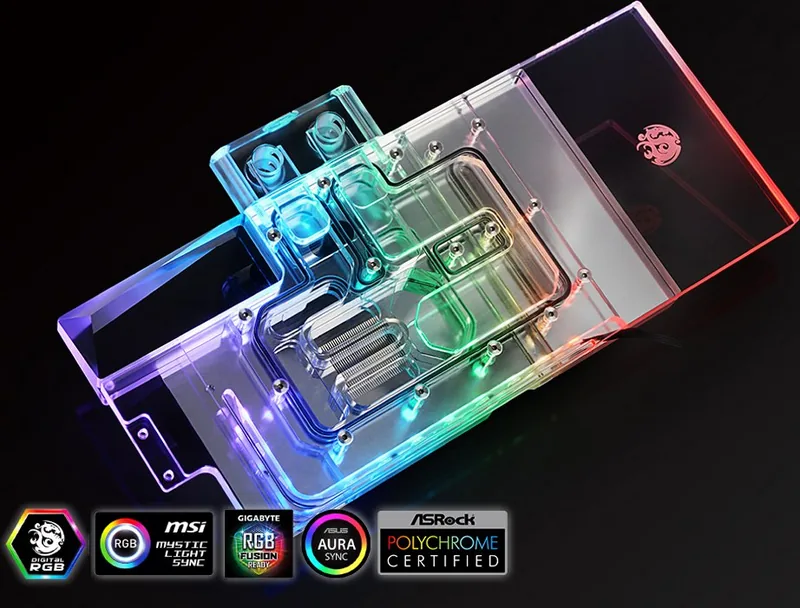
- Acrylic decorative module supports connection to a motherboard DRGB header or compatible controller.
- Installation guidance emphasizes thermal material placement and a 24-hour leak test.
Disadvantages

- Compatibility is limited to the specified MSI RTX 2080 Ti Gaming X Trio layout.
- The original backplate is referenced but is not included with the accessory set.
- A DRGB multi-function controller is not included.
- Custom-loop installation requires careful leak testing and coolant selection.
Product Specification
Type
GPU
Material
Copper (nickel-plated), PMMA
Compatibility
MSI GeForce RTX 2080 Ti Gaming X Trio
Connections
G1/4"
Lighting
LED (RGB)
Dimensions (L x W x H)
11.97 x 1.18 x 6.06 in
Special features
Voltage regulators cooled (GPU)
Product Description
Bitspower Lotan VGA Waterblock MSI GeForce RTX 2080 Ti Gaming X TRIO - Read, Download & Print Free
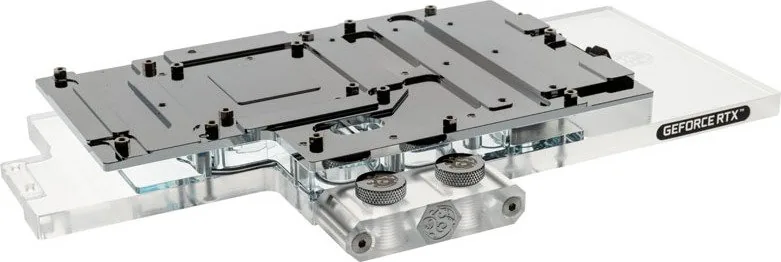
The Bitspower Lotan VGA Waterblock MSI GeForce RTX 2080 Ti Gaming X TRIO is a custom liquid-cooling solution made specifically for the MSI GeForce RTX 2080 Ti Gaming X Trio graphics card. It is intended for enthusiasts building a compatible water-cooling loop and seeking a cleaner, more customized GPU installation. Careful fitting of the thermal pads, thermal paste, screws, and included hardware is essential for a secure installation.
Designed for a Specific GPU Layout
Compatibility is the central consideration with this waterblock. It is made for the MSI GeForce RTX 2080 Ti Gaming X Trio PCB layout, so users should verify their exact graphics card model before beginning an installation. The product references the BP-VG2080TIMGX-A211 set and includes hardware for mounting the block, including 1.0 mm thermal pads, M2.5 screws, M3 screws, a booster screw, and a Bitspower baffle.
The installation process calls for accurate placement of thermal material. Use thermal paste in the indicated processor contact area and apply the supplied 1 mm thermal pads only where required. Proper coverage helps create contact between the waterblock and relevant card components while avoiding misplaced material that could interfere with assembly.
Acrylic Accent and Digital RGB Support
An acrylic decorative module adds a visual accent to the build. Its Digital RGB connection can be attached to a compatible motherboard DRGB header or to an external DRGB multi-function controller. The controller is not included, so builders should confirm that their existing lighting hardware supports the required connection before planning RGB synchronization.
The block can be installed with an original backplate arrangement, but the original backplate is not included in the listed accessory set. This is important for users who want to preserve the factory backplate appearance or need the corresponding mounting hardware. Different mounting configurations shown for the product use different screw and nut counts, so follow the applicable setup carefully.
Installation and Loop Safety Notes
A water-cooling loop requires deliberate preparation. Before powering the complete PC, check that every component is installed in its proper position. Bitspower recommends a 24-hour leak test with only the pump powered, allowing the loop to be checked before electricity reaches other PC components.
For coolant, distilled or purified water with Bitspower dye is recommended. Using unsuitable liquids may lead to residue, blocked channels, coating damage, pump issues, tube damage, or seal deformation. Never run the pump while the reservoir is empty.
Notes
- Product colors and included accessories may vary from listed information.
- Product design and specifications may change without notice.
- Confirm GPU compatibility, backplate requirements, and DRGB support before installation.
Search for 67,706 Manuals online


Type-in Brand or Model