
Bitspower ASRock X470 Taichi Manual
PDF manual · 2 Pages
English



Quick check
Incorrect answer, please try again.
Chat with your Bitspower ASRock X470 Taichi manual using AI
Get instant AI answers from your Bitspower ASRock X470 Taichi manual
Ask anything about the Bitspower ASRock X470 Taichi. Answers come from this manual, with the pages they are based on.
Ask a Question
Do you recommend ASRock X470 Taichi?
Yes NoFrequently Asked Questions
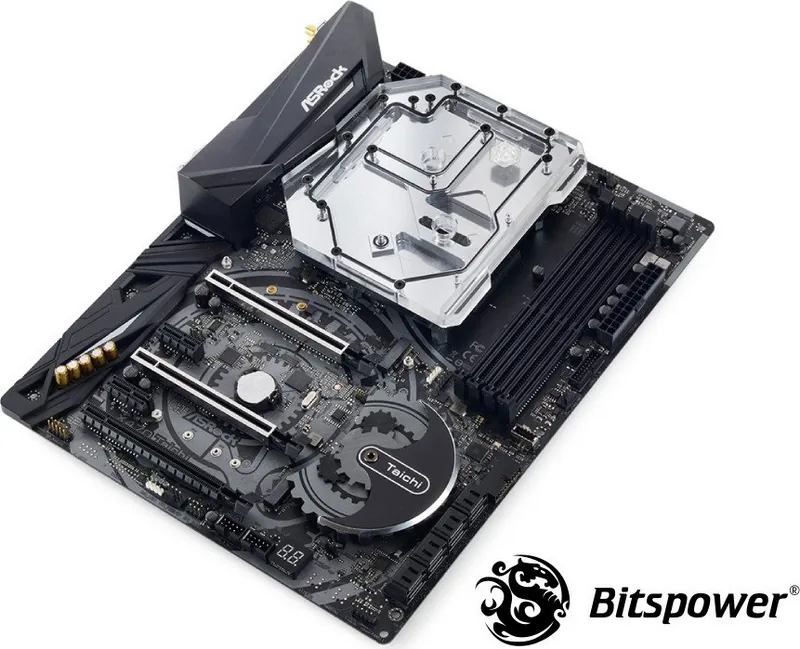
It is designed for the ASRock X470 Taichi and ASRock X470 Taichi Ultimate. The fit is platform-specific, which helps with alignment and cooling contact.
Is this answer helpful?
It cools the CPU area and nearby motherboard power-delivery sections in one unified block. This helps manage heat more efficiently in a custom loop setup.
Is this answer helpful?
The set includes thermal pads, washers, screws, a CPU backplate, and other mounting parts needed for installation. These accessories help ensure proper fit and pressure.
Is this answer helpful?
Yes. Thermal paste should be applied in the correct amount on the CPU contact area. Too little can reduce heat transfer, while too much can make installation messy.
Is this answer helpful?
Yes. Bitspower recommends running only the pump for 24 hours before powering the PC. This helps confirm there are no leaks and protects expensive components.
Is this answer helpful?
Yes. The block includes a slot for Bitspower RGB or DRGB accessories, giving builders more freedom to match the lighting style of their system.
Is this answer helpful?
Advantages and Disadvantages
Advantages

- Custom-fit design for ASRock X470 Taichi boards delivers a more precise and polished installation.
- Cools both the CPU area and nearby power components in one integrated monoblock.
- Includes a full accessory set, helping simplify mounting and setup.
- Supports Bitspower RGB and DRGB accessories for a more flexible visual build.
Disadvantages

- Only works with the ASRock X470 Taichi and X470 Taichi Ultimate, so compatibility is limited.
- Installation requires careful pad placement and thermal paste application.
- A 24-hour leak test is recommended, adding time before first startup.
- Best suited for experienced custom-loop users rather than beginners.
Product Specification
Type
Monoblock (CPU/Mosfet)
Material
Copper (nickel-plated), PMMA
Compatibility
ASRock X470 Taichi
Connections
G1/4"
Lighting
LED (RGB)
Dimensions (LxWxH)
5.39x5.12x1.06in
Product Description
Bitspower Monoblock ASRock X470 Taichi Manual
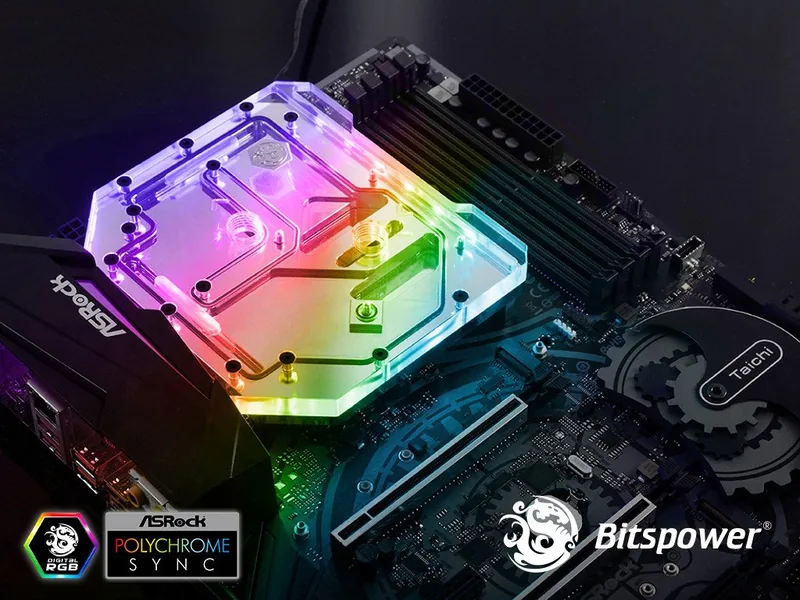
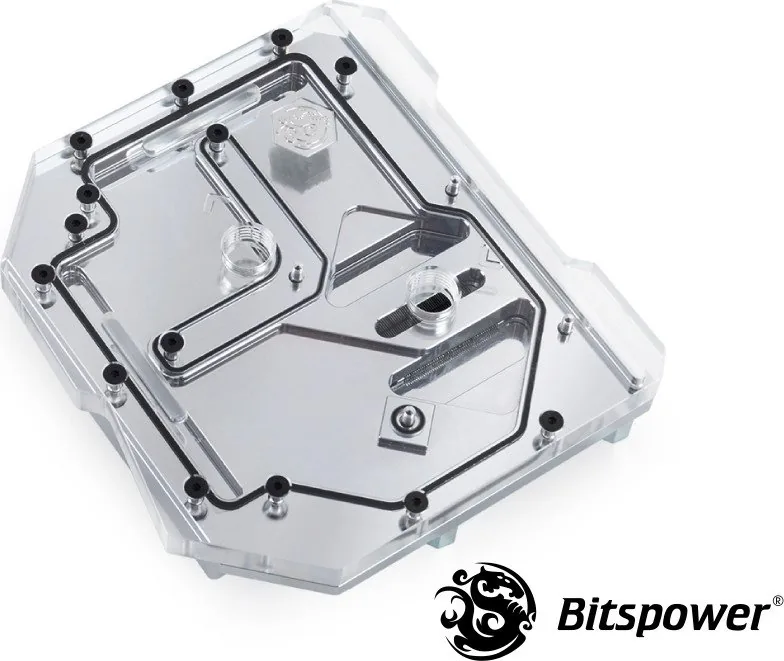
The Bitspower Monoblock ASRock X470 Taichi is a refined water-cooling upgrade made for builders who want both performance and a clean visual finish. Built specifically for the ASRock X470 Taichi and X470 Taichi Ultimate, it combines CPU and surrounding component cooling into one streamlined block. That focused design helps reduce heat on critical motherboard areas while keeping the setup compact and premium-looking.
For anyone searching for the Bitspower Monoblock ASRock X470 Taichi Manual, the main takeaway is that precision matters. This block depends on correct placement of thermal pads, washers, screws, and the included backplate parts to ensure proper contact and stable operation. The included hardware makes the installation more complete, especially for users assembling a custom loop from scratch.
Beyond cooling, this product adds strong visual appeal. The integrated slot for Bitspower RGB and DRGB accessories gives builders extra freedom to match the monoblock with the rest of the system lighting. It is a practical part, but it is also a design feature that helps the motherboard stand out inside a windowed case.
The installation process should be approached carefully. Thermal paste needs to be applied in the right amount, and every pad must sit in the correct position before the loop is filled. Bitspower’s guidance also highlights an important safety step: run the pump alone for 24 hours before powering on the full system. That leak test is essential for protecting hardware from avoidable damage.
This monoblock is best suited for enthusiasts who value platform-specific cooling and are comfortable working with custom liquid cooling parts. It is not a universal solution, but that is part of its strength. By targeting the X470 Taichi family directly, it offers a more tailored fit and a cleaner result than many generic alternatives.
Notes
- Made for ASRock X470 Taichi and X470 Taichi Ultimate.
- Includes mounting hardware, thermal pads, and a CPU backplate.
- Use the correct amount of thermal paste for best contact.
- Always perform a 24-hour leak test before first boot.
- RGB and DRGB support helps customize the final build.
Search for 67,706 Manuals online


Type-in Brand or Model