
Biostar Z790 Series Manual
PDF manual · 196 Pages
English



Quick check
Incorrect answer, please try again.
Chat with your Biostar Z790 Series manual using AI
Get instant AI answers from your Biostar Z790 Series manual
Ask anything about the Biostar Z790 Series. Answers come from this manual, with the pages they are based on.
Ask a Question
Do you recommend Z790 Series?
Yes NoFrequently Asked Questions
It supports Intel 12th and 13th Generation Core i9, i7, i5, and i3 processors, plus compatible Pentium and Celeron models using the LGA1700 socket. Check Biostar's CPU support list before selecting a processor.
Is this answer helpful?
The board has four DDR5 DIMM slots and supports up to 128GB of non-ECC DDR5 memory. It supports dual-channel operation and Intel XMP profiles. For best compatibility, use matched memory modules from the supported memory list.
Is this answer helpful?
The motherboard supports five M.2 storage devices and eight SATA III drives. M.2 support includes one PCIe 5.0 x4 socket, multiple PCIe 4.0 x4 sockets, and one socket that can accept PCIe, NVMe, AHCI, or SATA M.2 drives.
Is this answer helpful?
It includes an M.2 E-key socket and rear antenna connections for Wi-Fi and Bluetooth capability, but the Wi-Fi module itself is not included. Install a compatible 2230 M.2 Wi-Fi and Bluetooth or Intel CNVi module to enable wireless networking.
Is this answer helpful?
It offers an Intel 2.5 Gigabit LAN port, HDMI 2.1, DisplayPort 1.4, and a USB 3.2 Gen2 Type-C port with DisplayPort capability. HDMI and DisplayPort outputs work only when the installed Intel processor includes integrated graphics.
Is this answer helpful?
The board includes dual BIOS ROM selection, a Smart BIOS Update button, and a dedicated Smart BIOS USB port. It also has a Clear CMOS button and POST code display, which can help with configuration recovery and diagnostics.
Is this answer helpful?
Advantages and Disadvantages
Advantages

- Supports 12th and 13th Generation Intel processors on the LGA1700 socket.
- Offers DDR5 dual-channel memory support up to 128GB with XMP and overclocking capability.
- Includes five M.2 sockets, eight SATA III ports, and RAID 0, 1, 5, and 10 support.
- Provides PCIe 5.0 expansion, 2.5GbE LAN, USB 3.2 Type-C, HDMI 2.1, and DisplayPort 1.4.
- Dual BIOS, Smart BIOS Update, onboard controls, POST display, and flexible fan headers aid setup and recovery.
Disadvantages

- The optional M.2 E-key Wi-Fi and Bluetooth module is not included.
- Using the primary PCIe 5.0 M.2 slot reduces available PCIe lane resources for expansion slots.
- A SATA M.2 drive in the M2M_SB3 socket disables the SATA_8 port.
- Integrated HDMI and DisplayPort outputs require an Intel CPU with integrated graphics.
- Overclocking results vary by processor, memory, cooling, and power supply configuration.
Product Specification
Form Factor
ATX
Socket
Intel 1700
Chipset
Intel Z790
CPU Compatibility
Core i-14000, Core i-13000, Core i-12000, Pentium Gold G7000, Celeron G6000
RAM
4x DDR5 DIMM, dual PC5-57600U/DDR5-7200 (OC), max. 128 GB (UDIMM)
Cooling Headers
1x CPU fan 4-pin, 1x CPU fan/pump 4-pin, 4x fan 4-pin
Lighting Headers
1x 4-pin RGB (+12V/G/R/B, max. 3 A), 2x 3-pin ARGB (+5V/DATA/GND, max. 3 A)
Audio
7.1 (Realtek ALC1220)
Graphics
iGPU
Wireless
N/A
RAID Levels
0/1/5/10 (Z790)
Multi-GPU
N/A
BIOS
not specified, dual BIOS
Manufacturer Warranty
three years (handled through retailer)
USB Notation
Link
Product Description
Biostar Z790 - Read, Download & Print Free
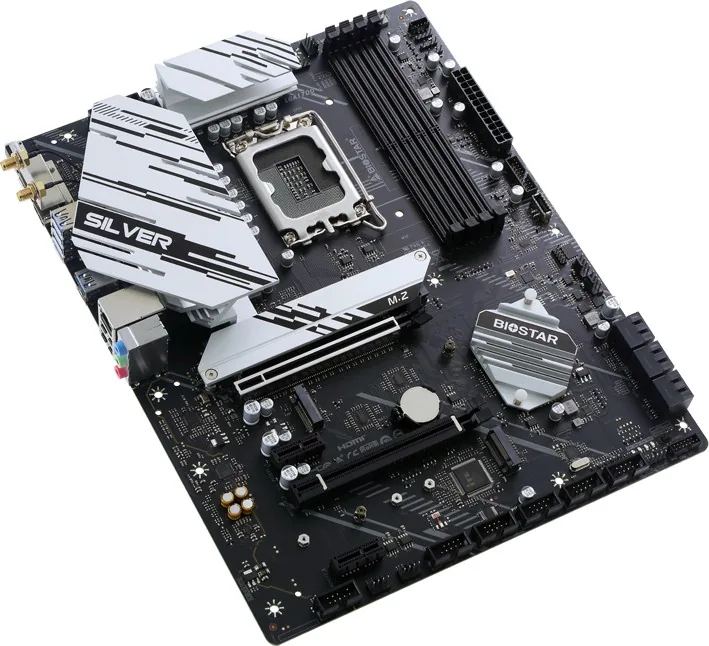
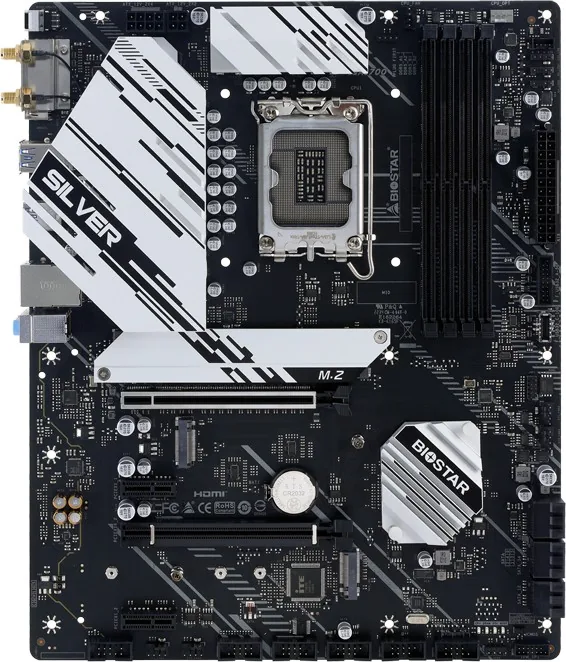
The Biostar Z790 VALKYRIE is an ATX motherboard designed for high-performance desktop systems built around Intel's LGA1700 platform. Supporting 12th and 13th Generation Intel Core processors, it gives enthusiasts, gamers, and creators a flexible foundation for powerful builds. Its Intel Z790 chipset, DDR5 memory support, extensive storage options, and advanced expansion layout make it suited to systems that need speed today and room to evolve.
Performance-Oriented Platform
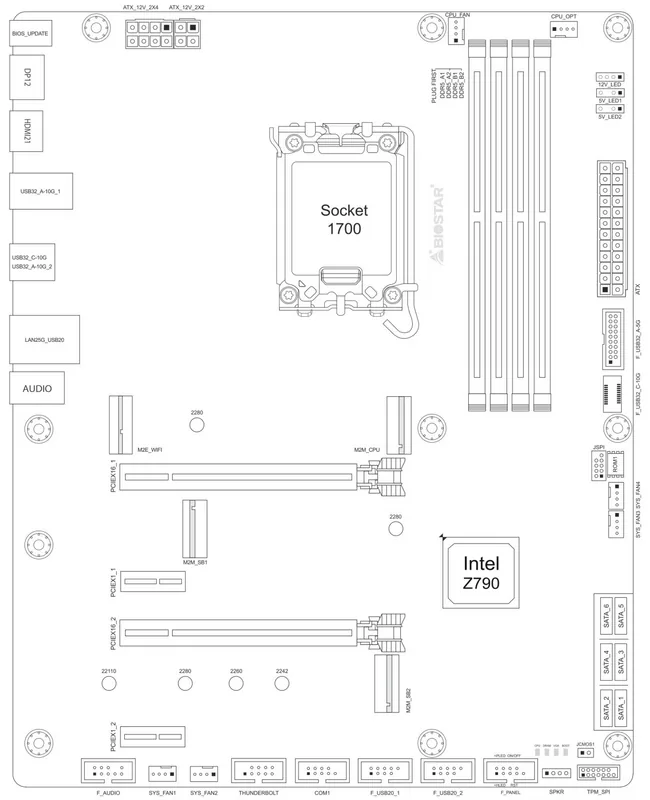
Four DDR5 DIMM slots support up to 128GB of non-ECC memory in dual-channel mode, with overclocking support reaching DDR5-6400+ depending on compatible hardware. Intel XMP support helps users apply validated memory profiles with less manual tuning. The board also includes three full-length expansion slots: two PCIe 5.0 x16 physical slots and one PCIe 4.0 x16 physical slot, allowing for graphics, capture, storage, or other add-in hardware.
Storage is a major strength of the Biostar Z790. It provides five M.2 sockets and eight SATA III ports, supporting a mix of NVMe and SATA drives. The primary M.2 socket supports PCIe 5.0 x4 NVMe SSDs, while additional sockets offer PCIe 4.0 and PCIe 3.0 connectivity. RAID 0, 1, 5, and 10 are available for both SATA and M.2 NVMe storage, offering options for speed, redundancy, or balanced capacity.
Connectivity and Everyday Features
Rear connectivity includes 2.5 Gigabit LAN, HDMI 2.1, DisplayPort 1.4, multiple high-speed USB ports, and Type-C connections. One USB 3.2 Gen2 Type-C port supports DisplayPort output. Integrated display outputs require a processor with Intel integrated graphics. The rear panel also provides Wi-Fi antenna connections for an optional M.2 E-key Wi-Fi and Bluetooth module.
Audio is handled by the ALC1220 codec with 7.1-channel high-definition sound, rear and front Hi-Fi output support, five audio jacks, and optical S/PDIF. Builders can also connect front USB, front audio, Thunderbolt, TPM, RGB, addressable RGB, and multiple cooling devices through internal headers.
Tuning, Cooling, and Recovery Tools
The Biostar Z790 VALKYRIE includes CPU, water-pump, and four system-fan headers. Its A.I FAN controls offer automatic detection plus DC and PWM modes, with Quiet, Aggressive, Manual, and Full On profiles. VALKYRIE AURORA software adds monitoring, lighting control, audio gain settings, and Normal, ECO, or Sport performance modes.
Dual BIOS capability, a Smart BIOS Update button, and a dedicated update USB port provide useful recovery options. On-board power, reset, and Clear CMOS buttons, plus a POST code display, can simplify testing and troubleshooting during assembly.
Notes
- Installing a PCIe SSD in the primary M.2 slot changes PCIe lane availability for the second PCIe 5.0 slot.
- A SATA M.2 SSD in the M2M_SB3 slot disables the SATA_8 connector.
- Wi-Fi and Bluetooth functionality requires an optional M.2 E-key module.
Search for 67,732 Manuals online


Type-in Brand or Model