
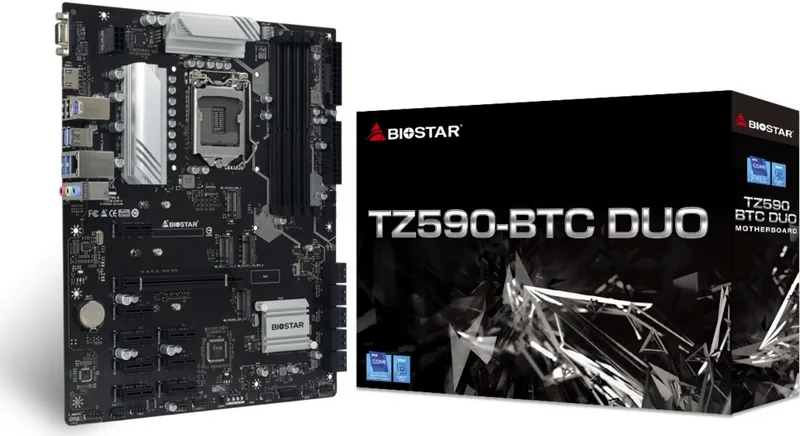
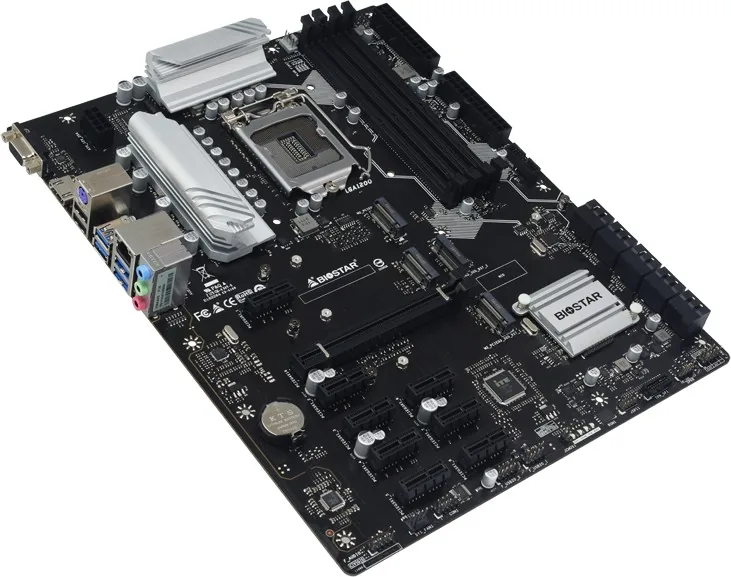
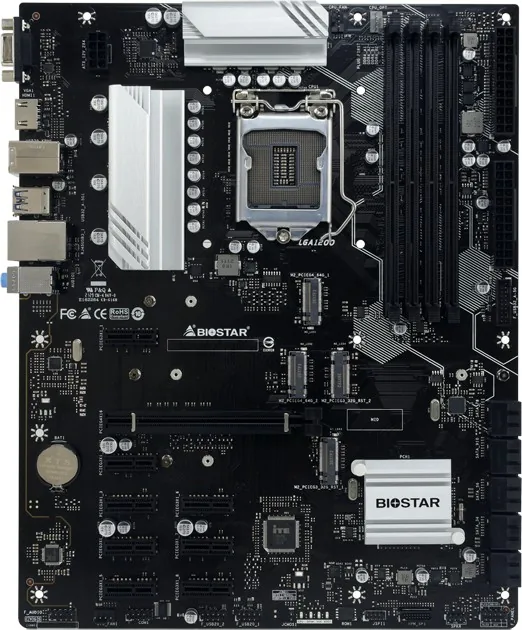
Biostar TZ590-BTC DUO Manual
PDF manual · 132 Pages
English



Quick check
Incorrect answer, please try again.
Chat with your Biostar TZ590-BTC DUO manual using AI
Get instant AI answers from your Biostar TZ590-BTC DUO manual
Ask anything about the Biostar TZ590-BTC DUO. Answers come from this manual, with the pages they are based on.
Ask a Question
Do you recommend TZ590-BTC DUO?
Yes NoFrequently Asked Questions
It supports Intel 10th and 11th Generation Core i9, i7, i5, i3, Pentium, and Celeron processors using the LGA1200 socket.
Is this answer helpful?
The motherboard supports up to 128 GB of DDR4 memory across four DIMM slots, with speeds reaching up to 3600 MHz via overclocking.
Is this answer helpful?
Yes, it features multiple M.2 slots that support both NVMe and AHCI SSD protocols, with some slots offering PCIe Gen4 speeds on compatible systems.
Is this answer helpful?
You can update the BIOS using the BIO-Flasher utility from a USB drive or via the internet connection directly within the UEFI BIOS setup menu.
Is this answer helpful?
Check the AMI BIOS beep codes and POST codes listed in the manual to identify specific hardware errors such as memory sizing failures or CPU initialization issues.
Is this answer helpful?
Yes, the rear I/O includes HDMI and VGA ports that work with Intel integrated graphics processors installed in the CPU.
Is this answer helpful?
Yes, the Biostar Z590 follows the standard ATX form factor measuring 305mm x 244mm, fitting most standard computer cases.
Is this answer helpful?
Advantages and Disadvantages
Advantages

- Supports Intel 10th and 11th Gen Core processors on LGA1200 socket
- Dual Channel DDR4 support up to 3600 MHz OC with 128GB max capacity
- Multiple M.2 slots supporting NVMe and AHCI protocols for fast storage
- Comprehensive I/O including USB 3.2, HDMI, VGA, and LAN ports
- UEFI BIOS with easy update utilities and detailed troubleshooting codes
Disadvantages

- M.2 Gen4 slots require 11th Gen Intel CPUs for full speed operation
- Audio codec is ALC887 which may lack advanced features found in higher-end boards
- Only two M.2 slots on the TZ590-BTC model compared to four on the DUO version
- No onboard Wi-Fi included, requiring a separate adapter for wireless connectivity
- BIOS interface may feel less modern compared to premium competitor brands
Product Specification
Socket
Intel 1200
Chipset
Intel Z590
CPU Compatibility
Core i-11000, Core i-10000, Pentium Gold G6000, Celeron G5000
Graphics
iGPU
Manufacturer Warranty
three years (handled by retailer)
USB Layout
Left
Product Description
Biostar Z590 Motherboard Overview
The Biostar Z590 series represents a robust platform designed for enthusiasts and professionals seeking high performance from Intel's 10th and 11th Generation Core processors. Built on the LGA1200 socket, this motherboard supports a wide range of CPUs including i9, i7, i5, i3, Pentium, and Celeron models. The chipset ensures optimal power delivery and connectivity, making it an ideal choice for gaming rigs and content creation workstations.
One of the standout features is its memory support, which accommodates Dual Channel DDR4 speeds up to 3600 MHz with overclocking enabled. Users can install up to four DIMM slots, supporting a maximum capacity of 128 GB of non-ECC memory. This flexibility allows for extensive multitasking and heavy application loads without bottlenecks. Storage options are equally impressive, offering multiple M.2 slots that support NVMe and AHCI SSDs for lightning-fast boot times and data transfer rates. The board includes both SATA III ports and advanced M.2 configurations compatible with PCIe Gen4 and Gen3 standards.
Connectivity is comprehensive, featuring USB 3.2 Gen1 and Gen2 ports alongside standard USB 2.0 headers. The rear I/O panel provides HDMI and VGA outputs for integrated graphics, along with audio jacks powered by the ALC887 codec for high-definition sound. Expansion capabilities are enhanced by multiple PCIe slots, allowing for powerful discrete graphics cards and additional peripherals. The ATX form factor ensures compatibility with standard cases while providing ample space for cooling solutions and cable management.
Managing the system is straightforward with the UEFI BIOS setup, which offers intuitive navigation for tweaking settings. Users can easily update the firmware using tools like BIO-Flasher or through the internet interface directly within the BIOS environment. For troubleshooting, the motherboard includes AMI BIOS beep codes and POST codes to help diagnose hardware issues quickly. Whether you are building a new PC or upgrading an existing one, the Biostar Z590 delivers reliability and performance tailored to modern computing needs.
Key Notes
- Ensure your CPU cooler is properly mounted to prevent overheating during intensive tasks.
- Always use grounded wrist straps when handling components to avoid static damage.
- Check the official Biostar website for the latest CPU and memory support lists before purchasing.
Search for 67,732 Manuals online


Type-in Brand or Model