
Biostar J4125NHU Manual
PDF manual · 51 Pages
English



Quick check
Incorrect answer, please try again.
Chat with your Biostar J4125NHU manual using AI
Get instant AI answers from your Biostar J4125NHU manual
Ask anything about the Biostar J4125NHU. Answers come from this manual, with the pages they are based on.
Ask a Question
Do you recommend J4125NHU?
Yes NoFrequently Asked Questions
The Biostar J4125NHU uses an integrated Intel Celeron J4125 processor. Because the processor is integrated, it provides a straightforward basis for compact, low-power systems.
Is this answer helpful?
It has two DDR4 DIMM slots and supports up to 8 GB total memory. Each slot supports a non-ECC 4 GB DDR4 module. Matching modules installed together enable dual-channel memory operation.
Is this answer helpful?
The board provides two SATA III 6 Gb/s connectors and one M.2 Key M slot. The M.2 slot supports 2242, 2260, and 2280 SSDs using SATA III or PCIe 2.0 x2 connectivity.
Is this answer helpful?
Yes. The onboard HDMI and VGA outputs can be used simultaneously with the integrated graphics processor. HDMI supports up to 4096 x 2160 at 30 Hz, while VGA supports up to 1920 x 1200 at 60 Hz.
Is this answer helpful?
The board offers two rear USB 3.1 Gen 1 ports and six USB 2.0 ports in total. Two USB 2.0 ports are on the rear panel, while four are available through two internal headers.
Is this answer helpful?
The listed operating system support includes 64-bit Windows 10 and Windows 11. Available operating system support can change, so checking current support before installation is recommended.
Is this answer helpful?
Advantages and Disadvantages
Advantages

- Compact Mini-ITX design fits small desktop, media-center, office, and embedded-style builds.
- Integrated Intel Celeron J4125 delivers a simple low-power platform without a separate CPU installation.
- Supports SATA III drives plus M.2 SATA or PCIe 2.0 x2 SSDs for flexible storage choices.
- HDMI and VGA outputs support dual-display configurations, including HDMI 4K output at 30 Hz.
- Includes Gigabit LAN, 7.1-channel HD audio, USB 3.1 Gen 1, USB 2.0, PCIe, and legacy headers.
Disadvantages

- Memory capacity is limited to 8 GB total, with each DIMM limited to a 4 GB non-ECC module.
- M.2 PCIe storage is limited to PCIe 2.0 x2 rather than newer, faster PCIe generations.
- HDMI maximum output is 4096 x 2160 at 30 Hz, which may not suit smooth 4K desktop use.
- Optional TPM and M.2 Key E Wi-Fi support may not be included on every board version.
- The integrated Celeron platform is intended for light workloads, not demanding gaming or heavy creation tasks.
Product Specification
Form Factor
Mini-ITX
CPU
Intel Celeron J4125, 4C/4T, 2.00-2.70 GHz, 4 MB Cache, 10 W TDP, codename "Gemini Lake Refresh" (Goldmont Plus, Intel 14 nm)
Chipset
System-on-Chip (SoC)
RAM
2x DDR4 DIMM, dual PC4-19200U/DDR4-2400, max. 8 GB (UDIMM)
Expansion Slots
1x PCIe 2.0 x16, 1x M.2/M-Key (PCIe 2.0 x2, 2280/2260/2242)
External Connectors
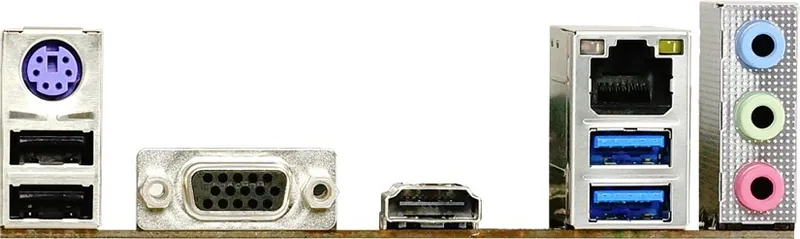
1x VGA (iGPU), 1x HDMI 1.4 (iGPU), 2x USB-A 3.0 (5 Gb/s), 2x USB-A 2.0 (480 Mb/s), 1x Gb LAN (Realtek RTL8111H), 3x audio jack, 1x PS/2 combo
Internal Connectors
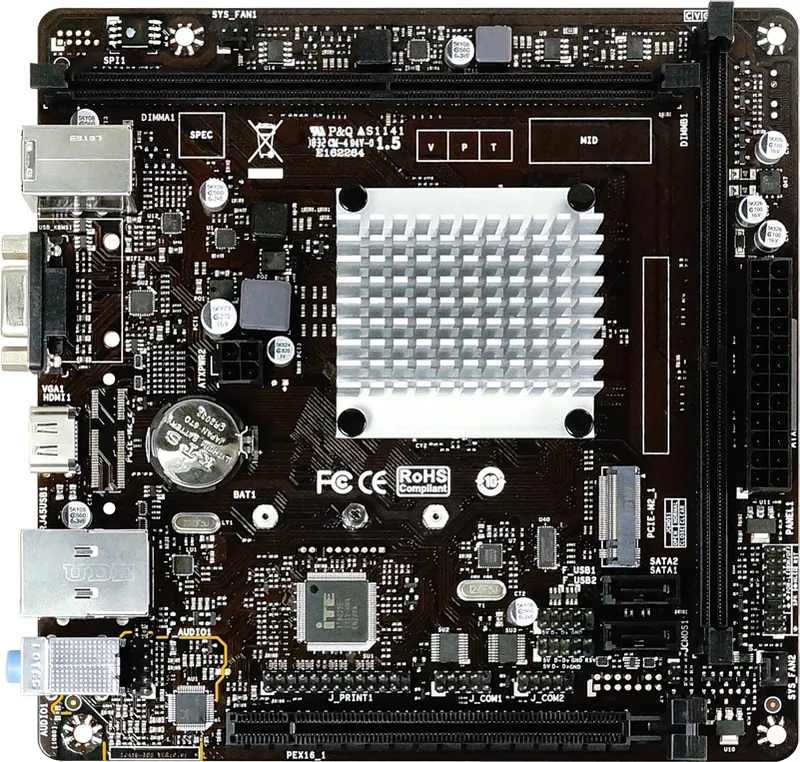
2x USB 2.0 headers (480 Mb/s, 4x USB 2.0), 2x SATA 6 Gb/s (SoC), 2x serial, 1x parallel
Cooling Headers
2x 3-pin fan
Lighting Headers
N/A
Buttons/Switches
N/A
Audio
7.1 (Realtek ALC887)
Graphics
Intel UHD Graphics 600 (iGPU), 12 EU/96 SP, 0.25-0.75 GHz, architecture "Gen 9.5" (Gemini Lake GT1)
Wireless
N/A
RAID Levels
N/A
Multi-GPU
N/A
Power Connectors
1x 24-pin ATX, 1x 4-pin ATX12V
Lighting
N/A
Special Features
All-solid capacitors, passively cooled, onboard TPM 2.0 support (Intel PTT)
USB Notation
Link
Product Description
Biostar J4125NHU - Read, Download & Print Free
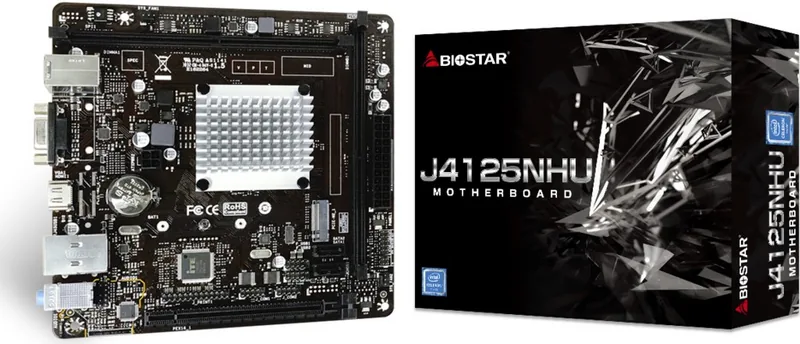
The Biostar J4125NHU is a compact Mini-ITX motherboard designed for practical, space-saving desktop builds. Powered by an integrated Intel Celeron J4125 processor, it offers an efficient foundation for home computers, office systems, media machines, point-of-sale installations, and other low-power projects. Its 170 x 170 mm format helps builders create small systems without giving up essential connectivity.
Compact platform with practical expansion
Despite its small footprint, the board supports dual-channel DDR4 memory at 1866, 2133, and 2400 speeds. It includes two DIMM slots and supports up to 8 GB of non-ECC DDR4 memory, making it suitable for everyday multitasking, browsing, streaming, and productivity applications. For best dual-channel operation, matching memory modules should be installed in both slots.
Storage options are flexible for a compact system. The Biostar J4125NHU includes two SATA III connectors for standard drives and an M.2 Key M slot that supports SATA III or PCIe 2.0 x2 SSDs in 2242, 2260, and 2280 sizes. This combination allows a fast SSD-based setup while retaining room for additional SATA storage. A PCIe 2.0 x16 slot is also available for compatible expansion hardware.
Connectivity for modern and legacy devices
The rear panel combines current and familiar connection options. HDMI and VGA outputs support integrated graphics, with HDMI capable of up to 4096 x 2160 at 30 Hz and VGA up to 1920 x 1200 at 60 Hz. This makes the board a convenient choice for displays ranging from older monitors to 4K televisions. It can support two onboard display outputs at the same time through the appropriate graphics configuration.
Networking is handled by Gigabit Ethernet, while audio is delivered through an ALC887 high-definition codec with support for up to 7.1-channel configurations. The board provides two USB 3.1 Gen 1 ports and six USB 2.0 ports overall, including internal headers for front-panel connections. Additional internal headers support front audio, serial ports, a printer port, system fans, and optional TPM and M.2 Key E Wi-Fi hardware depending on the version.
Setup and maintenance
The Biostar J4125NHU supports 64-bit Windows 10 and Windows 11. UEFI setup is accessed during startup, and BIOS updates can be performed with BIO-Flasher or Biostar's Windows-based update utility. Careful power, cooling, and anti-static practices are recommended during installation.
Note: Confirm memory, SSD, optional module, and operating-system compatibility before assembling a system. Use both required ATX power connectors and avoid interrupting a BIOS update.
Biostar J4125NHU - Read, Download & Print Free is a useful reference for planning a compact build around this versatile motherboard.
Search for 67,732 Manuals online


Type-in Brand or Model