
Biostar H410MHG Manual
PDF manual · 87 Pages
English



Quick check
Incorrect answer, please try again.
Chat with your Biostar H410MHG manual using AI
Get instant AI answers from your Biostar H410MHG manual
Ask anything about the Biostar H410MHG. Answers come from this manual, with the pages they are based on.
Ask a Question
Do you recommend H410MHG?
Yes NoFrequently Asked Questions
No, this board supports 10th Generation Intel Core processors exclusively via the LGA1200 socket. It does not support 11th Gen processors.
Is this answer helpful?
It supports up to 64GB of Dual Channel DDR4 memory across two DIMM slots, with speeds ranging from 1866MHz to 2933MHz.
Is this answer helpful?
Yes, it has one M.2 slot supporting NVMe and SATA SSD up to 2280 size, providing faster boot times than SATA drives.
Is this answer helpful?
You can use BIO-Flasher from a USB drive or the BIOS Update Utility in Windows to download and program the new firmware.
Is this answer helpful?
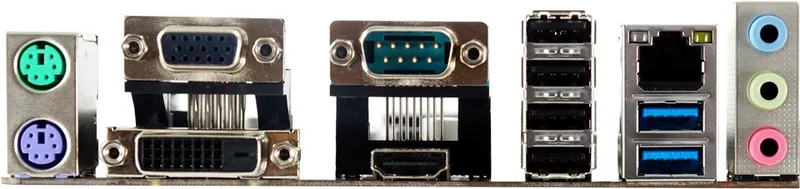
There are HDMI, DVI-D, and VGA ports on the rear I/O panel for connecting to monitors using integrated graphics.
Is this answer helpful?
Yes, the onboard graphics can support two display outputs simultaneously in many configurations depending on your CPU capabilities.
Is this answer helpful?
Advantages and Disadvantages
Advantages

- Compatible with 10th Gen Intel Core processors on LGA1200 socket
- Dual Channel DDR4 RAM support up to 64GB capacity
- M.2 Slot allows for high-speed NVMe SSD expansion
- HDMI, DVI-D, and VGA video output options included
- Realtek RTL8111H Gigabit LAN controller for network connection
Disadvantages

- Only two DDR4 memory slots limit maximum expansion capacity
- PCIe 4.0 is not supported which limits future GPU speeds
- Basic ALC887 audio codec is not high-end audiophile grade
- LGA1200 socket limited to 10th Gen Intel CPUs only
- uATX form factor reduces total physical expandability compared to ATX
Product Specification
Form Factor
uATX
Socket
Intel 1200
CPU Compatibility
Core i-10000, Pentium Gold G6000, Celeron G5000
Memory
2x DDR4 DIMM, dual PC4-23466U/DDR4-2933, max. 64GB (UDIMM)
Lighting Header
N/A
Buttons/Switches
N/A
Audio
7.1 (Realtek ALC887)
Graphics
iGPU
Wireless
N/A
RAID Level
N/A
Multi-GPU
N/A
Power Connectors
1x 24-Pin ATX, 1x 8-Pin EPS12V
VRM
5 Virtual Phases
Lighting
N/A
Features
Audio+solid capacitors, Onboard TPM 2.0 Support (Intel PTT)
Manufacturer Warranty
3 years (Warranty service via dealer)
USB Layout
Link
Product Description
Unlocking Potential with the Biostar H410 Platform
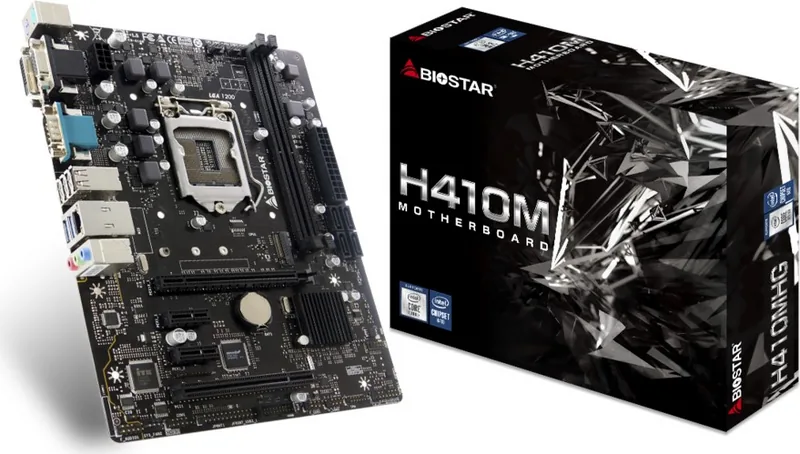
Building a new computer requires a solid foundation. The Biostar H410 motherboard series stands out as a reliable choice for budget-conscious builders aiming for stability. This platform supports the latest 10th Generation Intel Core processors through the LGA1200 socket. Whether you are upgrading an existing rig or building a fresh machine from scratch, this board delivers essential features without unnecessary clutter for the everyday user.
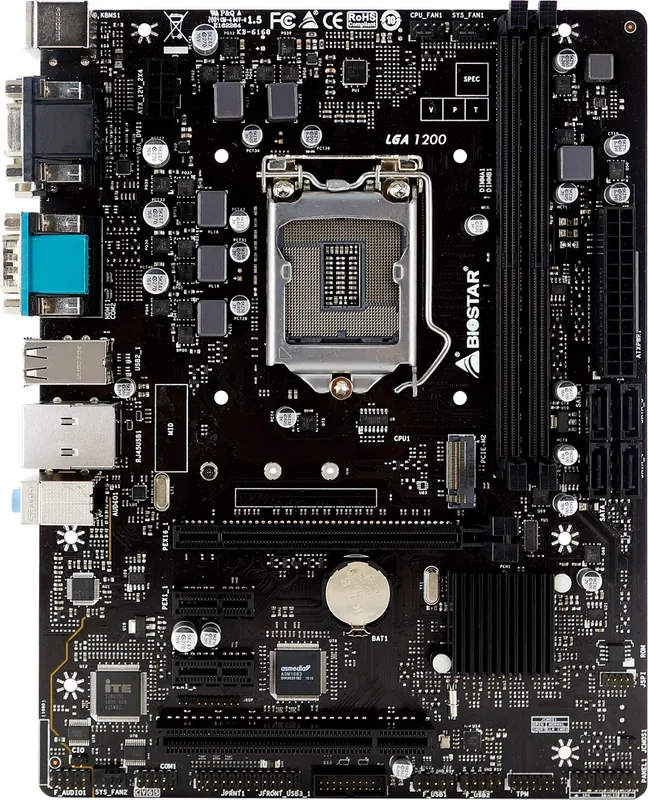
Memory management is handled by two DDR4 DIMM slots. These slots support dual-channel architecture, allowing for maximum bandwidth efficiency. Users can install up to 64GB of RAM with speeds ranging from 1866MHz to 2933MHz. It is crucial to ensure you use compatible modules for optimal stability during heavy workloads. Storage expansion is flexible, featuring four SATA III ports alongside an M.2 slot that supports NVMe SSDs for rapid data access and boot times.
Connectivity options cater to various peripherals effectively. The rear panel includes HDMI, DVI-D, and VGA ports for video output, relying on integrated Intel graphics processors. Networking is robust thanks to the Realtek RTL8111H controller which offers gigabit speeds. Audio is powered by the ALC887 codec, providing 7.1 channel sound capabilities for immersive entertainment. Inside the board, you will find headers for internal USB connections and cooling fans, ensuring a tidy cable build.
Expansion slots allow for further hardware upgrades over time. There is one PCIe 3.0 x16 slot for dedicated graphics cards and two PCIe 2.0 x1 slots for other expansion cards like LAN or sound cards. A standard PCI slot is also available for legacy hardware support. The UEFI BIOS setup allows users to manage boot sequences and system settings easily in a graphical interface. Updating the firmware can be done via BIO-Flasher from a USB drive or directly within the Windows environment using the BIOS Update Utility. This flexibility helps keep the system secure and performant.
The software package includes a utility DVD containing drivers and setup guides. The BIOSscreen utility allows users to personalize their boot logo for a unique look. The board adheres to the uATX form factor, measuring 244 mm by 191 mm. This compact size fits well into mid-tower and mini-tower cases effectively.
Installation and Safety Notes
Please remember to ground yourself before handling the board to prevent static damage from static discharge. Always disconnect power before installation to avoid shorts. If you encounter issues, the troubleshooting section covers common BIOS beep codes and boot errors. Regular driver updates from the utility DVD enhance system compatibility.
Notes: Always check the official website for specific CPU support lists before purchasing components.
Search for 67,732 Manuals online


Type-in Brand or Model