
Biostar B550 Series Manual
PDF manual · 92 Pages
English



Quick check
Incorrect answer, please try again.
Chat with your Biostar B550 Series manual using AI
Get instant AI answers from your Biostar B550 Series manual
Ask anything about the Biostar B550 Series. Answers come from this manual, with the pages they are based on.
Ask a Question
Do you recommend B550 Series?
Yes NoFrequently Asked Questions
Yes, it supports PCIe 4.0, but only when used with AMD Ryzen 3rd Generation Matisse and 4th Generation Vermeer processors. Other CPUs will run at PCIe 3.0 speeds.
Is this answer helpful?
The motherboard supports up to 128 GB of DDR4 memory across four DIMM slots. It handles both non-ECC and ECC un-buffered modules.
Is this answer helpful?
No, the M.2 E Key socket for Wi-Fi and Bluetooth modules is available, but the card itself is not included in the box.
Is this answer helpful?
You can update the BIOS using the BIOSTAR BIO-Flasher utility from a USB drive or via the Windows-based BIOS Update Utility if you have an internet connection.
Is this answer helpful?
The B550MX/E PRO model includes HDMI, DVI-D, and VGA ports, provided you use an AMD processor with integrated graphics.
Is this answer helpful?
Yes, the chipset supports RAID 0, 1, and 10 configurations using the four SATA III ports or the M.2 slots depending on the setup.
Is this answer helpful?
It uses a uATX form factor measuring 244 mm by 244 mm, making it suitable for mid-tower and compact cases.
Is this answer helpful?
Advantages and Disadvantages
Advantages

- Supports high-speed DDR4 memory up to 4933 MHz with OC
- Features PCIe 4.0 lanes for maximum GPU and SSD performance
- Includes dual M.2 slots for fast NVMe storage expansion
- Comes with user-friendly diagnostic LEDs for easy troubleshooting
- Compatible with a wide range of AMD Ryzen processors
Disadvantages

- PCIe 4.0 speeds are limited to specific Ryzen generations
- Wi-Fi card is not included in the package
- uATX form factor may limit total expansion slot count
- No onboard USB-C port on the rear I/O panel
- BIOS interface could be more intuitive for beginners
Product Specification
Socket
AMD AM4
Chipset
AMD B550
Buttons/Switches
N/A
Graphics
iGPU
Wireless
N/A
RAID-Level
0/1/10 (B550)
Multi-GPU
N/A
Power Connectors
1x 24-Pin ATX, 1x 8-Pin EPS12V
Manufacturer Warranty
three years (handled by retailer)
USB Writing
Link
Product Description
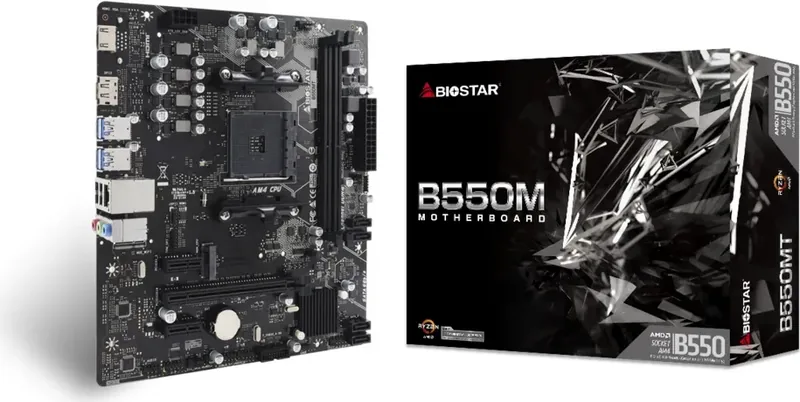
Biostar B550 Motherboard Overview
The Biostar B550 series represents a robust platform for AMD enthusiasts and gamers seeking high performance without breaking the bank. Designed around the AMD B550 chipset, this motherboard supports the latest Ryzen processors, including the 3rd and 4th generation models like Matisse, Renoir, and Vermeer. Whether you are building a gaming rig or a powerful workstation, the B550 offers the flexibility and speed required for modern computing tasks.
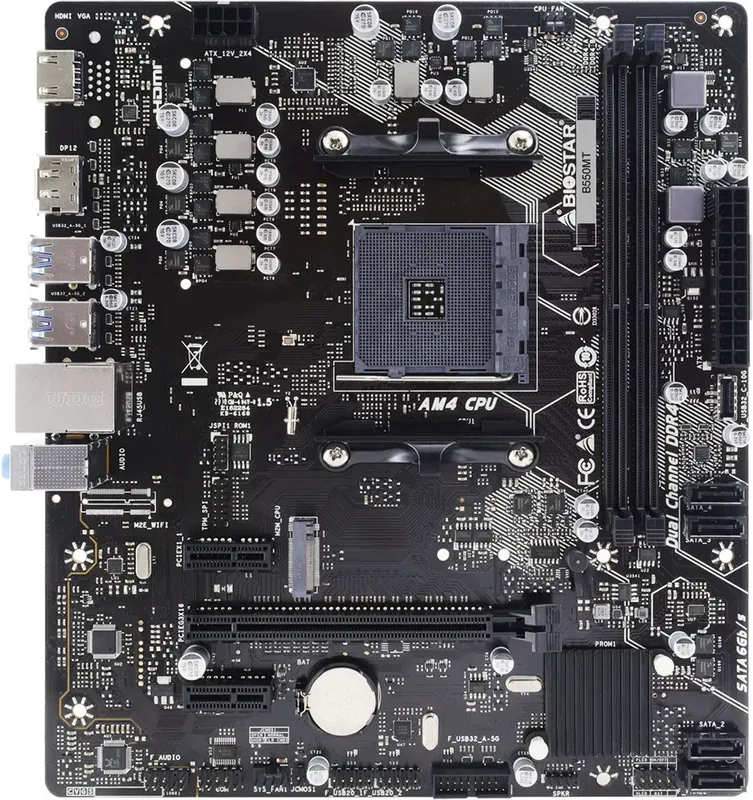
At the heart of this board is its support for DDR4 memory running at impressive speeds up to 4933 MHz with overclocking enabled on specific Ryzen APUs. The system accommodates up to 128 GB of RAM across four DIMM slots, ensuring ample space for demanding applications. Storage options are equally versatile, featuring two M.2 sockets that support PCIe Gen4 speeds on compatible CPUs, alongside four SATA III ports for traditional hard drives. This combination allows for lightning-fast boot times and rapid data transfer rates essential for heavy workloads.
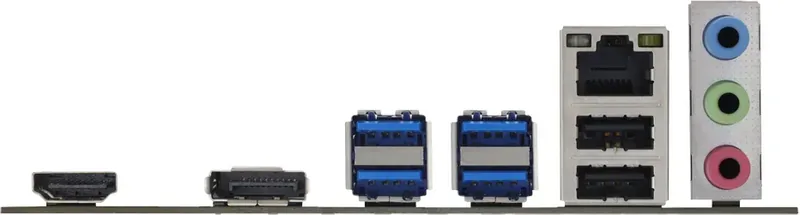
Connectivity is a strong suit for the Biostar B550. The rear I/O panel includes multiple USB 3.2 Gen1 ports, HDMI, VGA, and DVI-D outputs depending on the specific model variant. Integrated audio solutions provide high-definition sound through the ALC897 codec, while Realtek LAN ensures stable network connectivity. For expansion, the board features a primary PCIe 4.0 x16 slot, allowing users to install top-tier graphics cards and fully utilize the bandwidth provided by supported Ryzen CPUs. Additional PCIe slots offer room for further upgrades like capture cards or additional storage controllers.
Installation is streamlined with clear instructions for CPU mounting, heatsink attachment, and memory seating. The board includes helpful diagnostic LEDs to indicate system status during the POST process, making troubleshooting straightforward. BIOS updates can be performed easily via the BIOSTAR BIO-Flasher utility or through the operating system, ensuring your system stays current with the latest features and security patches. With its uATX form factor, the Biostar B550 fits into a wide range of cases, balancing size and functionality perfectly for any builder.
Important Notes
- Ensure your CPU supports PCIe 4.0 to utilize the full speed of the primary M.2 and PCIe slots.
- Always ground yourself before handling the motherboard to prevent static damage.
- Check the official Biostar website for the latest CPU and memory compatibility lists before purchasing components.
Search for 67,732 Manuals online


Type-in Brand or Model