
Biostar B450 Series Manual
PDF manual · 98 Pages
English



Quick check
Incorrect answer, please try again.
Chat with your Biostar B450 Series manual using AI
Get instant AI answers from your Biostar B450 Series manual
Ask anything about the Biostar B450 Series. Answers come from this manual, with the pages they are based on.
Ask a Question
Do you recommend B450 Series?
Yes NoFrequently Asked Questions
The Biostar B450 supports AMD Ryzen APUs such as Raven Ridge and Picasso, as well as Ryzen CPUs including Summit Ridge, Pinnacle Ridge, and Matisse. Always check the official website for the specific compatibility list.
Is this answer helpful?
This motherboard features four DDR4 DIMM slots and supports a maximum total memory capacity of 128 GB. It supports dual-channel configurations with speeds up to 4000 MHz when overclocked.
Is this answer helpful?
Yes, the B450 includes an M.2 socket that supports NVMe SSDs using the PCIe 3.0 x4 interface, providing significantly faster read and write speeds compared to standard SATA drives.
Is this answer helpful?
Yes, provided you install an AMD Ryzen APU with integrated graphics. Models like the B450MX offer HDMI, DVI-D, and VGA ports for direct video output without needing a separate graphics card.
Is this answer helpful?
You can update the BIOS using the BIOSTAR BIO-Flasher utility via a USB drive or the BIOS Update Utility within Windows. Both methods allow you to download and install the latest firmware safely.
Is this answer helpful?
The Biostar B450 uses the uATX form factor, measuring 244 mm by 244 mm. This size fits into most mid-tower and small form factor cases while offering ample expansion slots.
Is this answer helpful?
Advantages and Disadvantages
Advantages

- Supports high-speed DDR4 memory up to 4000 MHz for enhanced performance
- Compatible with latest AMD Ryzen processors including Matisse architecture
- Features M.2 slot for ultra-fast NVMe SSD storage speeds
- Comprehensive connectivity with USB 3.2 Gen1 and HDMI outputs
- User-friendly UEFI BIOS with easy update utilities
Disadvantages

- Limited PCIe lane count compared to newer X570 chipsets
- No built-in Wi-Fi or Bluetooth modules requiring expansion cards
- VRM cooling may be insufficient for extreme overclocking scenarios
- Only one M.2 slot limits multi-drive NVMe configurations
- Audio jacks require software configuration for proper functionality
Product Specification
Socket
AMD AM4
Chipset
AMD B450
Buttons/Switches
N/A
Graphics
iGPU
Wireless
N/A
RAID Level
0/1/10 (B450)
Multi-GPU
N/A
Manufacturer Warranty
three years (handled by retailer)
USB Naming
Link
Product Description
Unlocking Performance with the Biostar B450 Motherboard
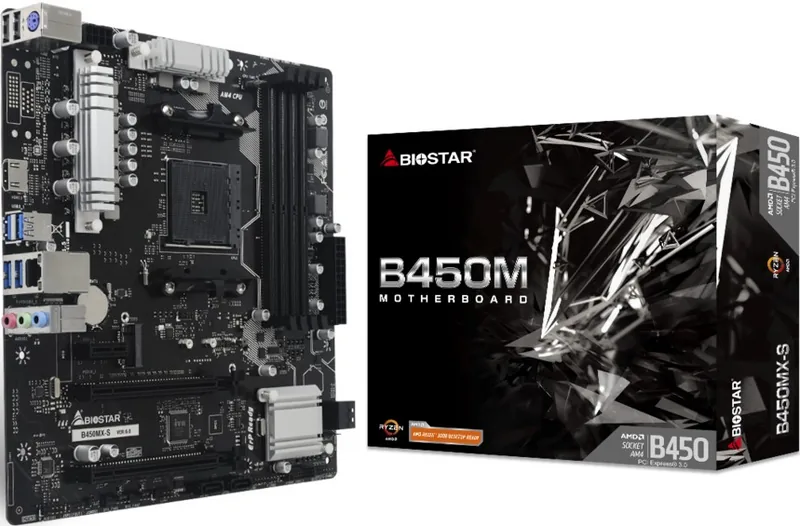
Building a custom PC is an exciting journey that requires reliable hardware to serve as its foundation. The Biostar B450 series stands out as a robust choice for enthusiasts and gamers looking to harness the power of AMD Ryzen processors. Designed with the Socket AM4 platform, this motherboard supports a wide range of CPUs from the Raven Ridge and Picasso APUs to the high-performance Summit Ridge, Pinnacle Ridge, and Matisse architectures. Whether you are upgrading an existing system or building a new rig from scratch, the B450 provides the necessary backbone for stability and speed.
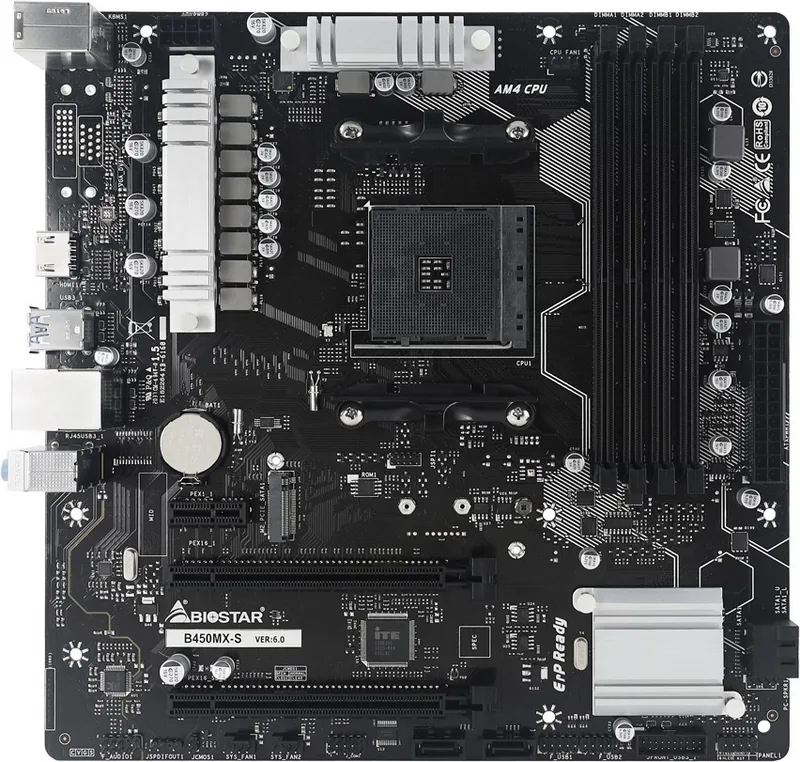
One of the key strengths of this board is its memory support. It features four DDR4 DIMM slots capable of handling up to 128 GB of RAM. Users can enjoy dual-channel configurations supporting speeds ranging from standard 2667 MHz up to impressive overclocked rates of 4000 MHz, ensuring smooth multitasking and rapid data access for demanding applications. Storage options are equally versatile, offering four SATA III connectors for traditional hard drives and SSDs, alongside a dedicated M.2 slot that supports NVMe drives at blazing fast PCIe 3.0 x4 speeds.
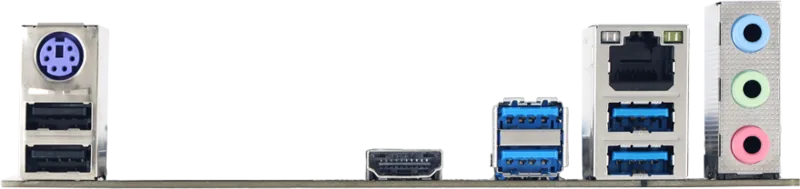
Connectivity is another area where the Biostar B450 excels. The rear I/O panel is packed with modern ports, including multiple USB 3.2 Gen1 and USB 2.0 connections, HDMI, DVI-D, and VGA outputs depending on the specific model variant like the B450MX or B450MX-S. Audio enthusiasts will appreciate the Realtek ALC887 codec delivering high-definition 7.1 channel sound. The inclusion of UEFI BIOS technology allows for easy configuration and updates, while the comprehensive troubleshooting guides ensure that even beginners can navigate installation with confidence.
Important Installation Notes
- Always ground yourself before touching components to prevent static damage.
- Ensure the CPU cooler is evenly seated to avoid overheating issues.
- Use the correct jumper settings to clear CMOS if you encounter boot failures.
- Check your power supply unit capacity when adding high-performance graphics cards.
Search for 67,732 Manuals online


Type-in Brand or Model