
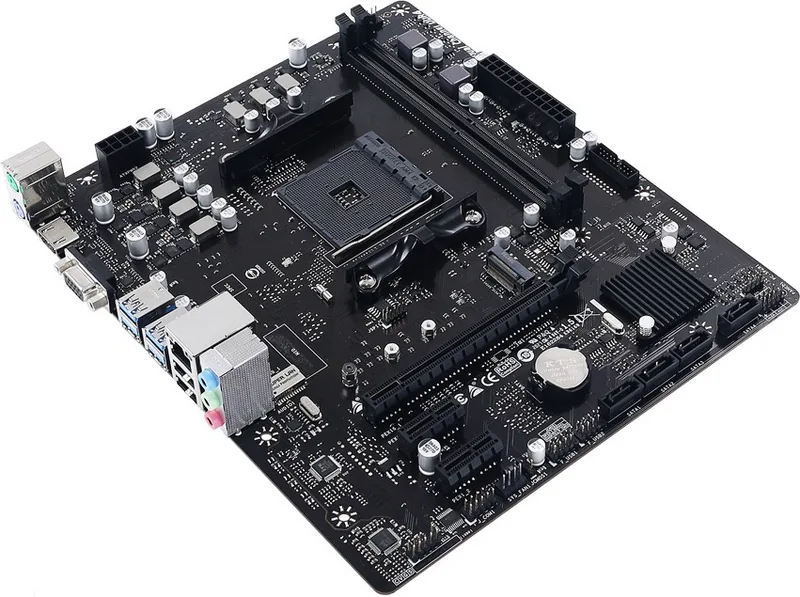
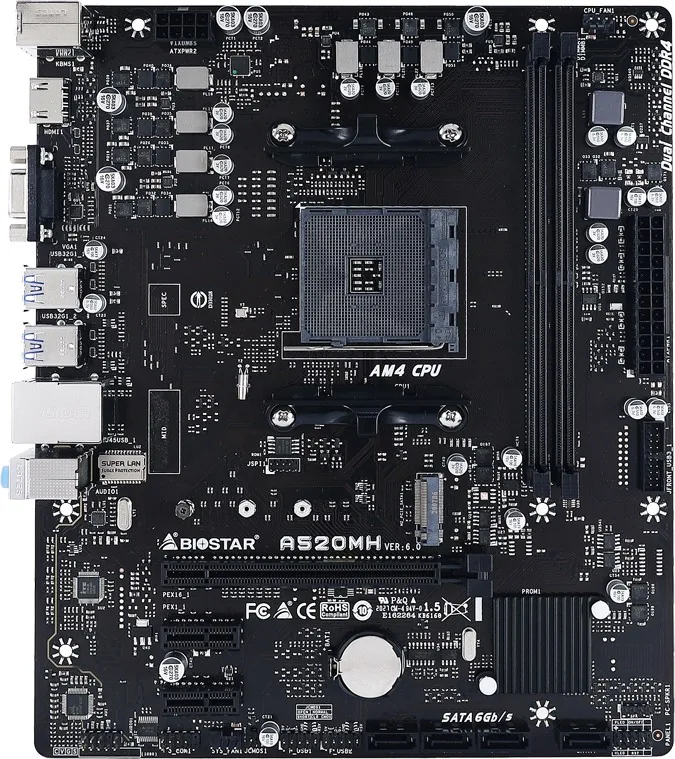
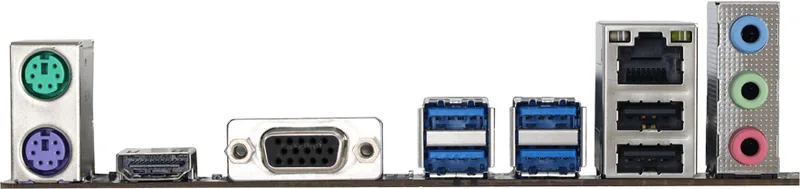
Biostar A520 Series Manual
PDF manual · 109 Pages
English



Quick check
Incorrect answer, please try again.
Chat with your Biostar A520 Series manual using AI
Get instant AI answers from your Biostar A520 Series manual
Ask anything about the Biostar A520 Series. Answers come from this manual, with the pages they are based on.
Ask a Question
Do you recommend A520 Series?
Yes NoFrequently Asked Questions
The motherboard supports AMD Ryzen 3rd Generation Matisse and Renoir, as well as 4th Gen Vermeer and Cezanne processors. Future Ryzen processors are supported via BIOS update.
Is this answer helpful?
It supports up to 64GB of DDR4 memory across two DIMM slots. It accommodates non-ECC modules of 8, 16, or 32GB per DIMM.
Is this answer helpful?
Yes, the M.2 socket supports PCIe 3.0 x4 NVMe SSDs. Some B550 models support PCIe 4.0 x4 NVMe drives for faster speeds.
Is this answer helpful?
You can use the BIOSTAR BIO-Flasher utility from a USB drive or the BIOS Update Utility in Windows for online updates.
Is this answer helpful?
There is a primary PCIe slot (x16) and two additional PCIe x1 slots for expansion cards depending on the specific model variant selected.
Is this answer helpful?
No, the M.2 E Key socket supports Wi-Fi modules but Wi-Fi cards are not typically included in the package.
Is this answer helpful?
The system supports Windows 10 64-bit and Windows 11 64-bit operating systems. Support may change without notice.
Is this answer helpful?
Advantages and Disadvantages
Advantages

- Supports AMD Ryzen 3rd and 4th Gen Processors for modern performance
- Dual channel DDR4 memory up to 64GB capacity for multitasking
- M.2 NVMe SSD support for high speed storage access
- USB 3.2 Type-C port for fast connectivity
- PCIe 4.0 support on B550 models for better expansion
Disadvantages

- M.2 Wi-Fi card not included with board
- Limited PCIe lanes available compared to higher end chipsets
- Audio codec may lack advanced features for audiophiles
- No RGB lighting headers mentioned in specifications
- Single M.2 slot on A520 variants
Product Specification
Form Factor
Micro ATX
Socket
AMD AM4
Chipset
AMD A520
Expansion Slots
1x PCIe 3.0 x16, 2x PCIe 3.0 x1, 1x M.2/M-Key (PCIe 3.0 x4/SATA, 2280/2260/2242)
Fan Headers
1x CPU Fan 4-Pin, 1x Fan 4-Pin
Lighting Headers
N/A
Buttons/Switches
N/A
Graphics
iGPU
Wireless
N/A
RAID Level
0/1/10 (A520)
Multi-GPU
N/A
Power Connectors
1x 24-Pin ATX, 1x 8-Pin EPS12V
Lighting
N/A
Features
All solid capacitors, Onboard TPM 2.0 Support (AMD fTPM)
Manufacturer Warranty
3 years (Claims handled by retailer)
USB Marking
Link
Product Description
Unleash Performance with Biostar A520
Building a reliable computing system starts with selecting a quality motherboard. The Biostar A520 series offers a robust platform designed for AMD Ryzen processors. This lineup supports the latest AMD Ryzen 3rd Generation Matisse and Renoir chips, alongside the powerful 4th Gen Vermeer and Cezanne models. These boards provide a solid foundation for users seeking stability and performance without breaking the budget. Whether you are assembling a gaming rig or a productivity workstation, the specifications cater to diverse computing needs while maintaining energy efficiency.
Comprehensive Connectivity and Storage
Expandability is a key strength. The system supports dual-channel DDR4 memory configurations reaching speeds up to 4933MHz depending on the CPU. Maximum memory capacity can scale up to 64GB across two DIMM slots. Storage flexibility is ample with M.2 sockets accommodating NVMe drives for rapid data access. Additionally, four SATA III ports support multiple hard drives for extensive data storage. Onboard audio features the ALC897 codec delivering 7.1 channel high definition sound for immersive media consumption.
Hardware Setup and BIOS Control
Successful assembly relies on following established guidelines. Proper CPU installation ensures correct pin alignment and secure locking mechanisms. Thermal management requires careful heatsink mounting and fan connectivity to prevent overheating. The UEFI BIOS interface allows users to adjust system parameters easily. Firmware updates can be managed directly through dedicated utilities within the BIOS environment. This ensures that the hardware remains compatible with new operating systems and drivers over time.
Installation and Safety
Installation instructions emphasize safety precautions such as disconnecting power sources before handling components. Anti-static measures are vital to protect sensitive electronic parts from damage. Workspace preparation should involve a clean, well-lit, and stable surface to prevent losing screws or bending the board. Always verify package contents against the checklist to ensure all accessories are included before beginning the physical assembly. Following these steps ensures a smooth experience for first-time builders seeking to utilize the full capabilities of the platform.
Variants and Support
Multiple models exist within this family to suit different requirements. Some include integrated graphics support while others focus on dedicated GPU setups. Operating system support spans Windows 10 and Windows 11 environments. Compliance with regulatory standards ensures safe usage in residential areas. Proper grounding during installation prevents static discharge damage. Keep the unit in safe areas away from heat sources and moisture. Regular software drivers enhance system stability and hardware function.
Search for 67,732 Manuals online


Type-in Brand or Model