Manual.ly Logo

beyerdynamic Aventho wireless Manual

0.0 · 0 Ratings

PDF manual · 150 Pages

English

M: OA-GPT-54-NAN
page

/ 150

Loading...
6d09ea587f5c72de6479594012c93421c281 page 13
english
Aventho wireless – Headphones
19
Maintenance
• To clean the Aventho wireless use only a soft cloth - either dry or slightly damp.
• Do not use cleaners that contain solvents as they can damage the surface.
Problem Cause Solution
The wireless range is too
low or the connection is
disrupted
There are interferences
with other devices
Move away from WLAN
routers and microwave
ovens, ensure that your
body is not between play-
back device and the Aven-
tho wireless
Notes on battery life for Li-Ion batteries
• After charging fully, disconnect the charging cable from the Aventho wireless.
• High temperatures, especially when fully charged can lead to irreversible damage.
• If the battery is not used for extended periods of time, it is recommended to charge
to approx. 50 % and store it at no more than 20 °C.
Spare parts
• Spare parts for the Aventho wireless can be found on the web at:
www.beyerdynamic.com under section “Service”.
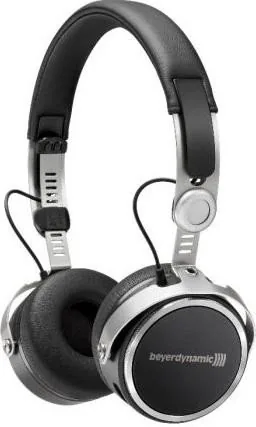
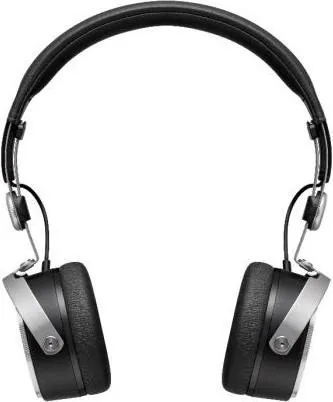
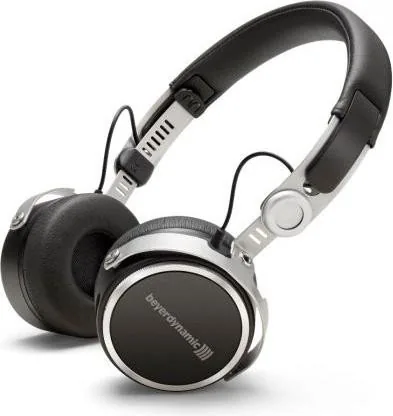
Since the ear pads are subject to natural wear, they
should be replaced from time to time.
You can do this easily yourself:
• Grasp the ear pad with a finger from the inside to pull
it off the headphone housing.
• Fit a new ear pad by pressing it onto the headphone
housing until snaps on.
In the event that other components require replacement,
please contact your local beyerdynamic representative.

Chat with your beyerdynamic Aventho wireless manual using AI

Get instant AI answers from your beyerdynamic Aventho wireless manual

Ask anything about the beyerdynamic Aventho wireless. Answers come from this manual, with the pages they are based on.

Aventho wireless Maintenance Schedule

As needed
Clean headphones

Use only a soft dry or slightly damp cloth. Do not use cleaners containing solvents.

Show in the manual (page 19)
As needed
Replace ear pads

Ear pads undergo natural wear and should be replaced from time to time by pulling them off and pressing new ones on until they snap.

Show in the manual (page 19)
M: QW-35-FL

Ask a Question

0/1000

Do you recommend Aventho wireless?

Yes No

Product Specification

Design

Headphones (On-Ear)

Form factor

Headband

Acoustic design

closed

Microphone

integrated

Connection

3.5mm jack

Wireless

Bluetooth 4.2, AAC, aptX, aptX HD, NFC, Multipoint

Cable

47.24 in, single-sided, detachable

Controls

Touch Control

Battery life

30h

Battery

USB-C charging port, 2h charging time

Frequency range

10Hz-40kHz

Impedance

32Ω

Sensitivity

105dB

Software Features

Equalizer presets, individual equalizer, sound personalization, app control

Color

black

Weight

0.52 lb

M: OA-GPT-54-NAN

Product Description

M: OA-GPT-54-NAN

© Copyright 2026 Manual.ly
