
be quiet! Straight Power 11 Platinum Manual
PDF manual · 40 Pages
English



Quick check
Incorrect answer, please try again.
Chat with your be quiet! Straight Power 11 Platinum manual using AI
Get instant AI answers from your be quiet! Straight Power 11 Platinum manual
Ask anything about the be quiet! Straight Power 11 Platinum. Answers come from this manual, with the pages they are based on.
Ask a Question
Do you recommend Straight Power 11 Platinum?
Yes NoFrequently Asked Questions
The power supply comes with a five year manufacturer warranty for consumers who purchase from authorized dealers.
Is this answer helpful?
No. Opening the device voids the warranty and is dangerous due to high voltage components remaining inside even when unplugged.
Is this answer helpful?
It features OCP, UVP, OVP, SCP, OTP, and OPP protection to safeguard against over current, under voltage, overload, short circuit, temperature, and overvoltage issues.
Is this answer helpful?
Remove the old unit, plug in the 20/24 pin connector, connect the CPU power cable, and secure with the provided screws using a screwdriver.
Is this answer helpful?
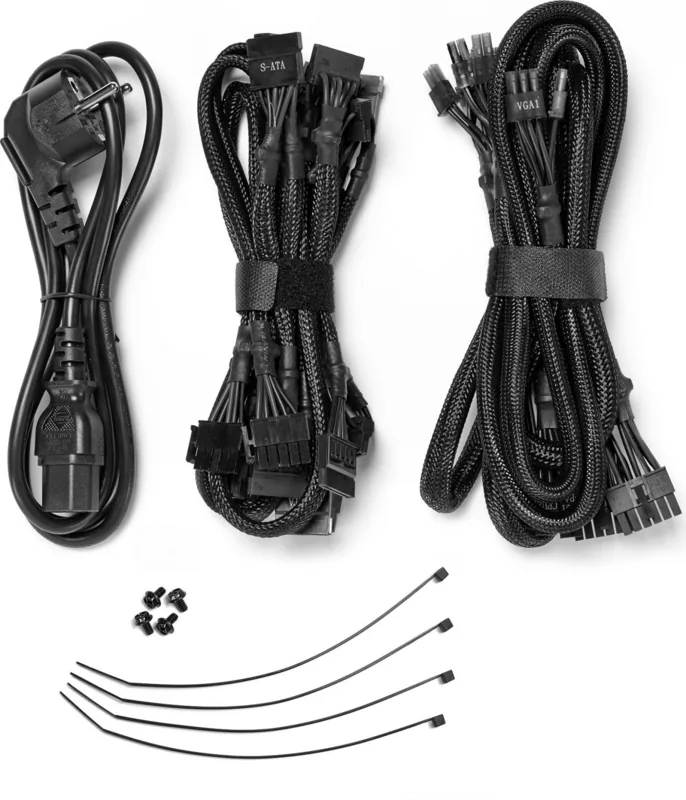
The package contains a modular cable set, mains lead, operating manual, cable ties, and screws for installation.
Is this answer helpful?
No. You must use the supplied cable set. Using cables from older series may lead to defects and is not recommended.
Is this answer helpful?
Do not throw in regular trash. Dispose via separate collection systems for electrical devices according to local European directives and laws.
Is this answer helpful?
Advantages and Disadvantages
Advantages

- 80 Plus Platinum certification for high energy efficiency
- Comprehensive safety protections including OCP and OTP
- Five year manufacturer warranty for consumers
- Modular cable design for better air flow
Disadvantages

- Warranty voids if the casing is opened
- Must be acclimated to room temperature before use
- Requires specific screws and cables provided only in box
Product Specification
Cable Management
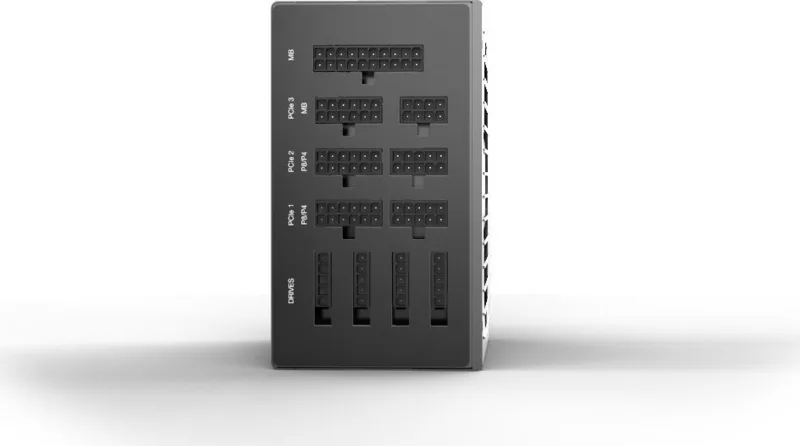
Fully Modular
80 PLUS Certification
80 PLUS Platinum (115V, per 80 PLUS Certificate)
Manufacturer Warranty
5 Years
+5Vsb
3A
Number of 12V Rails
4
PFC
Active
Form Factor
ATX PS/2
Specification
ATX 2.51
Features
ErP Lot 6, supports Haswell C6/C7 Low-Power States
Color
Black
Product Description
Overview of the Straight Power 11 Platinum
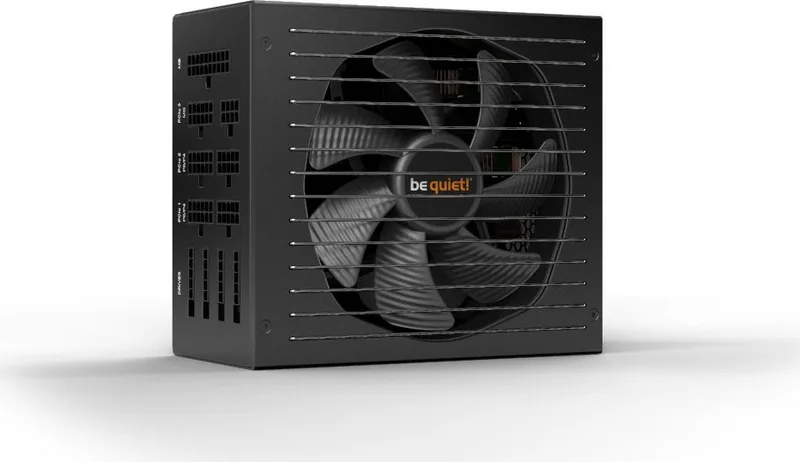
The be quiet! Straight Power 11 Platinum ATX 2.51 Manual serves as a comprehensive guide for users looking to upgrade their system components. This power supply unit is engineered for high efficiency and reliable performance in modern personal computers. It is available in various wattages from 550W up to 1200W to suit different user needs and configurations. The installation process requires the use of provided screws and cables to ensure a secure fit and reliable electrical connection. You must strictly adhere to safety instructions to prevent injuries or damage to the equipment during the setup process. Safety functions such as over current protection and undervoltage protection are integrated to protect components from electrical faults.
Overvoltage protection prevents damage from voltage spikes while short circuit protection guards against physical defects in the hardware. Thermal protection ensures the system shuts down automatically if internal temperatures reach dangerous levels during operation. Opening the device casing is strictly forbidden as it voids the warranty and exposes users to dangerous high voltages. Even after unplugging, internal components may still hold a charge which is lethal if touched by unauthorized personnel. The manufacturer includes a five year warranty for consumers who buy from authorized dealers with valid receipts.
Compatibility covers Intel ATX12V versions 2.51 and earlier standards ensuring broad support for motherboards. The retail box contains the modular cable set, mains lead, operating manual, cable ties, and specific screws for installation. Proper disposal is required under European directives and items should not go into standard domestic waste bins. Recycling points ensure environmental safety and compliance with local laws regarding electronic waste handling. Before powering on, allow the unit to acclimatize to room temperature for one hour to prevent condensation issues.
Cleaning must be done gently with a dry cloth while the unit is disconnected from all power sources completely. Troubleshooting involves checking power connections and verifying that no short circuits exist in the system logic. Crashes after adding new graphics cards often indicate the power supply is underpowered for the load. Always check compatibility tools before purchasing to ensure the selected unit can handle your hardware. Customer support is available for persistent issues that remain after checking all connection points and settings.
The design prioritizes noise reduction while delivering stable voltage to ensure system stability during intensive tasks. Proper ventilation is necessary for the cooling fans to dissipate heat generated by the internal components effectively. Avoid using the power supply in wet conditions or outside environments where moisture damage could cause severe failure. Keep the unit away from heaters to prevent thermal stress on the internal circuitry and components. Using a surge protector or separate socket helps maintain stable power input for consistent operation. Smoke detection requires immediate shutdown and disconnection to prevent further damage or injury risks. Unauthorized repairs should be avoided and only certified technicians should handle complex issues inside the chassis. Regular maintenance using dry methods helps extend the operational life of the power supply over several years. Stable power delivery is fundamental for the reliability of the motherboard, processor, and graphics card combinations. Be quiet brand products focus on quiet operation without sacrificing performance or efficiency standards consistently. Ensure your computer case has adequate airflow for the cooling mechanisms to function correctly during use. If the system fails to boot check the case switch connection and ensure the wall socket is functional.
Search for 67,706 Manuals online


Type-in Brand or Model