
be quiet! Shadow Rock 3 Manual
PDF manual · 2 Pages
English



Quick check
Incorrect answer, please try again.
Chat with your be quiet! Shadow Rock 3 manual using AI
Get instant AI answers from your be quiet! Shadow Rock 3 manual
Ask anything about the be quiet! Shadow Rock 3. Answers come from this manual, with the pages they are based on.
Ask a Question
Do you recommend Shadow Rock 3?
Yes NoFrequently Asked Questions
The product comes with a three-year manufacturer guarantee for end consumers. This coverage requires proof of purchase from an authorized retailer.
Is this answer helpful?
A cross-tip screwdriver is included in the package for securing screws.
Is this answer helpful?
Yes, it supports AMD AM3 and newer platform requirements with specific brackets.
Is this answer helpful?
Drink plenty of water immediately and seek medical attention urgently.
Is this answer helpful?
Yes, cooler removal is recommended to prevent socket damage during movement.
Is this answer helpful?
Advantages and Disadvantages
Advantages

- Silent PWM fan operation ensures minimum noise levels during all workload scenarios.
- Includes thermal paste and tools for straightforward initial setup and installation.
- Three-year manufacturer warranty provides long-term protection for authorized buyers.
- Compatible with various Intel and AMD sockets for flexible system compatibility.
Disadvantages

- Installation process requires careful handling to avoid damaging motherboard components.
- Large footprint may interfere with tall RAM modules or case fans.
- Thermal paste is toxic and must be kept away from children and skin.
- Warranty voids if structural changes or mechanical damage occur to unit.
- Removing mounting brackets for transport requires precise steps and reassembly knowledge.
Product Specification
Type
Tower Cooler
Dimensions with Fan
5.12x6.42x4.76 inches (WxHxD)
Fan
1x 4.72x4.72x0.98 inches, 1600rpm, 24.4dB(A)
Weight with Fan
1.57 lbs
Connector
4-Pin PWM
AMD Socket
AM5, AM4
Intel Socket Note
Socket 1700 mounting kit may not yet be included, Socket 1700 mounting kit available from the manufacturer
TDP
190W
Manufacturer Warranty
3 Years
Product Description
Ultimate Desktop Cooling Experience
Optimizing Your Processor Temperature
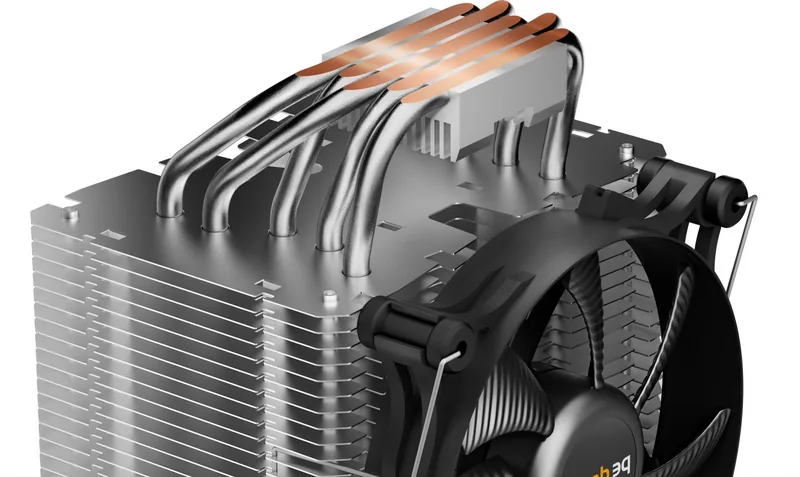
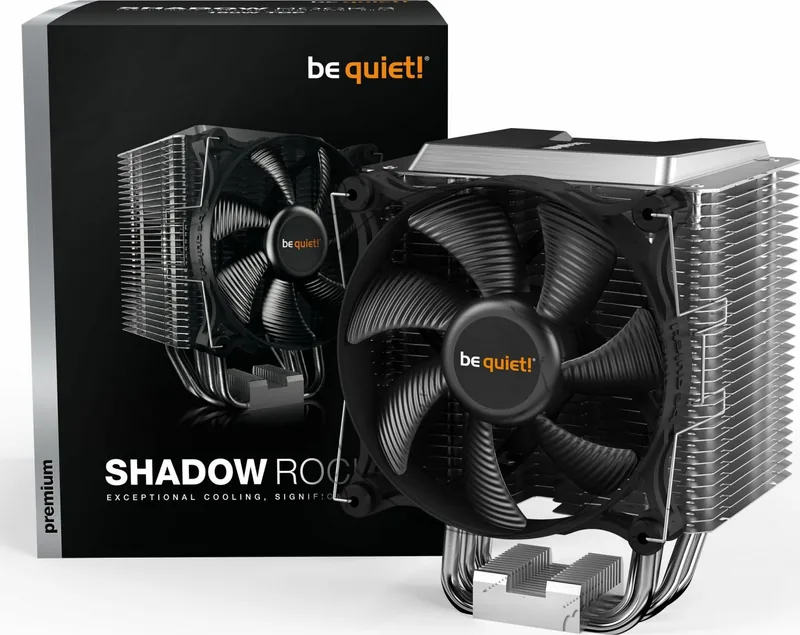
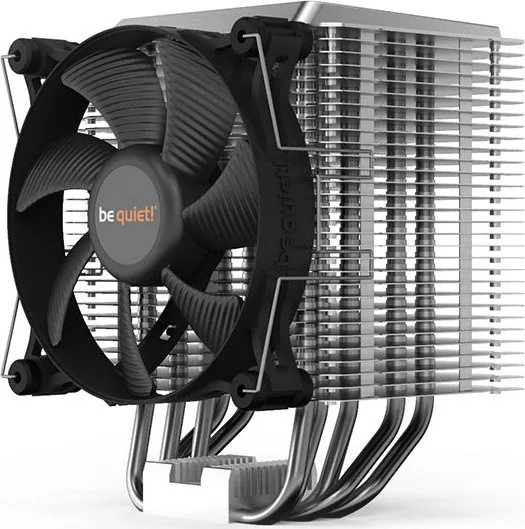
Achieving peak system stability relies heavily on effective thermal management. The be quiet! Shadow Rock 3 Manual serves as a comprehensive guide for installing this robust air cooler. This device delivers silent operation while maintaining optimal temperatures under load. Many users seek solutions that balance performance with acoustic comfort. The product supports a wide range of socket types. The unit features a large copper base plate paired with six high-quality heat pipes. These pipes efficiently transport heat away from the processor core. A large fin stack maximizes surface area for cooling purposes. The included twelve centimeter PWM fan adjusts speed based on real-time temperature data. This ensures minimum noise during low workload scenarios. The fan connects directly to the system board header. This automatic adjustment keeps the environment quiet.
Installation and Safety Considerations
Preparation begins with applying thermal paste correctly. The amount supplied covers one or two applications. Extreme caution is advised as the paste is toxic if swallowed. Users must avoid skin contact during application. If ingestion occurs, drink plenty of water and seek medical help immediately. Position the mounting bridge centrally on the cooler before fixing it to the socket. Mounting brackets vary by socket type, such as Intel 115X or AMD AM4. Proper spacing ensures stability and prevents warping of the motherboard. O-rings reduce vibration noise during operation significantly. Fan clips secure the blower unit firmly to the heat sink. Always connect the fan cable to the appropriate motherboard header for speed control. The cross-tip screwdriver included aids in tightening screws securely. Detailed steps guide users through the process of mounting backplates. Users must align holes precisely for each socket model. Plastic retainers on AMD retention modules may need removal. Proper alignment prevents damage to the CPU during tightening.
Warranty and Support Details
The manufacturer offers a three-year warranty for end consumers. This coverage requires proof of purchase from an authorized retailer. Claims cannot be processed without a copy of the original receipt. Alterations to the device structure invalidate the guarantee completely. Mechanical damage caused by transport or handling is not covered. For assistance, the support team can be contacted via email. Installation outside the case is recommended before final fitting. This prevents accidental stress on the motherboard pins during removal or replacement. Regular maintenance keeps the system running smoothly. Keeping the cooling solution clean prevents dust accumulation. Noise levels remain low even under heavy processor strain. The design prioritizes airflow through the fin array. Maintenance intervals are long due to robust construction.
Comprehensive Package Contents
The delivery includes the main cooler unit plus necessary hardware. Specific screws and brackets are required for different platforms. Long AMD brackets fit specific retention modules. Spacer nuts and bridge screws ensure firm attachment. Thermal paste is provided in a small tube for single use. For AM3 motherboards, specific washers are needed.
Conclusion
Reliable cooling is essential for long-term PC health. Careful adherence to instructions ensures safety and performance. The included components cover most standard modern configurations. Users gain peace of mind knowing their investment is protected.
Search for 67,706 Manuals online


Type-in Brand or Model