
be quiet! SFX-L Power Manual
0.0 · 0 Ratings
PDF manual · 36 Pages
English



Loading...

Note: You will need a screwdriver to t the power supply in your PC. Only use the screws provided with
the power supply because they have the correct thread�
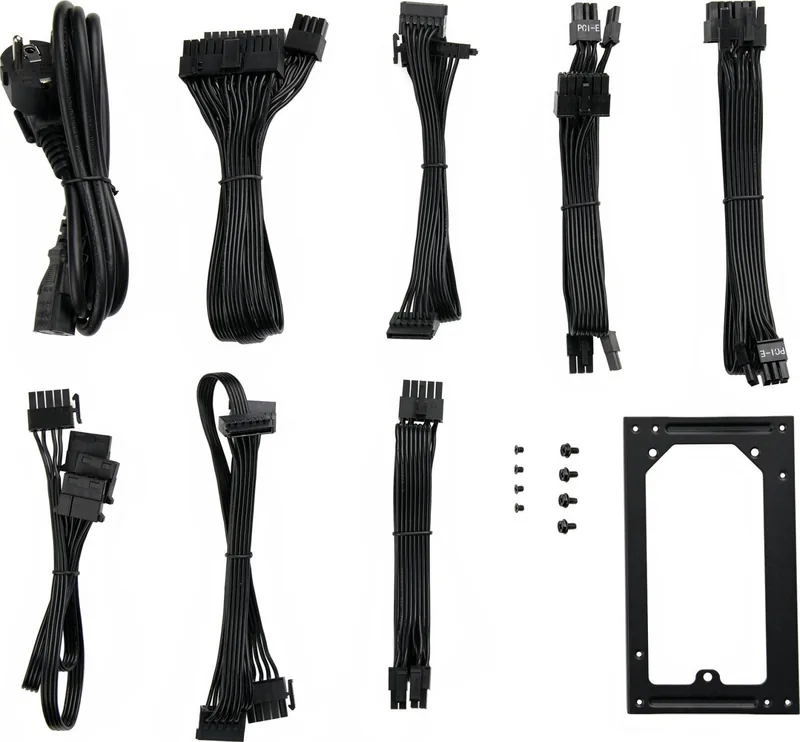
Caution: Only use the supplied cable set� Using cables that were not included (e�g� cables of older power
supply unit series) may lead to defects!
First remove your old power supply. To do so, proceed as follows:
∙ Carefully disconnect your PC from any power sources and unplug all cables connected to the PC�
∙ Open the PC case, taking care to follow the manufacturer’s instructions�
∙ Disconnect all plugs from the motherboard and all other components, such as FDDs, HDDs, or
optical drives� Make sure that there are no plugs from the old power supply connected to any of
the components�
∙ Now remove the screws at the rear of the power supply and carefully pull the power supply out of the
PC case� Take special care that no cables get caught in the components and damage them�
Fitting your new be quiet! power supply:
∙ Place the new power supply in the space provided in the PC case and connect to the rear panel using
the four screws provided� Do not use excessive force�
∙ Plug the 20/24 pin connector into the socket provided on the motherboard� If you have a 24 pin
connection, place the remaining 4 pins in the correct position before you plug the connector into
the socket� If you have a motherboard with a 20 pin connector, fold the additional 4 pins to one side�
∙ Now plug the 12V-P4 connector for the CPU into the socket provided on the motherboard�
5. TROUBLESHOOTING
Please note:
If you have an ATX motherboard, the power supply is enabled by the motherboard in order to boot the
PC. For this reason, please refer to the motherboard or case manual to check whether the on/o switch
is connected correctly�
Caution: There is a risk of fatal injury when working on power sources. If you notice traces of smoke,
damaged cables and exposure to liquids, immediately disconnect the power from the mains and do not
use it again�
Never open the power supply case� High-voltage components in the interior of the power supply may still
be live after a longer period of disuse�
Please have any and all necessary repairs conducted by an authorized expert!
Opening the device will void your warranty.
If the system in which you installed the power supply does not work properly, check for these possible
sources of error rst:
∙ Check that the mains cable to the power supply is correctly and rmly plugged into the power supply
and the socket� Ideally, you should use a separate power socket for the computer power supply�
∙ Check whether all connectors are correctly plugged in, and make any necessary adjustments, such
as in case of incorrect polarity�
∙ Check the connection between the on/o switch on the case to the motherboard. Refer to the
motherboard manual if needed! Switch the power supply on by setting the switch to position “I” and
then pressing the on/o switch on the case. If the power supply still does not switch on, continue
with the next item�
∙ Check your system for possible short circuits or faulty hardware, making sure that you switch o the
computer and disconnect all devices not required for the computer to start� Switch the computer
4 5
Quick check
I'm not a robot
Incorrect answer, please try again.
Chat with your be quiet! SFX-L Power manual using AI
Get instant AI answers from your be quiet! SFX-L Power manual
Ask anything about the be quiet! SFX-L Power. Answers come from this manual, with the pages they are based on.
Ask a Question
0/1000
Do you recommend SFX-L Power?
Yes NoProduct Specification
Fan
4.72in
Cable management
fully modular
Connectors
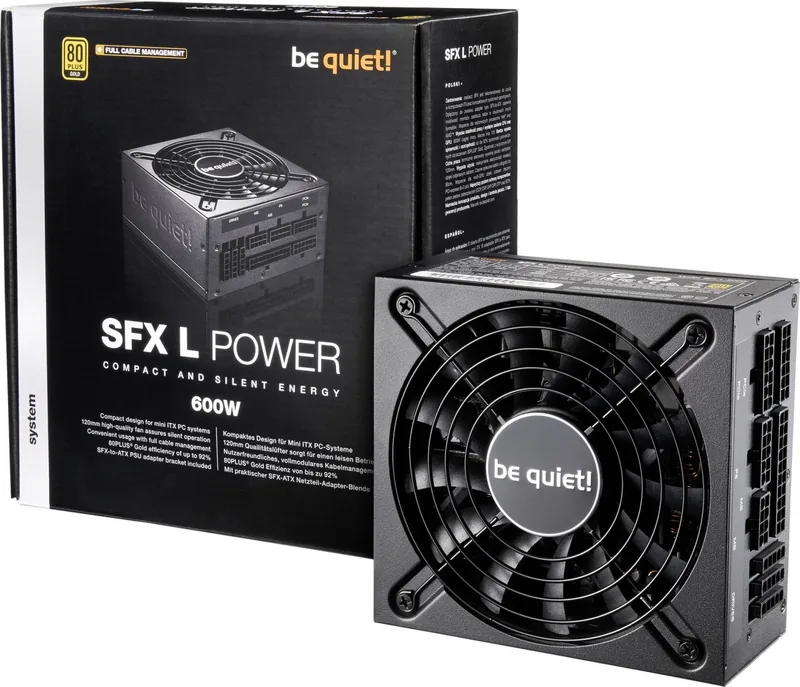
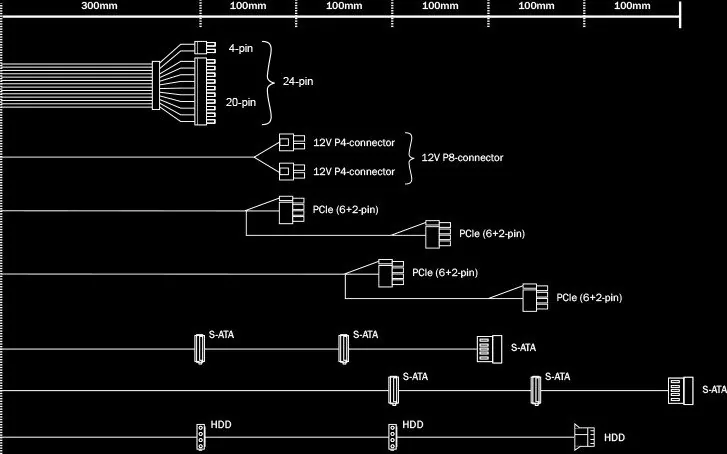
1x 20/24-Pin, 1x 4/8-Pin ATX12V, 4x 6/8-Pin PCIe, 6x SATA, 3x IDE
Certificates according to 80 PLUS
80 PLUS Gold (115V, according to 80 PLUS certificate)
Dimensions (WxHxD)
4.92x2.52x5.12in
Manufacturer's warranty
3 years
-12V
0.3A
+5Vsb
3A
Number of 12V rails
1
PFC
active
Form factor
SFX-L
Specification
SFX-L 3.3
Special features
ErP Lot 6, supports Haswell C6/C7 Low-Power States, incl. SFX to ATX power supply adapter
Color
black
Product Description
Search for 67,706 Manuals online


Type-in Brand or Model