
be quiet! Pure Rock Slim 2 Manual
PDF manual · 2 Pages
English



Quick check
Incorrect answer, please try again.
Chat with your be quiet! Pure Rock Slim 2 manual using AI
Get instant AI answers from your be quiet! Pure Rock Slim 2 manual
Ask anything about the be quiet! Pure Rock Slim 2. Answers come from this manual, with the pages they are based on.
Ask a Question
Do you recommend Pure Rock Slim 2?
Yes NoFrequently Asked Questions
The cooler supports Intel LGA 1200, LGA 1150, LGA 1151, and LGA 1155 motherboards. Check your motherboard socket before installation to ensure compatibility.
Is this answer helpful?
The listed AMD compatibility includes AM4 and AM3(+) platforms. Use the AMD mounting mechanism supplied on the cooler when installing it on a supported AMD motherboard.
Is this answer helpful?
The package includes one Pure Rock Slim 2 CPU cooler, one 92 mm fan, two Intel push-pin mounts, and two fan clips.
Is this answer helpful?
Yes. Remove the protective covering from the underside of the cooler before placing it on the CPU. For Intel installation, also remove the preinstalled AMD mounting hardware first.
Is this answer helpful?
Attach the 92 mm fan to the heatsink using the two fan clips, then connect its cable to the motherboard CPU fan header with PWM control.
Is this answer helpful?
Rotate the Intel push-pins counter-clockwise and lift them up. After the pins are released, carefully remove the cooler from the CPU.
Is this answer helpful?
Advantages and Disadvantages
Advantages

- Supports Intel LGA 1200, 1150, 1151, and 1155 sockets, plus AMD AM4 and AM3(+) platforms.
- Includes a 92 mm PWM fan for motherboard-controlled cooling behavior.
- Fan clips allow the included fan to be attached and removed without complex hardware.
- Intel push-pin mounting provides a direct installation method on supported Intel motherboards.
- Backed by a 3-year manufacturer warranty for qualifying original purchases.
Disadvantages

- Compatibility is limited to the Intel and AMD sockets specifically listed.
- Intel installation requires removing the preinstalled AMD mounting hardware first.
- The mounting design differs by platform, so users must follow the correct Intel or AMD procedure.
- Warranty coverage requires proof of purchase from an authorized be quiet! dealer.
Product Specification
Design
Tower cooler
Dimensions with fan
3.82 x 5.31 x 3.23 in (W x H x D)
Fan
1 x 3.62 x 3.62 x 0.98 in, 2,000 rpm, 34.95 CFM, 25.4 dBA
Weight with fan
0.85 lb
Connector
4-pin PWM
AMD socket
AM5, AM4
Intel socket
1700, 1150/1151/1155/1156/1200
TDP rating
130 W
Special features
3 heat pipes (0.24 in), heatpipe direct touch
Manufacturer warranty
3 years
Product Description
be quiet! Pure Rock Slim 2 - Read, Download & Print Free
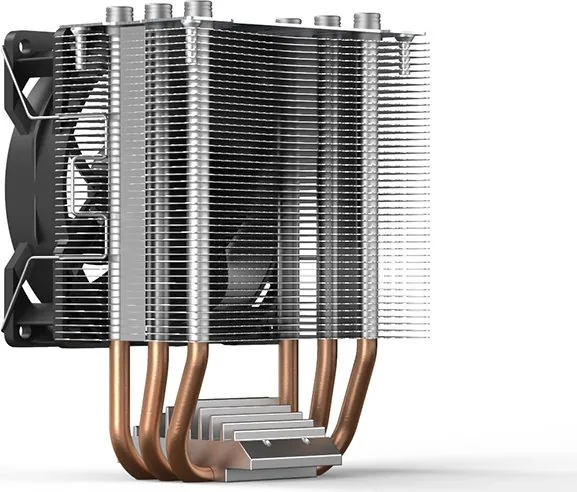
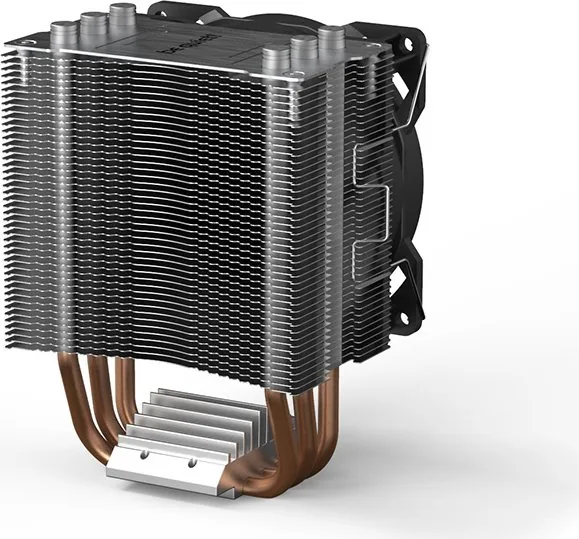
The be quiet! Pure Rock Slim 2 is a compact CPU cooler designed for users who need a straightforward cooling solution with support for selected Intel and AMD platforms. Its installation hardware and clear mounting approach make it suitable for PC builders replacing a stock cooler or assembling a compatible system. The package includes the cooler, a 92 mm fan, fan clips, and the required Intel push-pin hardware.
Platform compatibility and mounting
For Intel systems, the Pure Rock Slim 2 supports LGA 1200, 1150, 1151, and 1155 sockets. Installation requires removing the preinstalled AMD mounting hardware from the underside of the cooler, attaching the Intel push-pin mounts, and pressing them into the motherboard's matching sockets. The push-pins can be released by rotating them counter-clockwise before lifting them out.
For AMD systems, the cooler is intended for AM4 and AM3(+) platforms. The mounting process uses the AMD retention mechanism on both sides of the cooler. Before fitting the unit to any supported processor, remove the protective cover from the cooler base. This small but essential step ensures the cooler can make proper contact with the CPU.
92 mm PWM fan design
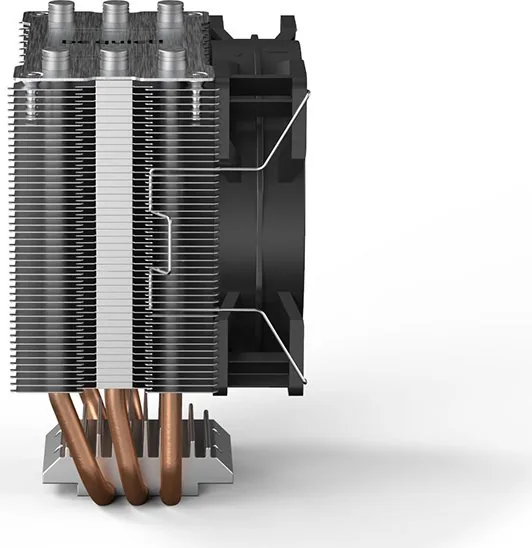
Cooling airflow is provided by an included 92 mm fan. It attaches to the heatsink with two fan clips, allowing a simple installation and removal process. Once mounted, the fan connects to the motherboard's CPU fan header for PWM control. PWM support lets the motherboard adjust fan speed according to processor temperature, helping the system balance cooling response and everyday noise levels.
The fan clips are designed for practical maintenance. To remove the fan, push the clip notches away from it, then detach the fan from the heatsink. This is useful when cleaning accumulated dust or checking nearby components during upgrades.
Installation notes and warranty
For systems with a motherboard already installed in the case, installation inside the chassis is recommended. Confirm socket compatibility before starting, use the correct mounting method for your platform, and avoid altering the cooler or its hardware. The product includes a 3-year manufacturer warranty for original consumer purchases from authorized be quiet! dealers, subject to the stated warranty conditions and proof of purchase.
Note: Connect the 92 mm fan to the motherboard's CPU PWM header after securing it to the heatsink. Verify that all mounting points are firmly seated before powering on the PC.
Search for 67,706 Manuals online


Type-in Brand or Model
Ethan Park
6 months ago
Is this cooler easy to install on Intel motherboards, and is it suitable for higher-wattage CPUs?
Manual.ly
6 months ago
Installation is generally very straightforward on AMD AM4 and AM5 systems, where the existing retention bracket is used. Several users report that Intel push-pin mounting can be fiddly and requires careful alignment, so please check the pins are fully locked before use. The cooler is a quiet, compact option for entry-level and mid-range CPUs, especially around 65 W. For high-end processors, overclocking, sustained heavy workloads, or hot rooms, a larger cooler with a screw-mounted backplate may provide better thermal headroom.