
be quiet! Pure Rock LP Manual
PDF manual · 2 Pages
English



Quick check
Incorrect answer, please try again.
Chat with your be quiet! Pure Rock LP manual using AI
Get instant AI answers from your be quiet! Pure Rock LP manual
Ask anything about the be quiet! Pure Rock LP. Answers come from this manual, with the pages they are based on.
Ask a Question
Do you recommend Pure Rock LP?
Yes NoFrequently Asked Questions
It supports Intel LGA 1700, 1200, 1150, 1151, 1155 and AMD AM5, AM4 sockets. Always verify your specific board compatibility before purchase.
Is this answer helpful?
Yes, thermal paste is pre-applied on the base. Remove the protective cap before installing it on the processor to ensure proper heat transfer immediately.
Is this answer helpful?
There is a three-year manufacturer guarantee for end consumers with a valid proof of purchase from an authorized dealer. Keep the receipt safe.
Is this answer helpful?
It is highly recommended to mount the unit outside the case first. This allows you to access screw heads easily from the rear side of the motherboard.
Is this answer helpful?
Drink lots of water and seek medical attention immediately. The paste is not suitable for human consumption and requires urgent care if ingested.
Is this answer helpful?
No, external mechanical force or structural changes void the guarantee completely. Normal wear and tear is covered under standard conditions.
Is this answer helpful?
Connect the fan cable to the PWM signal header on the motherboard. This allows for automated speed control based on temperature loads.
Is this answer helpful?
Advantages and Disadvantages
Advantages

- Supports multiple Intel and AMD sockets for broad compatibility across different generations.
- Pre-applied thermal paste simplifies the installation process significantly for users.
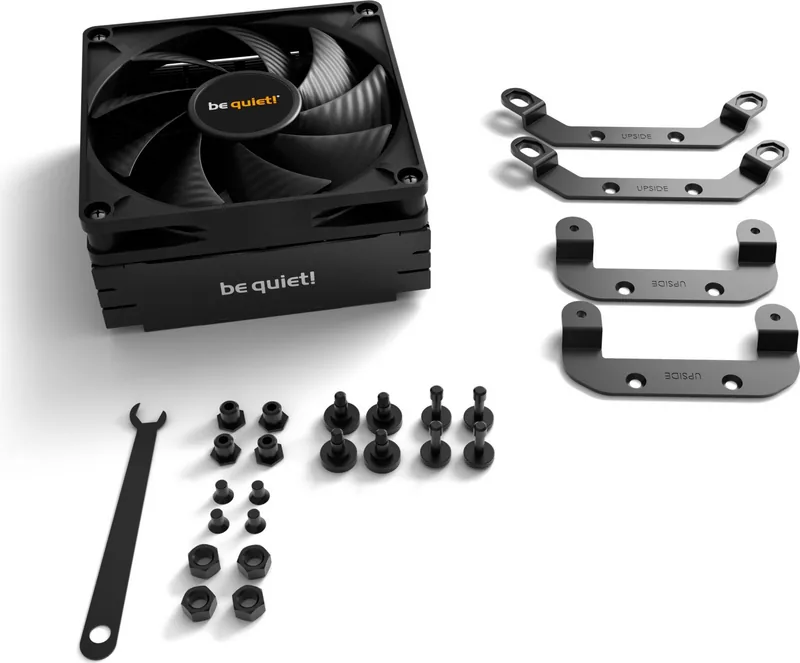
- Includes necessary mounting hardware and a hexagonal wrench in the delivery contents.
- Three-year manufacturer warranty provides peace of mind for consumers purchasing from authorized dealers.
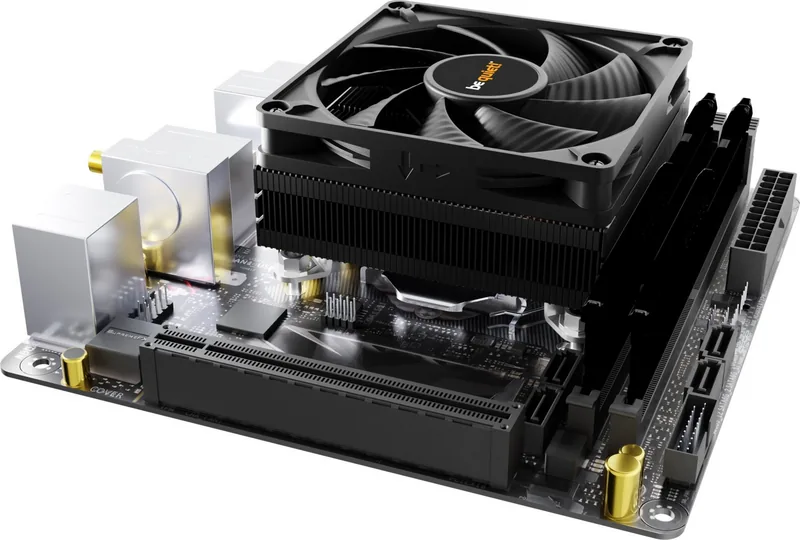
- Compact low profile design fits easily into smaller PC cases with space constraints.
Disadvantages

- Limited cooling headroom compared to large tower coolers for high-end CPU overclocking.
- Requires precise mounting bracket alignment to prevent damage to the CPU or motherboard.
- Pre-applied paste cannot be reused if the cooler is removed and reinstalled later.
- Protective covering must be removed manually before applying to CPU surface.
- Warranty voids if structural changes or significant external mechanical damage occur.
Product Specification
Cooler Type
Top-Blow Cooler
Dimensions with Fan
3.62x1.77x3.62in (WxHxD)
Dimensions without Fan
3.62x1.18x3.62in (WxHxD)
Fan
1x 3.62x3.62x0.59in, 2500rpm, 30.6dB(A)
Weight with Fan
0.79lb
Connector
4-Pin PWM
AMD Socket
AM5, AM4
Intel Socket
1700, 1150/1151/1155/1156/1200
TDP Rating
100W
Features
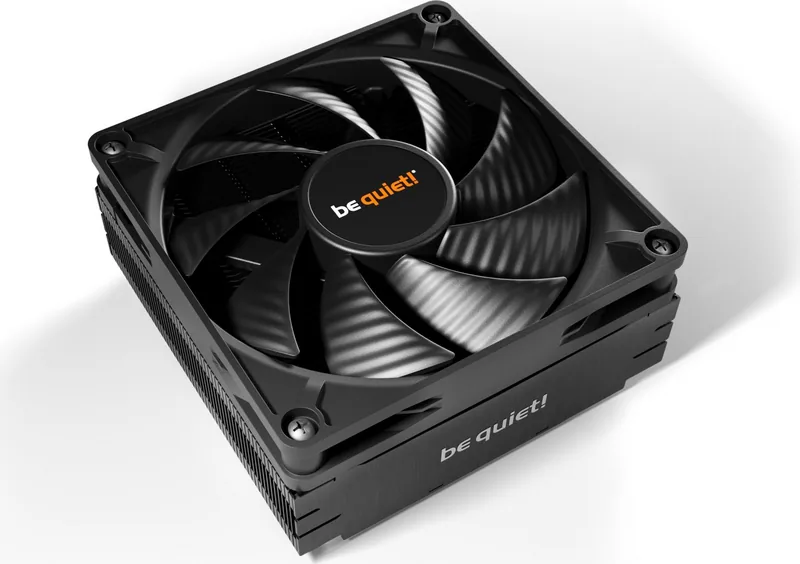
3 Heatpipes (0.24in), black heatsink
Manufacturer Warranty
3 Years
Product Description
Revolutionizing Processor Cooling with Quality Design
When building a PC, thermal management remains a critical factor for performance and longevity. The be quiet! Pure Rock LP stands out as a compact solution tailored for efficiency and silence. Enthusiasts often refer to the be quiet! Pure Rock LP Manual for guidance, ensuring that every step of integration is precise. This cooler is designed to maintain optimal temperatures without excessive noise levels during operation. Selecting the right cooling solution impacts system stability significantly. Many builders prioritize low noise to create a peaceful environment for work or entertainment.
Compatibility and Design Features
This unit supports a wide range of processor sockets from leading manufacturers. Users targeting Intel LGA 1700, 1200, or 1155 systems will find excellent fitment. AMD users operating on AM5 or AM4 architectures are also fully supported. The compact low profile design fits easily into smaller cases where space is at a premium. Thermal paste is pre-applied for convenience, saving time during the initial setup phase. Care must be taken to align the brackets correctly to ensure stability and airflow.
Installation Process Overview
Proper mounting ensures maximum heat transfer between the processor and metal fins. Users must remove protective layers from the base before contacting the CPU. Mounting brackets secure the unit firmly to the motherboard backplane. Screws are tightened alternately to prevent warping of the board. Connecting the fan to the PWM signal allows for automated speed control based on temperature loads. It is recommended to mount the unit outside the chassis first to access screw heads easily from the rear. This helps avoid damage to other components inside the case. Detailed instructions guide the user through every screw placement. Ensure all screws are tightened evenly for proper thermal contact.
Safety and Reliability Information
Users should exercise caution when handling the thermal compound on the base. Ingestion is dangerous and requires immediate medical attention if consumed. Keep it away from children and eyes to prevent irritation. The device carries a three-year manufacturer guarantee for end consumers. This coverage applies only to original purchases from authorized dealers. Valid proof of purchase is required for any claims to be processed. Structural changes void the warranty immediately. Support is available via email for installation troubles. Always check the general conditions on the company website.
Final Thoughts on Performance
This cooling solution balances silence with cooling capability effectively. It simplifies the building process for novice users while satisfying experienced builders. The inclusion of necessary tools like hexagonal wrenches streamlines the workflow. Long-term reliability is supported by robust build quality. German engineering ensures high standards for every component included in the box. This cooler is ideal for general office use or media centers. It provides peace of mind knowing that the system runs quietly.
Search for 67,706 Manuals online


Type-in Brand or Model
Thomas Weber
6 months ago
Is the thermal performance of this Be Quiet cooler significantly better than the stock AMD Wraith Stealth in compact cases like the ASRock DeskMini?
Manual.ly
6 months ago
Thank you for contacting support. Performance can vary depending on specific workload and airflow conditions. In compact form factors like the ASRock DeskMini, the difference may be marginal compared to the stock cooler, as noted by several users. While this model excels in noise reduction and build quality, we recommend verifying thermal paste application and ensuring adequate clearance for installation. If silent operation is your priority, this product is well regarded, but for maximum cooling headroom in a tight enclosure, stock cooling might suffice in some scenarios.