
be quiet! Pure Rock 2 Manual
PDF manual · 2 Pages
English



Quick check
Incorrect answer, please try again.
Chat with your be quiet! Pure Rock 2 manual using AI
Get instant AI answers from your be quiet! Pure Rock 2 manual
Ask anything about the be quiet! Pure Rock 2. Answers come from this manual, with the pages they are based on.
Ask a Question
Do you recommend Pure Rock 2?
Yes NoFrequently Asked Questions
Avoid skin and eye contact. If swallowed, drink water and seek medical help immediately. Keep out of reach of children.
Is this answer helpful?
Yes, it supports various AMD sockets including AM4, using the included long mounting brackets and spacer nuts.
Is this answer helpful?
Connect the ARGB connector to a 5V ARGB header on your motherboard after switching off the system.
Is this answer helpful?
It comes with a three-year manufacturer warranty for consumers buying from authorized be quiet! dealers.
Is this answer helpful?
It is possible, but installing outside the case first is recommended for easier alignment and handling.
Is this answer helpful?
Advantages and Disadvantages
Advantages

- Pre-applied thermal paste saves time and ensures good initial contact
- Light Wings fan provides excellent cooling with low noise levels
- Supports a wide variety of Intel and AMD CPU sockets
- ARGB sync allows for customizable lighting effects on FX models
- Includes all necessary mounting hardware for easy installation
Disadvantages

- Thermal paste must not be consumed and requires careful handling
- Installation is more complex if performed inside a tight case
- Non-FX versions lack RGB lighting capabilities
- Warranty requires proof of purchase from an authorized dealer only
- No liquid cooling option available within this specific model line
Product Specification
Type
Tower Cooler
Dimensions with Fan
4.76x6.10x3.43 in (WxDxH)
AMD Socket
AM5, AM4
TDP Rating
150 W
Manufacturer Warranty
3 Years
Product Description
Enhance Your System Cooling with be quiet! Pure Rock 2
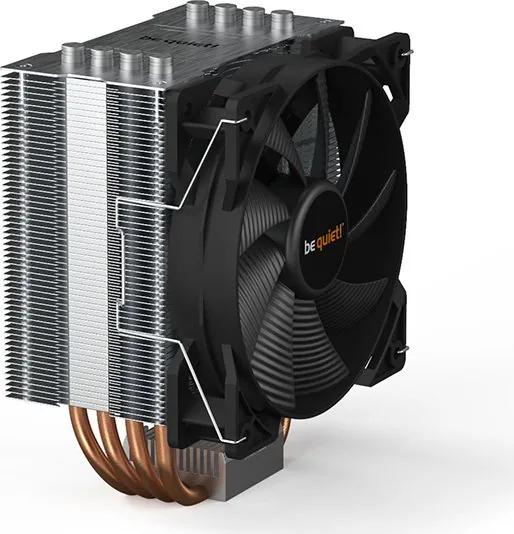
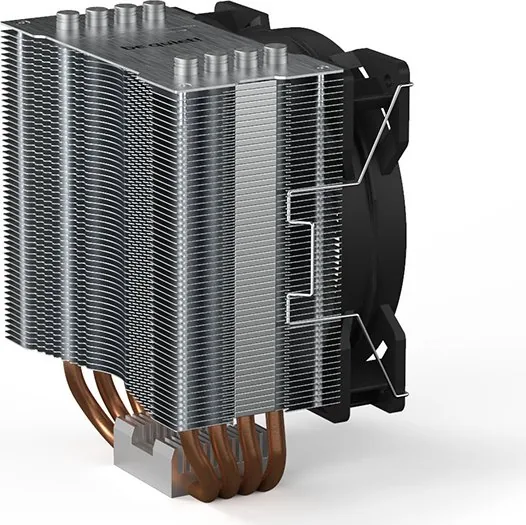
The be quiet! Pure Rock 2 is a high-performance CPU cooler designed to keep your processor running cool and silent. This air cooler features a robust copper heat pipe design that efficiently transfers heat away from the CPU, ensuring optimal thermal performance even under heavy loads. The unit comes pre-applied with high-quality thermal paste, simplifying the installation process while guaranteeing immediate contact between the cooler base and the processor surface.
Silent Operation and Efficient Design
One of the standout features of this cooler is its integration with the Light Wings fan. This 120mm PWM fan operates quietly, delivering excellent airflow without generating disruptive noise. The fan clips allow for easy attachment and removal, making maintenance straightforward. For users seeking visual customization, the Pure Rock 2 FX variant supports ARGB illumination synchronization with your motherboard, allowing you to match your system's lighting scheme perfectly. Simply connect the 5V ARGB header to control colors and effects via software.
Versatile Compatibility
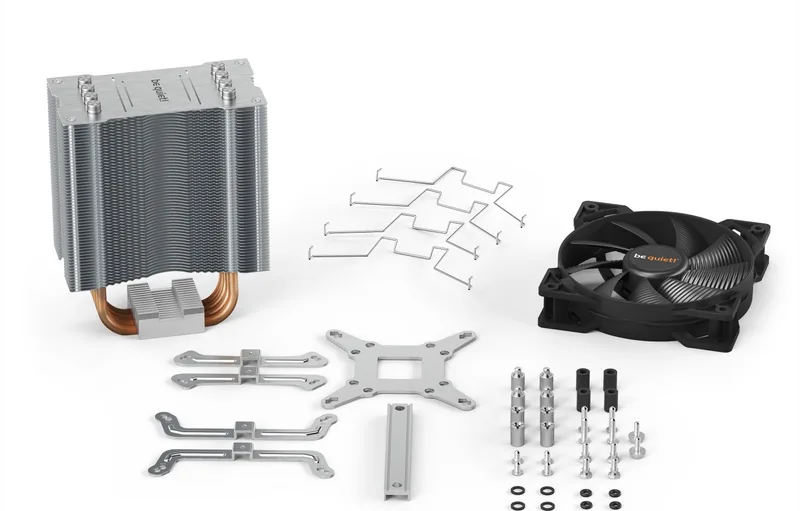
Designed for broad compatibility, the be quiet! Pure Rock 2 supports a wide range of Intel and AMD sockets. Whether you are using an older LGA 115x platform or a modern LGA 1700 socket, the included mounting hardware ensures a secure fit. The package includes specific brackets and spacer nuts for both Intel and AMD platforms, along with O-rings to prevent vibration transfer. The installation process involves placing the backplate on the motherboard, attaching the mounting brackets, and securing the cooler unit with alternating screws to ensure even pressure distribution.
Safety and Warranty
Before installation, it is crucial to remove the protective covering from the bottom of the cooler. Be aware that the pre-applied thermal paste is not edible; in case of accidental ingestion, seek medical attention immediately. The product comes with a three-year manufacturer warranty for end consumers who purchase from authorized dealers. Proper installation outside the PC case is recommended for easier handling, and the cooler should be removed before transporting the computer to avoid damage.
Search for 67,706 Manuals online


Type-in Brand or Model