
be quiet! Light Wings Manual
PDF manual · 2 Pages
English



Quick check
Incorrect answer, please try again.
Chat with your be quiet! Light Wings manual using AI
Get instant AI answers from your be quiet! Light Wings manual
Ask anything about the be quiet! Light Wings. Answers come from this manual, with the pages they are based on.
Ask a Question
Do you recommend Light Wings?
Yes NoFrequently Asked Questions
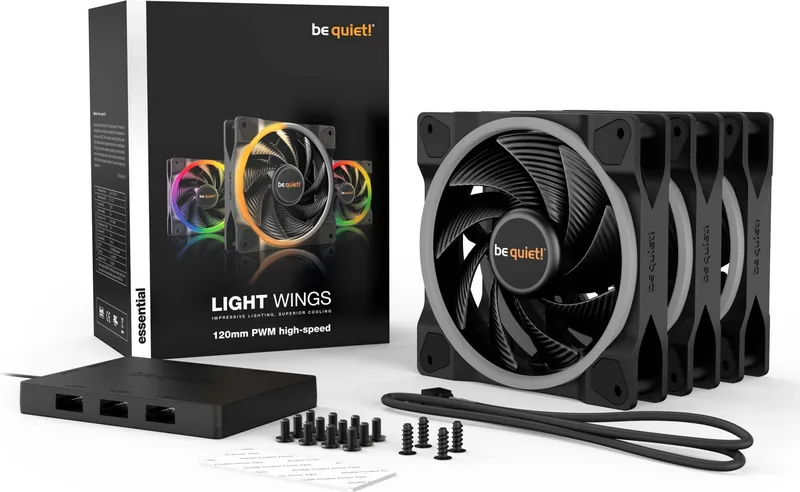
No, the single pack of be quiet! Light Wings 120mm fans does not include an ARGB hub. The hub is typically included in the triple pack version. You will need to check your specific package contents to confirm what accessories are included.
Is this answer helpful?
Connect the fan power cable to a 4-pin PWM header on your motherboard for speed control. For lighting, plug the ARGB connector into a 3-pin 5V ARGB header. If using multiple fans, use the included ARGB hub to daisy-chain them efficiently.
Is this answer helpful?
The be quiet! Light Wings 120mm fans come with a three-year manufacturer guarantee for consumers. This applies only to the original purchaser buying from an authorized dealer. Proof of purchase is required for any warranty service.
Is this answer helpful?
No, any manipulation or structural changes, including removing serial numbers or stickers, will completely void the guarantee. Only repairs authorized by be quiet! are covered under the warranty terms.
Is this answer helpful?
Yes, the ARGB hub requires a SATA power connection from your power supply unit to operate the LEDs. It also connects to the motherboard via an ARGB cable to receive control signals.
Is this answer helpful?
These are standard 120mm fans, so they fit most cases designed for that size. However, compatibility depends on your case mounting points and available space for the ARGB hub and cabling.
Is this answer helpful?
You can view the full General Warranty Conditions on the official be quiet! website at www.bequiet.com. They outline all terms regarding coverage, exclusions, and claim procedures.
Is this answer helpful?
Advantages and Disadvantages
Advantages

- Extremely low noise levels due to fluid dynamic bearings
- Seamless synchronization with up to six ARGB devices via included hub
- Three-year manufacturer warranty for long-term reliability
- High static pressure suitable for radiators and dense heatsinks
- Simple installation process with clear instructions
Disadvantages

- Warranty void if serial number or sticker is removed
- No direct software control without compatible motherboard headers
- Requires separate power connection for the ARGB hub via SATA
- Single pack does not include an ARGB hub (triple pack does)
- Limited color options compared to fully customizable RGB systems
Product Specification
Fan Connector
4-Pin PWM + 3-Pin ARGB (+5V/DATA/GND)
Dimensions
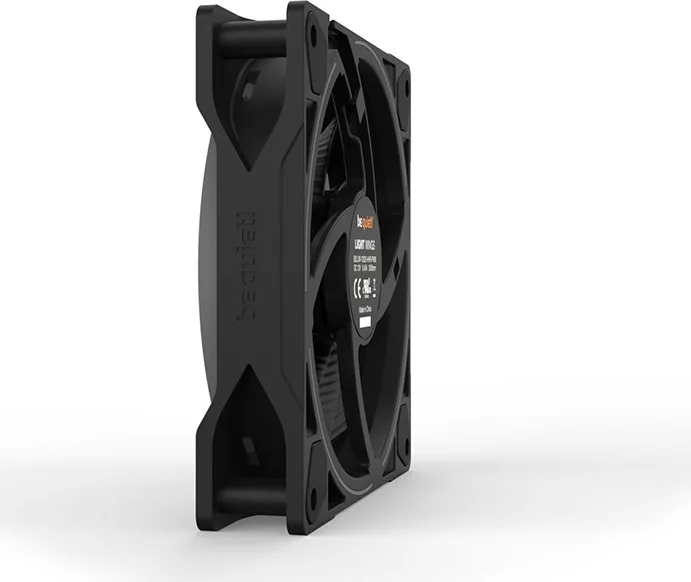
4.72x4.72x0.98 in (WxHxD)
Fan Bearing
Plain Sleeve Bearing
Voltage Range
7-13.2 V
Manufacturer Warranty
3 Years
Product Description
Elevate Your Cooling with be quiet! Light Wings 120mm
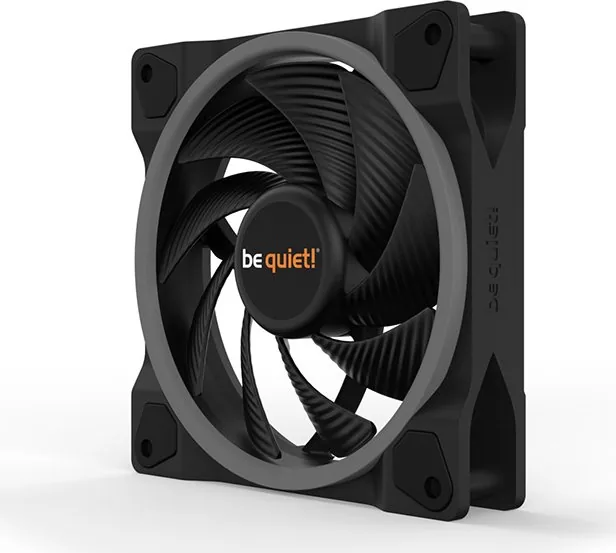
The be quiet! Light Wings 120mm fan represents a perfect blend of silent performance and vibrant aesthetics. Designed for enthusiasts who demand high airflow without the noise, these fans utilize advanced fluid dynamic bearings to ensure longevity and smooth operation even under heavy loads. Whether you are building a gaming rig or a professional workstation, the Light Wings series offers a reliable cooling solution that keeps your system running cool and quiet.
A standout feature of this product is its addressable RGB lighting capability. The included ARGB Hub allows users to synchronize up to six 5V ARGB devices directly through the motherboard. This means you can create stunning light shows that match your entire system theme without needing complex controllers. The installation process is straightforward, requiring only standard screws and careful connection of the ARGB cable to the motherboard header. Remember to power down your system before making any connections to ensure safety and prevent damage.
Durability is at the core of the design. Backed by a comprehensive three-year manufacturer guarantee, these fans provide peace of mind for original consumers purchasing from authorized dealers. The warranty covers defects in materials and workmanship, provided the product has not been modified or subjected to external mechanical force. This commitment to quality ensures that your investment will last for years while maintaining optimal thermal performance.
Important Installation Notes
- Always switch off your system before connecting the ARGB hub or fans.
- Use the provided double-coated tape or screws to secure the ARGB hub firmly.
- Ensure the SATA cable is connected to a power supply header for the hub.
- Keep your proof of purchase safe for any future warranty claims.
Search for 67,706 Manuals online


Type-in Brand or Model