
be quiet! Dark Rock Slim Manual
PDF manual · 2 Pages
English



Quick check
Incorrect answer, please try again.
Chat with your be quiet! Dark Rock Slim manual using AI
Get instant AI answers from your be quiet! Dark Rock Slim manual
Ask anything about the be quiet! Dark Rock Slim. Answers come from this manual, with the pages they are based on.
Ask a Question
Do you recommend Dark Rock Slim?
Yes NoFrequently Asked Questions
It is a slim CPU air cooler made for users who want solid cooling in a compact form factor. The design emphasizes broad socket support, quiet operation, and practical installation hardware.
Is this answer helpful?
Yes. Thermal paste is included, and the supplied amount is enough for one or two applications. That makes the first installation easier because you do not need to buy paste separately right away.
Is this answer helpful?
The package includes a 120mm fan. It mounts to the cooler with fan clips and connects to the motherboard’s PWM header, which allows the system to control fan speed automatically.
Is this answer helpful?
Yes. The instructions cover multiple Intel and AMD platforms, including common LGA and AM-family sockets. The exact mounting parts change depending on the motherboard type.
Is this answer helpful?
The instructions recommend preparing the cooler outside the PC case first. That can make assembly easier and reduce awkward handling, especially in tighter computer cases.
Is this answer helpful?
No special tools are required. A regular cross-tip screwdriver is enough for the mounting steps shown in the instructions.
Is this answer helpful?
The cooler should be removed before transport. This helps protect the motherboard and mounting points from stress caused by the cooler’s weight during movement.
Is this answer helpful?
Advantages and Disadvantages
Advantages

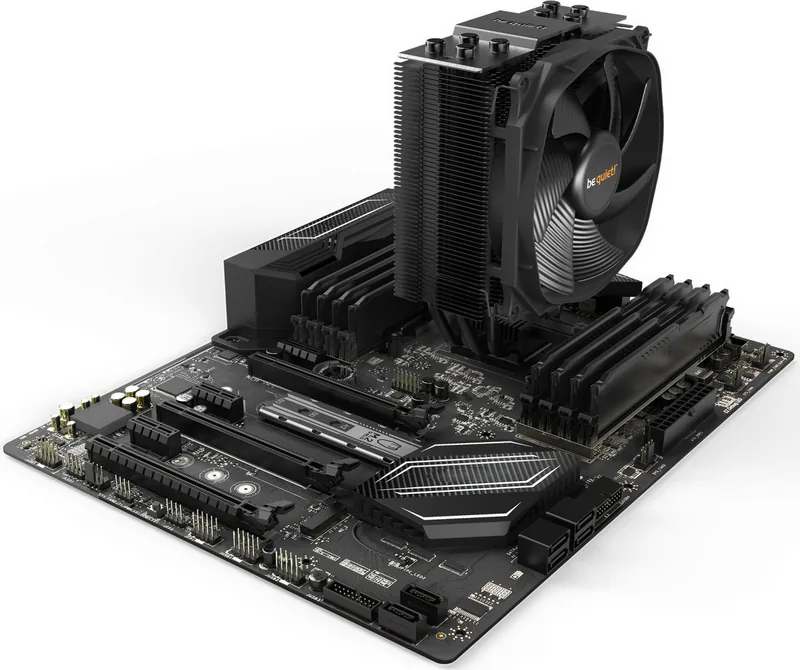
- Slim design suits compact builds and leaves more room around RAM and PCIe areas.
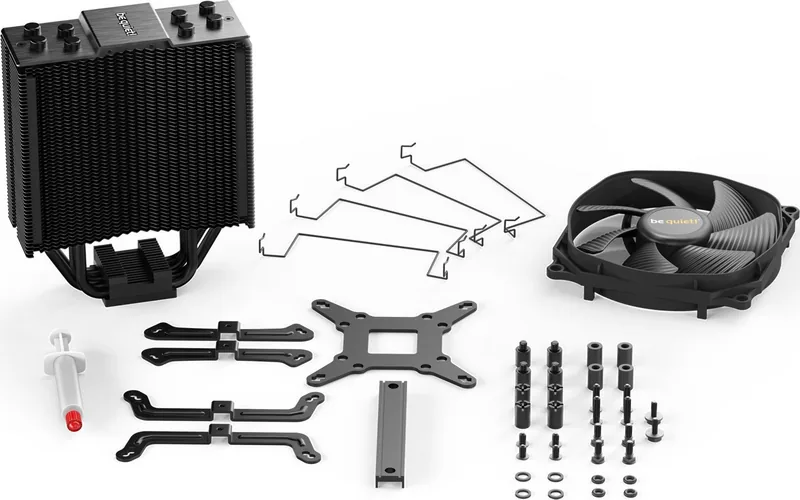
- Includes fan, clips, thermal paste, and mounting hardware for a complete setup.
- PWM fan support helps balance cooling performance and quieter day-to-day use.
- Clear socket-specific instructions make installation more predictable for Intel and AMD.
Disadvantages

- Installation uses many small parts, so the process can feel detailed and time-consuming.
- The cooler should be removed before transport, which adds an extra step for mobility.
- Wrong socket selection or modifications can create fit issues and may affect warranty coverage.
Product Specification
Type
Tower Cooler
Dimensions with fan
5.00x6.26x2.83in (WxHxD)
Fan
1x 4.72x4.72x0.91in, 1500rpm, 23.6dB(A)
Weight with fan
1.37 lbs
Connector
4-Pin PWM
AMD Socket
AM5, AM4
Intel Socket
2011-0/2011-1/2011-3/2066, 1700 (see note), 1150/1151/1155/1156/1200
Intel Socket Note
Socket-1700 mounting kit may not yet be included, Socket-1700 mounting kit available from manufacturer
TDP Classification
180W
Features
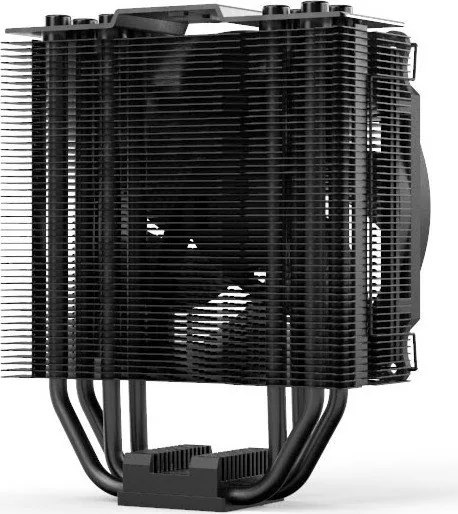
4 Heatpipes (0.24in), black heatsink
Manufacturer's Warranty
3 Years
Product Description
be quiet! Dark Rock Slim: Compact Cooling with a Quiet Touch
The be quiet! Dark Rock Slim is a slim-profile CPU cooler built for users who want dependable thermal performance without crowding the motherboard area. Its design focuses on practical installation, broad socket support, and a clean layout that fits modern systems well. If you are looking for a cooler that balances quiet operation with straightforward mounting, the be quiet! Dark Rock Slim Manual reflects exactly that goal.
At the heart of the package is a 120mm fan attached with clips, giving the cooler a familiar, serviceable setup. The included thermal paste is ready for one or two applications, which makes the first installation easier and keeps the process self-contained. The mounting system is designed for both Intel and AMD platforms, and the instructions show how the correct backplate, spacers, brackets, and bridge pieces come together for each socket family.
What stands out most is the careful attention to compatibility. Whether the system uses Intel LGA 115x, 1366, 2011(-3), or 2066, or AMD AM2(+), AM3(+), AM4, FM1, and FM2(+), the cooler relies on a structured mounting approach that helps secure stable contact with the CPU. The alternating screw pattern for the cooler bridge is a small but useful detail, helping to apply pressure evenly across the processor surface.
The cooler is also presented as a practical choice for builders who value serviceability. Installation outside the case is recommended, which can make the setup process less awkward, especially on tighter builds. The fan connects to the motherboard PWM header, allowing speed control through the system rather than manual adjustment. That makes it easier to tune for everyday use, gaming, or more demanding workloads.
Why it appeals to everyday builders
The Dark Rock Slim is not just about hardware; it is about making CPU cooling feel manageable. The included mounting pieces, protective handling notes, and socket-specific steps show a product designed for users who want a reliable installation path without guesswork. It is a strong option for compact towers, quieter desktops, and users who prefer a neat, low-profile cooling solution.
Notes
- Install the cooler carefully and remove the protective foil first.
- Use the supplied thermal paste sparingly.
- Remove the cooler before transporting the PC.
- Check socket compatibility before starting the build.
Search for 67,706 Manuals online


Type-in Brand or Model
Riley Butler
7 months ago
Will the be quiet! Dark Rock Slim be enough to cool a hot CPU like a Ryzen 7 5800X3D under sustained load, or will it hit 90C+?
Manual.ly
7 months ago
For most users it runs cool and very quiet, but it is a slim air cooler so headroom is limited for very power-hungry CPUs and long sustained workloads. Some reviews report high temperatures (around 90C) on stronger chips like the 5800X3D, especially if airflow in the case is only average. For better results: make sure your case has good front-to-back airflow, set an appropriate fan curve, and consider CPU power limits or undervolting. If you need consistently low temperatures under heavy all-core load, a larger tower cooler or a 240mm+ AIO is usually the safer choice.