
AZZA Zircon 7000 Manual
PDF manual · 11 Pages
English



Quick check
Incorrect answer, please try again.
Chat with your AZZA Zircon 7000 manual using AI
Get instant AI answers from your AZZA Zircon 7000 manual
Ask anything about the AZZA Zircon 7000. Answers come from this manual, with the pages they are based on.
Ask a Question
Do you recommend Zircon 7000?
Yes NoFrequently Asked Questions
The case supports video cards up to 390mm in length, allowing for horizontal or vertical installation of high-performance graphics cards without issues.
Is this answer helpful?
Yes, the AZZA Zircon 7000 supports EATX, ATX, and Micro ATX motherboards, providing ample space for a variety of build configurations.
Is this answer helpful?
It supports radiators up to 360mm in the front and on the top, ensuring effective heat dissipation for water cooling setups.
Is this answer helpful?
The case includes one 120mm fan in the front and one 120mm fan in the rear for immediate airflow upon unboxing.
Is this answer helpful?
Yes, a pump bracket is included that is compatible with a 2.5-inch SSD or a 3.5-inch HDD for mounting water cooling components.
Is this answer helpful?
Yes, the front I/O panel includes one USB Type-C port along with two USB 3.0 ports for fast data transfer and connectivity.
Is this answer helpful?
The chassis is available in Black with a Black interior or White with a White interior to match your aesthetic preference.
Is this answer helpful?
Advantages and Disadvantages
Advantages

- Supports massive 390mm video cards for high-end GPUs.
- Dual tempered glass sides offer excellent visibility.
- Bottom-mounted PSU improves airflow and cabling.
- Addressable RGB syncs with motherboard software effectively.
- Includes magnetic dust filters for maintenance ease.
Disadvantages

- Weight of 14.8kg makes moving the unit difficult.
- RGB connections require strict 3-pin header usage.
- No internal 5.25-inch drive bays available.
Product Specification
External
N/A
Internal
2x 2.5"/3.5" (horizontal, drive rails), 3x 2.5"/3.5"
Ports
1x USB-C 3.0 (5Gb/s), 2x USB-A 3.0 (5Gb/s), 1x 3.5mm Jack (Line-Out), 1x 3.5mm Jack (Line-In)
PCI Slots
10 (2x Riser Card)
Fan (front)
1x 4.72" or 3x 4.72" (optional) or 2x 5.51" (optional)
Fan (rear)
1x 4.72"
Fan (left)
N/A
Fan (right)
N/A
Fan (top)
3x 4.72" (optional) or 2x 5.51" (optional)
Fan (bottom)
N/A
Fan (other)
N/A
Radiator Sizes
4.72"/5.51"/9.45"/11.02"/14.17" front, 4.72"/5.51"/9.45"/11.02"/14.17" top
Motherboard Support
up to ATX (E-ATX with unknown dimensions possible)
Supported Motherboards
uATX (9.6"x9.6")/ATX (12"x9.6")/E-ATX (unknown dimensions)
Power Supply
ATX
Power Supply Position
bottom
CPU Cooler
max. 6.50" height
Graphics Cards
max. 15.35 inches
Lighting
No Lighting
Dimensions (WxHxD)
9.17"x20.28"x20.28"
Volume
2.18 cubic feet
Weight
32.63 lbs
Chassis Type
Mid-Tower
Front
Closed
Top
Partially closed, mostly fan grille, dust filter inside
Bottom
Partially closed, mostly fan grille, dust filter outside
Left
Closed, Glass
Right
Closed
Back
Partially closed, fan grille top-right, PCI Slots (8x horizontal, 2x vertical)
Front IO Position
Chassis side: left, Height: center, Position: Front
Features
Cable management, dust filters, GPU vertically mountable, GPU bracket, glass view window
Note on E-ATX
Motherboard and case manufacturers designate different dimensions as E-ATX. This manufacturer provides no information on supported E-ATX dimensions. Motherboards with E-ATX/SSI EEB dimensions of 12.01"x13.00" may not be supported.
USB Location
Left
Product Description
Experience Ultimate Performance with the AZZA Zircon 7000
Building a high-end gaming rig requires a chassis that offers robust support for powerful components. The AZZA Zircon 7000 stands out as an ATX full tower case designed for enthusiasts who demand massive space and sophistication. This overview highlights key features found in the AZZA Zircon 7000 Manual to ensure a successful assembly process for builders everywhere.
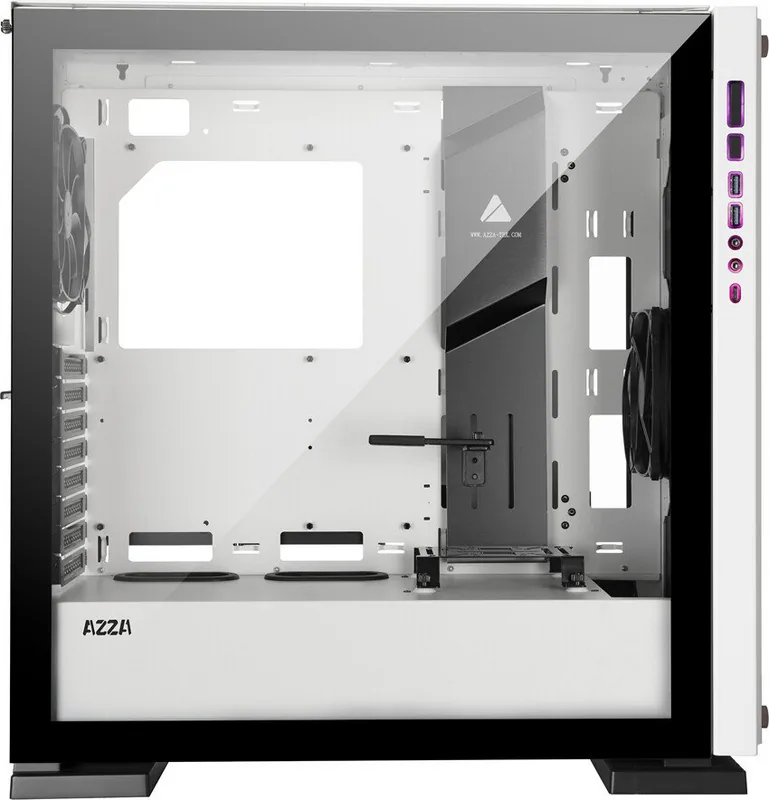
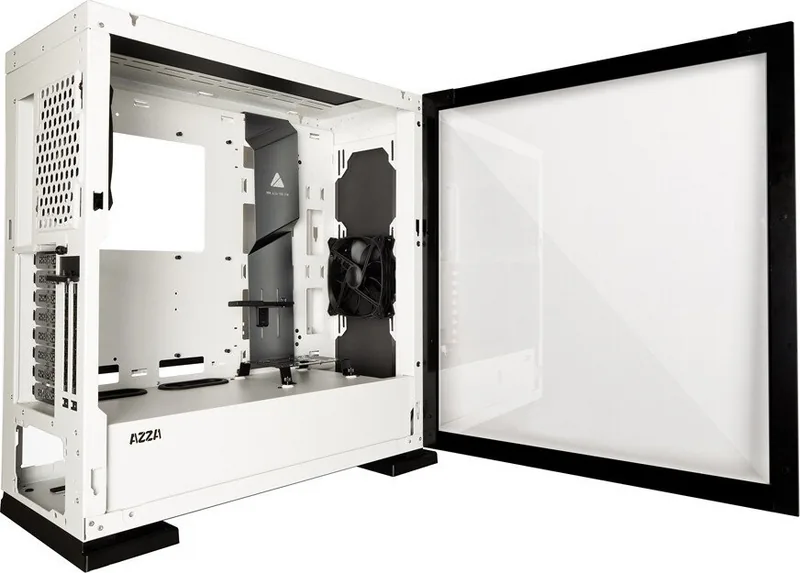
The chassis features dual tempered glass sides, providing a crystal-clear view of your custom water cooling setups. It supports massive video cards up to 390mm in length and CPU coolers reaching 165mm tall. Cable management is streamlined with dedicated bars and covers on both sides, ensuring a clean interior. The bottom-mounted power supply compartment keeps all power cables hidden away for a professional look inside the case.
Cooling capabilities are truly impressive for this class. You can install liquid cooling radiators up to 360mm in the front or on the top. Radiators support up to 360mm in both front and top mounting areas for superior heat dissipation. The included fans are efficient, and additional mounting ports allow for three 120mm or two 140mm fans in the front and top panels. Airflow is optimized through dedicated fan locations. Dust protection is maintained with magnetic removable filters on the top and front, plus slide-out filters on the bottom chassis. Addressable RGB effects sync directly with motherboard software, letting you control lighting colors without extra controllers.
Installing storage drives is flexible with multiple trays supporting both 2.5-inch SSDs and 3.5-inch HDDs. The adjustable video card holder accommodates different graphics card shapes easily. Users must be careful with RGB connections, using 3-pin connectors on the motherboard to avoid voltage issues. This full tower case fits EATX and Micro ATX boards for expansive builds.
Key Specifications
The AZZA Zircon 7000 measures 515 by 233 by 515 millimeters and weighs 14.8 kilograms. It comes in Black or White colorways with matching interior colors. These finishes complement any desk setup perfectly. USB Type-C and dual USB 3.0 ports are standard on the front I/O panel. Pump brackets are included specifically for liquid cooler pumps. Whether you are building a workhorse or a battlestation, the AZZA Zircon 7000 offers the durability and aesthetics required for a premium build. Ensure you follow steps for removing side panels safely using thumb latches. Side panels are tempered glass so handle with extreme care.
Build Notes
Always connect RGB power safely using the correct headers. Check dust filters monthly for optimal performance.
Search for 67,706 Manuals online


Type-in Brand or Model