
AZZA Storm 6000 Manual
PDF manual · 10 Pages
English



Quick check
Incorrect answer, please try again.
Ask a Question
Do you recommend Storm 6000?
Yes NoFrequently Asked Questions
The case supports video cards up to 420mm long. This ensures compatibility with most high-end graphics cards found in modern gaming rigs.
Is this answer helpful?
No, the power supply is not included. You will need to purchase a compatible ATX power supply unit separately based on your requirements.
Is this answer helpful?
It supports E-ATX with width under 272mm, standard ATX, and Micro-ATX motherboards to ensure broad compatibility with various build types.
Is this answer helpful?
Five addressable RGB 120mm fans are included. Two are pre-installed in the front, two on the top, and one at the rear for immediate airflow.
Is this answer helpful?
Yes, the chassis supports radiators up to 360mm at the top and 280mm at the front for effective liquid cooling system installations.
Is this answer helpful?
The maximum CPU cooler height supported is up to 175mm. This accommodates most tower air coolers found on the market.
Is this answer helpful?
Yes, there are removable magnetic dust filters located at the bottom of the chassis to trap debris and reduce dust intake effectively.
Is this answer helpful?
Advantages and Disadvantages
Advantages

- Supports ATX full tower with spacious interior for large components
- Includes five Addressable RGB fans for immediate visual customization
- Supports liquid cooling radiators up to 360mm on top and 280mm front
- Features magnetic dust filters for easier maintenance and system longevity
Disadvantages

- Power supply is not included requiring separate purchase and installation
- Heavy weight of over 24 pounds makes moving and handling difficult
- Limited E-ATX motherboard width support restricts some large boards to 272mm
- Multiple cable management points can become complex for first-time builders
- Requires specific ARGB controller or motherboard support for full lighting control
Product Specification
External Drive Bays
1x 5.25"
Ports
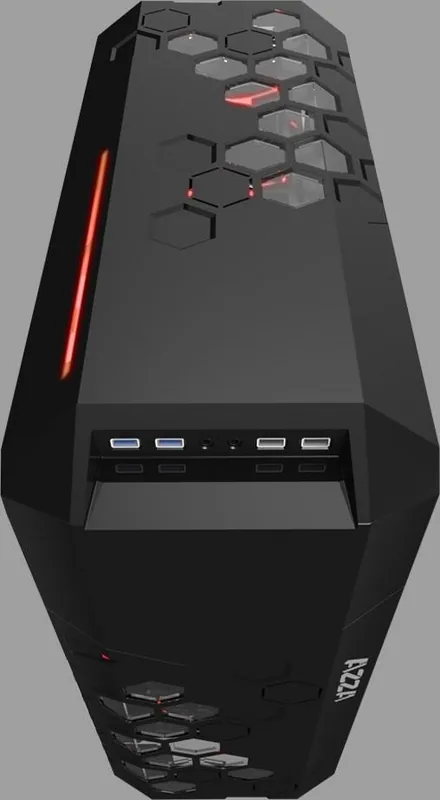
2x USB-A 3.0 (5Gb/s), 2x USB-A 2.0 (480Mb/s), 1x 3.5mm Jack (Line-Out), 1x 3.5mm Jack (Line-In)
PCI Slots
10 (2x Riser Card)
Fan (Left)
N/A
Fan (Right)
N/A
Fan (Bottom)
N/A
Fan (Other)
N/A
Radiator Sizes
4.72/5.51/9.45/11.02 in Front, 4.72/5.51/9.45/11.02/14.17 in Top
Power Supply
ATX
Power Supply Position
Bottom
CPU Cooler
max 6.89 in Height
Graphics Card Length
max 16.54 in
Dimensions (WxHxD)
8.86x21.18x20.67 in
Volume
2.24 cu ft
Weight
24.47 lbs
Case Type
Midi-Tower
Top
closed, ventilation slots center
Bottom
partially closed, fan grill rear
Left
closed, glass
Right
closed
Rear
partially closed, fan grill top right, PCI Slots (7x horizontal)
Front I/O Position
Case Side: Front, Height: top, Position: center
Product Description
AZZA Storm 6000 Review
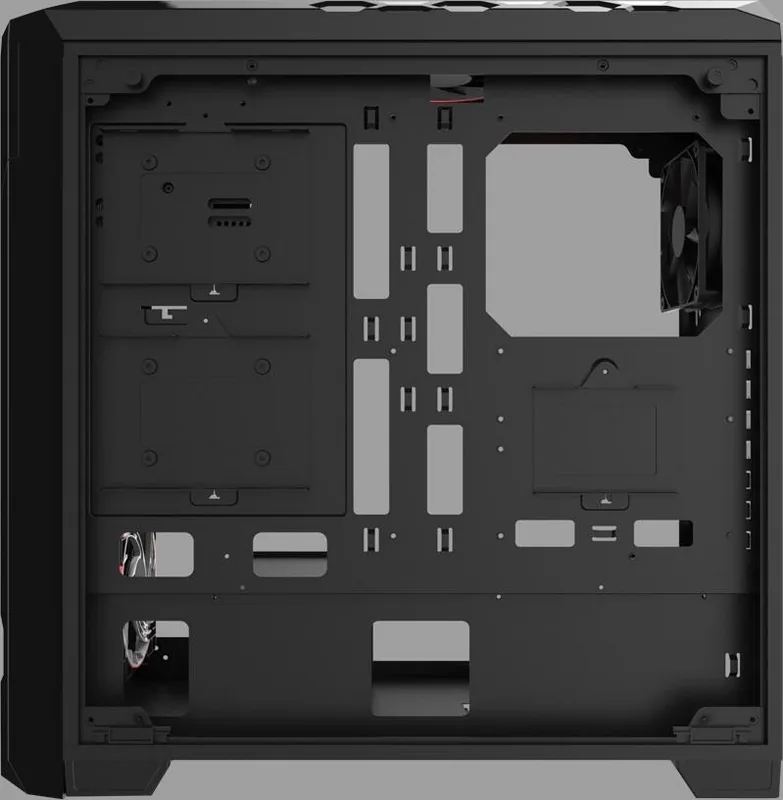
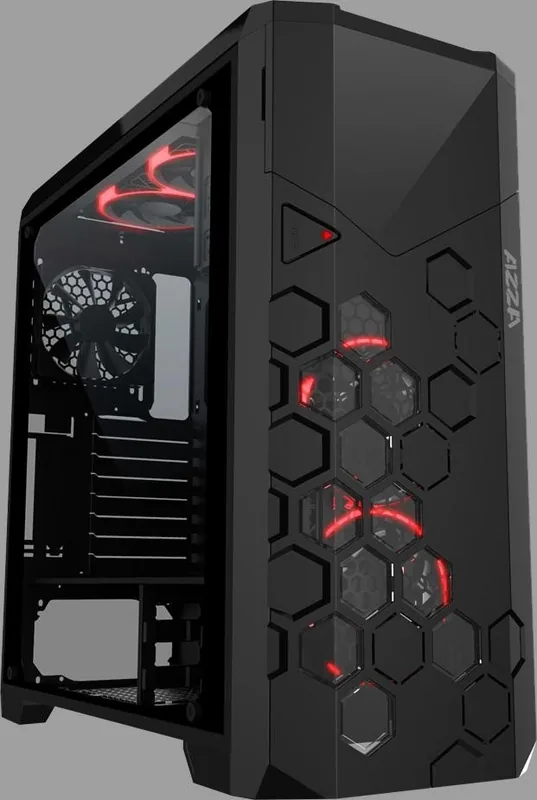
Building a modern high performance gaming rig requires careful consideration of the chassis. The AZZA Storm 6000 stands out as a robust solution for enthusiasts seeking ample space for components. This full tower case features a sleek black exterior paired with a tempered glass side panel for showcasing internal lighting. One of the standout features is the inclusion of Addressable RGB lighting control directly within the unit allowing users to customize their visual style without extra complexity. The design accommodates massive hardware supporting E-ATX motherboards up to 272mm width alongside standard ATX and Micro-ATX options. For storage users benefit from multiple drive bays capable of holding hard drives and solid state drives efficiently. Thermal management is another critical factor where this case excels. It supports liquid cooling radiators up to 360mm on the top and 280mm at the front ensuring high end processors remain cool under load. Cable management is facilitated by a bottom mounted power supply area helping to hide unnecessary wires behind the tempered glass. The internal space allows for video cards up to 420mm long meaning even the most extreme graphics cards will fit comfortably. Airflow is optimized through magnetic dust filters located at the bottom keeping the system clean over extended periods. The weight distribution balances the overall stability of the unit effectively.
Key Features
When carefully configuring your build understanding the physical layout helps maximize utility. The front panel includes standard connectivity options like USB 3.0 and USB 2.0 ports for quick access. The included addressable RGB fans provide immediate visual impact upon startup saving users from buying separate components initially. The LED button allows for on-the-fly changes to lighting modes if motherboard software integration is not preferred. For detailed assembly steps users often consult the AZZA Storm 6000 Manual to ensure proper component seating and safe installation. Weighing over 24 pounds it requires careful handling but offers stability. The dimensions of 537.7 by 225 by 525 mm allow for significant clearance. The top and front sections offer flexible radiator support which is crucial for extreme cooling needs. Additionally, the rear panel provides easy access for power supply unit wiring which keeps the build tidy. Users should note the specific fan configuration to maximize airflow efficiency throughout the case interior. This high quality chassis represents a blend of style and function for serious builders who prioritize expandability and cooling performance within an extremely durable enclosure.
Search for 67,706 Manuals online


Type-in Brand or Model