
AZZA Regis 902 Manual
PDF manual · 11 Pages
English



Quick check
Incorrect answer, please try again.
Chat with your AZZA Regis 902 manual using AI
Get instant AI answers from your AZZA Regis 902 manual
Ask anything about the AZZA Regis 902. Answers come from this manual, with the pages they are based on.
Ask a Question
Do you recommend Regis 902?
Yes NoFrequently Asked Questions
The enclosure supports horizontal video cards up to 336 mm. Vertical installation allows lengths up to 320 mm, but cards over 300 mm may require removing the SSD tray for clearance.
Is this answer helpful?
The AZZA Regis 902 supports large ATX, Micro-ATX, and Mini-ITX form factor motherboards, providing flexibility for various build sizes.
Is this answer helpful?
Lighting can be controlled automatically via the included button on the AZZA Hub for 17 modes or through motherboard software using the 3 pin ARGB header connection.
Is this answer helpful?
Yes, it supports radiators up to 240 mm or 280 mm on both left and right side windows, along with a single 140 mm rear exhaust fan.
Is this answer helpful?
One 140 mm black fan is pre-installed in the rear position to assist with initial airflow and heat removal from the system internals.
Is this answer helpful?
Yes, the tempered glass side panels can be easily disassembled, allowing users to access components quickly for upgrades or maintenance tasks.
Is this answer helpful?
Advantages and Disadvantages
Advantages

- Supports vertical graphics card installation maximizing airflow
- Three high-quality tempered glass side panels for visibility
- Included AZZA Hub with 17 lighting modes and control buttons
- Robust thermal management with support for 280mm radiators
- Anodized brushed aluminum side panels for durability
Disadvantages

- Power supply is not included in the base package
- Heavy chassis weight at 12.5 kg may require sturdy support
- Long GPU over 300mm requires removal of SSD tray
- Complex setup required for vertical GPU cabling
- Noisy fans if not carefully selected and controlled
Product Specification
External
N/A
Internal
1x 3.5", 2x 2.5"
Connections
1x USB-C 3.1 (10Gb/s, 20-Pin Key-A Header), 2x USB-A 3.0 (5Gb/s), 1x 3.5mm Jack (Line-Out), 1x 3.5mm Jack (Line-In)
PCI Slots
10 (3x Riser Card)
Fan (Front)
N/A
Fan (Rear)
1x 5.51in
Fan (Left)
2x 5.51in (optional)
Fan (Right)
2x 5.51in (optional)
Fan (Top)
N/A
Fan (Bottom)
N/A
Fan (Other)
N/A
Radiator Sizes
N/A front, N/A top, 9.45in/11.02in left, 9.45in/11.02in right
Motherboard
up to ATX
Supported Motherboards
Mini-ITX (6.7"x6.7")/Micro ATX (9.6"x9.6")/ATX (12"x9.6")
Power Supply
ATX
PSU Position
bottom
CPU Cooler
max. 8.27in height
Graphics Cards
max. 13.23in (horizontal GPU), 12.60in (vertical GPU)
Color
black/gold, black interior
Lighting
RGB Header 3-Pin ARGB (+5V/DATA/GND), Integrated RGB-LED Lighting
Dimensions (WxHxD)
18.94x24.02x20.83in
Volume
9,471.50 cu in
Weight
27.56 lbs
Chassis Type
Custom Form
Front
Closed, Glass
Top
Closed, Glass, Custom Form
Bottom
Partially Closed, Partially Mesh, Custom Form
Left
Partially Closed, Partially Mesh, Partially Glass
Right
Partially Closed, Partially Mesh, Partially Glass
Rear
Partially Closed, Fan Grille Left Center, PCI Slots (7x Horizontal, 3x Vertical)
Front I/O Position
Chassis Side: Left, Height: Center, Position: Front
Motherboard Orientation
Motherboard Orientation: Upwards
Features
incl. Fan Control, Cable Management, Graphics Card Vertically Mountable, Glass View Window, Multi-chamber Design
USB Location
Left
Product Description
AZZA Regis 902 Overview
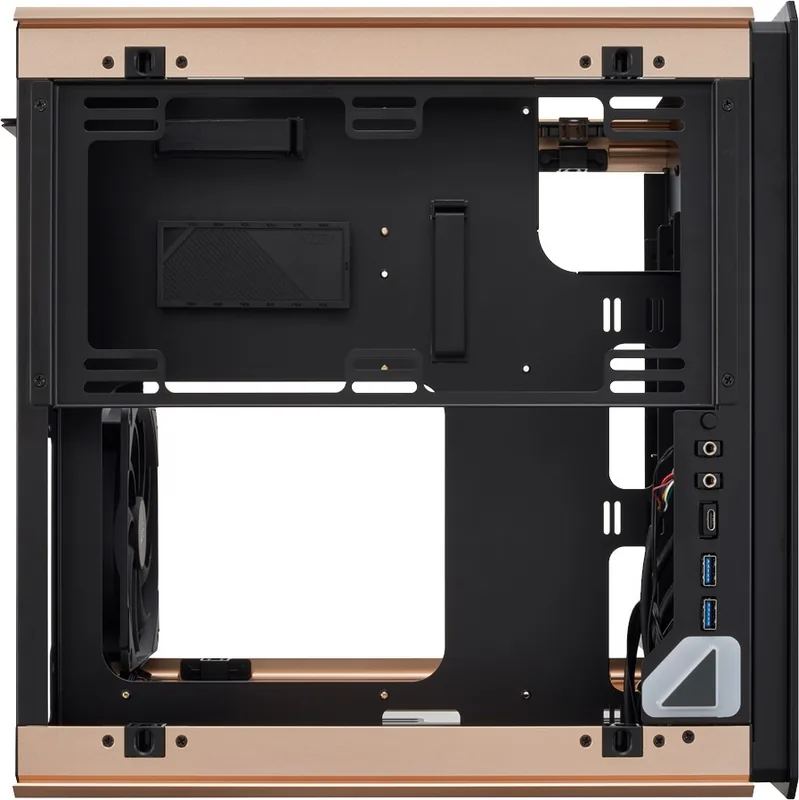
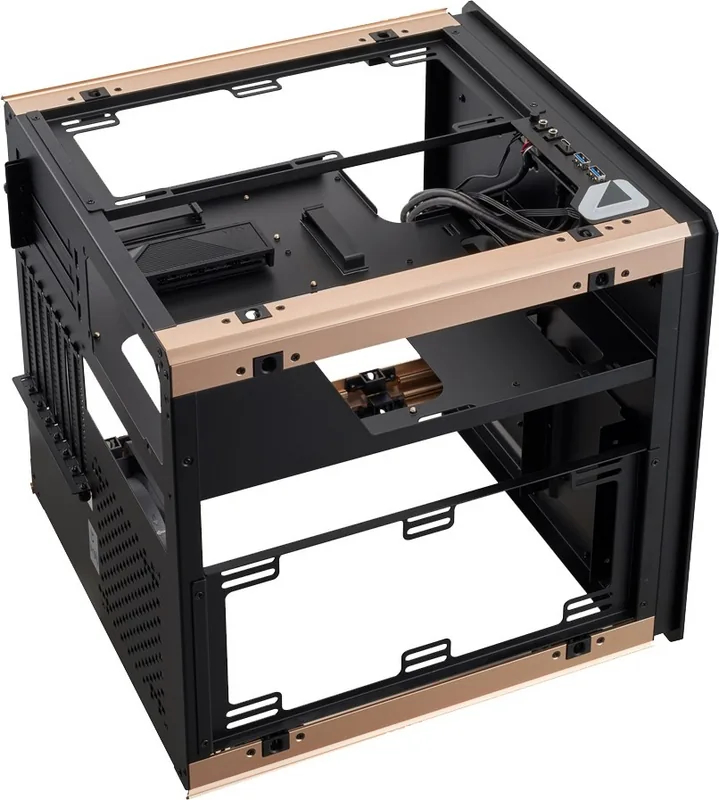
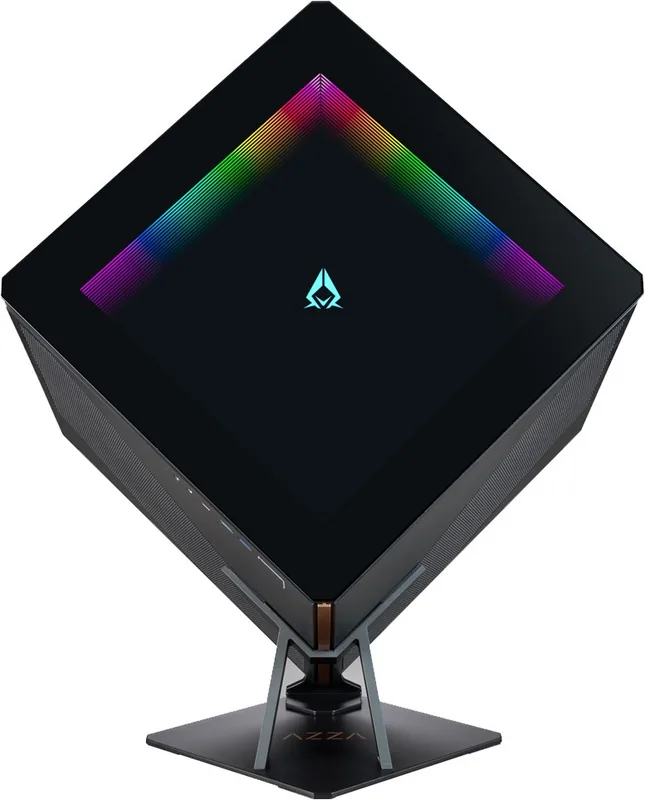
The AZZA Regis 902 stands out in the market as a premium ATX cube enclosure designed for enthusiasts who value visibility and cooling performance. This model features a sleek smoke gray exterior accented with gold trim and black glass. The three tempered glass side panels allow users to showcase their hardware setup while adding a touch of elegance to the build. These panels are easily disassembled for simpler access during maintenance.
Installation offers significant flexibility with support for ATX, Micro-ATX, and Mini-ITX motherboards. One standout feature is the vertical graphics card installation. Users can mount their GPU vertically using the included PCIe cable. The maximum video card length reaches 336 mm for horizontal mounting without accessory adjustments. However, exceeding 300 mm may require removing the SSD tray to accommodate longer custom solutions. This adaptability ensures compatibility with many high-performance video cards currently on the shelf.
Thermal management is robust with up to four fan ports on both sides supporting up to 280 mm radiators. A 140 mm fan comes pre-installed at the rear. Power supply is not included but fits standard PSU bays. The internal layout includes dedicated spaces for one 3.5 inch drive and two 2.5 inch drives.
Lighting is a key focus with the AZZA Regis 902. The front features an infinity mirror design and a backlit logo. The included AZZA Hub simplifies control with 17 lighting modes selectable via an LED button or motherboard software. The hub offers multiple ARGB and PWM ports for customization. Physical construction includes anodized brushed aluminum for durability. I/O connectivity includes two USB 3.0 ports and a Type C port. This case balances style with functionality for high-end builds seeking visual impact. The detailed instructions guide users through assembly for clean cable management.
The total weight is 12.5 kg, indicating sturdy build quality. Dimensions measure 610 mm height, 481 mm width, and 529 mm depth, providing ample space for cooling loops. Cable management is facilitated by the AZZA Hub functionality organizing signals. The hub connects via a 3 pin ARGB connector or uses the included button for standalone control. This ensures users without RGB motherboards enjoy synchronized effects.
Overall, the AZZA Regis 902 offers a compelling package for builders wanting to experiment with vertical GPU mounts and premium aesthetics. The combination of tempered glass, aluminum accents, and advanced cooling options makes it a strong market choice. Whether you prioritize vertical layout for cooling or the look, these instructions provide necessary steps for a build. The attention to detail in the hub connectivity ensures that noise remains low while performance stays high. It remains a top contender for those wanting a glass window experience without compromising on space or airflow. Note: Ensure proper clearance for vertical GPU installation.
Search for 67,706 Manuals online


Type-in Brand or Model