
AZZA Opus Manual
PDF manual · 11 Pages
English



Quick check
Incorrect answer, please try again.
Chat with your AZZA Opus manual using AI
Get instant AI answers from your AZZA Opus manual
Ask anything about the AZZA Opus. Answers come from this manual, with the pages they are based on.
Ask a Question
Do you recommend Opus?
Yes No
Klaus Weber
4 months ago
Is there detailed assembly documentation available online for this tower?
Frequently Asked Questions
The AZZA Opus chassis is compatible with ATX, Micro-ATX, and Mini-ITX motherboards, offering great flexibility for different system builds.
Is this answer helpful?
Yes, the case supports vertical GPU installation up to 360mm in length and includes a 30cm PCI-e 3.0 riser cable to facilitate this setup.
Is this answer helpful?
The AZZA Opus can accommodate CPU coolers up to 60mm in height, allowing for substantial air or liquid cooling solutions.
Is this answer helpful?
No, the AZZA Opus does not include any fans upon purchase. You will need to buy and install your own cooling fans separately.
Is this answer helpful?
The total weight of the AZZA Opus chassis is approximately 8.7 kg or 19.2 lbs, reflecting its sturdy aluminum and glass construction.
Is this answer helpful?
The exterior features high-quality tempered glass panels and a sandblasted anodized aluminum structure available in space gray and black.
Is this answer helpful?
Advantages and Disadvantages
Advantages

- Extensive tempered glass panels provide stunning visibility of internal hardware.
- Supports massive 360mm vertical graphics cards with included riser cable.
- Highly customizable frame allows removal of all sides for easy maintenance.
- Robust sandblasted aluminum construction ensures durability and style.
- Versatile storage bracket supports multiple HDD and SSD configurations.
Disadvantages

- No fans included in the box requiring separate purchase for immediate cooling.
- Large dimensions may require significant desk or floor space.
- Complex assembly steps may challenge first-time builders.
- Vertical GPU setup requires careful cable management planning.
- Power supply is not included with the chassis.
Product Specification
Extern
N/A
Intern
1x 2.5"/3.5", 1x 2.5"
Connections
1x USB-C 3.0 (5Gb/s), 2x USB-A 3.0 (5Gb/s)
PCI Slots
3 (3x Riser Card); incl. PCIe Riser Card (PCIe 3.0 x16)
Fan (front)
N/A
Fan (rear)
N/A
Fan (left)
N/A
Fan (right)
3x 4.72in (optional)
Fan (top)
N/A
Fan (bottom)
N/A
Fan (other)
N/A
Radiator Sizes
N/A front, N/A top, 4.72/9.45/14.17in right
Motherboard
up to ATX
Supported Motherboards
Mini-ITX (6.7"x6.7")/µATX (9.6"x9.6")/ATX (12"x9.6")
Power Supply
ATX
Power Supply Position
bottom
CPU Cooler
max. 2.36in height
Graphics Cards
max. 14.17in
Color
gray/black, interior black
Lighting
no lighting
Dimensions (WxDxH)
12.60x21.22x12.60in (standing)
Volume
3.37cu ft
Weight
19.18lbs
Case Type
Mid-Tower
Front
partially closed, partially open, mostly glass
Top
partially closed, partially open
Bottom
partially closed, partially open, PCI Slots (3x vertical)
Left
partially closed, partially open, mostly glass
Right
partially closed, partially open, mostly glass
Back
partially closed, partially open, mostly glass
Front I/O Position
Case Side: Front, Height: Middle, Position: Middle
Motherboard Orientation
Motherboard Orientation: when case is standing: facing left; when case is lying down: facing up
Features
semi-open case, standing/lying down, incl. PCIe Riser Card (PCIe 3.0 x16), cable management, graphics card mountable vertically, graphics card mountable hanging/standing, glass viewing window, multi-chamber design
USB Spelling
Link
Product Description
Discover the AZZA Opus Glass Window Chassis
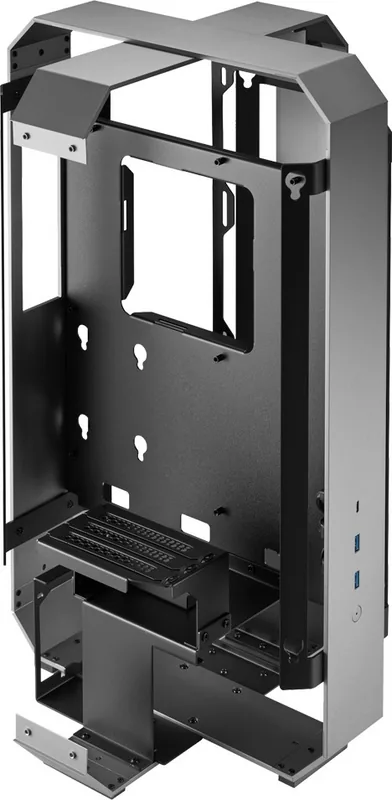
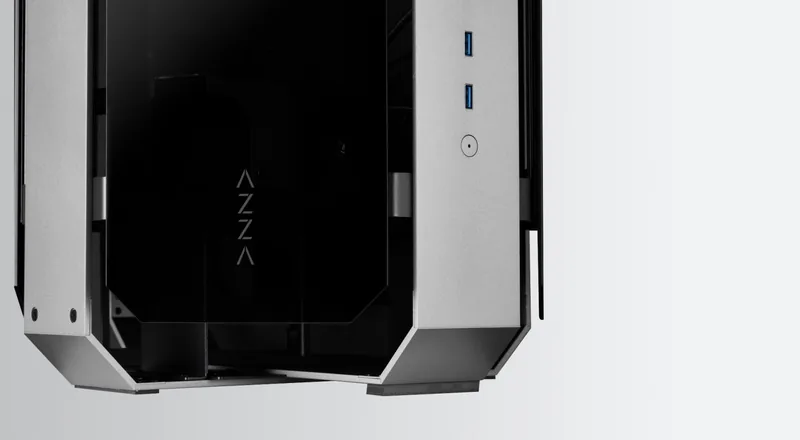
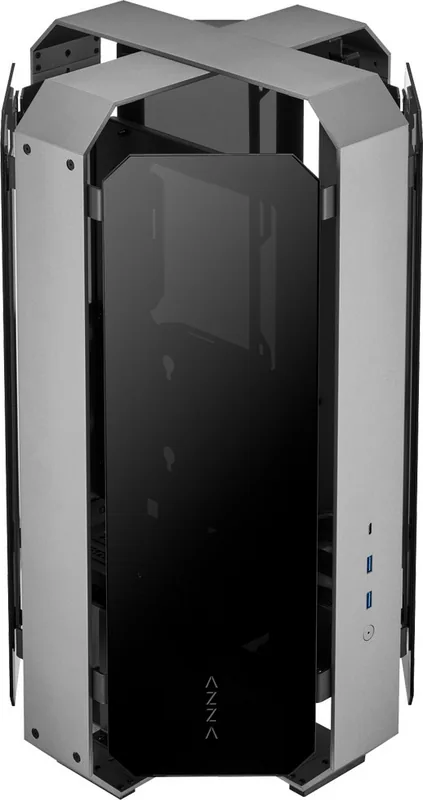
The AZZA Opus is a premium computer chassis designed for enthusiasts who demand both aesthetic brilliance and functional versatility. Featuring a robust sandblasted anodized aluminum structure, this case offers a sleek space gray exterior paired with black accents, creating a modern look that complements any high-end gaming or workstation setup. The standout feature of the Opus is its extensive use of tempered glass panels, providing unobstructed views of your internal components while maintaining structural integrity.
Unmatched Customization and Build Quality
Building inside the AZZA Opus is an experience defined by flexibility. The design allows for complete customization, enabling users to remove all four glass panels and the side metal frames for easy access during assembly. This unique approach simplifies the installation process significantly. Whether you are installing a massive CPU cooler up to 60mm in height or fitting a graphics card as long as 360mm vertically, the Opus accommodates these demands with ease. The inclusion of a 30cm PCI-e 3.0 riser cable ensures that vertical GPU installations look pristine without compromising performance.
Advanced Cooling and Storage Solutions
Thermal management is critical for high-performance systems, and the Opus delivers with support for radiators up to 360mm and up to twenty-three 120mm fan ports. This makes it ideal for water cooling loops or aggressive air cooling setups. Storage options are equally flexible, supporting one 3.5-inch hard drive and up to two 2.5-inch solid-state drives via a versatile bracket system. The chassis also features a mesh power supply cover and includes a PSU filter to keep dust out of your power unit, ensuring longevity and clean airflow.
Installation Made Simple
The engineering behind the Opus prioritizes user convenience. Features like a straight-through screwdriver path for motherboard installation and a removable radiator bracket streamline the build process. The package comes with everything needed for a vertical GPU setup, including the necessary extension cable. With compatibility spanning ATX, Micro-ATX, and Mini-ITX motherboards, this chassis adapts to various form factors while delivering a professional finish.
Notes
- Ensure proper clearance for tall CPU coolers before finalizing component selection.
- The included riser cable is essential for optimal vertical GPU aesthetics.
- Regular cleaning of the mesh filters will maintain peak cooling efficiency.
Search for 67,706 Manuals online


Type-in Brand or Model
FirstTimeBuilder
4 months ago
What are the key compatibility constraints for graphics cards, monitors, and power supplies in the Azza tower?
Manual.ly
4 months ago
The Azza tower accommodates graphics cards up to 6cm thick; thicker cards may press against the glass. Monitor ports are located at the bottom, making cable access difficult. We recommend using a short power supply unit (PSU) to ensure proper cable management and fitment.