
AZZA Optima 803 Cube Manual
PDF manual · 2 Pages
English



Quick check
Incorrect answer, please try again.
Chat with your AZZA Optima 803 Cube manual using AI
Get instant AI answers from your AZZA Optima 803 Cube manual
Ask anything about the AZZA Optima 803 Cube. Answers come from this manual, with the pages they are based on.
Ask a Question
Do you recommend Optima 803 Cube?
Yes NoFrequently Asked Questions
It is best for showcase builds that prioritize appearance, RGB lighting, and visible components. The cube layout and glass panels make it a strong fit for gaming rigs and display-oriented systems.
Is this answer helpful?
Yes, it supports ATX motherboards. The internal layout is designed around a standard ATX build, with space for common power, cooling, and storage hardware.
Is this answer helpful?
Two Hurricane II Digital RGB fans are included. They are positioned to help support airflow while also adding lighting effects to the build.
Is this answer helpful?
Yes, the case supports radiators up to 240mm in the bottom and rear locations. You should still verify component fit before installation, especially with larger parts.
Is this answer helpful?
The case includes an RF remote for controlling Digital RGB lighting. If your motherboard supports 5V addressable RGB, compatible devices can also connect directly to the board.
Is this answer helpful?
Check your GPU length, CPU cooler height, and overall part layout. The case supports graphics cards up to 280mm and CPU coolers up to 150mm tall.
Is this answer helpful?
Advantages and Disadvantages
Advantages

- Four-sided tempered glass creates a strong showcase look for the entire build.
- Includes two Digital RGB fans and RF remote control for easy lighting management.
- Supports ATX boards, 240mm radiators, and a bottom-mounted ATX power supply.
- Front-facing GPU presentation makes the graphics card part of the visual design.
Disadvantages

- CPU cooler clearance is limited to 150mm, which may restrict larger air coolers.
- Maximum GPU length of 280mm may be tight for oversized graphics cards.
- Large case size requires more desk or floor space than a typical mid tower.
- Glass-heavy design may need extra care during handling and installation.
Product Specification
External
N/A
Internal
2x 2.5"/3.5", 4x 2.5"
Connections
N/A
PCI slots
7
Fan (front)
N/A
Fan (rear)
2x 4.72in (RGB illuminated)
Fan (left)
N/A
Fan (right)
N/A
Fan (top)
N/A
Fan (bottom)
2x 4.72in (optional)
Fan (other)
N/A
Radiator sizes
N/A front, N/A top, 4.72/9.45in rear, 4.72/9.45in bottom
Motherboard
up to ATX
Supported Motherboards
Mini-ITX (6.7"x6.7")/µATX (9.6"x9.6")/ATX (12"x9.6")
Power supply
ATX
Power supply position
bottom
CPU cooler
max. 5.91in height
Graphics cards
max. 11.02in
Color
black, interior black
Lighting
RGB-Header 3-Pin ARGB (+5V/DATA/GND), integrated RGB LED lighting, illuminated fans
Dimensions (WxHxD)
11.85x18.90x19.37in
Volume
18.78 gal
Weight
24.91 lb
Case type
Midi-Tower
Front
partially closed, partially open, mostly glass
Top
partially closed, partially open, mostly glass, PCI slots under cover (7x horizontal)
Bottom
partially closed, mostly fan grille
Left
closed, glass
Right
closed, glass
Rear
partially closed, mostly fan grille
Front I/O Position
N/A
Motherboard orientation
Motherboard orientation: to the right; Connections: connections on top
Special features
semi-open case, remote control, cable management, graphics card mountable hanging/standing, concealed PCI slots, glass side panel
Note
Dimensions (WxHxD) without stand: 11.85x16.61x16.50in
USB notation
Link
Product Description
AZZA Optima 803 Cube: A Glass-Fronted Showcase Case for Clean Builds
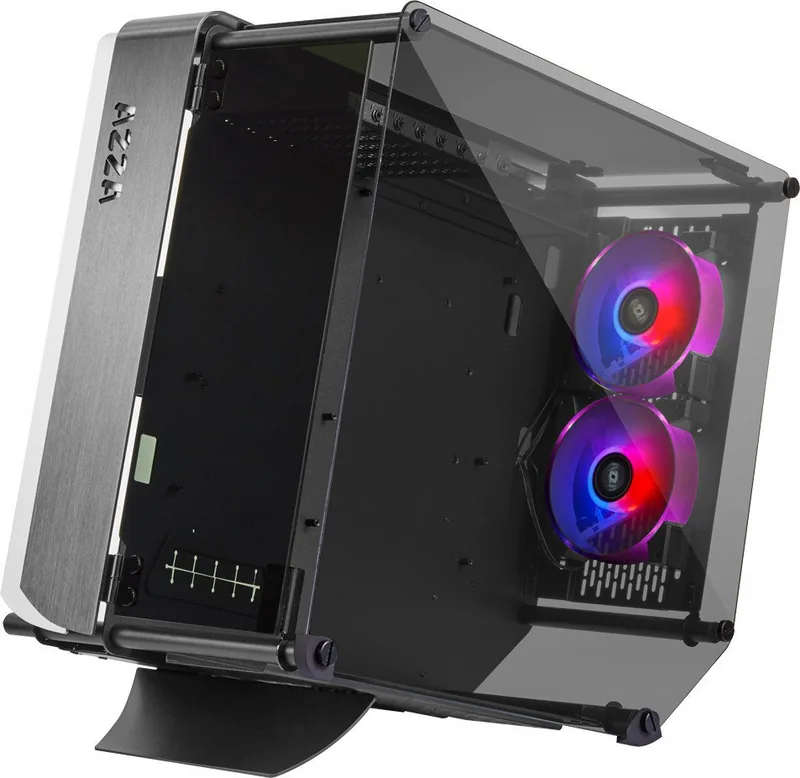
The AZZA Optima 803 Cube is designed for builders who want their hardware to be seen, not hidden. With tempered glass across multiple sides and a bold cube-style layout, it turns a standard PC into a display piece. The black exterior and black interior keep the look sleek, while the clear panels give your components a stage.
A case built around visibility
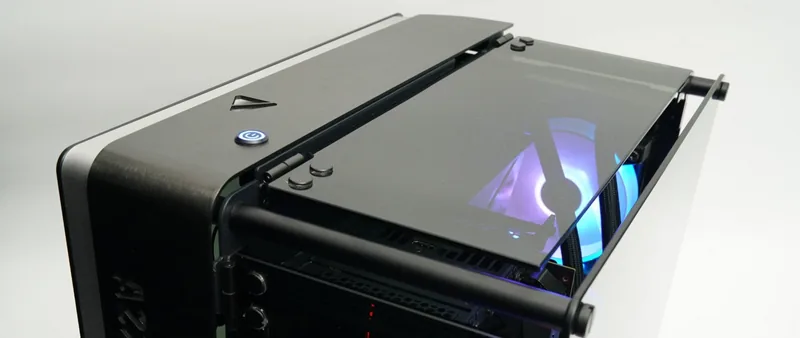
What makes this chassis stand out is its four-sided glass presentation. The side window, top panel, and front area all contribute to an open visual style, and the front-facing orientation lets the graphics card become part of the show. That makes it a strong choice for RGB-heavy systems, custom fan setups, and anyone who likes to admire their build from every angle.
Cooling and layout in practice
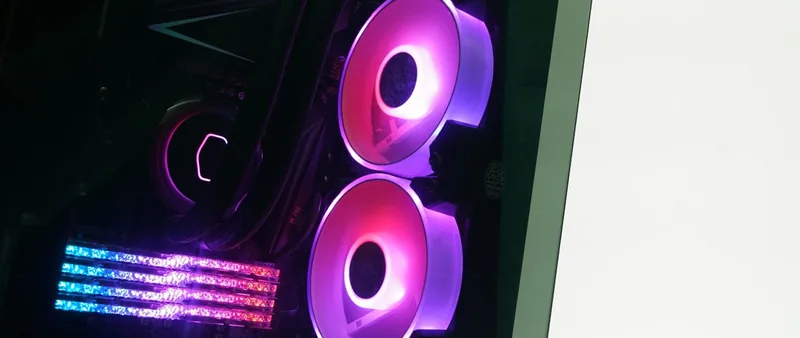
Despite the focus on looks, the Optima 803 Cube still leaves room for practical cooling. It supports 120mm fan placement at the bottom and rear, and radiators up to 240mm can be used in the bottom or rear positions. Two Hurricane II Digital RGB fans are included, which adds value right away and helps create a lively airflow-and-lighting combo.
The chassis supports an ATX motherboard, a bottom-mounted ATX power supply, a CPU cooler up to 150mm tall, and a graphics card up to 280mm long. That makes it suitable for many mainstream gaming and creator builds, though large flagship components should be checked carefully before purchase. Storage support is also useful, with brackets for 2.5-inch SSDs and 3.5-inch HDDs.
RGB control and everyday use
Another highlight is the included Digital RGB RF remote. It gives users simple control over compatible lighting devices without relying entirely on software. If the motherboard supports 5V addressable RGB, the lighting can also connect through the board for synchronized effects. This flexibility is especially helpful for builders who want either easy standalone control or full system lighting coordination.
The case measures 480 x 301 x 492 mm with the stand, so it has a noticeable footprint. In return, it offers a distinctive cube shape and a premium showpiece feel. The included case stand and tempered-glass hardware help complete the package, making the Optima 803 Cube more than just a functional enclosure.
Notes
- Best suited for visual builds with RGB lighting and tidy cable work.
- Check GPU and CPU cooler clearance before selecting components.
- The AZZA Optima 803 Cube, glass window Manual is helpful for PSU and panel assembly steps.
Search for 67,706 Manuals online


Type-in Brand or Model
Lukas Krüger
10 months ago
Will this case have good side-panel fit and enough space behind the I/O area for thicker DisplayPort cables (without forcing parts)?
Manual.ly
10 months ago
Based on the design, the glass and I/O region can be tight with thicker DisplayPort cables. Please check the maximum cable thickness and bend radius before installing. For the side panels, ensure the standoffs and mounting rails are aligned squarely before tightening screws, and do not force them into place. If you find warped/incorrect hardware (for example a screw that arrived cross-threaded) or parts do not fit as expected, contact support with photos and your order details so we can arrange guidance or a replacement. Retailers also typically offer returns within their return window if the fit does not meet expectations.