
AZZA Legionaire Manual
PDF manual · 14 Pages
English



Quick check
Incorrect answer, please try again.
Chat with your AZZA Legionaire manual using AI
Get instant AI answers from your AZZA Legionaire manual
Ask anything about the AZZA Legionaire. Answers come from this manual, with the pages they are based on.
Ask a Question
Do you recommend Legionaire?
Yes NoFrequently Asked Questions
The AZZA Legionaire supports video cards up to 400mm in length, making it compatible with many high-performance graphics processors on the market today.
Is this answer helpful?
No, the power supply is not included. The case features a bottom-mounted PSU shroud designed to improve airflow and cable management once you install your own unit.
Is this answer helpful?
You can cycle through different modes using the dedicated LED button on the front panel. Alternatively, hold the button for three seconds to sync with motherboard software for advanced control.
Is this answer helpful?
It supports up to four 2.5-inch SSDs and two 3.5-inch HDDs using the provided multifunctional brackets and cages inside the chassis.
Is this answer helpful?
Yes, the front supports radiators up to 360mm and the top supports up to 280mm, providing ample space for custom water cooling loops.
Is this answer helpful?
Yes, the Legionaire includes a removable dust filter at the bottom of the chassis to catch debris before it enters the power supply area.
Is this answer helpful?
Advantages and Disadvantages
Advantages

- Supports massive 400mm graphics cards for high-end GPU compatibility
- Includes pre-installed addressable ARGB fans for immediate lighting customization
- Slidable mesh side panel offers excellent visibility and maximum airflow
- Magnetic dust filters simplify maintenance and keep components clean
- Extensive water cooling support with radiator slots up to 360mm
Disadvantages

- Power supply unit is not included in the package
- No external 5.25-inch drive bays available for legacy optical drives
- Interior color is entirely black which may limit contrast for some builds
- Front panel removal requires specific steps that may confuse new builders
- RGB control requires careful wiring to ensure proper motherboard sync
Product Specification
External
N/A
Internal
2x 2.5"/3.5" (horizontal, drive rails), 2x 2.5"
Ports
2x USB-A 3.0 (5Gb/s), 1x 3.5mm jack (Line-Out), 1x 3.5mm jack (Line-In)
PCI Slots
7
Fans (front)
3x 4.72" (RGB illuminated) or 3x 5.51" (optional)
Fans (rear)
1x 4.72" (RGB illuminated)
Fans (left)
N/A
Fans (right)
N/A
Fans (top)
3x 4.72" (optional) or 2x 5.51" (optional)
Fans (bottom)
N/A
Fans (other)
2x 4.72" (optional)
Radiator Sizes
4.72/9.45/11.02" front, 4.72/9.45/11.02" top
Motherboard
up to ATX (E-ATX with unknown dimensions possible)
Supported Motherboards
Mini-ITX (6.7"x6.7")/µATX (9.6"x9.6")/ATX (12"x9.6")/E-ATX (unknown dimensions)
Power Supply
ATX
Power Supply Position
bottom
CPU Cooler
max. 6.69" height
Graphics Cards
max. 15.75"
Color
black, black interior
Lighting
RGB Header 3-Pin ARGB (+5V/DATA/GND), integrated LED controller, illuminated fans
Dimensions (WxDxH)
8.66x19.02x17.32"
Volume
2.85 cu ft
Weight
13.45 lbs
Case Type
Mid-Tower
Front
partially closed, partially mesh
Top
partially closed, mostly fan grille, dust filter on outside
Bottom
partially closed, fan grille at rear, dust filter on outside
Left
Mesh
Right
closed
Rear
partially closed, fan grille top right, PCI slots (7x horizontal)
Front I/O Position
Case side: top, Height: middle, Position: right
Features
Cable management, dust filters
Note on E-ATX
Motherboard and case manufacturers designate different dimensions as E-ATX. This manufacturer makes no statements regarding supported E-ATX dimensions. Motherboards with E-ATX/SSI EEB dimensions of 12.01x12.99" or 12"x13" may not be supported.
USB Spelling
Link
Product Description
AZZA Legionaire: The Ultimate Gaming Case for Enthusiasts
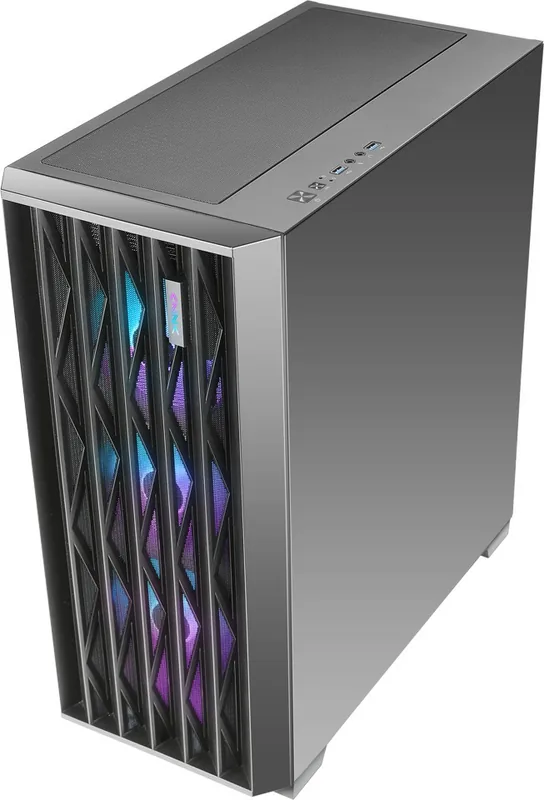
The AZZA Legionaire stands as a pinnacle of mid-tower chassis engineering, designed specifically for gamers and PC builders who demand both aesthetic appeal and superior thermal performance. This case transforms the interior of your build into a visual masterpiece while ensuring that every component operates at peak efficiency. With its distinctive black-on-black color scheme and a slidable iron mesh side panel, the Legionaire offers an unobstructed view of your hardware without compromising structural integrity.
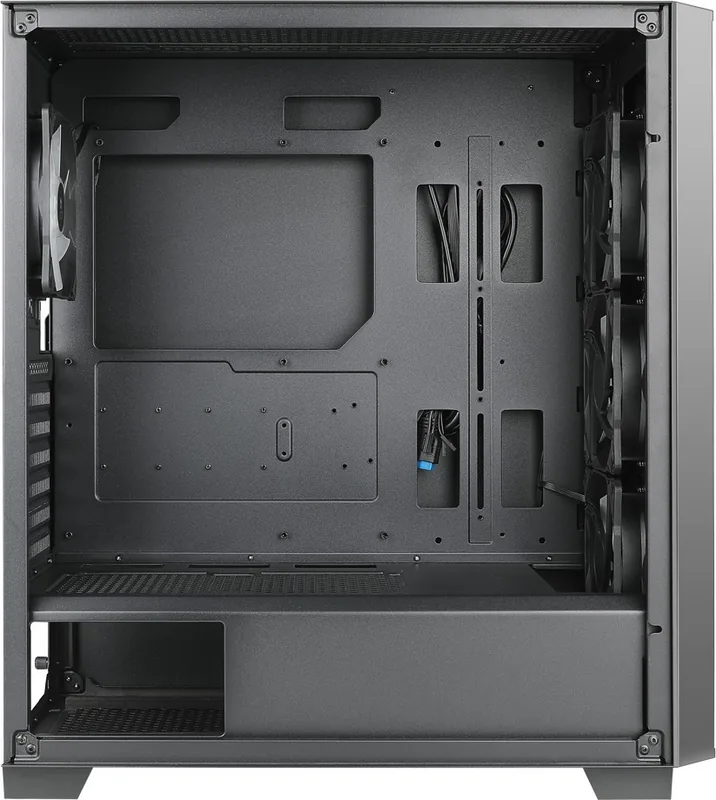
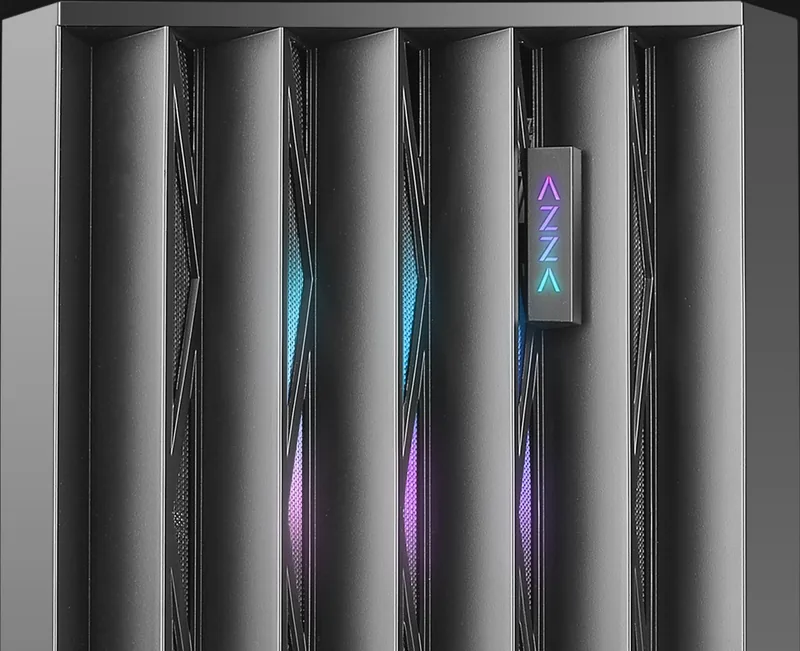
Built to accommodate the most demanding hardware configurations, the Legionaire supports E-ATX motherboards and can house graphics cards up to 400mm in length. This generous clearance ensures compatibility with high-end video cards from major manufacturers. The interior is meticulously planned with a bottom-mounted power supply design, which not only improves cable management but also enhances airflow by separating heat-generating components from the intake fans. The case comes pre-installed with addressable ARGB fans, allowing users to customize their lighting effects directly through the front control panel or via motherboard software synchronization.
Cooling flexibility is a core strength of this model. It features extensive support for liquid cooling solutions, including radiators up to 360mm in the front and 280mm on the top. The magnetic dust filters located at the top and bottom keep the system clean from debris, extending the lifespan of internal components. The front I/O panel provides quick access to essential ports, including two USB 3.0 connectors, HD audio jacks, and dedicated buttons for power and RGB mode switching. Whether you are building a silent workstation or a vibrant gaming rig, the AZZA Legionaire provides the robust foundation needed for success.
Key Installation Notes
- Ensure all PWM and SATA connectors are secured before powering on the system.
- Use the included multifunctional brackets to secure both 3.5-inch HDDs and 2.5-inch SSDs efficiently.
- Press the LED button for three seconds to toggle control between the physical switch and motherboard software.
Search for 67,706 Manuals online


Type-in Brand or Model