
AZZA Hive 450 Manual
PDF manual · 12 Pages
English



Quick check
Incorrect answer, please try again.
Chat with your AZZA Hive 450 manual using AI
Get instant AI answers from your AZZA Hive 450 manual
Ask anything about the AZZA Hive 450. Answers come from this manual, with the pages they are based on.
Ask a Question
Do you recommend Hive 450?
Yes No
Sarah Jenkins
5 months ago
I am planning my first PC build. Are there any major assembly issues I should be aware of regarding standoffs or cable management?
Frequently Asked Questions
This case supports EATX, ATX, Micro ATX, and ITX motherboards, providing versatility for various build sizes.
Is this answer helpful?
Yes, the AZZA Hive 450 supports video cards up to 390mm in length, accommodating most high-end GPUs.
Is this answer helpful?
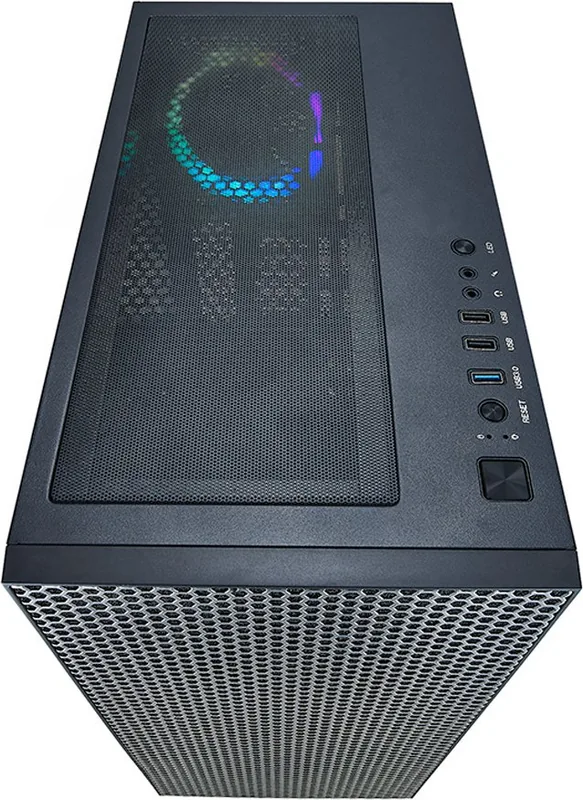
Press the LED button to cycle through lighting modes. Hold it for three seconds to toggle between motherboard software control and manual button control.
Is this answer helpful?
No, the power supply is not included. You must purchase one separately that fits the bottom-mounted compartment.
Is this answer helpful?
Yes, the case features removable magnetic mesh filters on the top and a steel filter at the bottom for easy maintenance.
Is this answer helpful?
Advantages and Disadvantages
Advantages

- Supports large radiators up to 360mm for advanced liquid cooling
- High-quality tempered glass side panel for clear component visibility
- Flexible storage options with support for multiple SSDs and HDDs
- Integrated ARGB control board with software and manual switching modes
Disadvantages

- Power supply is not included in the package
- No external 5.25-inch drive bays available for optical drives
- Top radiator support limited to 280mm compared to front options
Product Specification
Extern
N/A
Intern
1x 2.5"/3.5" (horizontal, drive rails), 1x 2.5"/3.5" (horizontal), 2x 2.5"
Ports
1x USB-A 3.0 (5Gb/s), 2x USB-A 2.0 (480Mb/s), 1x 3.5mm jack (Line-Out), 1x 3.5mm jack (Line-In)
PCI Slots
7
Fan (front)
3x 5.51" (optional)
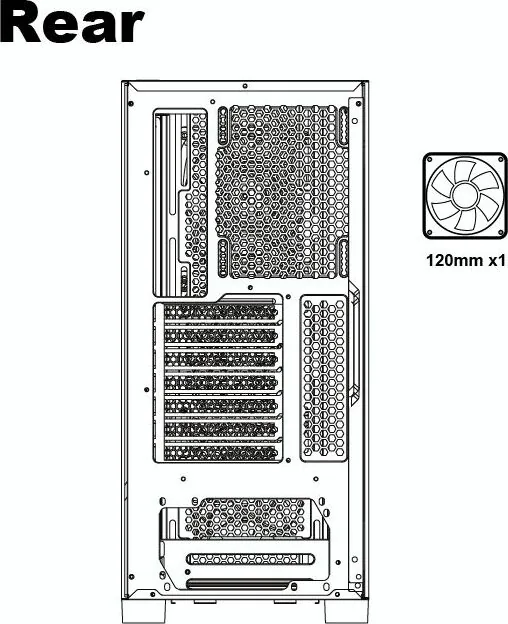
Fan (rear)
1x 4.72" (RGB lit)
Fan (left)
N/A
Fan (right)
N/A
Fan (top)
3x 4.72" (optional) or 2x 5.51" (optional)
Fan (bottom)
N/A
Fan (other)
2x 4.72" (optional)
Radiator sizes
4.72/5.51/9.45/11.02/14.17" front, 4.72/5.51/9.45/11.02" top
Motherboard
up to ATX (E-ATX with unknown dimensions possible)
Supported Motherboards
Mini-ITX (6.7"x6.7")/µATX (9.6"x9.6")/ATX (12"x9.6")/E-ATX (unknown dimensions)
Power Supply
ATX
Power Supply Position
bottom
CPU Cooler
max. 6.30" height
Graphics Cards
max. 15.35"
Color
black, black interior
Lighting
RGB Header 3-Pin ARGB (+5V/DATA/GND), integrated LED controller, lit fans
Dimensions (WxDxH)
8.46x18.50x16.34"
Volume
2.56 cu ft
Weight
13.89 lbs
Chassis Type
Midi Tower
Front
Mesh
Top
partially closed, mostly fan grille, dust filter outside
Bottom
partially closed, fan grille at back, dust filter outside
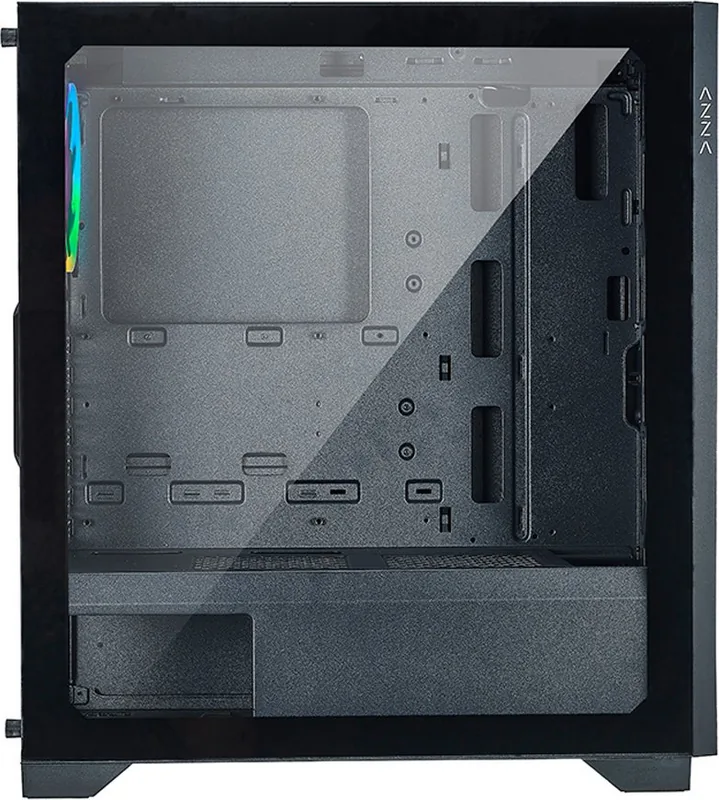
Left
closed, glass
Right
closed
Back
partially closed, fan grille top right, PCI slots (7x horizontal)
Front I/O Position
Chassis side: top, Height: middle, Position: right
Features
Cable management, dust filter, glass window
Note on E-ATX
Motherboard and chassis manufacturers refer to different dimensions as E-ATX. This manufacturer provides no information on supported E-ATX dimensions. Motherboards with E-ATX/SSI EEB dimensions of 305x330mm or 12"x13" may not be supported.
USB Spelling
Link
Product Description
Discover the AZZA Hive 450 Glass Window Manual Experience
The AZZA Hive 450 is a mid-tower chassis designed for enthusiasts who value both performance and aesthetics. This case features a sleek black exterior with a high-quality tempered glass side panel that showcases your internal components in stunning detail. The manual guides users through every step of building their dream PC, ensuring a smooth installation process from start to finish.
One of the standout features of the AZZA Hive 450 is its extensive cooling support. It accommodates radiators up to 360mm in the front and 280mm on the top, making it ideal for liquid cooling setups. The case also includes multiple fan ports, allowing for flexible airflow configurations. Whether you prefer air or water cooling, this chassis provides the necessary space and mounting options to keep your system running cool under heavy loads.
Storage flexibility is another key aspect of this build. The Hive 450 supports up to four 2.5-inch SSDs and two 3.5-inch HDDs. The included sliding tempered glass panel makes accessing these drives easy without compromising the visual appeal of the case. Additionally, the multifunctional hard disk bracket allows for versatile drive placement, catering to various storage needs.
Aesthetics are not overlooked with the integrated ARGB control board. Users can cycle through different lighting modes using the LED button on the control panel or sync the effects with motherboard software by holding the button for three seconds. This level of customization ensures your build matches your personal style perfectly.
Important Notes
- Always disconnect power before installing components.
- Use the provided magnetic dust filters to maintain cleanliness.
- Ensure proper cable management for optimal airflow.
Search for 67,706 Manuals online


Type-in Brand or Model
Alex Weber
6 months ago
Does this case include a user manual or installation guide, and what are the maximum graphics card length limits?
Manual.ly
6 months ago
Thank you for your inquiry. The Azza Hive 450 does not come with a printed user manual or QR code; however, assembly is intuitive and guides are available online. Regarding hardware compatibility, the maximum graphics card length is 360mm. We recommend checking your specific GPU dimensions before purchase to ensure a proper fit.