
AZZA Celesta 340 Manual
PDF manual · 12 Pages
English



Quick check
Incorrect answer, please try again.
Chat with your AZZA Celesta 340 manual using AI
Get instant AI answers from your AZZA Celesta 340 manual
Ask anything about the AZZA Celesta 340. Answers come from this manual, with the pages they are based on.
Ask a Question
Do you recommend Celesta 340?
Yes NoFrequently Asked Questions
Press and hold the LED button on the front panel for three seconds. This toggles the control mode from manual cycling to motherboard software synchronization.
Is this answer helpful?
The AZZA Celesta supports graphics cards up to 350mm in length, ensuring compatibility with most high-end gaming and workstation GPUs.
Is this answer helpful?
No, the power supply is not included. You will need to purchase a standard ATX power supply separately to complete your build.
Is this answer helpful?
Yes, the front panel supports radiators up to 360mm, making it suitable for advanced liquid cooling loops.
Is this answer helpful?
The chassis supports up to four 2.5-inch drives using the dedicated metal trays and multifunctional brackets.
Is this answer helpful?
Yes, the top dust filter uses a magnetic design for tool-free removal, while the bottom filter is made of durable steel mesh.
Is this answer helpful?
Advantages and Disadvantages
Advantages

- Supports large radiators up to 360mm for superior liquid cooling performance
- Dual-mode ARGB control allows switching between button and motherboard software
- Spacious interior accommodates GPUs up to 350mm and extensive storage options
Disadvantages

- Power supply is not included and must be purchased separately
- Only one rear fan port limits rear exhaust options compared to some competitors
- Tempered glass requires careful handling during transport to avoid cracks
Product Specification
Extern
N/A
Intern
1x 2.5"/3.5" (horizontal, drive rails), 1x 2.5"/3.5" (horizontal), 4x 2.5"
Connections
1x USB-A 3.0 (5Gb/s), 2x USB-A 2.0 (480Mb/s), 1x 3.5mm jack (Line-Out), 1x 3.5mm jack (Line-In)
PCI Slots
7
Fan (front)
3x 140mm (optional)
Fan (left)
N/A
Fan (right)
N/A
Fan (bottom)
N/A
Fan (other)
2x 120mm (optional)
Radiator Sizes
120/140/240/280/360mm front, 120/140/240/280mm top
Motherboard
up to ATX
Supported Motherboards
Mini-ITX (6.7"x6.7")/µATX (9.6"x9.6")/ATX (12"x9.6")
Power Supply
ATX
Power Supply Position
bottom
CPU Cooler
max. 6.50in height
Graphics Cards
max. 12.60in
Color
black, black interior
Lighting
RGB Header 3-Pin ARGB (+5V/DATA/GND), integrated RGB LED lighting
Dimensions (WxDxH)
8.27x18.82x15.75in
Volume
2.45cu ft
Weight
13.23lbs
Chassis Type
Midi-Tower
Front
partially closed, partially mesh
Top
partially closed, mostly fan grille, dust filter outside
Bottom
partially closed, fan grille at rear, dust filter outside
Left
closed, glass
Right
closed
Rear
partially closed, fan grille right top, PCI slots (7x horizontal)
Front I/O Position
Chassis side: top, Height: middle, Position: right
Features
cable management, dust filter, glass window
USB Spelling
Link
Product Description
Discover the AZZA Celesta Manual Experience
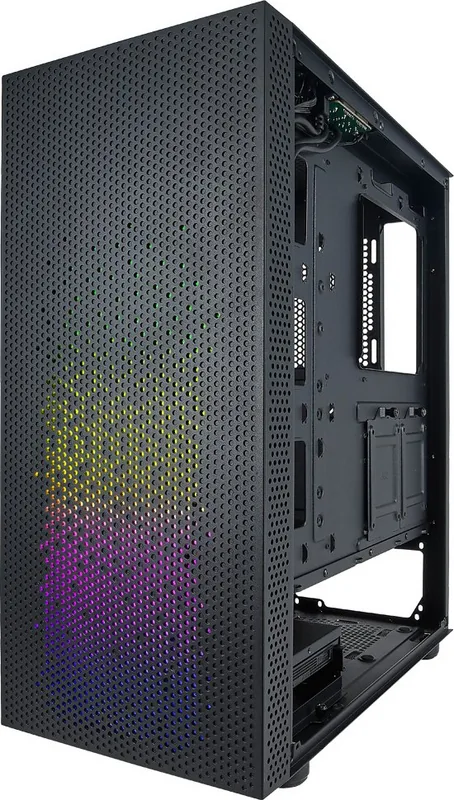
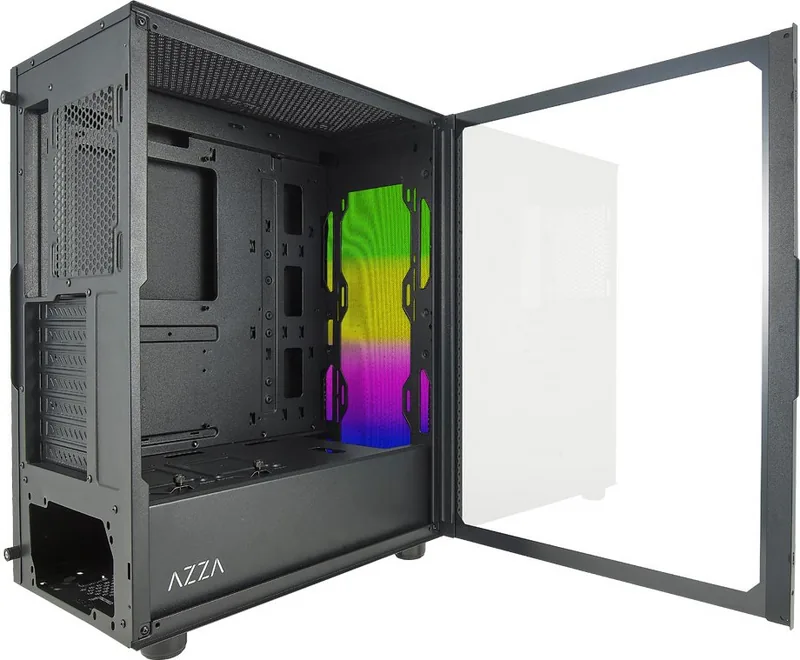
The AZZA Celesta represents a pinnacle of modern PC chassis engineering, designed for enthusiasts who demand both aesthetic appeal and functional robustness. When you explore the AZZA Celesta Manual, you unlock the full potential of this ATX Mid Tower case, transforming your build into a masterpiece of performance and style. The sleek black exterior, accented by a high-quality tempered glass side panel, offers a clear window to showcase your internal components while maintaining a professional and understated look.
At the heart of the Celesta lies its exceptional cooling capabilities. With support for massive radiators up to 360mm in the front and 280mm on the top, this case ensures that even the most power-hungry processors and graphics cards remain cool under pressure. The airflow is further optimized with multiple fan mounts, allowing for configurations ranging from three 120mm fans to three 140mm units at the front alone. This flexibility makes it an ideal choice for water cooling loops or high-performance air setups.
Storage solutions are equally impressive within the AZZA Celesta ecosystem. The multifunctional hard disk cage and bracket system provide ample room for up to two 3.5-inch HDDs and four 2.5-inch SSDs. The inclusion of removable magnetic dust filters on the top and a steel filter at the bottom helps maintain a clean interior, protecting your hardware from debris without requiring complex maintenance routines.
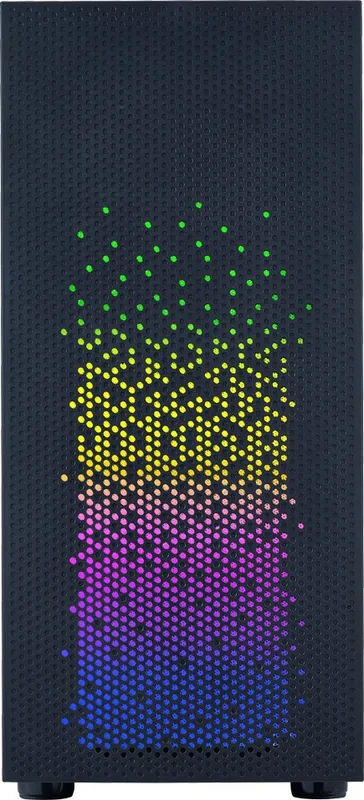
Aesthetics are brought to life through the addressable RGB lighting strip located on the front panel. Controlled via the dedicated LED button on the I/O shield, users can cycle through 13 distinct lighting modes instantly. For those seeking deeper integration, holding the button for three seconds switches control to motherboard software, enabling seamless synchronization with other ARGB devices throughout your system. This dual-control mode offers unparalleled customization for your visual setup.
Important Notes
- Ensure compatibility with motherboards supporting 5V ARGB protocols for software control.
- Max video card length is capped at 350mm; check GPU dimensions before installation.
- The bottom-mounted power supply design aids in cable management and airflow efficiency.
Search for 67,706 Manuals online


Type-in Brand or Model