
AZZA Bastion Manual
PDF manual · 10 Pages
English



Quick check
Incorrect answer, please try again.
Chat with your AZZA Bastion manual using AI
Get instant AI answers from your AZZA Bastion manual
Ask anything about the AZZA Bastion. Answers come from this manual, with the pages they are based on.
Ask a Question
Do you recommend Bastion?
Yes No
BudgetBuilder22
4 months ago
Is the included fan adequate or should I replace it immediately?
Frequently Asked Questions
The AZZA Bastion is compatible with Micro ATX and ITX motherboards. It is designed as a mid-tower case specifically for these form factors.
Is this answer helpful?
You can install up to two 120mm fans, two 140mm fans, or one 200mm fan in the front. It also supports radiators up to 280mm.
Is this answer helpful?
No, the power supply is not included. You must purchase and install an ATX power supply separately.
Is this answer helpful?
The chassis supports video cards up to 340mm in length, providing ample space for most high-end GPUs.
Is this answer helpful?
Yes, it features a removable magnetic dustproof net on the top and an iron mesh filter on the bottom of the chassis.
Is this answer helpful?
Absolutely. The front supports radiators up to 280mm and the top supports up to 240mm for water cooling setups.
Is this answer helpful?
Advantages and Disadvantages
Advantages

- Premium magnetic tempered glass side panel for superior visibility
- Extensive cooling support including large radiators and multiple fan sizes
- Flexible storage configuration for up to four SSDs and two HDDs
- High compatibility with long graphics cards up to 340mm
Disadvantages

- Power supply unit is not included in the package
- No external 5.25-inch drive bays available for legacy optical drives
- Limited to Micro ATX and ITX motherboards only
Product Specification
External
N/A
Internal
1x 3.5" (horizontal, HDD cage), 1x 2.5"/3.5" (horizontal, drive rails), 3x 2.5"
Ports
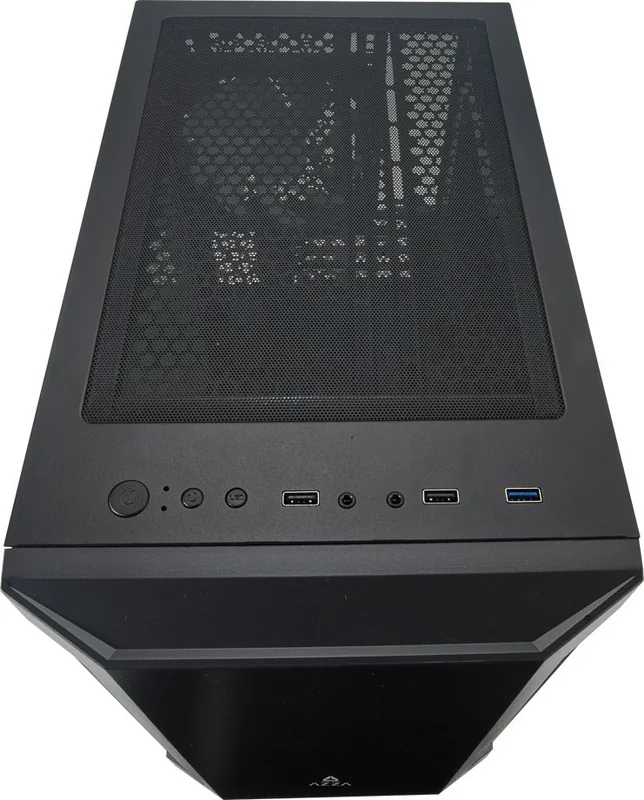
1x USB-A 3.0 (5Gb/s), 2x USB-A 2.0 (480Mb/s), 1x 3.5mm jack (Line-Out), 1x 3.5mm jack (Line-In)
PCI Slots
4
Fan (front)
1x 200mm (optional) or 2x 120mm (optional)
Fan (rear)
1x 140mm
Fan (left)
N/A
Fan (right)
N/A
Fan (top)
2x 140mm (optional)
Fan (bottom)
N/A
Fan (other)
N/A
Radiator Sizes
120/140/240/280mm front, 120/240mm top
Motherboard
up to µATX
Supported Motherboards
Mini-ITX (6.7"x6.7")/µATX (9.6"x9.6")
Power Supply
ATX
PSU Position
bottom
CPU Cooler
max. 6.89in height
Graphics Cards
max. 13.39in
Color
black, black interior
Lighting
no lighting
Dimensions (WxDxH)
9.06x15.35x15.75in
Volume
2.19cu ft
Weight
9.26lbs
Case Type
Mini-Tower
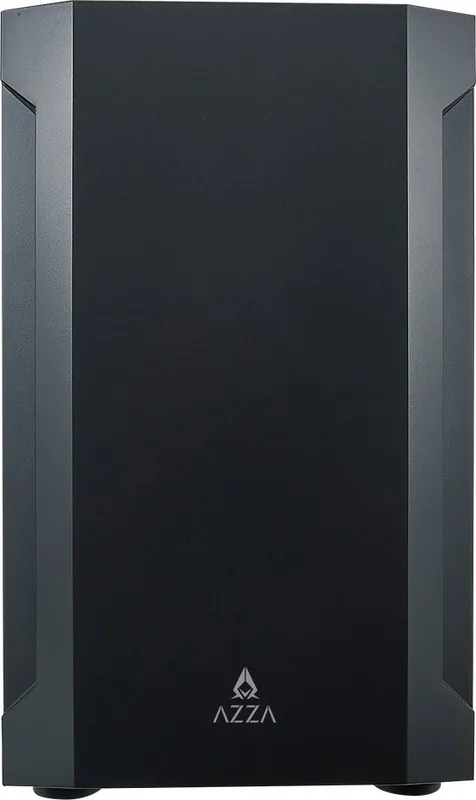
Front
closed, side ventilation slots
Top
partially closed, mostly fan grille, dust filter outside
Bottom
partially closed, mostly fan grille, dust filter outside
Left
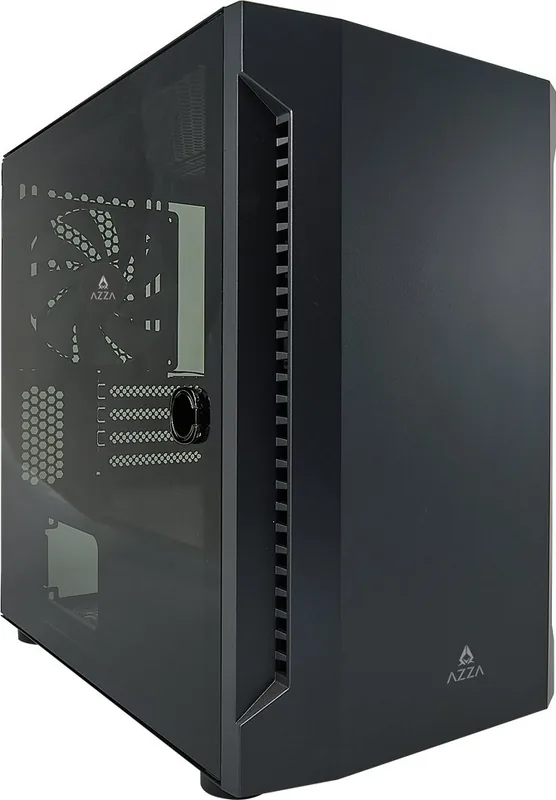
closed, glass
Right
closed
Rear
partially closed, fan grille right top, PCI slots (4x horizontal)
Front I/O Position
Case side: top, Height: Front, Position: center
Features
cable management, dust filter, glass window
USB Spelling
Link
Product Description
Discover the AZZA Bastion Glass Window Manual
The AZZA Bastion is a striking Micro ATX mid-tower chassis designed for enthusiasts who value both aesthetics and functionality. At the heart of its design lies the premium magnetic tempered glass side window, which transforms the computer into a showcase for your internal components. This manual guides you through every aspect of building with the Bastion, ensuring a seamless experience from unboxing to full system operation.
Constructed with durability in mind, the chassis features a sleek black exterior that complements any desk setup. The left side panel utilizes high-quality tempered glass held securely by magnets, allowing for easy removal when you need to upgrade hardware or clean dust filters. Inside, the layout is optimized for airflow and component compatibility, supporting graphics cards up to 340mm in length and CPU coolers reaching heights of 175mm. Whether you are running a compact ITX build or a robust Micro ATX rig, the Bastion provides ample room for expansion.
Cooling options are extensive, catering to both air and liquid cooling enthusiasts. The front panel accommodates up to two 280mm radiators or dual 200mm fans, while the top supports a 240mm radiator or additional fans. A pre-installed 140mm fan ensures immediate airflow upon assembly. Dust management is handled efficiently with removable magnetic nets on the top and an iron mesh at the bottom, keeping your system clean and running cool. Storage flexibility is also a highlight, offering space for up to four 2.5-inch SSDs and two 3.5-inch HDDs without compromising cable management.
The control panel on the top edge includes essential connectivity such as USB 3.0, dual USB 2.0 ports, HD audio jacks, and standard power buttons. This thoughtful arrangement keeps critical access points within reach while maintaining a clean aesthetic. The AZZA Bastion Manual serves as your comprehensive guide to unlocking the full potential of this versatile case, ensuring every installation step is clear and precise.
Search for 67,706 Manuals online


Type-in Brand or Model
WaterCoolFan
4 months ago
Does this case support water cooling systems?
Manual.ly
4 months ago
The case offers ample space for fans and large tower CPU coolers. While one review noted that a specific water cooling setup did not fit, another user confirmed there is sufficient room for water cooling components if you plan to install them later. We recommend checking your specific radiator dimensions against the case's internal clearance before purchasing.