
AZZA Apollo 430 Manual
PDF manual · 2 Pages
English



Quick check
Incorrect answer, please try again.
Chat with your AZZA Apollo 430 manual using AI
Get instant AI answers from your AZZA Apollo 430 manual
Ask anything about the AZZA Apollo 430. Answers come from this manual, with the pages they are based on.
Ask a Question
Do you recommend Apollo 430?
Yes NoFrequently Asked Questions
Yes. For 120mm fans, you disassemble the front panel A to install them. For 140mm fans, you disassemble front panel A, remove the screws on front panel B, and push up front panel B to fully disassemble it for correct fan mounting.
Is this answer helpful?
The case supports addressable RGB fan installation intended to connect to a compatible motherboard. That means you can typically control lighting effects through motherboard software, as long as your fans and motherboard header are compatible with addressable RGB.
Is this answer helpful?
The listed configuration includes 2.5" SSD brackets x2 and 3.5" HDD brackets x2. This supports a balanced build with both faster SSD storage and larger-capacity HDD storage.
Is this answer helpful?
Yes. The design includes a PCI slot cover section, which supports expansion planning for GPUs and add-in cards. You will use the appropriate screws and hardware during installation.
Is this answer helpful?
The exterior includes an iron front panel with an LED-lens style element, while the build emphasis is the tempered glass panel sections on the side for visibility. Metal panels on other sides help maintain structural rigidity.
Is this answer helpful?
Yes, especially for the panel removal sequence. The manual guidance is particularly important for correct front-panel disassembly when changing between 120mm and 140mm fan setups and for properly mounting the side glass panels with the included screws.
Is this answer helpful?
Advantages and Disadvantages
Advantages

- Tempered glass design highlights your build with a premium gaming aesthetic.
- Supports front cooling with 120mm and 140mm fan installation steps.
- Addressable RGB fan installation is designed for motherboard-controlled lighting.
- Includes 2.5" SSD brackets x2 and 3.5" HDD brackets x2 for flexible storage builds.
- Includes screws and panel hardware to support side glass and front access.
Disadvantages

- Installing 140mm fans requires more front panel disassembly than 120mm fans.
- Tempered glass panels can be prone to scratches or edge damage if handled carelessly.
- Addressable RGB depends on having the correct compatible motherboard lighting header.
Product Specification
External
N/A
Internal
2x 2.5"/3.5" (transverse, drive rails), 6x 2.5"
Ports
2x USB-A 3.0 (5Gb/s), 1x 0.14 in jack (Line-Out), 1x 0.14 in jack (Line-In)
PCI slots
7
Fans (front)
2x 5.51 in (optional) or 3x 4.72 in (optional)
Fans (rear)
1x 4.72 in (RGB illuminated)
Fans (left)
N/A
Fans (right)
N/A
Fans (top)
2x 5.51 in (optional)
Fans (bottom)
N/A
Fans (other)
N/A
Radiator sizes
4.72/9.45 in front, 4.72/9.45 in top
Motherboard
up to ATX
Supported motherboards
mATX (9.6"x9.6")/ATX (12"x9.6")
Power supply
ATX
Power supply position
bottom
CPU cooler
max. 6.10 in height
Graphics cards
max. 14.57 in
Lighting
RGB-Header 3-Pin ARGB (+5V/DATA/GND), illuminated fans
Dimensions (WxHxD)
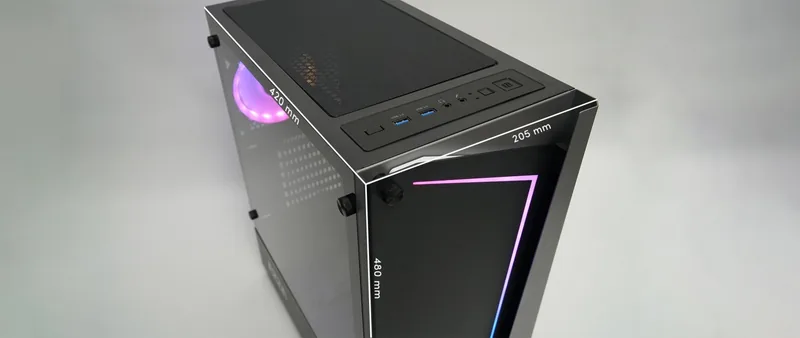
8.07x18.90x16.73 in
Volume
11.05 gal
Weight
17.42 lbs
Case type
Midi-Tower
Front
closed
Top
partially closed, mostly fan grille, external dust filter
Bottom
partially closed, rear fan grille, external dust filter
Left
closed, mostly glass
Right
closed
Rear
partially closed, top right fan grille, PCI slots (7x horizontal)
Front I/O position
Case side: top, Height: Front, Position: center
Special features
Cable management, dust filter, glass side panel
USB notation
Link
Product Description
AZZA Apollo 430 Mid-Tower Tempered Glass Gaming Case
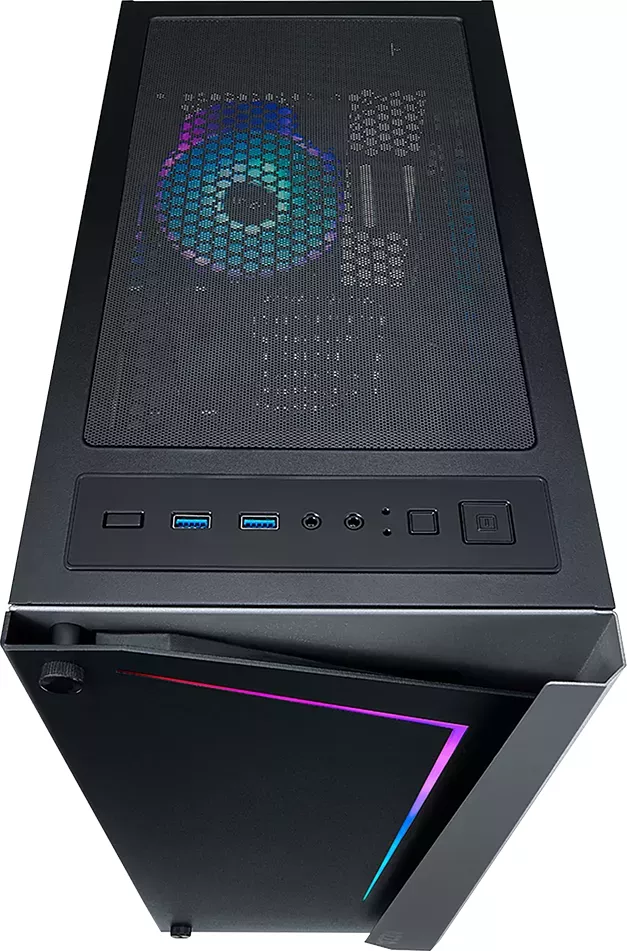
The AZZA Apollo 430 is a mid-tower gaming case built around a striking tempered glass look, paired with a sturdy iron front panel. Its layout is designed to make building and upgrading smoother, with clearly planned panel access and a clean internal structure that suits modern gaming rigs.
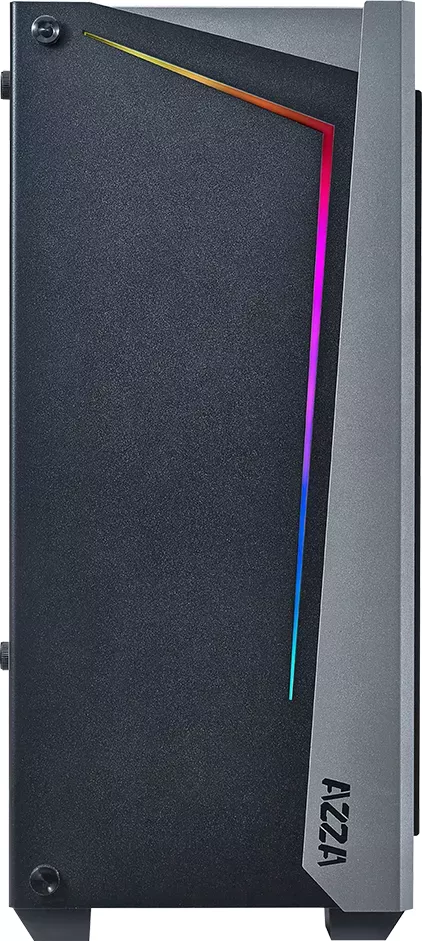
On the outside, the front design features an LED-lens style element and an eye-catching iron front panel. The side presentation leans heavily into show-and-tell PC building, thanks to tempered glass panels on the front-left area and a matching glass focus for visual flair. On the rear and sides, metal panels help maintain a more rigid and practical shell for day-to-day use.
Cooling and addressable RGB support
Cooling is a core part of the AZZA Apollo 430 build experience. The case supports installing 120mm fans by disassembling the front panel. If you plan to go bigger with 140mm fans, you will need to disassemble the front panel A, remove the screws on front panel B, and push up front panel B until it comes free for proper fan placement.
For lighting, the AZZA Apollo 430 supports addressable RGB fan installation intended for use with a compatible motherboard. That makes it easier to coordinate lighting effects with your system's addressable RGB ecosystem, giving you more control than basic single-color or non-addressable setups.
Storage-ready layout
Inside, the AZZA Apollo 430 is set up for common storage upgrades, including two 2.5" SSD brackets and two 3.5" HDD brackets. The included screws and mounting hardware help you secure components confidently, while the PCI slot cover area supports expansion planning for GPUs and add-in cards.
What to expect in a build
If you are following the AZZA Apollo 430 Manual, you will find the key steps around front panel removal and fan size installation. The case encourages a practical workflow: open the right panels, mount your cooling configuration first, then proceed with storage and component installation.
Key takeaways
- Tempered glass focus for a clean, premium gaming PC look.
- Supports 120mm and 140mm front fan configurations using straightforward panel steps.
- Addressable RGB fan installation for better motherboard-controlled lighting.
- Storage support includes 2.5" SSD brackets x2 and 3.5" HDD brackets x2.
- Includes necessary screws and hardware for front panel and side glass setup.
Notes
- Tempered glass is best handled with care to avoid scratches and edge damage.
- Addressable RGB requires the correct motherboard header type and compatible fan/RGB controllers.
- For 140mm fans, expect extra front-panel disassembly compared to 120mm.
Search for 67,706 Manuals online


Type-in Brand or Model