
AZZA Aero Manual
PDF manual · 14 Pages
English



Quick check
Incorrect answer, please try again.
Chat with your AZZA Aero manual using AI
Get instant AI answers from your AZZA Aero manual
Ask anything about the AZZA Aero. Answers come from this manual, with the pages they are based on.
Ask a Question
Do you recommend Aero?
Yes NoFrequently Asked Questions
The AZZA Aero supports ITX, Micro ATX, ATX, and E-ATX motherboards, providing flexibility for compact to large build formats.
Is this answer helpful?
The case supports graphics cards up to 400mm in length, allowing installation of most modern high-performance GPUs.
Is this answer helpful?
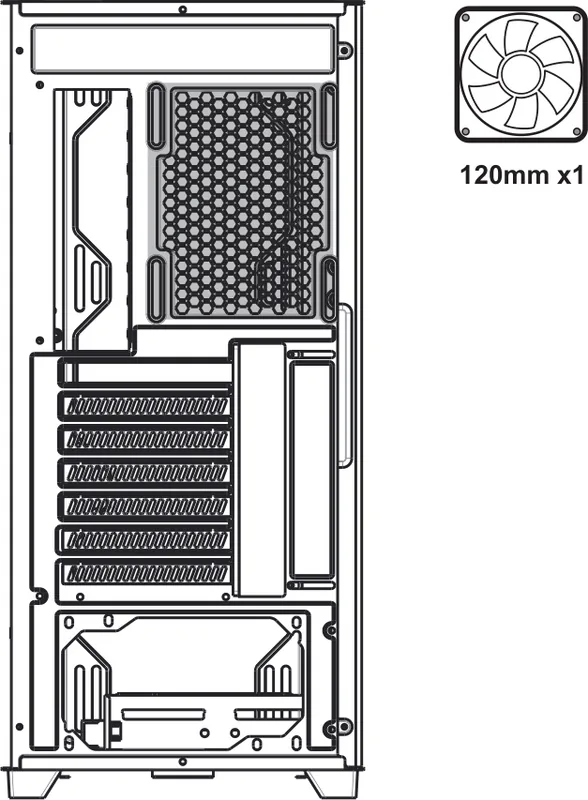
Front and top both support up to three 120mm or two/three 140mm fans and radiators up to 360mm. Rear supports one 120mm fan. This allows flexible air and liquid cooling setups.
Is this answer helpful?
ARGB devices connect via 5V/3-pin headers. The LED button cycles built-in modes; holding it for 3 seconds toggles control between the case LED button and motherboard ARGB software for synchronized lighting.
Is this answer helpful?
Yes. The top filter is magnetic and removable, and the bottom filter is removable as well. Both can be detached and cleaned to maintain airflow and reduce dust buildup.
Is this answer helpful?
The case supports CPU coolers up to 170mm in height and a bottom-mounted ATX power supply. The power-shroud area also offers ventilation and additional fan mounting options.
Is this answer helpful?
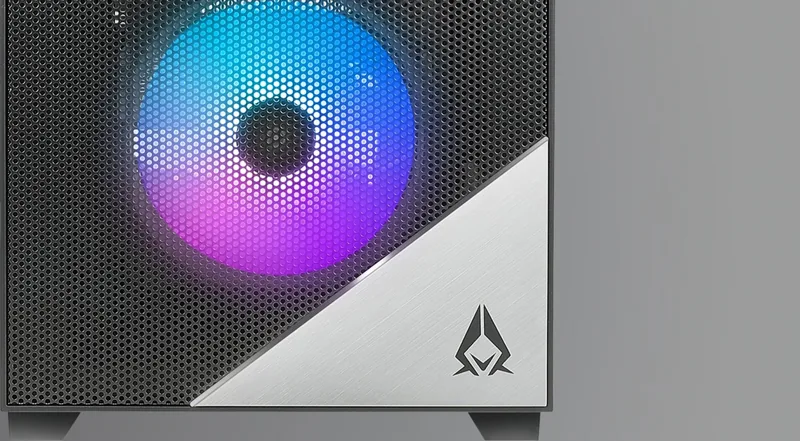
Yes. The Aero ships with addressable ARGB fans preinstalled—three front sub-fans and one rear master ARGB PWM fan—providing immediate cooling and lighting.
Is this answer helpful?
Advantages and Disadvantages
Advantages

- Excellent airflow with full mesh side and multiple fan mounting positions supporting up to 360mm radiators.
- Flexible storage with multifunctional brackets and removable hard drive cage for 3.5" and 2.5" drives.
- ARGB lighting with LED button and motherboard sync via 5V/3-pin header for unified illumination control.
- Supports large components: up to 170mm CPU cooler height and 400mm GPU length for high-end builds.
- Removable magnetic dust filters (top and bottom) simplify maintenance and dust management.
Disadvantages

- No included power supply, requiring separate purchase and installation for full system build.
- Front I/O appears basic (USB 3.0, audio) with limited modern connectivity such as USB-C.
- Weight and mesh panels may increase perceived noise compared to fully closed, insulated cases.
- Complex ARGB wiring requires careful connector management to ensure synchronization.
- Limited internal 5.25" drive options (none), which may affect legacy optical drive needs.
Product Specification
External
N/A
Internal
2x 2.5"/3.5" (transverse, drive rails), 2x 2.5"
Ports
2x USB-A 3.0 (5Gb/s), 1x 3.5mm jack (Line-Out), 1x 3.5mm jack (Line-In)
PCI slots
7
Fans (front)
3x 4.72in (RGB illuminated) or 3x 5.51in (optional)
Fans (rear)
1x 4.72in (RGB illuminated)
Fans (left)
N/A
Fans (right)
N/A
Fans (top)
3x 4.72in (optional) or 2x 5.51in (optional)
Fans (bottom)
N/A
Fans (other)
2x 4.72in (optional)
Radiator sizes
4.72/9.45/11.02 in front, 4.72/9.45/11.02 in top
Motherboard
up to ATX (E-ATX with unknown dimensions possible)
Supported motherboards
Mini-ITX (6.7"x6.7")/uATX (9.6"x9.6")/ATX (12"x9.6")/E-ATX (unknown dimensions)
Power supply
ATX
Power supply position
bottom
CPU cooler
max. 6.69 in height
Graphics cards
max. 15.75 in
Color
black, interior black
Lighting
RGB-Header 3-Pin ARGB (+5V/DATA/GND), integrated LED controller, illuminated fans
Dimensions (WxHxD)
8.66x19.02x17.32 in
Volume
1.65 cu ft
Weight
13.45 lb
Case type
Midi-Tower
Front
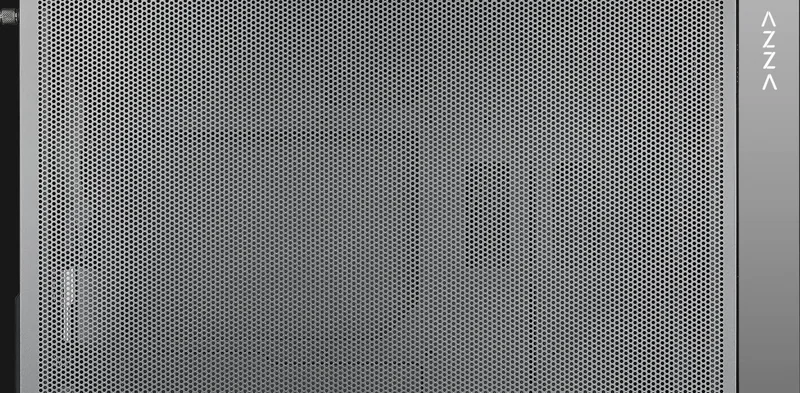
Mesh
Top
partially closed, mostly fan grille, dust filter outside
Bottom
partially closed, fan grille rear, dust filter outside
Left
Mesh
Right
closed
Rear
partially closed, fan grille top right, PCI slots (7x horizontal)
Front I/O Position
Case side: top, Height: center, Position: right
Features
Cable management, dust filter
Note on E-ATX
Motherboard and case manufacturers designate different dimensions as E-ATX. This manufacturer does not provide information on supported E-ATX dimensions. Motherboards with E-ATX/SSI EEB dimensions of 12.01"x12.99" or 12"x13" may not be supported.
USB notation
Link
Product Description
AZZA Aero Manual — AZZA Aero
The AZZA Aero is a versatile ATX mid-tower designed for builders seeking high airflow, flexible cooling, and striking addressable RGB lighting. With a slidable iron mesh side panel and a full mesh option, the Aero prioritizes ventilation while offering clear views of internal components. It supports a broad range of motherboards from ITX up to E-ATX and accommodates long GPUs and tall coolers, making it suitable for gaming rigs, content-creation workstations, and custom enthusiast builds.
Inside the chassis, the layout emphasizes modularity: multiple multifunctional drive brackets and a removable hard disk cage let you configure combinations of 3.5" HDDs and 2.5" SSDs. The bottom-mounted ATX power supply space and a ventilated power-shroud area improve cable management and airflow. Magnetic top dust filters and a removable bottom dust filter simplify maintenance while protecting hardware from dust buildup.
Cooling options are a highlight on the Aero. The front can house up to three 120mm or 140mm fans and supports front radiators up to 360mm. The top mounts up to three 120mm or two 140mm fans, also supporting up to a 360mm radiator. A rear 120mm position is included. The case ships with ARGB fans (three front sub-fans and one rear master fan) and provides abundant fan ports, PWM connectors, and a dedicated ARGB 5V 3-pin circuit for synchronized lighting.
Lighting control is flexible: an LED button cycles through built-in ARGB modes and, when held, toggles control between the onboard LED button and motherboard ARGB software (via 5V/3-pin header). The design supports syncing all addressable RGB devices to motherboard software for cohesive lighting across compatible components.
Physical specs emphasize practical dimensions and compatibility: the case measures roughly 483 x 220 x 445 mm, supports CPU coolers up to 170mm tall and GPUs up to 400mm long. Expansion slots and front-panel I/O include USB 3.0, HD audio, power/LED controls and an LED toggle. The chassis balances airflow, modular storage, and visual customization to support both high-performance cooling builds and showcase-oriented systems.
Notes:
- Ensure the ARGB 5V 3-pin connectors are correctly oriented and connected to the motherboard when syncing lighting.
- Press and hold the LED button for 3 seconds to switch RGB control between the button and motherboard software.
- Magnetic top dust filter and bottom filter are removable for easy cleaning.
- Confirm PWM fan and SATA power connections before initial power-up to ensure fans function properly.
Search for 67,706 Manuals online


Type-in Brand or Model