
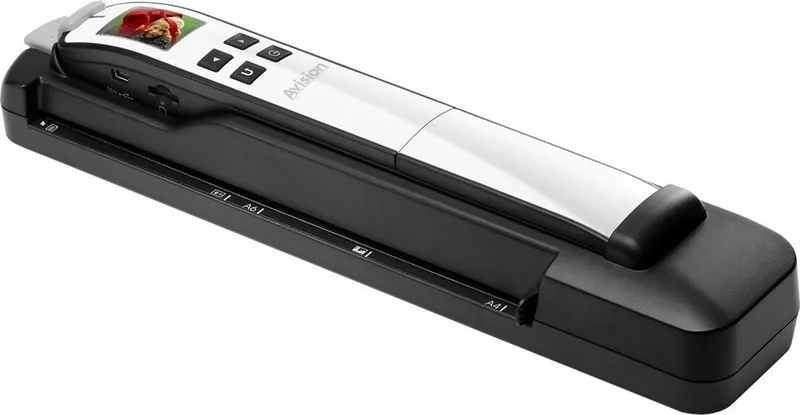
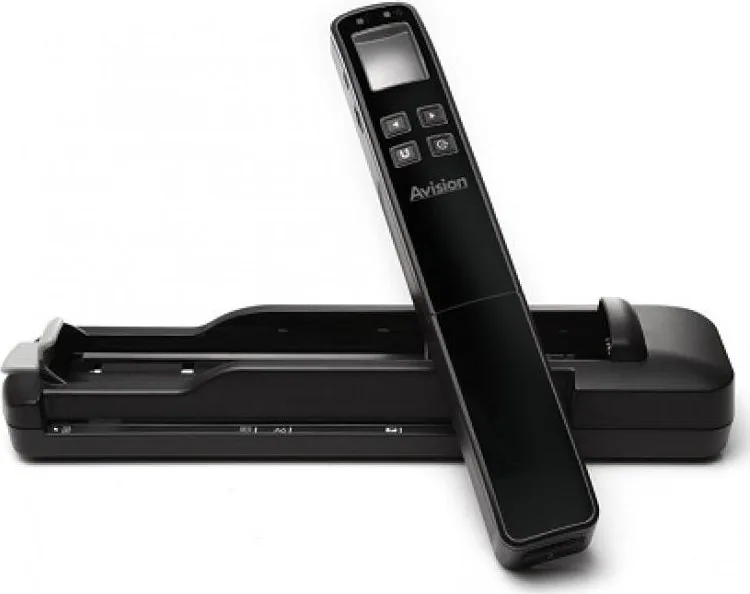
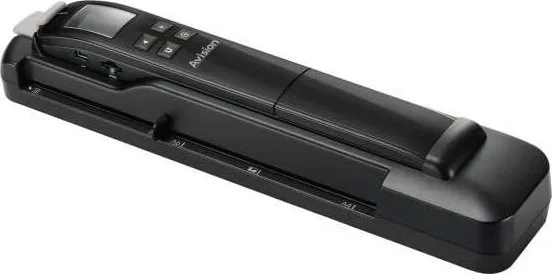
Avision MiWand 2 Wi-Fi Pro Manual
PDF manual · 52 Pages
English



Quick check
Incorrect answer, please try again.
Chat with your Avision MiWand 2 Wi-Fi Pro manual using AI
Get instant AI answers from your Avision MiWand 2 Wi-Fi Pro manual
Ask anything about the Avision MiWand 2 Wi-Fi Pro. Answers come from this manual, with the pages they are based on.
MiWand 2 Wi-Fi Pro Maintenance Schedule
Calibrate if images are fuzzy or discolored, after more than 8,000 scans, or after long storage. Use the calibration sheet and slide the scanner over the white area.
Wipe rollers and glass with the included cleaning cloth. Add isopropyl alcohol for rollers if needed. Do not use solvents on plastic parts.
Ask a Question
Do you recommend MiWand 2 Wi-Fi Pro?
Yes NoFrequently Asked Questions
Yes, the scanner saves directly to internal memory or a microSD card, allowing standalone operation without any PC connection.
Is this answer helpful?
Turn on Wi-Fi, connect your device to the scanner network, and use a browser to download files wirelessly to your device.
Is this answer helpful?
You can choose between JPEG for photos or PDF for documents based on your scan settings menu.
Is this answer helpful?
Yes, it features a Li-ion battery that charges via USB cable or power adapter when in the feeder dock.
Is this answer helpful?
Clean the scanner rollers and glass with the provided cloth, or perform a calibration using the included sheet.
Is this answer helpful?
Yes, the built-in sensor detects standard documents and receipts effectively with the 300 dpi default setting.
Is this answer helpful?
Advantages and Disadvantages
Advantages

- Portable hand-held design allows scanning anywhere without a PC connection.
- Built-in Wi-Fi enables wireless transfer to smartphones and tablets instantly.
- High resolution scanning up to 1200 dpi ensures clear text and photo detail.
- Rechargeable battery supports extended use away from power outlets for hours.
Disadvantages

- 128MB internal storage is small and requires microSD card for significant data.
- 1200 dpi resolution is only available when using the wand rather than dock.
- Battery charging requires specific adapters or USB connection without powering on.
- Manual calibration is needed periodically if scanned images appear distorted or fuzzy.
Product Specification
Type
Handheld Scanner (CIS)
Resolution
600 x 600 dpi
Paper/Film Format
A4
Paper/Film Feed
Single Sheet
Storage
32GB (HDD)
Ports
1x USB 2.0, Card Reader (SD)
Wireless
Wi-Fi 4 (WLAN 802.11b/g/n)
Display
Color, 1.8"
Power Consumption
1.2W (typical)
Dimensions
12.68 x 2.72 x 2.24 in
Weight
0.91 lbs
Features
Battery (Li-Ion, 700mAh)
Product Description
Experience Portable Scanning with Avision MiWand 2 Wi-Fi Pro
Capturing documents and photos has never been easier than with the Avision MiWand 2 Wi-Fi Pro. This handheld scanner transforms how you digitize physical media by allowing users to scan directly to a microSD card without needing a computer nearby. The compact design fits comfortably in your hand, making it perfect for scanning photos, receipts, and pages on the go. Once you start the device, simply glide it over the surface of your paper to capture high-quality images instantly. The built-in sensor reads images as you move, providing a smooth and consistent scanning experience across various surfaces. It handles standard sizes efficiently.
Seamless Connectivity and Storage
One of the standout features is the built-in Wi-Fi capability. This allows wireless access to your scanned files immediately after capture. Users connect their smartphones or tablets to the scanner network to download images without cables. The device features a color LCD screen so you can preview results right on the machine. This ensures that every page is captured correctly before you file it away. For expanded memory needs, insert a microSD card to store hundreds of scans in JPEG or PDF formats. The Avision MiWand 2 Wi-Fi Pro Manual details the advanced settings available for customization regarding file formats and scan speeds. The Pro model includes a unique Feeder Dock which enables sheet-fed scanning for batch processing documents. This addition allows the scanner to handle multiple pages automatically without constant handling. You simply feed pages into the dock, and the machine handles the rest. Resolution options reach up to 1200 dpi for high-detail wand scans. Battery life is supported by a rechargeable Li-ion unit.
Maintenance and Usability
Cleaning and calibration are straightforward processes to maintain image clarity over time. The scanner includes a calibration sheet to ensure sensors remain accurate for color fidelity. The device supports USB connections for direct data transfer if Wi-Fi is unavailable. Whether you are a student organizing notes or a professional digitizing archives, this tool streamlines your workflow significantly. The intuitive interface guides you through setup and operation effortlessly. You can even print or email files directly from your connected device. Enjoy the flexibility of scanning anywhere you go with this reliable portable device that respects your time and storage limits. Safety guidelines protect components from overheating during charging.
Search for 67,706 Manuals online


Type-in Brand or Model