
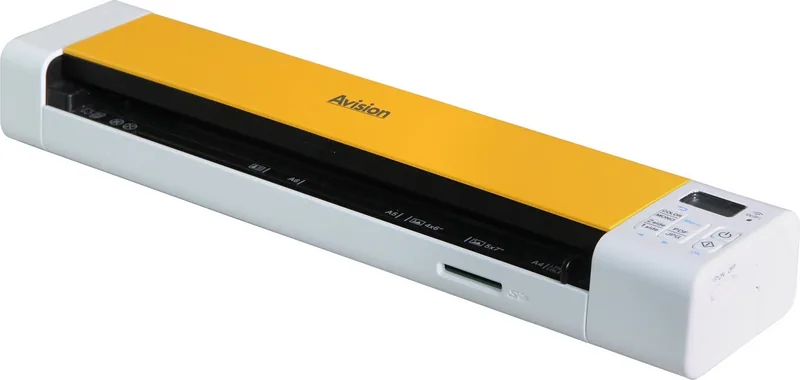
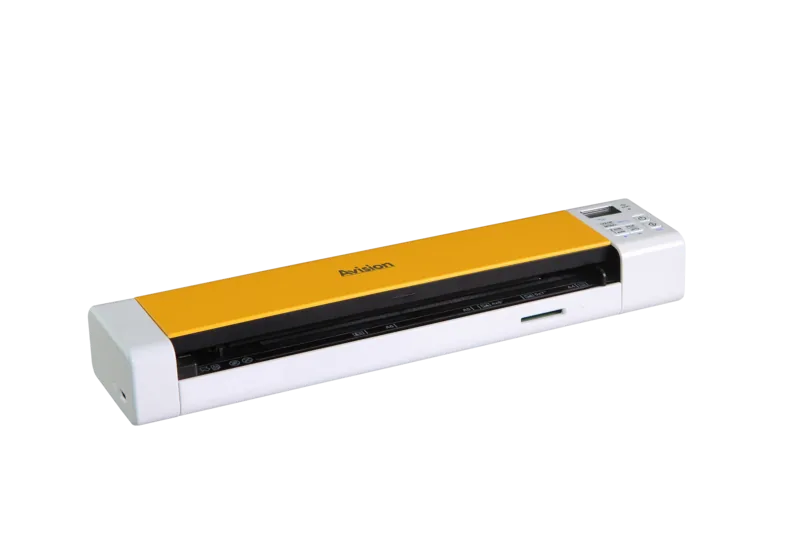
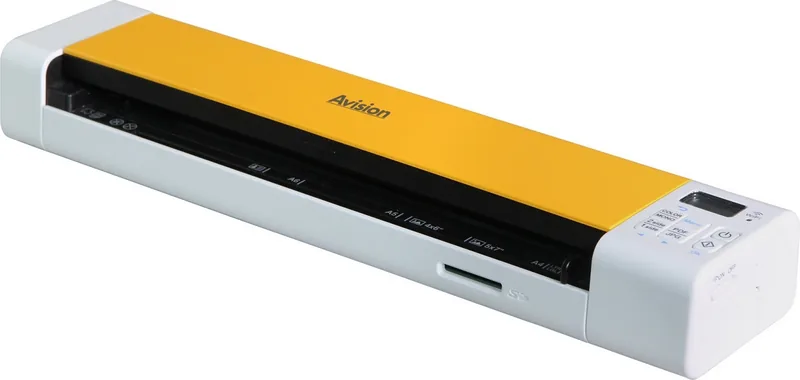
Avision MetaMobile 20 Manual
PDF manual · 115 Pages
English



Quick check
Incorrect answer, please try again.
Chat with your Avision MetaMobile 20 manual using AI
Get instant AI answers from your Avision MetaMobile 20 manual
Ask anything about the Avision MetaMobile 20. Answers come from this manual, with the pages they are based on.
Ask a Question
Do you recommend MetaMobile 20?
Yes NoFrequently Asked Questions
Yes, the Avision MetaMobile 20 supports SD scan mode. You can insert papers and scan directly to an SD card without needing a connected PC. This allows for portable document capture anywhere.
Is this answer helpful?
The device supports resolutions up to 600 dots per inch. This provides high detail for text and images. Users can adjust settings in the control panel menu to select the desired quality level.
Is this answer helpful?
No. The Wi-Fi connection is intended for browsing and downloading scanned files from the device to other computers or mobile devices. It cannot be used to browse the internet for safety reasons.
Is this answer helpful?
On a full charge, the battery can handle two hundred scans at 300 dpi resolution. For the first use, ensure it charges for at least four hours to maximize performance and life cycle.
Is this answer helpful?
The scanner works with Microsoft Windows and Mac OS. Drivers are available for download from the official website. Installation requires connecting to a PC using the provided USB cable.
Is this answer helpful?
It handles photos, business cards, and standard paper documents. It can also scan long pages up to 118 inches using a specific mode. Thick or curled items may cause jams and should be avoided.
Is this answer helpful?
Advantages and Disadvantages
Advantages

- Portable battery power allows scanning without a computer connection in most cases.
- Dual mode operation supports both SD card and PC connected scanning efficiently.
- High resolution settings up to 600 dpi ensure detailed image capture.
- Wi-Fi connection enables wireless access to files on mobile devices.
- Advanced image enhancement features improve final output quality significantly.
Disadvantages

- Wi-Fi mode does not support direct internet browsing for security.
- Requires specific SD card format like FAT16 or FAT32 to function.
- Battery life is sufficient but requires regular charging cycles.
- Complex menu settings may require time to learn for new users.
- Specific battery model must be used to ensure safety and fit.
Product Specification
Type
mobile document scanner (CIS)
Resolution
600 x 600 dpi
Speed
7.5/7.5 ppm (BW/Color)
Paper/Film Format
A4
Paper/Film Feeder
Single-sheet
Memory
32MB (RAM)
Connections
1x USB 2.0
Wireless
Wi-Fi 5 (802.11a/b/g/n/ac)
Power Consumption
5W (typical), 3W (standby), 1W (sleep)
Dimensions
12.13 x 1.65 x 2.64 in
Weight
1.17 lbs
Features
LED lighting, Battery (Li-Ion)
Product Description
Exploring the Avision MetaMobile 20 Portable Scanner
The Avision MetaMobile 20 is a versatile mobile scanner designed for professionals on the go. This device offers significant flexibility through its dual-mode capability. Users can operate in SD scan mode to capture images directly to a memory card without an external computer. Alternatively, the PC mode connects via USB to utilize advanced software for high-quality processing.
The hardware features a built-in rechargeable lithium-ion battery, allowing for extended use in the field. Scanning performance is robust, supporting resolutions up to 600 dpi for crisp text and detailed photos. The feed slot accommodates various paper weights and sizes, ensuring compatibility with business cards, photos, and standard documents. Battery life is substantial, capable of handling two hundred scans at 300 dpi on a full charge.
Connectivity includes a Wi-Fi switch for wireless access to scanned files. This feature does not enable internet browsing but allows direct viewing and downloading of images to smartphones or tablets. The control panel includes an LCD display for status updates and quick menu adjustments. Keys allow users to toggle between color and mono modes or select PDF and JPG formats. The menu system guides users through configuration for resolution, clock settings, and auto power off functions.
Software integration is seamless with Windows and Mac operating systems. The driver package supports TWAIN and WIA interfaces for professional imaging applications. Image enhancement options like color dropout, skew removal, and multifeed detection improve output quality significantly. The device also features automatic cropping and background processing to streamline workflow.
Safety guidelines emphasize battery care and proper cable usage to prevent hazards. The unit requires specific accessories for optimal performance, including the designated battery model. Compliance with FCC and European directives ensures reliable electromagnetic safety in various environments. Whether archiving records or digitizing collections, this scanner provides efficient portable solutions for modern data management needs.
For users needing long documents, the system supports long page scanning up to 118 inches. This makes the device suitable for maps or architectural prints. The scanner detects paper thickness and prevents jams through sensitive mechanical design. Cleaning the rollers and glass ensures consistent results over time. Storage options rely on secure SD cards formatted correctly for the system to function optimally.
Installation involves inserting the battery and SD card before use. Users must remove protective tapes from the feeder. Charging takes at least four hours for the first usage. The clock settings can be adjusted on the control panel LCD screen. Power button presses determine on and off states.
This mobile tool transforms how digital assets are created and stored remotely.
Search for 67,706 Manuals online


Type-in Brand or Model