
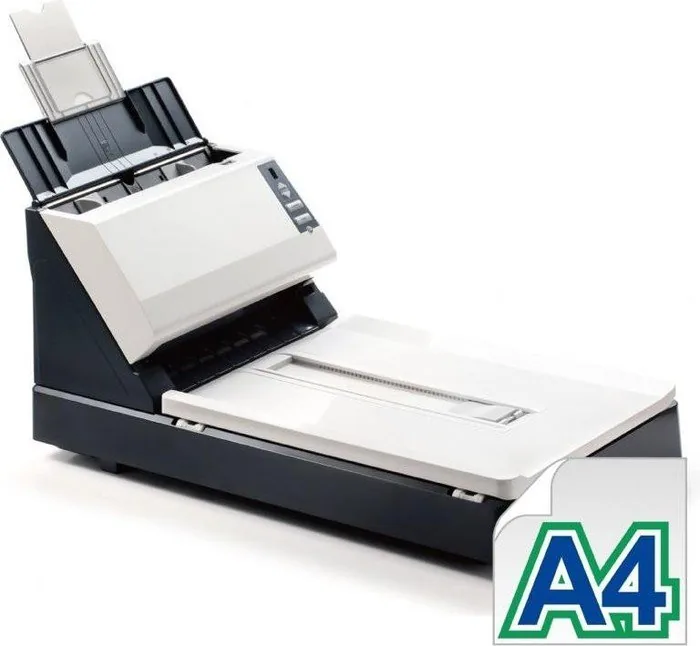
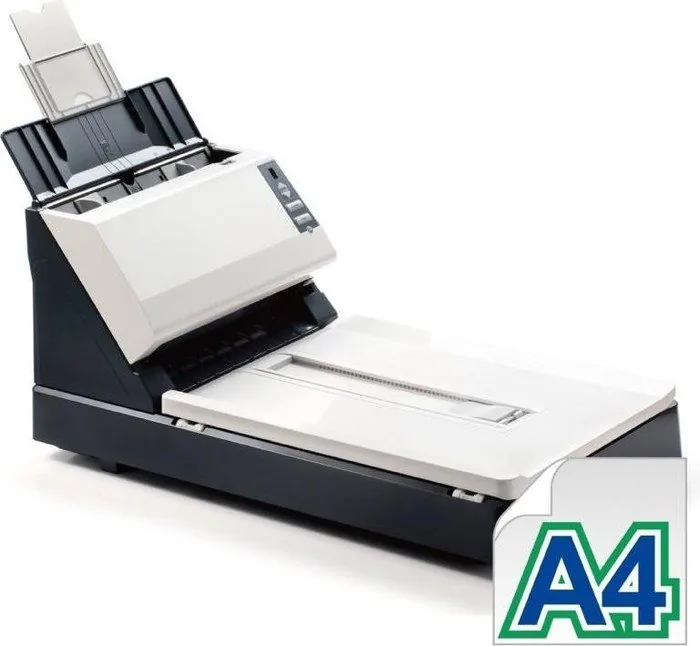
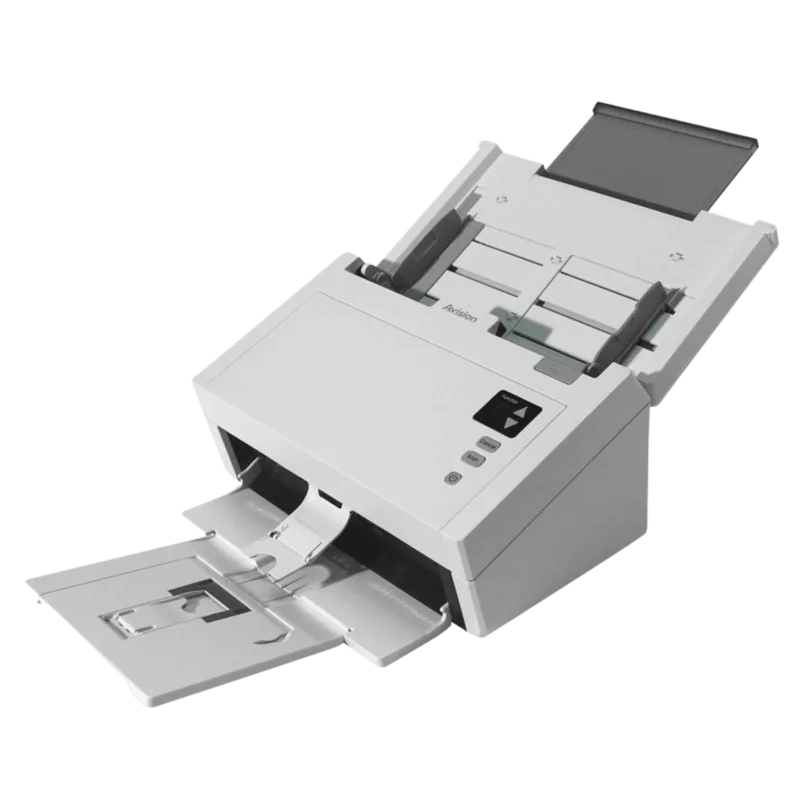
Avision AV1880 Manual
PDF manual · 22 Pages
English



Quick check
Incorrect answer, please try again.
Chat with your Avision AV1880 manual using AI
Get instant AI answers from your Avision AV1880 manual
Ask anything about the Avision AV1880. Answers come from this manual, with the pages they are based on.
AV1880 Maintenance Schedule
After scanning approximately 50,000 pages via the ADF, replace the worn ADF pad to prevent feeding issues and reset the pad counter.
After scanning approximately 100,000 pages via the ADF, replace the worn friction roller to ensure proper document feeding.
After scanning approximately 200,000 pages via the ADF, replace the worn ADF roller to avoid paper feeding problems.
Ask a Question
Do you recommend AV1880?
Yes NoFrequently Asked Questions
It can scan multi-page paper documents through the automatic document feeder and individual or delicate originals on the flatbed. The ADF accepts standard paper, cards, and documents from small card sizes up to Legal size, provided they meet the specified condition and weight requirements.
Is this answer helpful?
The DL-1203S regulatory model is identified as a duplex scanner, allowing both sides of a document to be scanned. The DL-1210S is identified as a simplex model. Available functions can vary by the installed scanner model and software configuration.
Is this answer helpful?
The scanner supports color, grayscale, and black-and-white scanning. Users can adjust resolution, brightness, contrast, threshold, and image processing options. Automatic color detection can also help process mixed batches containing both color and non-color originals.
Is this answer helpful?
Remove staples, clips, sticky notes, and wet ink before loading. Fan paper stacks, align the pages with the guides, do not exceed capacity, and use documents that are not torn, heavily creased, or worn. Clean feed components regularly.
Is this answer helpful?
Color dropout removes red, green, blue, or a selected custom color from black-and-white or grayscale scans. It can reduce colored form backgrounds or watermarks, making text clearer for archiving and OCR workflows.
Is this answer helpful?
Yes. Frequently used settings can be stored as profiles. This lets users quickly reuse preferred image modes, resolution, crop settings, and other scan parameters without rebuilding the configuration for every job.
Is this answer helpful?
Advantages and Disadvantages
Advantages

- Flexible flatbed and 50-sheet ADF scanning supports both single originals and multi-page batches.
- Up to 600 dpi optical resolution with color, grayscale, and black-and-white scan modes.
- TWAIN, ISIS, and WIA driver support improves compatibility with Windows scanning software.
- Image tools include auto crop, deskew, blank-page removal, color dropout, and multi-feed detection.
- Configurable buttons and saved profiles streamline recurring scan tasks.
Disadvantages

- The listed system requirements focus on older Windows versions such as XP, Vista, and Windows 7.
- High-resolution color scans create large files and can take longer to process.
- Auto crop and deskew may be unavailable at 600 dpi because of memory demands.
- ADF originals must meet size, weight, and condition guidelines to avoid feeding problems.
- Rollers and friction pads require periodic cleaning, replacement, and counter resets.
Product Specification
Type
Document scanner (CCD)
Resolution
600 x 600 dpi
Speed
40/40 ppm (black and white/color)
Paper/film size
A4
Paper/film feed
50-sheet DADF, duplex unit
Memory
256 MB (RAM)
Connections
1 x USB 2.0
Software
OCR software
Special features
LED lighting
Product Description
Avision AV1880 Manual: A Versatile Document Scanning Solution
The Avision AV1880 is designed for offices and workgroups that need reliable handling of everyday paper records, identification cards, forms, and mixed document batches. This color scanner combines an automatic document feeder with a flatbed scanning surface, giving users the flexibility to process multi-page stacks or scan delicate, bound, uneven, and single-sheet originals.
With an ADF capacity of up to 50 sheets, the scanner helps reduce manual work during routine digitization. It supports documents up to Legal size and accepts a broad range of paper weights, while card scanning support makes it useful for administrative, customer service, and records-management workflows. The Avision AV1880 Manual highlights proper document preparation, including fanning pages, removing staples, aligning guides, and keeping the glass clean for consistent results.
Scan Quality and Control
The scanner offers up to 600 dpi optical resolution and supports color, grayscale, and black-and-white modes. Adjustable brightness, contrast, threshold, resolution, color dropout, and compression settings allow users to tailor output to their material. Color dropout can remove red, green, blue, or a custom color, which is particularly useful for improving text clarity on forms with colored backgrounds or watermarks.
Automatic cropping, deskewing, blank-page removal, image rotation, edge filling, and despeckling help create cleaner output with less post-scan editing. Users can also save custom scan profiles for frequently repeated jobs. Duplex capability is available on the DL-1203S regulatory model, while the DL-1210S is the simplex alternative.
Workflow Features
The Avision AV1880 supports USB 2.0 connectivity and works with TWAIN, ISIS, and WIA drivers for compatibility with many Windows scanning applications. The supplied Avision Capture Tool provides a practical way to verify installation, preview scans, select file formats, and save images. Button Manager V2 adds one-touch scanning through configurable scanner buttons, allowing a chosen destination, file format, and image mode to be assigned in advance.
Multi-feed detection helps identify overlapping pages in the ADF. An intelligent mode can learn the position or size of attached items, such as labels or photos, to reduce false alerts. This is valuable when scanning varied business records.
Note: Regular cleaning of the flatbed glass, ADF glass, feed rollers, and friction roller supports dependable feeding and image quality. Replace worn ADF components according to usage levels and reset their counters after maintenance.
Search for 67,706 Manuals online


Type-in Brand or Model