
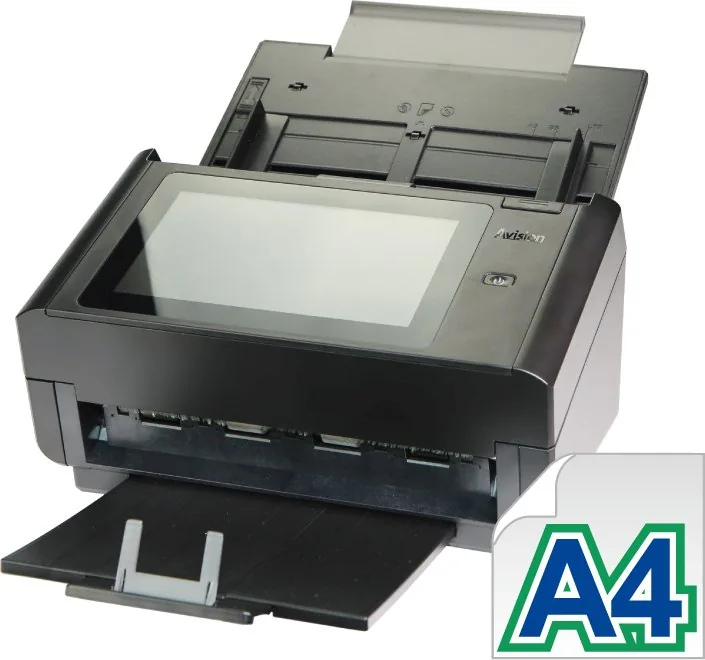
Avision AN360W Manual
PDF manual · 189 Pages
English



Quick check
Incorrect answer, please try again.
Chat with your Avision AN360W manual using AI
Get instant AI answers from your Avision AN360W manual
Ask anything about the Avision AN360W. Answers come from this manual, with the pages they are based on.
AN360W Maintenance Schedule
Wipe the touchscreen monitor first with a damp cloth and then with a dry cloth. Do not use liquid, household, or neutral cleaners.
Soak a clean cloth in isopropyl alcohol (95%) and wipe the friction roller and feed rollers until dust is removed.
Moisten a lint-free cloth with isopropyl alcohol (95%) and wipe the glass and white area from side to side to remove dust.
Ask a Question
Do you recommend AN360W?
Yes NoFrequently Asked Questions
Yes, you can scan to email addresses by setting up a SMTP server. The device allows transmission of documents directly to recipients.
Is this answer helpful?
Yes, it supports cloud services like Google Drive, Dropbox, and OneDrive for storing scanned images securely online.
Is this answer helpful?
You can connect Wi-Fi via the settings on the LCD panel or through the Web page interface using SSID.
Is this answer helpful?
Yes, you can use a USB flash drive for direct saving of scanned images without needing a network connection.
Is this answer helpful?
Yes, you must install the driver for PC applications to communicate via TWAIN or WIA interfaces.
Is this answer helpful?
Supported formats include PDF, TIFF, PNG, JPEG, and searchable PDF for various document needs.
Is this answer helpful?
Yes, the ADF supports double-sided scanning for efficient two-sided document digitization.
Is this answer helpful?
Advantages and Disadvantages
Advantages

- Multi-destination scanning with Scancast feature for email and cloud
- Supports USB 3.1 for fast local data transfer and storage
- Easy network setup via embedded web page for administrators
- Compatible with various file formats including PDF and TIFF
Disadvantages

- Requires specific AC adapter to maintain warranty safety
- Network configuration may be complex for first time users
- Temperature limits apply to battery and product operation
- Wi-Fi and Ethernet cannot be active simultaneously
Product Specification
Type
Document Scanner (CIS)
Resolution
600x600 dpi
Speed
60 ppm (B/W, Color)
Paper/Film Format
A4
Paper/Film Input
100 sheet DADF, Duplex Unit
Memory
512MB (RAM)
Connections
1x USB 3.0, 1x Gb LAN
Wireless
Wi-Fi 4 (WLAN 802.11b/g/n)
Display
Color, 8", Touchscreen
Software
OCR Software (PaperPort 14)
Power Consumption
36W (typical), 12W (standby), 2.1W (sleep)
Dimensions
12.44x10.00x26.57 inches
Weight
9.26 lbs
Features
LED Illumination
Product Description
Transform Your Office Workflow with the Avision AN360W
The Avision AN360W represents a significant leap in modern document management technology. This versatile network scanner streamlines workflows by enabling fast capture of physical records into digital formats effortlessly. Designed for high volume environments, it integrates seamlessly into existing IT infrastructures supporting both wired and wireless connections. Users appreciate the flexibility to send scans directly to cloud services like Google Drive or email addresses without stopping work. The robust hardware supports continuous operation for busy offices.
Seamless Connectivity and Setup
Operating over an Ethernet network, this device ensures reliable performance for distributed teams. The Ethernet port connects to your hub, while the built-in Wi-Fi module allows mobile users to scan documents using dedicated applications. Compatibility with Windows operating systems ensures smooth driver integration for PC users who prefer TWAIN compliant software. The USB 3.1 interface offers rapid data transfer for local tasks. Network administrators find configuration straightforward through the embedded web page. You can set up IP addresses manually or use DHCP for automatic detection.
Advanced Features for Productivity
The touch LCD panel simplifies operation without needing to access a computer for every task. You can create custom shortcuts for frequent tasks to save time on daily routines. The Scancast function distributes one scan to multiple destinations simultaneously including email and cloud servers. This capability saves significant time during compliance reviews. Direct USB storage is also possible for those who prefer portable media. Users can save files to the product memory for temporary access. Address books and filing profiles make repeated tasks faster.
Efficiency and Safety Guidelines
Powering the unit requires the specific included adapter to maintain warranty and safety standards. Temperature settings must be respected to avoid hardware damage during operation. The ADF handles various paper sizes and weights including legal and invoice documents. Advanced image processing options allow adjustments for contrast and density to suit different originals. Regular maintenance ensures longevity and consistent output quality. Safety warnings are clear regarding power safety. You can adjust brightness and color modes for better results.
This scanner empowers organizations to reduce paper clutter while maintaining strict security protocols for sensitive data. Network security is enhanced through LDAP authentication and user account management. Whether for small business or enterprise use, the Avision AN360W delivers robust functionality and ease of use for daily scanning needs. Its ability to integrate with FTP servers and internal folders makes it an essential tool for modern record keeping. Mobile connectivity expands where and how scans are created. The software includes tools for verification. Drivers install quickly for immediate use. Maintenance tips ensure the machine operates at peak performance.
Search for 67,706 Manuals online


Type-in Brand or Model