
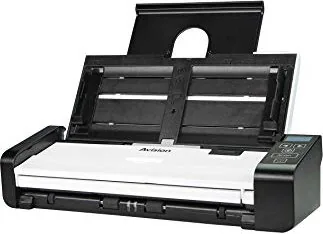
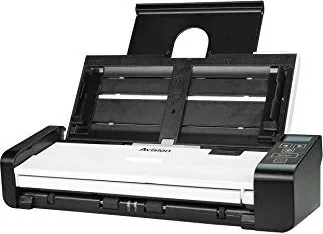
Avision AD215L Manual
PDF manual · 136 Pages
English



Quick check
Incorrect answer, please try again.
Chat with your Avision AD215L manual using AI
Get instant AI answers from your Avision AD215L manual
Ask anything about the Avision AD215L. Answers come from this manual, with the pages they are based on.
AD215L Maintenance Schedule
Wipe the separation pad, rollers, and glass with the supplied cleaning cloth. Use 95% isopropyl alcohol on the cloth for more efficient roller cleaning.
Replace the feed roller when the total number of scanned documents reaches 100,000 pages to prevent paper jams and feeding issues.
Replace the separation pad when the total number of scanned documents reaches 30,000 pages to ensure proper document feeding.
Ask a Question
Do you recommend AD215L?
Yes No
Josefa Wolf
5 months ago
Is it possible to use this scanner with a Mac without buying extra software?
Angelina Dibbert
7 months ago
Is this scanner truly compatible with macOS, and does it work reliably with third-party software like VueScan or ExactScan?

Manual.ly
7 months ago
While the device features a solid build quality and attractive display, we acknowledge that users have reported inconsistent performance when connecting to macOS systems. Even with optional third-party software such as VueScan or ExactScan, some customers experience connectivity issues regardless of cable quality. We recommend testing the device thoroughly upon receipt. If you encounter similar reliability problems, please contact our support team to discuss return options.

Eliseo Botsford
4 months ago
Does anyone know if this scanner works well with Mac computers without needing extra cables?
Frequently Asked Questions
The Avision AD215L supports documents up to 216 x 356 mm (8.5 x 14 inches). It also handles smaller sizes down to 50 x 50 mm.
Is this answer helpful?
Yes, if you have the duplex version, you can scan both sides simultaneously. The software allows you to choose front, rear, or both sides for scanning.
Is this answer helpful?
Press the ADF Release button to open the cover, carefully pull out the stuck paper, and close the cover securely before resuming work.
Is this answer helpful?
Yes, the scanner works with OCR applications. Features like Color Dropout and Despeckle help improve text recognition accuracy.
Is this answer helpful?
It supports Windows XP SP3, Vista, 7, 8, and 10 in both 32-bit and 64-bit versions.
Is this answer helpful?
No, you must use the specific WA-36A24R adapter included with the machine to avoid damage and voiding the warranty.
Is this answer helpful?
Advantages and Disadvantages
Advantages

- High-speed scanning with up to 600 dpi optical resolution
- Auto document feeder handles up to 20 pages efficiently
- One-touch scanning capability via Button Manager V2
- Advanced multi-feed detection prevents paper jams
- Supports multiple file formats including PDF and TIFF
Disadvantages

- Requires specific AC adapter which may be hard to replace if lost
- Maximum document length is limited compared to some flatbeds
- Resolution above 300 dpi disables some cropping features
- Cleaning rollers requires periodic manual maintenance
- No built-in wireless connectivity, relies on USB
Product Specification
Type
Document Scanner (CIS)
Resolution
600x600 dpi
Speed
20/20 ppm (B/W/Color)
Paper/Film Format
A4
Paper/Film Feeder
20-sheet DADF, Duplex Unit
Memory
64MB (RAM)
Connections
1x USB 2.0
Wireless
N/A
Display
Monochrome
Software
OCR Software (PaperPort 14)
Dimensions
11.8x2.9x4.1 inches
Weight
3.09 lbs
Features
LED Lighting
Manufacturer Warranty
1 year
Product Description
Avision AD215L: Streamline Your Document Workflow
The Avision AD215L stands as a robust solution for modern offices and home users seeking efficiency in document management. This color sheet-fed image scanner is designed to boost productivity by seamlessly handling documents from the auto document feeder. Whether you are digitizing archives, processing invoices, or scanning important contracts, this device ensures high-quality results with minimal effort.
Equipped with an intuitive interface, the Avision AD215L allows users to scan directly via the physical buttons on the unit or through comprehensive software control. The Button Manager V2 integration enables one-touch scanning to specific applications, saving valuable time during repetitive tasks. With support for various file formats including PDF, TIFF, JPEG, and BMP, it adapts to diverse needs ranging from simple archiving to complex optical character recognition projects.
Performance is at the core of this model, offering an optical resolution of up to 600 dpi for crisp, detailed images. The automatic document feeder can handle stacks of up to 20 pages, making batch processing a breeze. Advanced features like multi-feed detection prevent paper jams caused by overlapping sheets, while color dropout technology helps sharpen text for better readability. The device also supports long page scanning and carrier sheet modes for fragile or irregularly sized items.
Designed with user safety and ease of use in mind, the scanner includes clear warnings and instructions for proper setup and maintenance. It complies with international standards such as FCC Part 15 and EU directives for low voltage and electromagnetic compatibility. Energy Star certification confirms its commitment to energy efficiency, ensuring that your workflow remains green without sacrificing performance. By integrating this tool into your daily operations, you ensure a smoother, faster, and more reliable document handling experience.
Search for 67,706 Manuals online


Type-in Brand or Model
Kennedi Gaylord
4 months ago
Does this scanner work reliably with macOS, and is third-party software like VueScan necessary?
Manual.ly
4 months ago
The device features solid mechanics and a nice display. While macOS compatibility is listed as optional, some users have reported connectivity issues even when using additional software such as VueScan or ExactScan. We recommend testing the connection with high-quality cables first. If problems persist, please contact our support team for further assistance.